
Introduction
Thank you for choosing the DIGIROOT KC2 Stylus Pen. This manual provides detailed instructions for setting up, operating, maintaining, and troubleshooting your stylus pen. The KC2 features a dual-tip design, palm rejection, tilt sensitivity, and fast charging, enhancing your iPad experience for writing, drawing, and navigation.
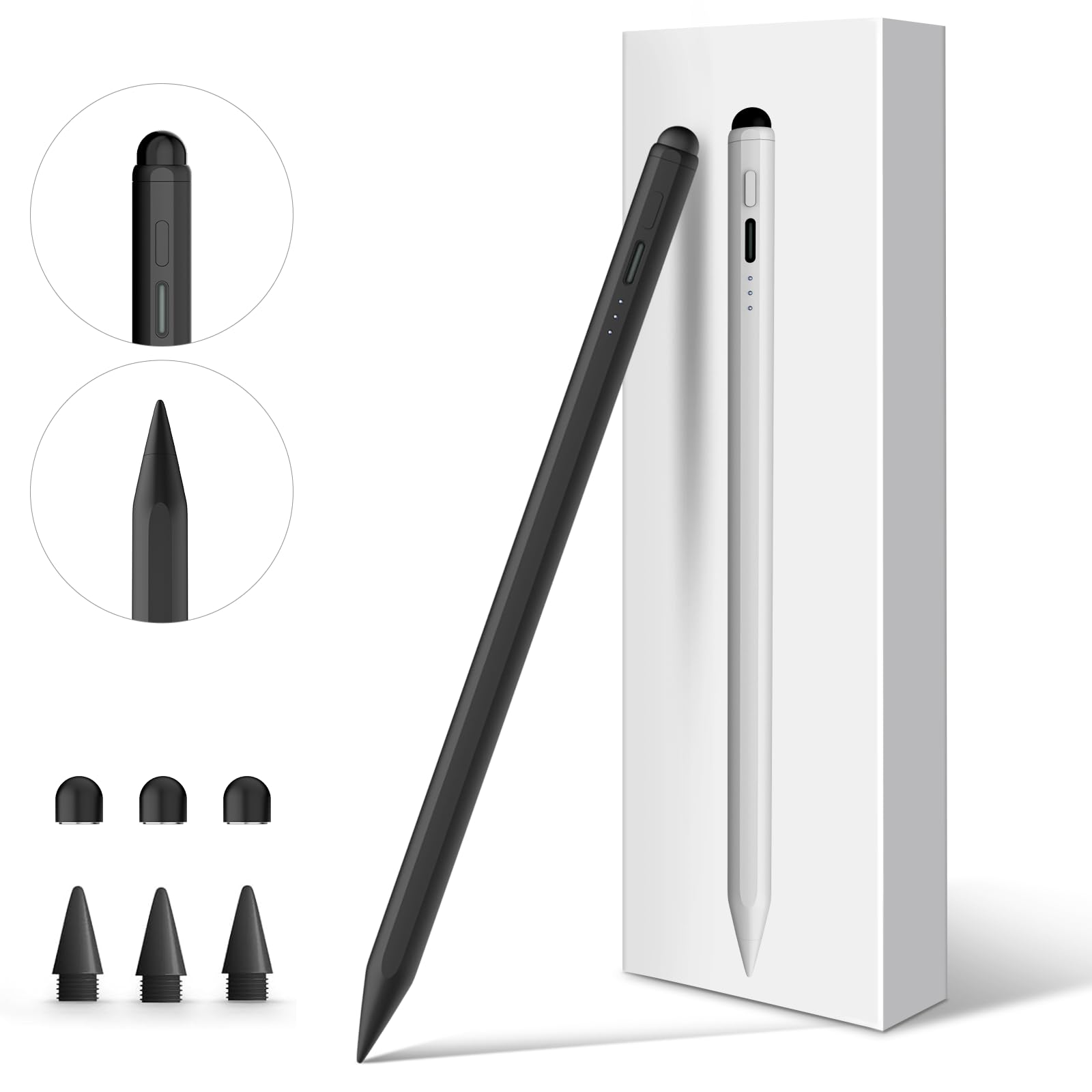
Image: The DIGIROOT KC2 Stylus Pen, showcasing its sleek black design.
Package Contents
Upon opening your DIGIROOT KC2 Stylus Pen package, please ensure all the following items are included:
- 1 x DIGIROOT KC2 Stylus Pen
- 3 x Stylus Replaceable Tips (Fine Tip)
- 3 x Rubber Replaceable Tips
- 1 x Dust Plug
- 1 x Type-C Charging Cable
- 1 x User Manual (this document)

Image: All items included in the DIGIROOT KC2 Stylus Pen package.
Setup
1. Compatibility Check
The DIGIROOT KC2 Stylus Pen is compatible with specific iPad models released between 2018 and 2024. Before use, please verify your iPad model number.
To find your iPad model number: Go to Settings > General > About > Model Number.
Compatible iPad Models:
- iPad 10th/9th/8th/7th/6th Generation
- iPad Air 3rd/4th/5th Generation (M2)
- iPad Pro 11-inch (2nd/3rd/4th Generation)
- iPad Pro 12.9-inch (3rd/4th/5th/6th Generation)
- iPad Pro 13-inch (M4)
- iPad Mini 5th/6th Generation

Image: Detailed compatibility list for iPad models.
2. Charging the Stylus Pen
Before initial use, fully charge your stylus pen.
- Connect the provided Type-C charging cable to the charging port on the stylus pen.
- Connect the other end of the cable to a USB power source (e.g., computer, wall adapter).
- The LED indicators will show charging progress. A full charge takes approximately 13 minutes, providing 9-10 hours of continuous use.

Image: Stylus pen connected to a Type-C charging cable, illustrating charging time and battery level indicators.
3. Powering On/Off
The DIGIROOT KC2 Stylus Pen is designed for ease of use without Bluetooth pairing.
- To turn on: Single press the side button.
- To turn off: Single press the side button again.
The pen will automatically shut down after 10 minutes of inactivity to conserve power.

Image: Instructions for powering on the stylus pen with a single button press.
Operating Instructions
1. Dual-Tip Design
The stylus features two distinct tips for versatile use:
- Precision Fine Tip: Located at the primary end, this tip offers pixel-perfect precision for writing, drawing, and detailed tasks on your iPad.
- Rubber Tip: Located at the opposite end, this tip can be used on any touchscreen device and serves as a backup if the fine tip runs out of power or is not suitable for a specific task.

Image: Illustration of the fine tip and rubber tip, highlighting their functions.
2. Palm Rejection
The stylus supports palm rejection, allowing you to rest your hand naturally on the iPad screen while writing or drawing without causing unintended marks. This feature enhances comfort and precision.

Image: Demonstration of palm rejection technology in action.
3. Tilt Sensitivity
The DIGIROOT KC2 Stylus Pen features tilt sensitivity, allowing you to vary line thickness and shading by changing the angle at which you hold the pen. This is particularly useful for artistic applications and note-taking.
- 90° Angle: Ideal for precise writing and annotations.
- 60° Angle: Suitable for drawing and coloring with smooth, consistent lines.
- 30° Angle: Best for sketching and creating thicker lines or shading effects.

Image: Visual guide to tilt sensitivity at different angles.
4. Magnetic Attachment
The stylus pen can magnetically attach to the side of compatible iPad models for convenient storage and access. This magnetic attraction is designed to be strong and secure.
Note: This feature provides magnetic attachment only and does not support wireless charging.
5. Battery Level Indicators
The stylus pen features three LED indicators to display the remaining battery life:
- Three Lights On: 60% - 100% power (approximately 9 hours of use remaining).
- Two Lights On: 20% - 59% power (approximately 4 hours of use remaining).
- One Light On: Less than 20% power (approximately 0.5 hours of use remaining).
Monitor these indicators to know when to recharge your stylus.
Maintenance
1. Replacing Tips
The stylus comes with replaceable fine tips and rubber tips. If a tip becomes worn or damaged, follow these steps to replace it:
- Gently twist the old tip counter-clockwise to remove it.
- Align the new tip with the stylus and twist clockwise until it is securely fastened.
- Do not overtighten.
Refer to the "Dual-Tip Design" image in the Operating Instructions section for a visual guide on tip replacement.
2. Cleaning
To clean your stylus pen, gently wipe the body with a soft, dry, lint-free cloth. Avoid using harsh chemicals or abrasive materials, as these can damage the pen's finish or internal components.
Troubleshooting
- Problem: Stylus does not work after turning on.
Solution: Ensure your iPad's Bluetooth is turned off. The DIGIROOT KC2 Stylus Pen does not require Bluetooth pairing and can conflict with previously paired Apple Pencils or other Bluetooth styluses.
To turn off Bluetooth: Go to Settings > Bluetooth > Toggle Bluetooth Off.
- Problem: Stylus is unresponsive or has lag.
- Solution 1: Check the battery level. Recharge the stylus if the battery is low.
- Solution 2: Ensure the tip is securely fastened. Replace the tip if it appears worn or damaged.
- Solution 3: Restart your iPad and the stylus pen.
- Problem: Palm rejection is not working correctly.
- Solution 1: Ensure your iPad model is listed as compatible.
- Solution 2: Close and reopen the application you are using.
Specifications
| Model Number | KC2 |
| Brand | Digiroot |
| Color | Black |
| Material | Conductive Material |
| Item Weight | 0.09 Kilograms |
| Item Dimensions | 16 x 1.6 x 1.4 Centimeters |
| Battery Type | 1 Lithium Polymer battery (included) |
| Battery Average Life (Standby) | 10 Hours |
| Charging Time | Approx. 13 minutes for full charge |
| Continuous Use Time | 9-10 hours |
| Auto Shut-off | After 10 minutes of inactivity |
| Compatible Devices | iPad (2018-2024 models) |
| Country of Origin | China |
Warranty
The DIGIROOT KC2 Stylus Pen comes with a 1-year warranty from the date of purchase. This warranty covers manufacturing defects and issues arising from normal use. Please retain your proof of purchase for warranty claims.
For detailed warranty terms and conditions, please refer to the official DIGIROOT website or contact customer support.
Support
For any questions, technical assistance, or support regarding your DIGIROOT KC2 Stylus Pen, please contact our customer service team:
- Email: sales@digirootlife.com
- Manufacturer: DIGIROOT
Our support team is available to assist you with any inquiries.

