
1. Introduction
Thank you for choosing the IZYREC 32GB Digital Voice Recorder, Model MR001. This compact and versatile device is designed for high-quality audio recording in various environments, including lectures, meetings, and personal notes. Featuring app control, Wi-Fi file transfer, and advanced audio enhancement technologies, the MR001 offers a seamless recording experience. This manual provides detailed instructions for setup, operation, maintenance, and troubleshooting to ensure optimal performance of your device.
2. Safety Information
- Do not expose the device to extreme temperatures, direct sunlight, or high humidity.
- Avoid dropping or subjecting the device to strong impacts.
- Keep the device away from water or other liquids. If it gets wet, power it off immediately and allow it to dry completely before use.
- Do not attempt to disassemble, repair, or modify the device yourself. Refer all servicing to qualified personnel.
- Use only the provided USB-C cable for charging and data transfer.
- Dispose of batteries and electronic components responsibly, following local regulations.
3. Product Overview
The IZYREC MR001 is a sleek and portable digital voice recorder. Its compact design makes it easy to carry and discreetly place for recording. The device features a simple interface with essential controls and ports.

Figure 3.1: IZYREC MR001 Device Components and Dimensions. Key components include the microphone, indicator light, on/off switch, and USB-C port. The device measures approximately 2.08 inches in length, 1.69 inches in width, and 0.25 inches in thickness.
Package Contents:
- IZYREC MR001 Digital Voice Recorder
- USB-C Cable (x1)
- Magnetic Back Clip (x1)
- Velcro (x2)
- Instruction Manual
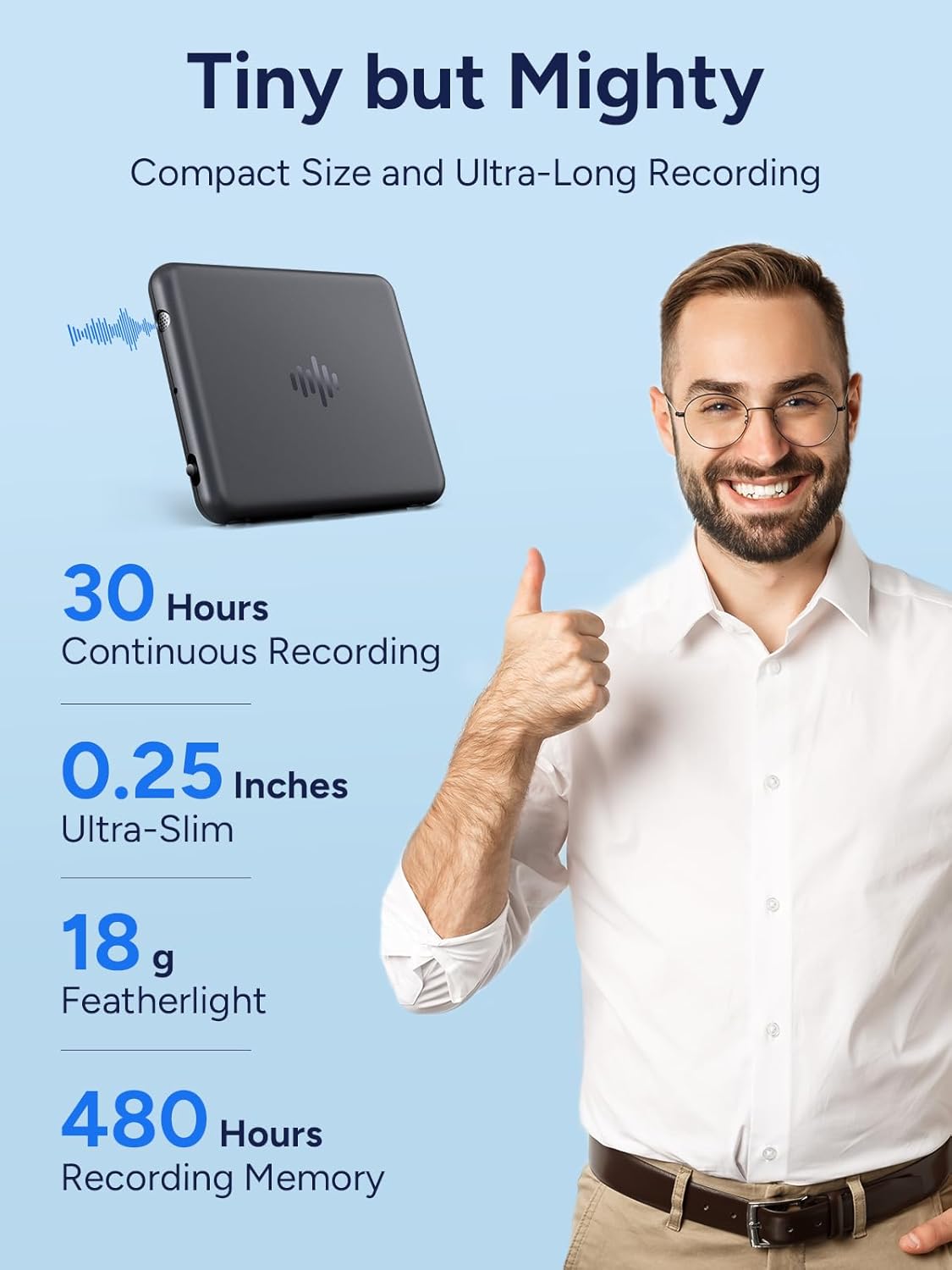
Figure 3.2: Compact Size and Recording Capabilities. The IZYREC MR001 is ultra-slim at 0.25 inches and featherlight at 18 grams, offering up to 30 hours of continuous recording and 480 hours of total recording memory.
4. Setup
4.1 Initial Charging
Before first use, fully charge the device. Connect the provided USB-C cable to the recorder's USB-C port and the other end to a USB power adapter (not included) or a computer's USB port. The indicator light will show charging status and turn off when fully charged.
4.2 Powering On/Off
- To power on: Slide the ON/OFF switch to the 'ON' position. The indicator light will illuminate briefly.
- To power off: Slide the ON/OFF switch to the 'OFF' position. The indicator light will turn off.
4.3 App Installation and Pairing
The IZYREC MR001 is controlled via a dedicated mobile application. Search for "IZYREC" in your device's app store (Apple App Store for iOS, Google Play Store for Android) and install the application. The device is compatible with iPhone, Android, Windows, and Mac systems.

Figure 4.1: Device Compatibility. The IZYREC MR001 is compatible with iPhone, Android, Windows, and Mac operating systems, allowing for versatile app control and file management.
Follow the in-app instructions to pair your IZYREC MR001 recorder with your smartphone or computer. This typically involves enabling Bluetooth or Wi-Fi on your device and selecting the recorder from the app's discovery list.
5. Operating Instructions
5.1 Basic Recording
- Ensure the device is powered on.
- To start recording: The device typically begins recording automatically when powered on, or can be initiated via the app. Refer to the app for specific recording modes.
- To stop recording: Use the stop function within the IZYREC app. Recordings are automatically saved to the device's internal 32GB memory.
5.2 App-Controlled Features
The IZYREC app provides comprehensive control over your recordings:
- File Management: Easily browse, sync, delete, and share your recordings.
- Wi-Fi Fast File Transfer: Quickly transfer audio files to your connected device. A one-hour audio file can sync in approximately 15 seconds.
- Playback and Marking: Play back recordings and mark key points for easy reference.
- Organization: Effortlessly organize your audio files within the app.

Figure 5.1: App Interface for Recording Management. The IZYREC app allows for visual playback, marking of important points, and easy navigation of recordings on a smartphone.
5.3 Smart Voice Enhancement Features
The recorder incorporates advanced technologies to optimize audio quality:
- Dual Knowles SiSonic Mics: For clear and precise audio capture.
- AI-Noise Cancelling: Reduces background noise for clearer recordings.
- Voice Activated Recording (VOR): The device can be set to start recording automatically when sound is detected and pause when silence occurs, conserving memory and battery life.

Figure 5.2: Smart Voice Enhancement Technologies. The recorder utilizes dual microphones, AI-powered noise cancellation, and voice-activated recording for superior audio quality.
6. Maintenance
6.1 Cleaning the Device
Wipe the device with a soft, dry cloth. Do not use liquid cleaners or abrasive materials, as they may damage the surface or internal components.
6.2 Battery Care
To prolong battery life, avoid fully discharging the device frequently. Charge the device regularly, even if not in use for extended periods. Store the device in a cool, dry place.
6.3 Software Updates
Periodically check the IZYREC app for available software or firmware updates. Updates can improve performance, add new features, or fix bugs. Follow the in-app instructions for any update procedures.
7. Troubleshooting
If you encounter issues with your IZYREC MR001, refer to the following common problems and solutions:
| Problem | Possible Solution |
|---|---|
| Device does not turn on. | Ensure the battery is charged. Connect the device to a power source using the USB-C cable. |
| Cannot connect to the app. | Ensure Bluetooth/Wi-Fi is enabled on your smartphone. Restart both the recorder and the app. Make sure the app is updated to the latest version. |
| Poor audio recording quality. | Ensure the microphone is not obstructed. Record in a quieter environment. Check app settings for microphone sensitivity or noise reduction options. |
| Files not transferring. | Verify Wi-Fi connection between the device and the app. Ensure sufficient storage space on the receiving device. Restart the transfer process. |
| Device unresponsive. | Try sliding the ON/OFF switch to 'OFF' and then 'ON' again to perform a soft reset. |
If the problem persists after trying these solutions, please contact IZYREC customer support for further assistance.
8. Specifications
| Feature | Detail |
|---|---|
| Model Number | MR001 |
| Memory Storage Capacity | 32 GB |
| Digital Recording Time | Up to 60 minutes (continuous, format dependent) |
| Battery Type | 1 P76 battery (included) |
| Item Weight | 7 ounces (approx. 198 grams) |
| Product Dimensions | Approx. 2.08" x 1.69" x 0.25" (L x W x H) |
| Compatible Devices | Smartphone (iPhone/Android), Mac, Windows |
| Microphone Form Factor | Built-In (Dual Knowles SiSonic Mics) |
| Audio Format | MP3 Audio |
| Hardware Interface | USB Type C |
| Microphone Operation Mode | Speech Recognition (Voice Activated Recording) |
9. Warranty and Support
For information regarding product warranty, please refer to the warranty card included with your purchase or visit the official IZYREC website. For technical support, troubleshooting beyond this manual, or general inquiries, please contact IZYREC customer service through their official channels or visit the IZYREC Store on Amazon.