
1. Introduction
The Caliora Smart Posture Corrector is designed to assist users in improving their posture through intelligent vibration reminders and real-time monitoring. This device helps develop muscle memory for correct posture by providing gentle alerts when slouching is detected. It features an adjustable correction angle and a counting function to track posture improvements over time.
2. Safety Information
- Consult a healthcare professional before use if you have existing back conditions, injuries, or are pregnant.
- Do not overtighten the straps, as this may cause discomfort or restrict circulation.
- Discontinue use if you experience pain, numbness, or irritation.
- Keep the device away from water and extreme temperatures.
- This device is not a medical treatment; it is intended for posture correction support.
3. What's in the Box
Upon opening your Caliora Smart Posture Corrector package, you should find the following components:
- 1 x Smart Posture Corrector Device (Back Brace)
- 1 x USB Charging Cable
- 1 x User Manual
4. Product Features
- Vibration Reminder: The device vibrates gently when it detects that your posture deviates from the set angle, prompting you to correct it.
- Adjustable Correction Angle: Customize the angle threshold (from 5 to 50 degrees) at which the vibration reminder activates.
- Real-Time Posture Detection: Utilizes angle and tension sensing to accurately monitor your posture.
- Intelligent Counting Display: A built-in screen tracks the number of times you slouch daily, allowing you to monitor progress.
- Ergonomic Design: Designed for comfortable wear and effective posture support.
- Strap Elasticity Adjustment: Adjustable straps ensure a secure and comfortable fit for various body types.
- Long Battery Life: Provides extended usage on a single charge.
5. Setup and Initial Use
5.1 Charging the Device
Before first use, fully charge the posture corrector. Connect the provided USB charging cable to the device's charging port and a suitable USB power source. The indicator light will show charging status and turn off when fully charged.
5.2 Powering On/Off
Press and hold the power button on the device's central unit to turn it on or off. The display will illuminate when powered on.
5.3 Adjusting the Correction Angle
The device allows you to set a specific angle for posture correction. Use the adjustment buttons (usually marked with arrows or a menu icon) to select your desired angle between 5 and 50 degrees. For example, setting it to 20 degrees means the device will vibrate if your back bends beyond 20 degrees from an upright position.
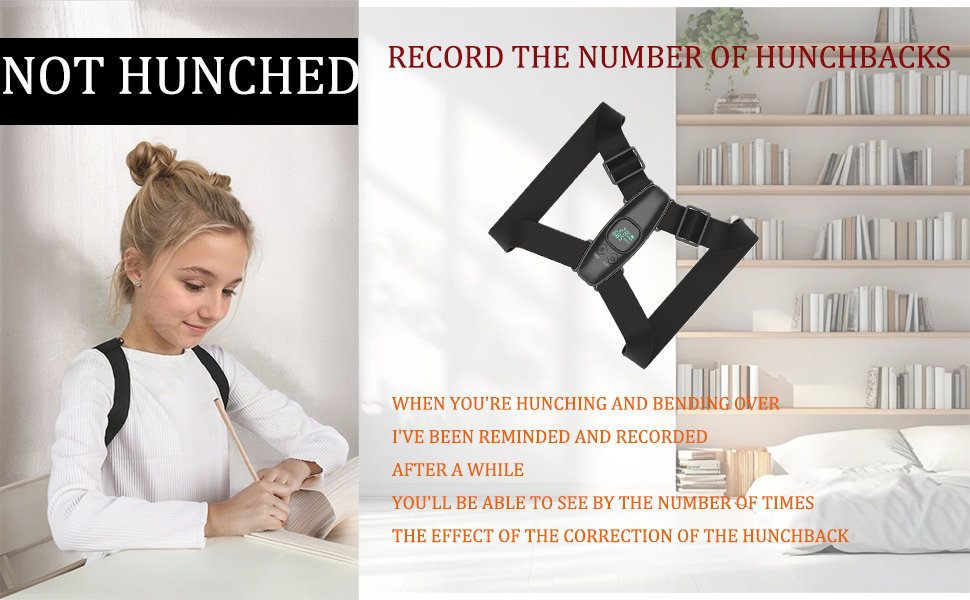
Figure 1: The device display showing angle and count, with adjustment buttons.
6. Wearing Instructions
Proper placement and adjustment are crucial for the effectiveness of the posture corrector.
- Positioning: Place the central unit of the device on your upper back, between your shoulder blades.
- Shoulder Straps: Loop the shoulder straps over your shoulders, similar to wearing a backpack.
- Adjusting Straps: Pull the adjustable straps to achieve a snug but comfortable fit. The straps should hold the device securely without causing pressure or discomfort. Ensure the device is aligned vertically on your spine.
- Initial Calibration: Once worn and adjusted, stand or sit in your ideal upright posture. Briefly press the power button to calibrate the device to this position. This sets the baseline for posture monitoring.

Figure 2: Correct way to wear the posture corrector.
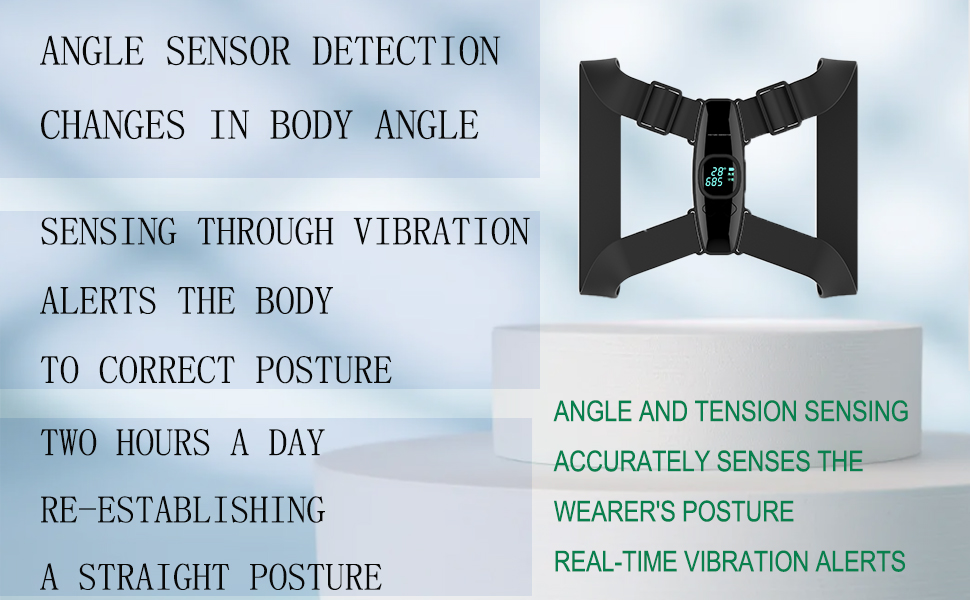
Figure 3: Detailed view of the device's placement on the back.
7. Operation
7.1 Posture Monitoring and Vibration
Once calibrated and powered on, the device continuously monitors your back angle. If your back bends beyond the preset angle, the device will vibrate to remind you to straighten up. The vibration will stop once you return to an upright posture.
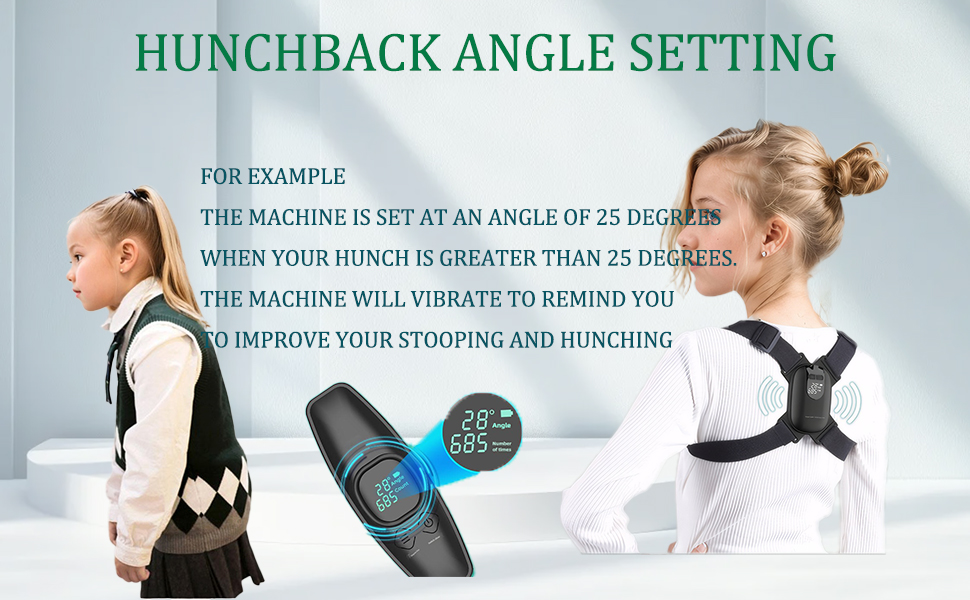
Figure 4: How the device detects and alerts for poor posture.
7.2 Counting Function
The device's display shows a 'Count' number, which indicates how many times you have slouched beyond the set angle during the current session. This feature helps you track your progress and identify patterns in your posture habits.
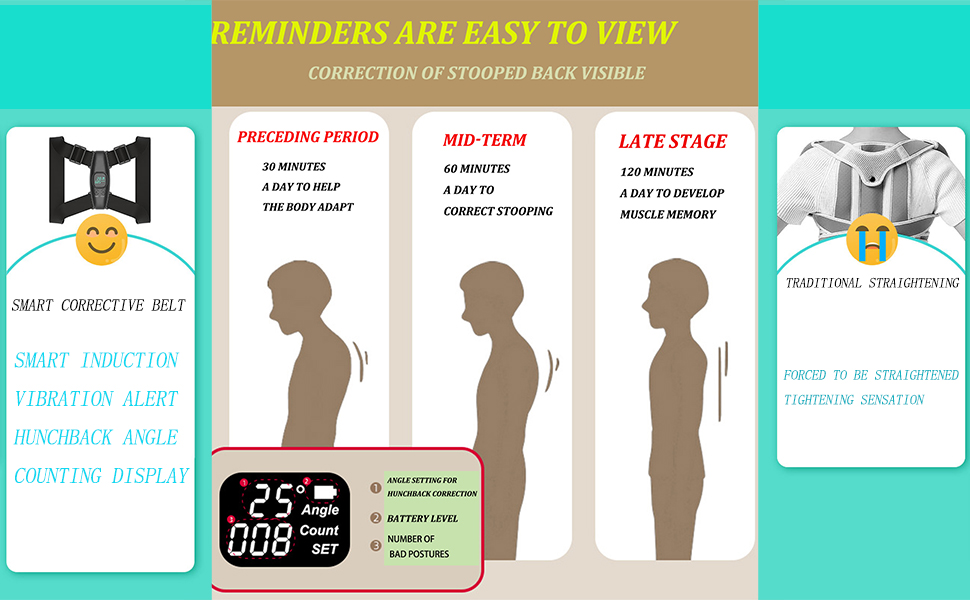
Figure 5: The display showing the angle and the count of posture deviations.
7.3 Recommended Usage
For best results, begin with short wearing periods (e.g., 30 minutes a day) to allow your body to adapt. Gradually increase the duration to 60-120 minutes daily to develop muscle memory for correct posture. Consistency is key to long-term improvement.

Figure 6: Progression of recommended daily usage for posture improvement.
8. Maintenance and Care
8.1 Cleaning
The posture corrector should be hand washed only. Remove the electronic unit before washing the fabric straps. Use mild soap and cold water. Do not machine wash, bleach, iron, or tumble dry.
8.2 Drying
Air dry the fabric straps completely before reattaching the electronic unit or storing the device. Avoid direct sunlight.
8.3 Storage
Store the device in a cool, dry place away from direct sunlight and extreme temperatures when not in use.
9. Troubleshooting
- Device not turning on: Ensure the device is fully charged. If it still doesn't turn on, contact customer support.
- No vibration reminder: Check if the device is powered on and properly calibrated to your upright posture. Ensure the angle setting is appropriate for your needs.
- Vibrating too frequently/infrequently: Adjust the correction angle setting to a higher or lower degree to match your desired sensitivity. Re-calibrate the device to your ideal posture.
- Discomfort while wearing: Loosen the straps slightly. Ensure the device is not overtightened. Adjust the placement on your back.
- Inaccurate counting: Ensure the device is worn correctly and calibrated to your desired posture. Sudden movements or improper wearing can affect accuracy.
10. Specifications
| Feature | Detail |
|---|---|
| Brand | Caliora |
| Model Name | Posture Corrector Black |
| Specific Uses | Posture Correction |
| Target Use Body Part | Back |
| Age Range | Adult |
| Color | Black |
| Material | Neoprene |
| Special Features | Adjustable, Breathable, Lightweight |
| Closure Type | Velcro |
| Item Dimensions | 3 x 2 x 1 inches |
| Product Care Instructions | Hand Wash Only, air dry |
11. Warranty and Support
Caliora products are manufactured to high-quality standards. For specific warranty details, please refer to the product packaging or contact Caliora customer support directly. If you encounter any issues or have questions regarding your Smart Posture Corrector, please reach out to our support team for assistance.