
1. Introduction
Thank you for choosing the XTREME XBH9-1032 Wireless Bluetooth Active Noise Cancelling Headphones. These headphones are designed to provide an immersive audio experience with advanced Active Noise Cancellation (ANC) technology, ensuring clear sound by minimizing ambient noise. Featuring Bluetooth connectivity, a built-in microphone for calls, and comfortable over-ear design, they are ideal for travel, work, and daily listening. Please read this manual carefully to ensure proper use and maintenance of your new headphones.
2. Package Contents
- XTREME XBH9-1032 Wireless Bluetooth ANC Headphones
- USB-C Charging Cable
- Auxiliary Audio Cable (3.5mm)
- User Manual
3. Product Overview
Familiarize yourself with the components and controls of your XTREME XBH9-1032 headphones.
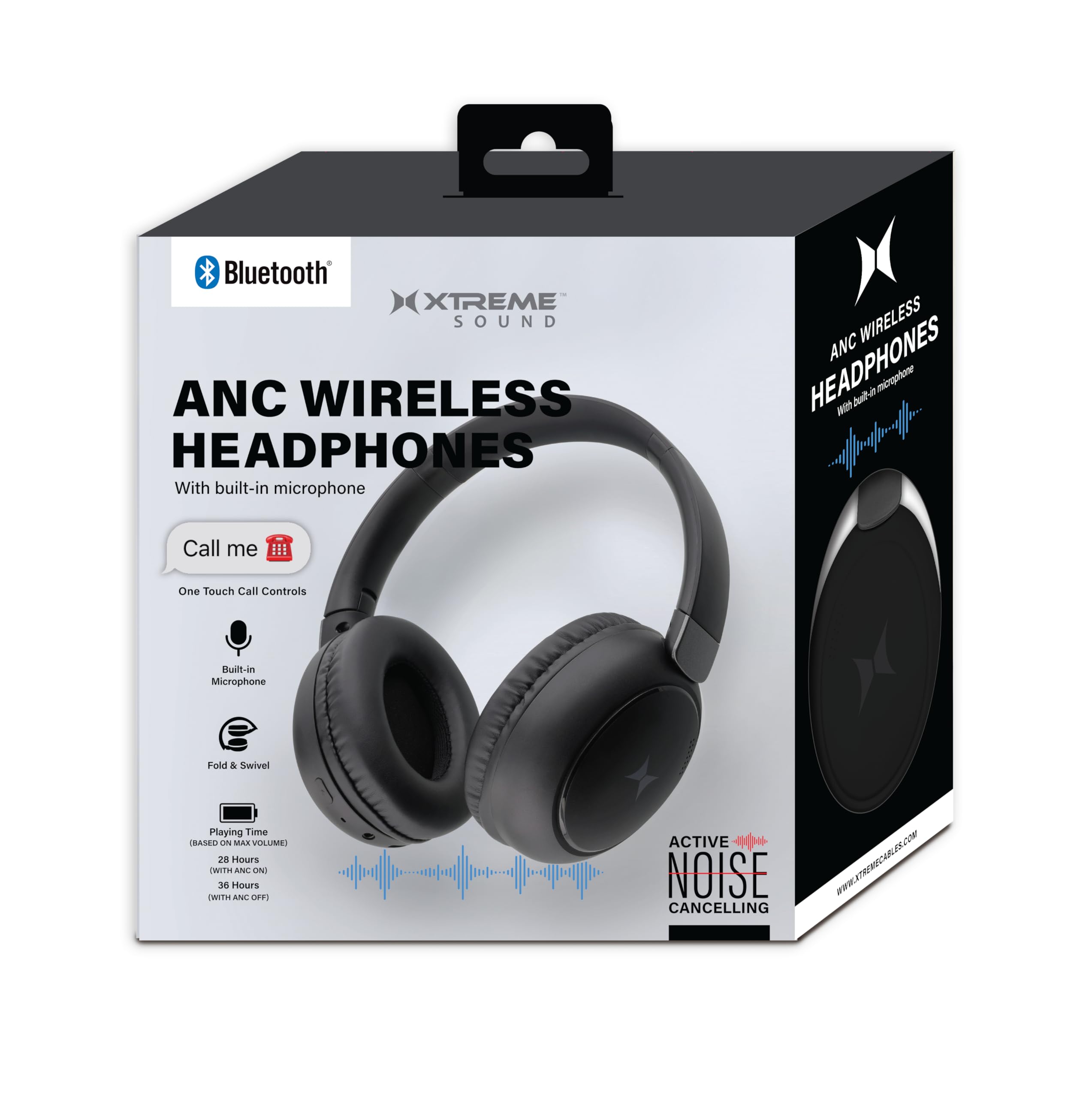
Figure 3.1: XTREME XBH9-1032 Wireless Bluetooth ANC Headphones. This image displays the overall design of the headphones, highlighting the comfortable over-ear earcups and adjustable headband in a sleek gunmetal finish.
Controls Layout (Typical)
- Power Button: Press and hold to power on/off.
- ANC Button: Toggle Active Noise Cancellation on/off.
- Volume Up/Next Track: Short press for volume up, long press for next track.
- Volume Down/Previous Track: Short press for volume down, long press for previous track.
- Multi-function Button (MFB): Play/Pause music, Answer/End/Reject calls.
- Microphone: For hands-free calls.
- USB-C Charging Port: For charging the headphones.
- 3.5mm Audio Jack: For wired connection.
4. Setup
4.1 Charging the Headphones
- Connect the USB-C charging cable to the charging port on the headphones.
- Connect the other end of the cable to a USB power adapter (not included) or a computer's USB port.
- The LED indicator will illuminate during charging and change color or turn off when fully charged.
A full charge provides up to 36 hours of playtime without ANC or 28 hours with ANC activated.
4.2 Bluetooth Pairing
- Ensure the headphones are fully charged.
- Press and hold the Power button for approximately 3-5 seconds until the LED indicator flashes blue and red, indicating pairing mode.
- On your device (smartphone, tablet, computer), enable Bluetooth and search for available devices.
- Select "XTREME XBH9-1032" from the list of found devices.
- Once paired, the LED indicator will flash blue slowly or turn solid blue.
- If prompted for a password, enter "0000".
The headphones will automatically attempt to reconnect to the last paired device when powered on.
4.3 Wired Connection (Aux Mode)
To use the headphones with a wired connection, plug one end of the 3.5mm auxiliary audio cable into the headphone's audio jack and the other end into your audio source. The headphones can be used in wired mode even if the battery is depleted.
5. Operating Instructions
5.1 Power On/Off
- Power On: Press and hold the Power button for 3 seconds.
- Power Off: Press and hold the Power button for 3 seconds.
5.2 Music Playback
- Play/Pause: Press the Multi-function Button (MFB) once.
- Volume Up: Short press the Volume Up button.
- Volume Down: Short press the Volume Down button.
- Next Track: Long press the Volume Up button.
- Previous Track: Long press the Volume Down button.
5.3 Call Management
- Answer Call: Press the MFB once.
- End Call: Press the MFB once during a call.
- Reject Call: Press and hold the MFB for 2 seconds during an incoming call.
- Redial Last Number: Double-press the MFB.
5.4 Active Noise Cancellation (ANC)
- Activate ANC: Press the ANC button once. The ANC indicator light will turn on.
- Deactivate ANC: Press the ANC button once again. The ANC indicator light will turn off.
ANC can be used independently or simultaneously with Bluetooth audio.
6. Maintenance
- Clean the headphones regularly with a soft, dry cloth. Do not use abrasive cleaners or solvents.
- Avoid exposing the headphones to extreme temperatures, humidity, or direct sunlight.
- Store the headphones in a cool, dry place when not in use, preferably in a protective case.
- Do not attempt to disassemble or modify the headphones, as this will void the warranty.
7. Troubleshooting
7.1 No Power
- Ensure the headphones are fully charged.
- Check the charging cable and power source.
7.2 Cannot Pair via Bluetooth
- Make sure the headphones are in pairing mode (LED flashing blue and red).
- Ensure Bluetooth is enabled on your device and it is within 33 feet (10 meters) of the headphones.
- Turn off and on both the headphones and your device, then try pairing again.
- Clear previous Bluetooth connections on your device if necessary.
7.3 No Sound
- Check the volume levels on both the headphones and your connected device.
- Ensure the headphones are properly paired or the auxiliary cable is securely connected.
- If using Bluetooth, try disconnecting and reconnecting the headphones.
7.4 ANC Not Working Effectively
- Ensure the ANC function is activated (ANC indicator light is on).
- Check that the earcups are properly sealed around your ears. Adjust the fit if necessary.
- ANC is most effective against low-frequency, constant noise. It may not completely eliminate high-frequency sounds or voices.
8. Specifications
| Model Name | Xtreme Over the Ear Bluetooth Headphones |
| Model Number | XBH9-1032 |
| Connectivity Technology | Wireless (Bluetooth) / Wired (3.5mm Aux) |
| Bluetooth Version | 5.0 |
| Bluetooth Range | Up to 33 feet (10 meters) |
| Battery Life (ANC Off) | Up to 36 Hours |
| Battery Life (ANC On) | Up to 28 Hours |
| Noise Control | Active Noise Cancellation |
| Earpiece Shape | Over-Ear |
| Built-in Microphone | Yes |
| Control Method | Touch / Buttons |
| Material | Aluminum (frame) |
| Item Weight | 12.8 ounces (0.8 lbs) |
9. Warranty and Support
XTREME products are designed for durability and performance. For warranty information, technical support, or customer service inquiries, please refer to the warranty card included in your product packaging or visit the official XTREME website. Please retain your proof of purchase for warranty claims.


