
1. Introduction
This manual provides comprehensive instructions for the installation, operation, and maintenance of your TWAHH 10.2 Inch Car Stereo GPS Navigation System. Please read this manual thoroughly before using the product to ensure proper functionality and to maximize your user experience. Keep this manual for future reference.

Image 1.1: TWAHH 10.2 Inch Car Stereo GPS Navigation System with included accessories.
2. Setup and Installation
2.1. Package Contents
Verify that all items listed below are present in your package:
- 1x Head unit with Frame + User Guide
- 1x Power Cable
- 1x RCA Cable
- 1x Car Microphone + 1x GPS Antenna
- 1x Frame Removal tool + 2x USB Cables

Image 2.1: Package contents and a visual overview of the installation process.
2.2. Vehicle Compatibility
This TWAHH car stereo system is compatible with the following Jeep models:
- 2011-2018 (JK) Jeep Wrangler Unlimited Rubicon
- 2011-2018 (JK) Jeep Wrangler Unlimited Sahara
- 2011-2018 (JK) Jeep Wrangler Unlimited Sport
- 2014-2018 (JK) Jeep Wrangler Altitude
- 2016-2018 (JK) Jeep Wrangler Willys Wheeler
- 2017 Jeep Wrangler Altitude Big Bear
- 2017 Jeep Wrangler Smokey Mountain
- 2016 Jeep Wrangler Freedom
- 2009-2016 Jeep Compass
- 2010-2017 Jeep Patriot

Image 2.2: Visual comparison of the dashboard before and after installing the TWAHH car stereo in compatible Jeep models.
2.3. Installation Procedure
Installation typically involves removing the factory radio, installing the provided bracket, mounting the head unit, and connecting the wiring harnesses. A trim removal tool is included to assist with dashboard disassembly.
- Carefully remove the existing factory radio and dashboard trim using the provided removal tool.
- Install the new mounting bracket into the factory radio position.
- Connect the power cable, RCA cable, GPS antenna, and USB cables to the head unit. Ensure all connections are secure.
- Mount the head unit to the bracket.
- Reinstall the dashboard trim.
- Test all functions, including audio, navigation, and steering wheel controls.
For detailed visual guidance, please refer to the installation videos provided by TWAHH support.
3. Operating Instructions
3.1. User Interface and Display
The system operates on Android 13 and features a 10.2-inch QLED 1280*720 ultra-clear screen. It includes a dual OS and supports 18 customizable UI skins.
- Day/Night Mode: The system supports automatic day/night mode switching, which can also be manually adjusted.
- Customizable Themes: Choose from 18 free themes to personalize your display.
- Colorful Keylight: Adjust the 7-color button atmosphere lighting to match your vehicle's interior.

Image 3.1: Day and Night UI modes and theme selection options.
3.2. Connectivity
The system offers advanced connectivity options for seamless integration with your devices.
- 5G WiFi 6 (802.11ax): Provides high-speed internet access for navigation updates and app downloads.
- Bluetooth 5.4: Ensures stable and fast connections for hands-free calling and audio streaming.
- Wireless/Wired CarPlay & Android Auto: Connect your smartphone for access to navigation, music, messages, and more directly on the car stereo display.
- Mirrorlink Function: Supports wireless mirroring for iPhone and wired/wireless mirroring for Android devices.

Image 3.2: CarPlay and Android Auto interfaces.

Image 3.3: Mirrorlink function for smartphone screen mirroring.
3.3. Navigation
The system supports accurate Google Maps navigation and allows for the download and use of other navigation applications. Optional AR navigation is available with a compatible module and map data.
3.4. Audio Features
Enjoy enhanced audio with the following features:
- AM/FM Radio with RDS: Access local radio stations with Radio Data System (RDS) for station information.
- Audio Output Modes: Customize your sound experience with Surround, Bass Boost, Bass Filter, and Sound Field settings.
3.5. Camera Features
The system supports front and rear cameras for improved safety and parking assistance.
- AHD 1080P Reversing Camera: Provides a clear, wide-angle view with night vision and IP69 waterproof rating.
- Dual-channel Recorders: Supports 1080P dual-channel recording.
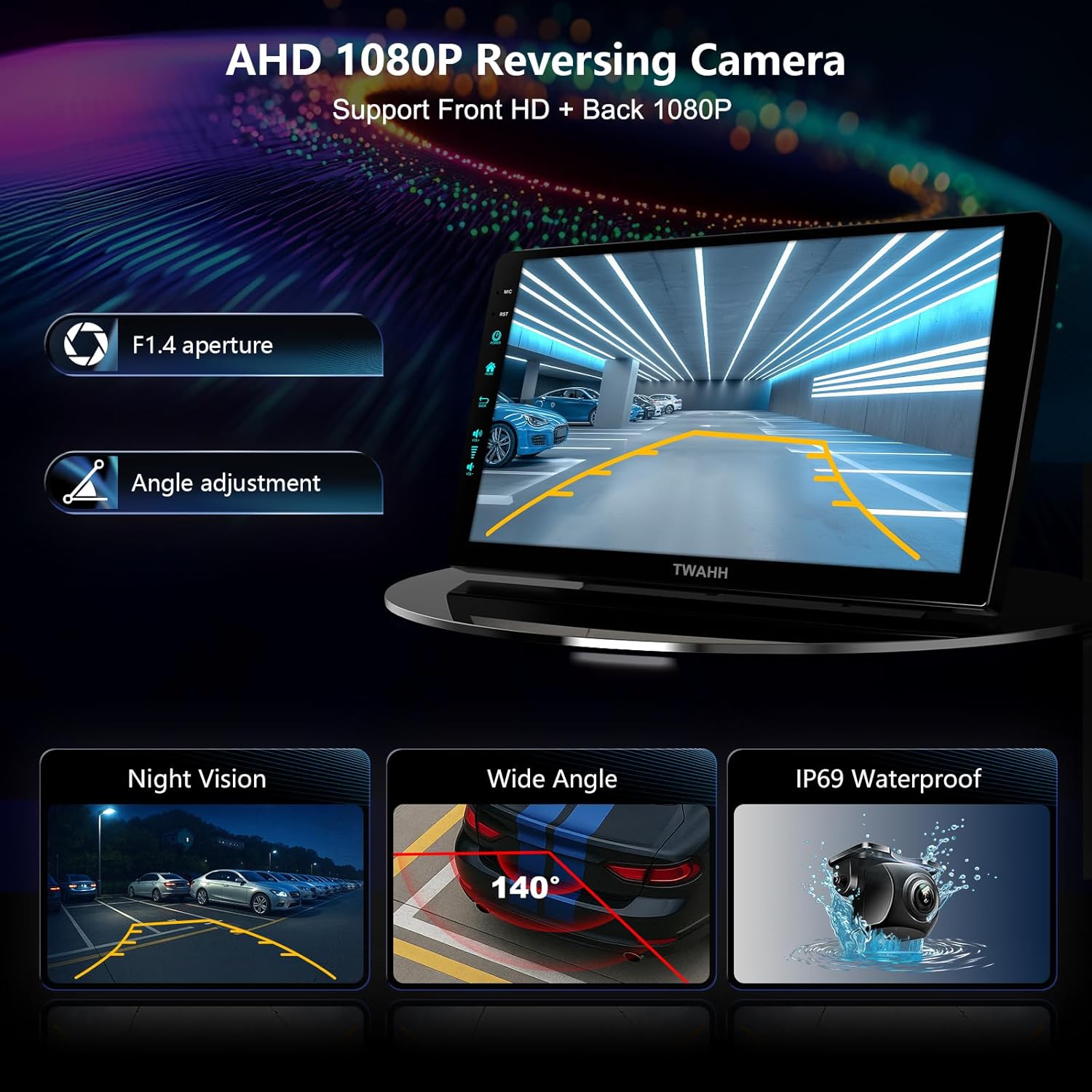
Image 3.4: AHD 1080P Reversing Camera features.
3.6. Voice Control
The system supports voice commands through Apple Siri and Google Assistant, allowing for hands-free operation of various functions.

Image 3.5: Voice control with Siri and Google Assistant.
4. Maintenance
4.1. Cleaning the Display
Use a soft, lint-free cloth to gently wipe the screen. For stubborn smudges, slightly dampen the cloth with water or a screen-safe cleaner. Avoid abrasive materials or harsh chemicals.
4.2. Software Updates
Periodically check for software updates to ensure optimal performance and access to the latest features. Updates can typically be performed via the system's settings menu when connected to Wi-Fi.
5. Troubleshooting
If you encounter issues with your TWAHH car stereo, refer to the following common solutions:
- No Power: Check all power cable connections. Ensure the vehicle's ignition is on.
- No Sound: Verify speaker connections. Check volume levels and audio settings.
- CarPlay/Android Auto Disconnection: Ensure a stable Wi-Fi or USB connection. Restart your phone and the car stereo.
- Steering Wheel Controls Not Working: Confirm that the CAN-bus module (if applicable) is correctly installed and configured. Refer to the installation guide or contact support.
- GPS Signal Issues: Ensure the GPS antenna is properly installed and has a clear view of the sky.
- Incorrect Clock Time: Check the system's date and time settings. Ensure automatic time synchronization is enabled or manually set the time.
- Touchscreen Unresponsive: Perform a system restart. If the issue persists, contact customer support.
For persistent issues, please contact TWAHH customer support for assistance.
6. Product Specifications
| Feature | Specification |
|---|---|
| Model Number | (4RAM 64ROM)Upgrade |
| Operating System | Android 13 |
| RAM | 4GB |
| Internal Storage | 64GB (Expandable to 128GB) |
| Display Size | 10.2 Inches |
| Screen Resolution | QLED 1280*720 |
| Connectivity | 5G Wi-Fi 6 (802.11ax), Bluetooth 5.4, AUX |
| Smartphone Integration | Wireless/Wired CarPlay, Android Auto, Mirrorlink |
| Radio | AM/FM with RDS |
| Camera Support | Front, Rear Cameras, 1080P Dual-channel Recorders |
| Voice Command | Microphone, Touchscreen (Siri, Google Assistant) |
| Operating Temperature | -4°F to 176°F (-20°C to 80°C) |
| Item Weight | 3.89 pounds |
| Package Dimensions | 13.11 x 8.9 x 5.2 inches |
7. Warranty and Support
7.1. Product Warranty
Your TWAHH car stereo comes with a standard 12-month product warranty. You can extend this to an 18-month product care period by contacting TWAHH customer service.
7.2. Certifications
This product has passed the US Federal Communications Commission (FCC) certification and the European CE safety certification, ensuring compliance with relevant safety and quality standards.
7.3. Customer Support
TWAHH offers 24-hour engineer service to assist with any questions or issues you may encounter. Please contact us as soon as possible for timely problem resolution.
For support, please visit the official TWAHH website or refer to the contact information provided in your product packaging.
