
1. Introduction
The YZW Portable Wireless Motorcycle Apple Carplay & Android Auto system is designed to enhance your riding experience by integrating essential smartphone functionalities directly onto your motorcycle's dashboard. This 5-inch touchscreen device provides seamless access to navigation, communication, and entertainment, ensuring a safer and more connected journey.
Key features include wireless Apple CarPlay and Android Auto compatibility, IPX7 waterproof rating for all-weather use, a built-in EQ for customizable audio, and dual Bluetooth support for connecting multiple devices simultaneously.

Figure 1.1: The YZW Motorcycle CarPlay device, highlighting its robust waterproof construction.
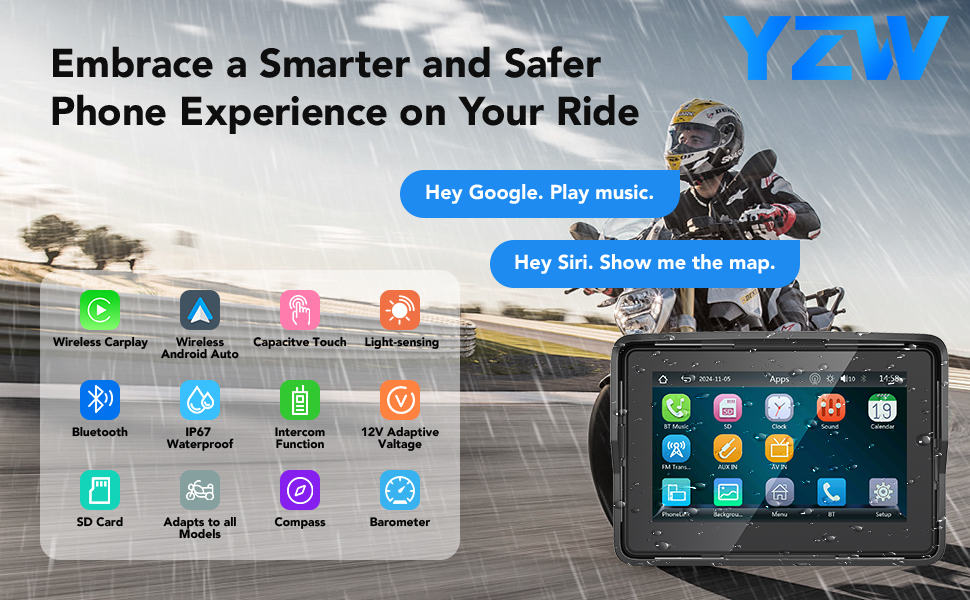
Figure 1.2: Overview of the YZW Motorcycle CarPlay's smart features for an enhanced riding experience.
2. Safety Information
Always prioritize safety while operating your motorcycle. This device is designed to minimize distraction, but it is crucial to remain aware of your surroundings and road conditions at all times.
- Ensure the device is securely mounted and all cables are properly routed before riding.
- Do not attempt to adjust settings or interact with the touchscreen in a way that distracts you from driving. Utilize voice commands for hands-free operation whenever possible.
- Familiarize yourself with the device's functions before embarking on a journey.
- Always adhere to local traffic laws and regulations.
3. What's in the Box
Upon opening the package, verify that all components are present and undamaged:

Figure 3.1: Package contents and product dimensions.
- YZW Motorcycle CarPlay Display Unit (5-inch touchscreen)
- Mounting Bracket Kits (for handlebar and screw hole installation)
- Power Cable (ACC + 12V and Ground)
- Electrical Tape
- Binding Straps (x10)
- User Manual
4. Setup and Installation
4.1 Mounting the Device
The YZW Motorcycle CarPlay system comes with versatile bracket kits for easy installation on most motorcycles. You can choose between handlebar mounting or utilizing an existing screw hole.
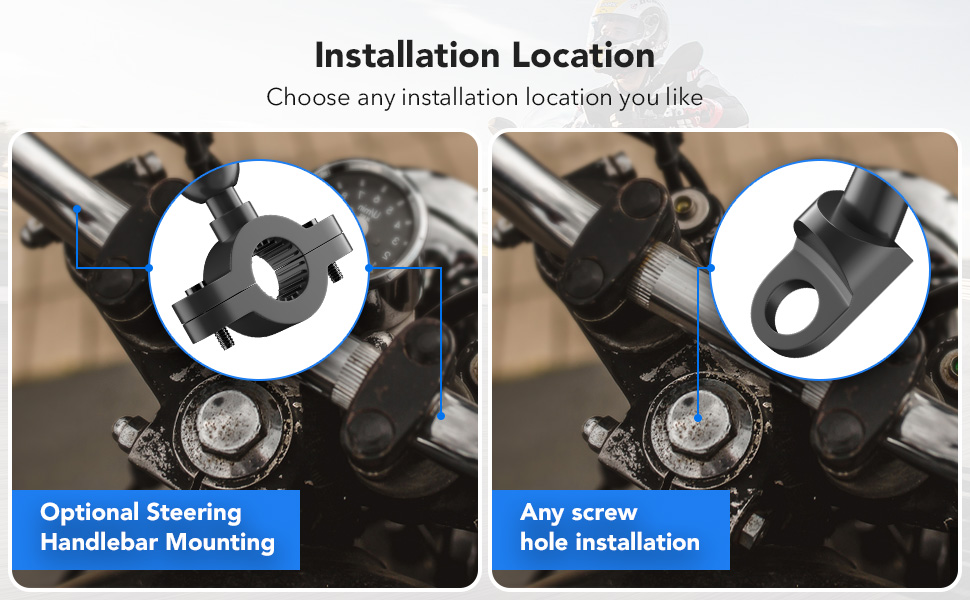
Figure 4.1: Available installation locations for the device.

Figure 4.2: The adjustable and detachable bracket allows for flexible positioning.
Use the provided tools and bracket kits to securely attach the display unit to your desired location on the motorcycle. Ensure the mount is firm and does not obstruct your view or control of the motorcycle.
4.2 Wiring
The wiring process is straightforward:
- Connect the ACC wire (usually red) to a switched 12V power source on your motorcycle. This ensures the device turns on and off with your motorcycle's ignition.
- Connect the Ground wire (usually black) to a suitable ground point on your motorcycle's chassis.
Note: For optimal performance and to prevent battery drain, it is recommended to connect the ACC wire to a switched power source rather than directly to the battery. This ensures the unit powers off when the motorcycle is off.
4.3 Detachable Design
The device features a thief-proof detachable design, allowing you to easily remove the screen from its mount when parked, providing added security and convenience.
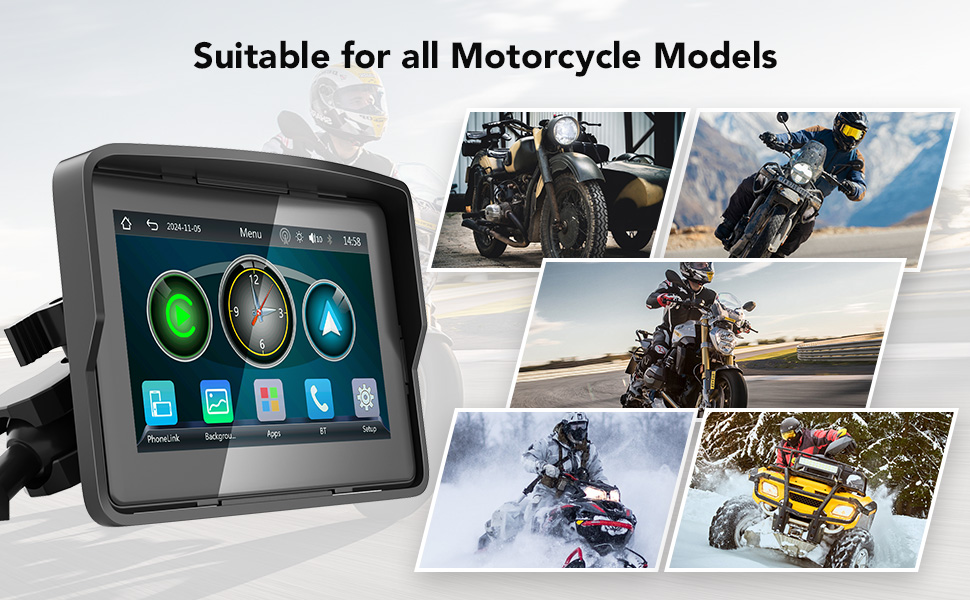
Figure 4.3: The device is suitable for a wide range of motorcycle models.
5. Operation
5.1 Wireless Connectivity (Apple CarPlay & Android Auto)
The YZW Motorcycle CarPlay supports wireless Apple CarPlay and Android Auto, allowing seamless integration with your smartphone.
- Ensure your smartphone supports wireless CarPlay or wireless Android Auto.
- On the YZW device, navigate to the 'PhoneLink' or 'CarPlay/Android Auto' application.
- On your smartphone, turn on Bluetooth and Wi-Fi.
- Search for and connect to the YZW device via Bluetooth on your phone.
- Once connected via Bluetooth, the device will automatically establish a Wi-Fi connection for CarPlay or Android Auto functionality.

Figure 5.1: Wireless CarPlay and Android Auto in action on the motorcycle.
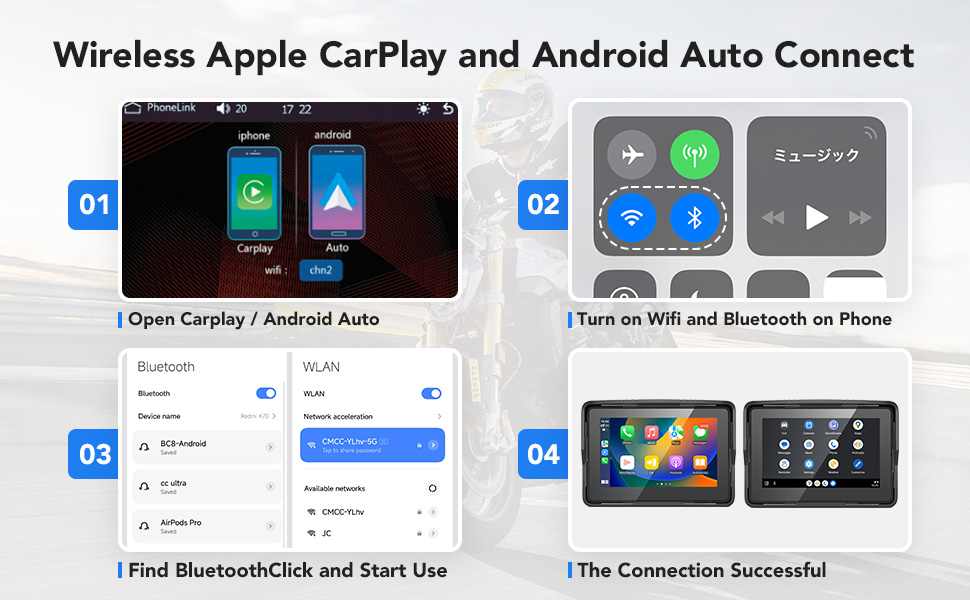
Figure 5.2: Connection steps for wireless Apple CarPlay and Android Auto.
5.2 Voice Assistant Integration
With your smartphone connected, you can utilize Siri or Google Assistant for hands-free control. This allows you to:
- Access map navigation.
- Make and receive phone calls.
- Play music from your preferred streaming services.
- Send and receive text messages.

Figure 5.3: Accessing key phone features hands-free.
5.3 Audio Features (Built-in EQ & Dual Bluetooth)
The device features a built-in preset EQ and a user-customizable 16-band HD EQ with 12 adjustable frequency sections. This allows you to tailor the audio output to your preference.
- To adjust the EQ, tap on the 'EQ' icon when playing music from an SD card or via Bluetooth.
- Toggle the 'Loud' option to enable or disable bass boost.
- Choose from various sound effect modes such as Rock, Classical, Jazz, and more.
With Dual Bluetooth 5.0, you can connect your smartphone and a Bluetooth helmet or headset simultaneously, ensuring clear audio for music and calls while riding.

Figure 5.4: Dual Bluetooth connectivity for helmet and headset.
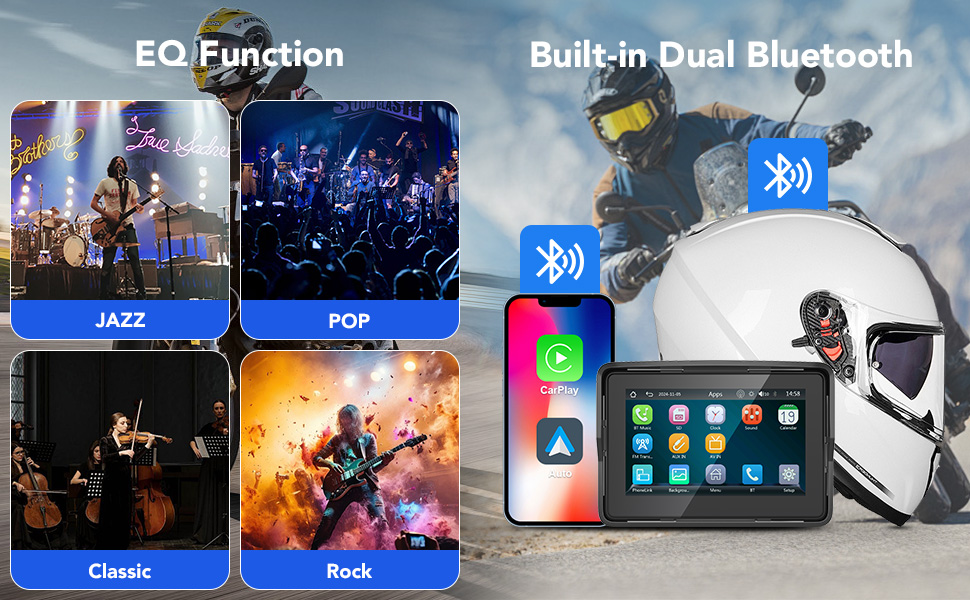
Figure 5.5: Customize your audio experience with the built-in EQ and enjoy seamless connectivity.
6. Care and Maintenance
6.1 Weather Resistance
The YZW Motorcycle CarPlay screen boasts an IPX7 waterproof rating, ensuring reliable performance in various weather conditions, including rain and snow. Its anti-glare vehicle gauges screen design also improves visibility in bright sunlight.

Figure 6.1: The device is built to withstand diverse weather conditions.
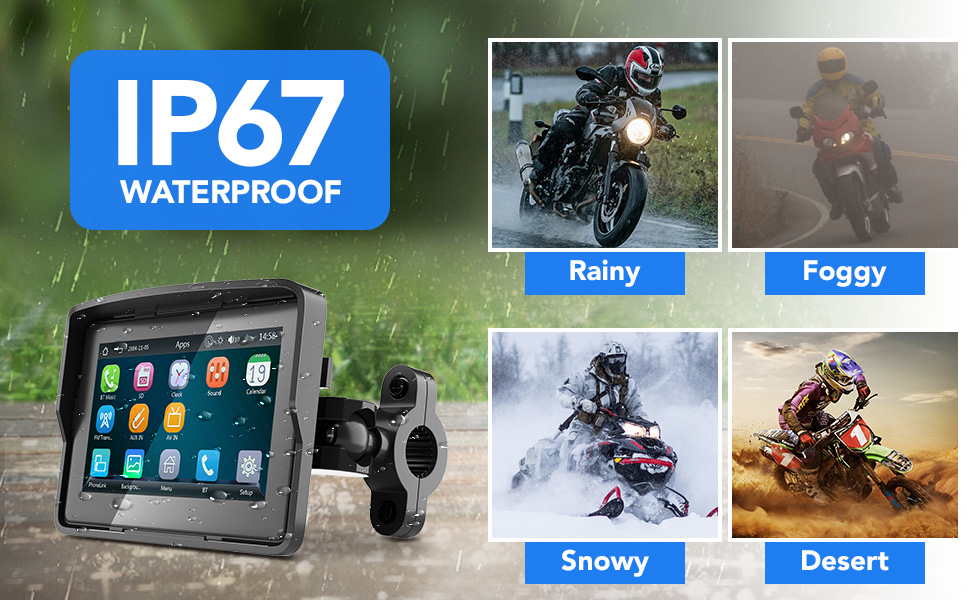
Figure 6.2: The IP67 waterproof rating ensures functionality in challenging environments.
6.2 Cleaning
To clean the display unit, gently wipe the screen and body with a soft, damp cloth. Avoid using harsh chemicals or abrasive materials, as these can damage the screen or finish.
6.3 Operating Environment
The device is designed to operate effectively in temperatures ranging from -4°F to 158°F (-20°C to 70°C).
7. Troubleshooting
If you encounter issues with your YZW Motorcycle CarPlay system, refer to the following common problems and solutions:
| Problem | Possible Cause | Solution |
|---|---|---|
| Device does not power on. | Incorrect wiring; no power supply. | Ensure ACC +12V and Ground wires are correctly connected. Verify the motorcycle's ignition is on if connected to a switched power source. |
| Cannot connect to Wireless CarPlay/Android Auto. | Phone compatibility issue; Bluetooth/Wi-Fi off; incorrect pairing. | Check if your phone (especially Samsung Note/S series) fully supports wireless CarPlay/Android Auto. Ensure Bluetooth and Wi-Fi are enabled on your phone. Re-pair the device via Bluetooth. |
| Screen flickers or freezes. | Software glitch; unstable power. | Restart the device. Ensure power connections are stable and secure. |
| Poor audio quality. | EQ settings; Bluetooth interference. | Adjust the built-in EQ settings. Ensure your Bluetooth helmet/headset is properly connected and within range. |
If the problem persists after trying these solutions, please contact customer support.
8. Technical Specifications
| Feature | Specification |
|---|---|
| Model Name | WJ-HXD-Carplay-5 |
| Brand | YZW |
| Display Size | 5 Inches |
| Product Dimensions | 4.72 x 0.78 x 3.85 inches |
| Item Weight | 7.4 ounces |
| Waterproof Rating | IPX7 |
| Connectivity Technology | Bluetooth, Wi-Fi |
| Special Features | Android Auto, Apple CarPlay, Built-In Bluetooth, Built-In Wi-Fi, Built-in EQ |
| Voice Command | Touchscreen (Siri/Google Assistant via phone) |
| Audio Output Mode | Stereo |
| Mounting Type | Handlebar Mount |
| Vehicle Service Type | Motorcycle |
| Operating Temperature | -4°F to 158°F (-20°C to 70°C) |
9. Warranty Information
The YZW Portable Wireless Motorcycle Apple Carplay & Android Auto system comes with a 1-Year Warranty from the date of purchase. This warranty covers manufacturing defects and ensures the product meets quality standards.
YZW tests every product before shipping to ensure quality. For warranty claims or issues, please retain your proof of purchase.
10. Customer Support
For technical support, questions, or any problems with your YZW product, please contact us directly through Amazon. Our dedicated support team is ready to assist you.
Seller: YZW-Direct


