
Introduction
Welcome to the user manual for your Puro Sound Labs PuroQuiet-Air Active Noise Cancelling Bluetooth Earbuds. These earbuds are designed to provide a high-quality audio experience with advanced features such as active noise cancellation, transparency mode, and volume-limiting technology for safe listening. This manual provides essential information on setup, operation, maintenance, and troubleshooting to ensure optimal performance and longevity of your device.
What's in the Box
Carefully unpack your PuroQuiet-Air earbuds and ensure all components are present:
- PuroQuiet-Air Earbuds
- Wireless Charging Case
- USB-C Charging Cable
- Three (3) Additional Sizes of Silicone Ear Tips (Small, Medium, Large)
- User Manual (this document)

Image: The complete package contents, including the charging case, earbuds, various ear tip sizes, and the USB-C charging cable.
Product Overview
The PuroQuiet-Air earbuds combine advanced audio technology with user-friendly design. Key features include:
- Volume Limiting: Sound levels are capped at 85dB to protect hearing.
- Active Noise Cancelling (ANC): Reduces ambient noise for an immersive listening experience.
- Transparency Mode: Allows you to hear your surroundings while listening to audio.
- Bluetooth 5.4 Connectivity: Ensures a stable and efficient wireless connection.
- Built-in Microphone: For clear two-way communication.
- Touch Controls: Intuitive controls for managing playback, calls, and modes.
- Ergonomic Design: Provides a secure and comfortable fit with interchangeable ear tips.
- Type-C Charging: For fast and convenient charging of the case and earbuds.

Image: The PuroQuiet-Air earbuds and charging case, emphasizing their design and core features.
Setup
1. Charging the Earbuds and Case
Before first use, fully charge the earbuds and charging case.
- Place the earbuds into the charging case. Ensure they are correctly seated; magnetic contacts will hold them in place.
- Connect the provided USB-C charging cable to the Type-C port on the charging case and plug the other end into a USB power source (e.g., wall adapter, computer USB port).
- The LED indicator on the charging case will illuminate to show charging status. A full charge typically takes approximately 1 hour.
- Once fully charged, the LED indicator may change color or turn off, depending on the model. Disconnect the charging cable.
The charging case provides up to 24 extra hours of battery life, extending the earbuds' 6 hours of single-charge playtime to a total of 30 hours.

Image: The compact charging case, highlighting the Type-C charging port and the battery indicator light.
2. Bluetooth Pairing
Follow these steps to pair your earbuds with a Bluetooth-enabled device:
- Open the charging case. The earbuds will automatically enter pairing mode, indicated by a flashing LED on the earbuds.
- On your device (smartphone, tablet, laptop), go to the Bluetooth settings.
- Search for available devices and select "PuroQuiet-Air" from the list.
- Once connected, a voice prompt will confirm successful pairing, and the earbud LEDs will stop flashing.
- The earbuds will automatically reconnect to the last paired device when removed from the case, if Bluetooth is enabled on the device.

Image: Earbuds and case, demonstrating the extended playtime and Bluetooth connection capabilities.
3. Fitting the Earbuds
Proper fit is crucial for sound quality, noise cancellation, and comfort.
- Choose the ear tips that best fit your ear canal. Experiment with the three provided sizes (Small, Medium, Large). A good fit creates a seal, enhancing bass and noise cancellation.
- Gently insert each earbud into your ear, twisting slightly until it feels secure and comfortable. The stem should point downwards.

Image: The earbuds in their charging case, showcasing their ergonomic design for a secure fit.
Operating the Earbuds
1. Touch Controls
The PuroQuiet-Air earbuds feature intuitive touch controls on each earbud. Specific gestures may vary slightly, but common functions include:
- Play/Pause: Single tap on either earbud.
- Next Track: Double tap on the right earbud.
- Previous Track: Double tap on the left earbud.
- Answer/End Call: Single tap on either earbud.
- Reject Call: Press and hold on either earbud.
- Activate Voice Assistant: Triple tap on either earbud.
- Switch ANC/Transparency Mode: Press and hold on the right earbud (refer to the next section for details).

Image: User interacting with the earbuds, illustrating the touch control area.
2. Active Noise Cancelling (ANC) and Transparency Mode
These modes allow you to adjust your listening experience based on your environment:
- ANC Mode: Actively reduces external noise, ideal for noisy environments like public transport or offices.
- Transparency Mode: Amplifies ambient sounds, allowing you to stay aware of your surroundings without removing the earbuds.
- Normal Mode: Standard listening without active noise cancellation or transparency.
To cycle through ANC, Transparency, and Normal modes, press and hold the touch sensor on the right earbud until you hear a voice prompt indicating the mode change.
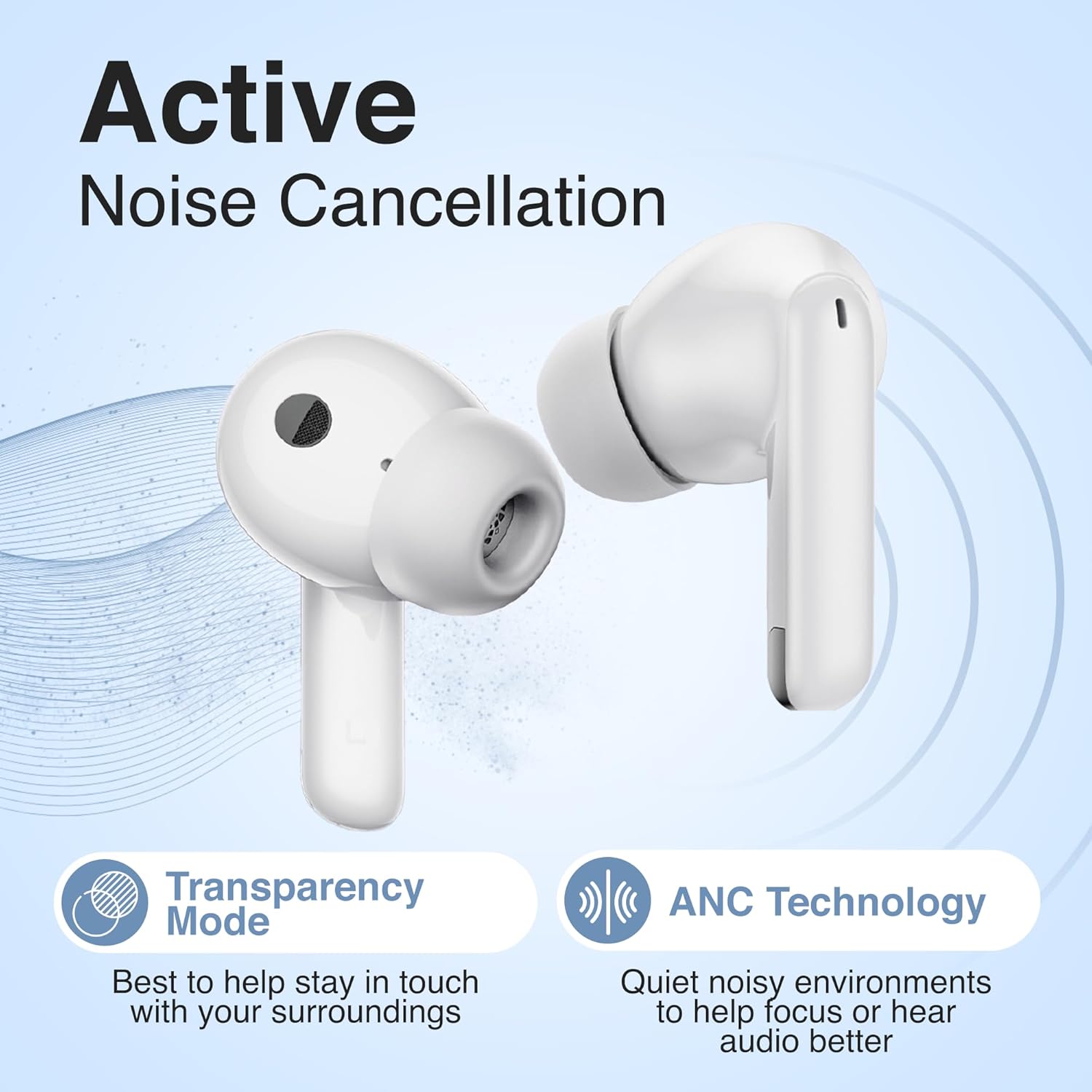
Image: Earbuds highlighting the ANC and Transparency Mode functionalities.
3. Volume Limiting for Safe Listening
The PuroQuiet-Air earbuds are engineered with Puro Sound Labs' signature volume-limiting technology, capping sound output at a safe 85dB. This feature is always active to protect your hearing, especially during extended listening periods. You do not need to enable or disable this feature; it operates automatically.

Image: Illustration of the 85dB volume limit for safe listening.
4. Using the Built-In Microphone
The integrated microphone allows for clear hands-free calls. When a call comes in, you can answer or reject it using the touch controls as described above. The microphone is optimized for voice clarity during conversations.
Maintenance
To maintain the performance and appearance of your earbuds:
- Cleaning: Use a soft, dry, lint-free cloth to clean the earbuds and charging case. Do not use abrasive cleaners, alcohol, or chemical sprays.
- Ear Tips: Remove the silicone ear tips periodically and clean them with mild soap and water. Ensure they are completely dry before reattaching.
- Storage: When not in use, always store the earbuds in their charging case to protect them from dust and damage. Store in a cool, dry place.
- Avoid Moisture: Do not expose the earbuds or case to excessive moisture or liquids.
Troubleshooting
If you encounter issues with your PuroQuiet-Air earbuds, try the following solutions:
| Problem | Solution |
|---|---|
| Earbuds not pairing |
|
| No sound from one earbud |
|
| Charging case not charging |
|
| ANC not effective |
|
Specifications
| Feature | Detail |
|---|---|
| Model Name | PuroQuiet-Air |
| Item Model Number | AIRPQ |
| Connectivity Technology | Wireless (Bluetooth) |
| Wireless Communication Technology | Bluetooth 5.4 |
| Bluetooth Range | 15 Meters |
| Noise Control | Active Noise Cancellation |
| Special Features | Active Noise Cancelling, Volume Limiting (85dB), Studio-Quality Sound |
| Battery Life (Earbuds) | Up to 6 Hours |
| Total Playtime with Case | Up to 30 Hours |
| Charging Time | Approximately 1 Hour |
| Charging Port | USB Type-C |
| Frequency Range | 20Hz - 20,000Hz |
| Item Weight | 4.9 ounces (0.14 Kilograms) |
| Included Components | Ear tips, Wireless Charging Case, User Manual, USB-C Cable |
Warranty and Support
Puro Sound Labs provides a 1-year service coverage for the PuroQuiet-Air earbuds. This coverage addresses manufacturing defects and ensures a durable, high-quality listening experience.
For warranty claims, technical support, or any questions regarding your product, please contact Puro Sound Labs customer service through their official website or the retailer where the product was purchased. Please have your proof of purchase and product model number (AIRPQ) ready when contacting support.