
1. Introduction
This manual provides comprehensive instructions for the safe and effective use of your Technical Precision Replacement Battery for EVERSTART MAXX-59. Please read this manual thoroughly before installation and operation to ensure proper handling and to prevent potential hazards. Retain this manual for future reference.
Important Safety Information: Batteries contain corrosive acids and produce explosive gases. Always wear appropriate personal protective equipment, including eye protection and gloves, when handling batteries. Ensure adequate ventilation. Keep sparks, flames, and smoking materials away from the battery. Do not short-circuit battery terminals. Dispose of batteries responsibly according to local regulations.
2. Product Overview
The Technical Precision Replacement Battery is designed to serve as a direct replacement for the EVERSTART MAXX-59 battery. This product is manufactured by Technical Precision and is not an EVERSTART branded item. It is supplied as a single unit.
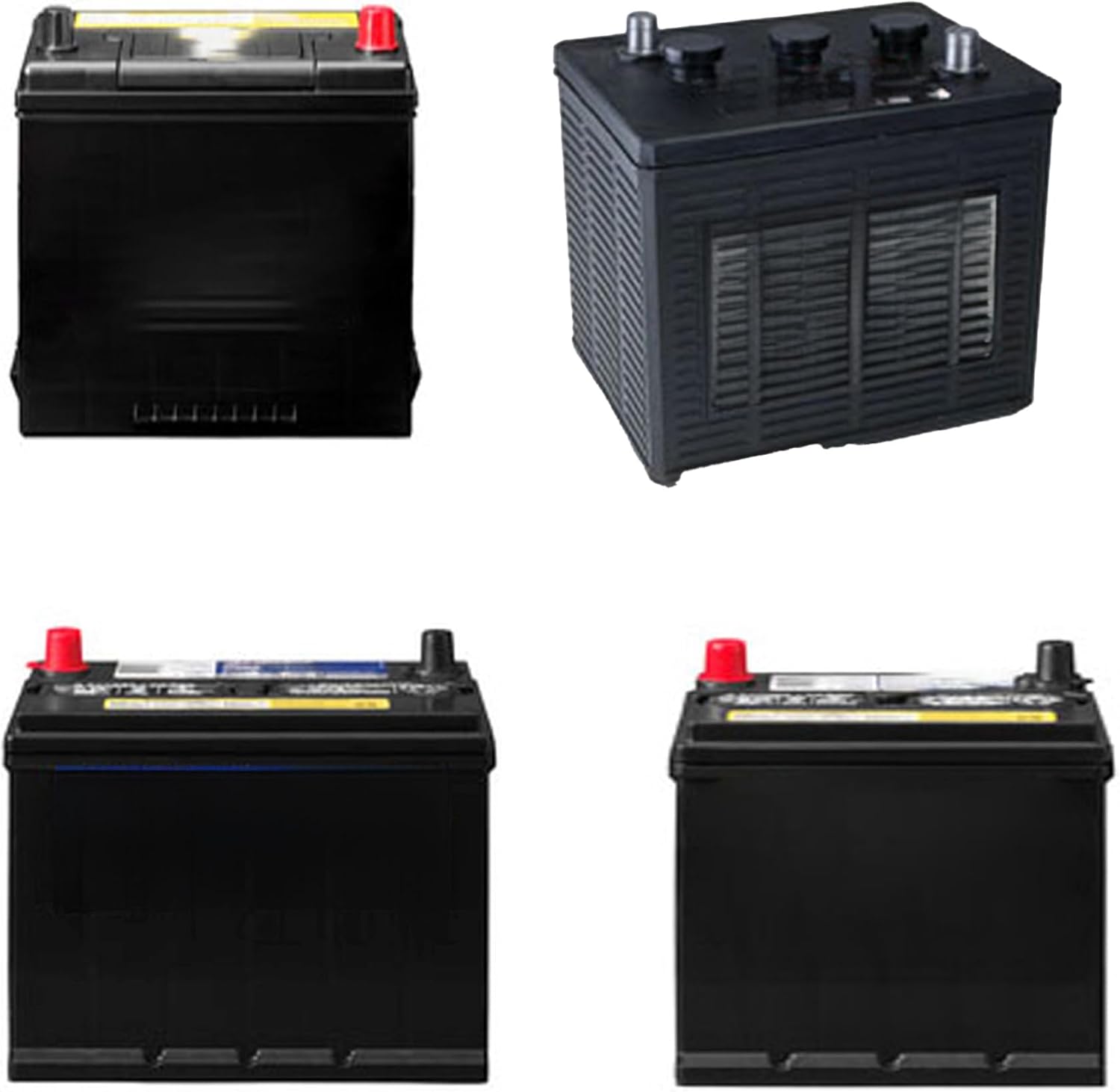
Figure 2.1: Example of a typical automotive battery. This image illustrates the general appearance of the replacement battery, featuring a black casing with distinct positive (red) and negative (black) terminals on top.
What's in the Box:
- One (1) Technical Precision Replacement Battery (Model: MAXX-59 BATTERY-AX-BRXJ-6)
3. Setup and Installation
Before You Begin:
- Ensure the vehicle's ignition is off and the parking brake is engaged.
- Wear safety glasses and gloves.
- Have appropriate tools ready (e.g., wrench, battery terminal cleaner, battery terminal puller).
- Ensure the area is well-ventilated.
Installation Steps:
- Disconnect Negative Terminal: Locate the negative (-) battery terminal (usually marked with a minus sign and often has a black cable). Using a wrench, loosen the nut on the terminal clamp and remove the cable. Ensure it does not accidentally touch the battery terminal or any metal part of the vehicle.
- Disconnect Positive Terminal: Locate the positive (+) battery terminal (usually marked with a plus sign and often has a red cable). Loosen the nut and remove the cable.
- Remove Old Battery: Disconnect any battery hold-down clamps or straps. Carefully lift the old battery out of the battery tray. Batteries are heavy; use proper lifting techniques or seek assistance.
- Clean Battery Tray and Terminals: Inspect the battery tray for corrosion and clean it thoroughly. Clean the battery cable clamps with a wire brush to ensure good electrical contact.
- Place New Battery: Carefully place the Technical Precision replacement battery into the battery tray, ensuring it is seated securely.
- Secure Battery: Reinstall any battery hold-down clamps or straps to prevent the battery from moving during vehicle operation.
- Connect Positive Terminal: Connect the positive (+) cable to the positive (+) terminal of the new battery. Tighten the nut securely, but do not overtighten.
- Connect Negative Terminal: Connect the negative (-) cable to the negative (-) terminal of the new battery. Tighten the nut securely.
- Verify Connections: Double-check all connections to ensure they are tight and secure.
After installation, start the vehicle to confirm proper operation. Some vehicle systems (e.g., radio presets, clock) may need to be reset.
4. Operating Instructions
Once properly installed, the Technical Precision Replacement Battery operates as a standard automotive starting battery. Its primary function is to provide electrical power to start the vehicle's engine and to power electrical accessories when the engine is not running or when the alternator cannot meet the electrical demand.
- Starting the Vehicle: Turn the ignition key to the start position. The battery will provide the necessary current to crank the engine.
- Charging: The battery is automatically recharged by the vehicle's alternator when the engine is running.
- Accessory Use: Avoid prolonged use of vehicle accessories (e.g., radio, lights) when the engine is off, as this can discharge the battery and prevent the vehicle from starting.
5. Maintenance
Regular maintenance helps extend the life and performance of your battery.
- Keep Terminals Clean: Periodically inspect battery terminals for corrosion. If corrosion is present, disconnect the battery (negative first, then positive) and clean the terminals and cable clamps with a wire brush and a baking soda/water solution. Rinse with clean water and dry thoroughly before reconnecting.
- Check Hold-Down: Ensure the battery hold-down is secure to prevent vibration, which can shorten battery life.
- Check Battery Case: Inspect the battery case for cracks, leaks, or swelling. Any damage indicates a need for replacement.
- Maintain Charge: If the vehicle is stored for extended periods, use a trickle charger or battery maintainer to keep the battery fully charged. Deep discharges can significantly reduce battery life.
- Avoid Overcharging: Ensure your vehicle's charging system is functioning correctly to prevent overcharging, which can damage the battery.
6. Troubleshooting
| Problem | Possible Cause | Solution |
|---|---|---|
| Engine cranks slowly or not at all | Discharged battery, loose or corroded terminals, faulty starter motor, faulty alternator. | Charge battery, clean and tighten terminals, test starter/alternator (professional assistance recommended). |
| Headlights dim when engine is off | Low battery charge. | Charge battery, check for parasitic drains. |
| Corrosion on battery terminals | Normal chemical reaction, loose connections. | Clean terminals as described in Maintenance section, ensure connections are tight. |
| Battery light on dashboard | Faulty alternator, loose alternator belt, wiring issue. | Have charging system inspected by a qualified mechanic. |
If troubleshooting steps do not resolve the issue, consult a qualified automotive technician.
7. Specifications
| Brand | Technical Precision |
| Model | MAXX-59 BATTERY-AX-BRXJ-6 |
| Voltage | 12 Volts |
| Automotive Fit Type | Vehicle Specific Fit |
| Manufacturer | Technical Precision |
| ASIN | B0DNNHHW2R |
8. Warranty and Support
For warranty information or technical support regarding your Technical Precision Replacement Battery, please contact Technical Precision directly. Contact details can typically be found on the product packaging or the official Technical Precision website.
Please note that this product is a replacement part manufactured by Technical Precision and is not affiliated with or endorsed by EVERSTART.
For additional information or to explore other products, visit the Technical Precision Store on Amazon.