
Introduction
Thank you for choosing the JusTalk Kids Bluetooth Headphones. These open-ear headphones are designed with children's safety and comfort in mind, featuring air conduction technology, hearing protection, and a robust, lightweight design. This manual provides essential information for setting up, operating, and maintaining your headphones.

Image: The JusTalk Kids Bluetooth Headphones in orange, showcasing their open-ear design and flexible neckband.
What's in the Box
Please check the package contents to ensure all items are present:
- JusTalk Kids Bluetooth Headphones
- USB-C Charging Cable
- User Manual (this document)
Product Overview
Familiarize yourself with the main components and controls of your headphones.
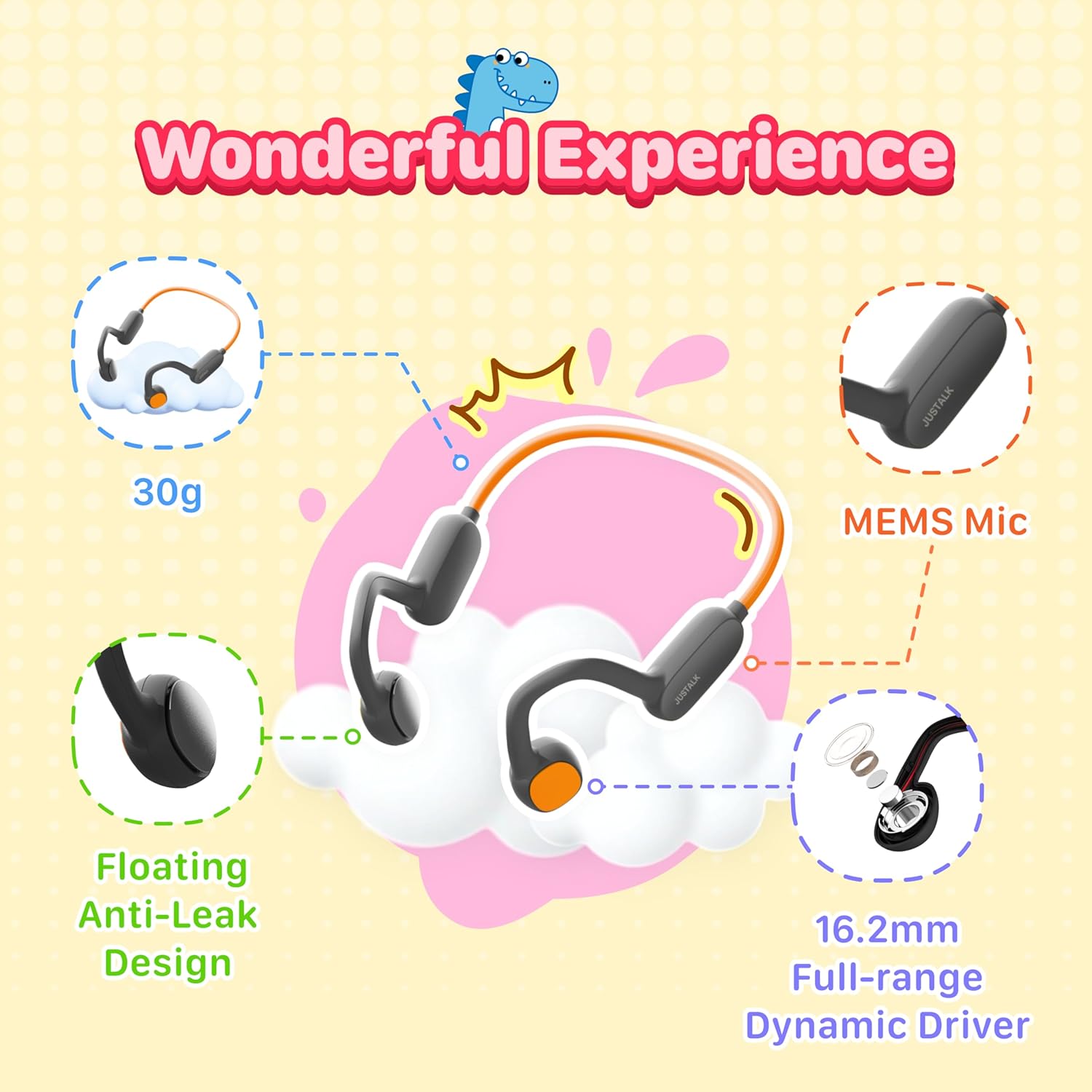
Image: An exploded view diagram highlighting key features such as the 30g ultralight design, MEMS microphone, floating anti-leak design, and 16.2mm full-range dynamic driver.
Key Features:
- Open-Ear Air Conduction Design: Allows awareness of surroundings for safety.
- 85dB Volume Limit: Protects children's hearing. A 100dB travel mode is available for noisy environments.
- Durable Construction: Made from memory titanium, IPX5 waterproof, resistant to bending, pressure, and drops.
- Lightweight: Weighs only 30g for comfortable long-term wear.
- Bluetooth 5.4: Ensures stable connection, low latency, and efficient power usage.
- Built-in MEMS Microphone: For clear voice calls.
- Long Battery Life: Up to 20 hours of playback on a single charge.
Setup
1. Charging the Headphones
- Locate the USB-C charging port on the headphones.
- Connect the provided USB-C charging cable to the headphones and the other end to a standard USB power adapter (not included) or a computer's USB port.
- The LED indicator light will show the charging status. It typically turns solid red while charging and off or blue when fully charged.
- A full charge takes approximately 1.5-2 hours and provides up to 20 hours of playtime.
2. Pairing with a Bluetooth Device
- Power On: Press and hold the Multi-function button for 3-5 seconds until the LED indicator flashes blue and red alternately, indicating pairing mode.
- Activate Bluetooth: On your device (smartphone, tablet, laptop), go to the Bluetooth settings and turn Bluetooth on.
- Select Device: In the list of available devices, select "JusTalk A1" (or similar name).
- Confirm Pairing: Once connected, the LED indicator on the headphones will typically flash blue slowly or turn solid blue. You will also hear an audible confirmation.
- The headphones will automatically attempt to reconnect to the last paired device when powered on.
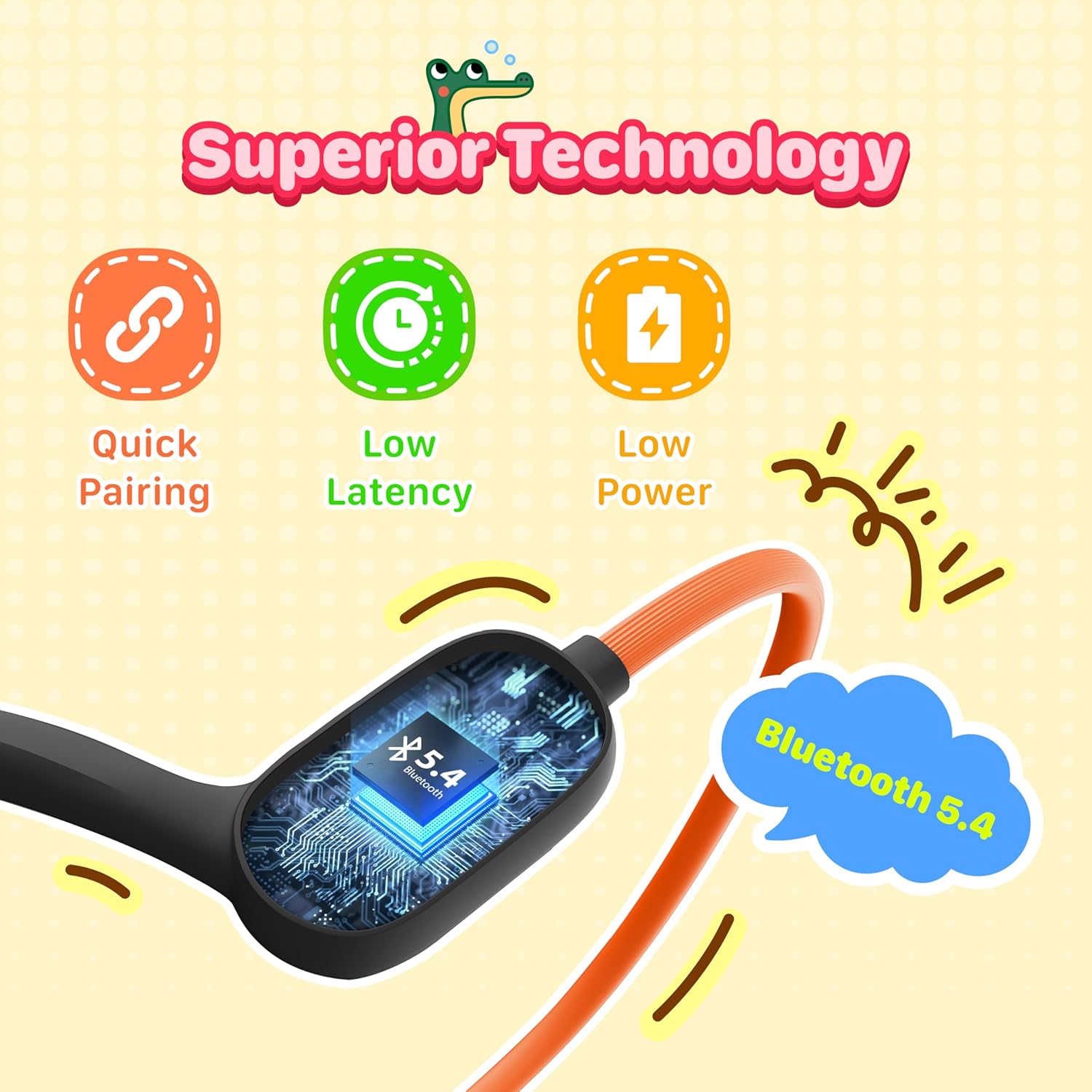
Image: Illustration showing the Bluetooth 5.4 chip and features like quick pairing, low latency, and low power consumption, essential for a stable wireless connection.
Operating Instructions
The JusTalk Kids Bluetooth Headphones feature intuitive button controls for various functions.

Image: Visual representation of headphone functions including 20-hour battery life, built-in microphone, compatibility with phones/pads/laptops, and volume controls.
Basic Functions:
- Power On/Off: Press and hold the Multi-function button for 3-5 seconds.
- Play/Pause: Short press the Multi-function button.
- Volume Up: Short press the Volume + button.
- Volume Down: Short press the Volume - button.
- Next Track: Long press the Volume + button.
- Previous Track: Long press the Volume - button.
Call Functions:
- Answer/End Call: Short press the Multi-function button.
- Reject Call: Long press the Multi-function button.
- Redial Last Number: Double-press the Multi-function button.
Special Modes:
- Travel Mode (100dB): For use in noisy environments, this mode temporarily increases the maximum volume limit to 100dB. Refer to the specific button combination in the quick start guide for activation/deactivation. Use this mode sparingly to protect hearing.
- Standard Mode (85dB): The default mode, limiting volume to 85dB for hearing protection.

Image: Features demonstrating excellent protection, including an 85dB volume limit (100dB travel mode), ambient sound access, and a non-in-ear design for ear health.
Maintenance
Proper care and maintenance will extend the lifespan of your JusTalk Kids Bluetooth Headphones.
Cleaning:
- Wipe the headphones with a soft, damp cloth.
- Do not use abrasive cleaners, alcohol, or chemical solvents.
- Ensure the charging port cover is securely closed before cleaning or exposing to moisture.
Storage:
- Store the headphones in a cool, dry place away from direct sunlight and extreme temperatures.
- Avoid placing heavy objects on the headphones.
- The memory titanium construction allows for flexible storage without permanent deformation.

Image: Visuals illustrating the headphones' durability, including twist-proof, pressure-proof, shock-proof, and splash-proof (IPX5) capabilities, highlighting their robust construction.
Troubleshooting
| Problem | Possible Cause | Solution |
|---|---|---|
| Headphones won't turn on. | Low battery. | Charge the headphones fully using the provided USB-C cable. |
| Cannot pair with device. | Bluetooth is off on the device; headphones not in pairing mode; too far from device. | Ensure Bluetooth is enabled on your device. Put headphones into pairing mode (flashing red/blue). Keep headphones within 10 meters of the device. |
| No sound or low volume. | Volume too low on headphones or device; headphones not connected; media paused. | Increase volume on both headphones and connected device. Ensure headphones are paired and connected. Check if media is playing. |
| Sound quality is poor or intermittent. | Interference; device too far; low battery. | Move closer to the connected device. Avoid strong electromagnetic interference. Charge headphones. |
| Microphone not working. | Microphone muted on device; app permissions. | Check device settings to ensure microphone is not muted and app has permission to use it. |
Specifications
| Model Name | TGAone A1 |
| Connectivity Technology | Bluetooth 5.4, Wireless |
| Ear Placement | Open Ear (Air Conduction) |
| Water Resistance Level | IPX5 (Waterproof) |
| Battery Life | Up to 20 Hours |
| Charging Port | USB Type-C |
| Weight | 30g (approx. 1.06 ounces) |
| Audio Driver Size | 16.2 mm Dynamic Driver |
| Hearing Protection | 85dB (Standard), 100dB (Travel Mode) |
| Material | Plastic, Titanium Alloy |
| Compatible Devices | Mobile phones, tablets, laptops, smartwatches, car audio systems, gaming consoles. |
Safety Information
Please read and follow these safety guidelines to ensure safe operation and prevent damage to the product or injury.
- Do not disassemble, repair, or modify the headphones. This may cause fire, electric shock, or complete damage to the product.
- Keep the headphones away from extreme temperatures, direct sunlight, and open flames.
- Do not immerse the headphones in water, despite their IPX5 rating. IPX5 protects against splashes and light rain, not submersion.
- Keep out of reach of small children to prevent accidental ingestion of small parts.
- Avoid using the headphones at excessively high volumes for prolonged periods, even with the 85dB limit, to prevent potential hearing damage.
- Always be aware of your surroundings when using open-ear headphones, especially in traffic or other potentially dangerous situations.
- Use only the provided charging cable or a certified USB-C cable for charging.
Warranty and Support
JusTalk products come with a standard manufacturer's warranty. For specific warranty details, please refer to the warranty card included with your purchase or visit the official JusTalk website.
For technical support, troubleshooting assistance, or warranty claims, please contact JusTalk customer service through the following channels:
- Email: support@justalk.com (Example email, please verify actual support contact)
- Website: www.justalk.com (This is a placeholder, please verify the actual support website)
Please have your product model number (TGAone A1) and purchase information ready when contacting support.