1. Introduction
This manual provides essential information for the safe and effective use of your JKBMS Smart Battery Management System. The JKBMS Smart BMS is designed to manage and protect Li-ion, LiFePO4, and LTO battery packs, offering features such as active balancing, comprehensive safety protections, and Bluetooth connectivity for monitoring and control. Please read this manual thoroughly before installation and operation.
2. Safety Information
Improper installation or operation can lead to serious injury or damage to the battery system. Always adhere to the following safety guidelines:
- Ensure all connections are correct and secure before applying power. Incorrect wiring can cause damage to the BMS and battery.
- Wear appropriate personal protective equipment (PPE), including safety glasses and insulated gloves, when working with batteries.
- Do not short-circuit the battery terminals.
- Avoid exposing the BMS to water, moisture, or extreme temperatures.
- Do not attempt to disassemble or repair the BMS. Contact qualified personnel for service.
- Ensure adequate ventilation around the battery pack and BMS.
- Verify the voltage and current ratings of your battery pack are compatible with the BMS specifications.
3. Product Overview
The JKBMS Smart BMS is a sophisticated battery management system designed for optimal performance and longevity of your battery pack. It integrates active balancing, multiple protection features, and smart monitoring capabilities.

Figure 3.1: JKBMS Smart BMS board, showing the main circuit board with B- and P- terminals and cell balance connectors.
Key Features:
- Active Balance BMS: Features a 2A active balancing module that optimizes energy transfer between cells, enhancing battery consistency, extending lifespan, and ensuring superior system stability.
- Enhanced Safety: Ensures reliable performance with multi-layer protection, including overcharge, overdischarge, overcurrent, short-circuit, and temperature safeguards, keeping your battery system safe and stable in any application.
- Easy Connection: Monitor and control your battery system remotely with the "JK BMS" app (iOS and Android). Adjust parameters, check battery status, and activate features effortlessly via Bluetooth.
- Wide Application: Compatible with Li-ion, LiFePO4, and LTO batteries, this BMS is suitable for various uses, including electric vehicles and forklifts, providing reliable integration and performance.
- Optional Customization Features: Supports add-ons such as CAN/RS485 communication, heating modules for cold environments, and GPS functionality, allowing flexible configurations to meet specific project requirements.

Figure 3.2: Overview of JKBMS Smart BMS core features including active balancing, wireless transmission, functional safety, and capacity management.
Included Components:

Figure 3.3: Standard components included with the JKBMS Smart BMS, typically comprising the BMS unit, screws, NTC temperature sensor, switch, and various wiring harnesses.
4. Specifications
The following table details the technical specifications for the JKBMS Smart BMS (Model: JK-B2A24S30P):
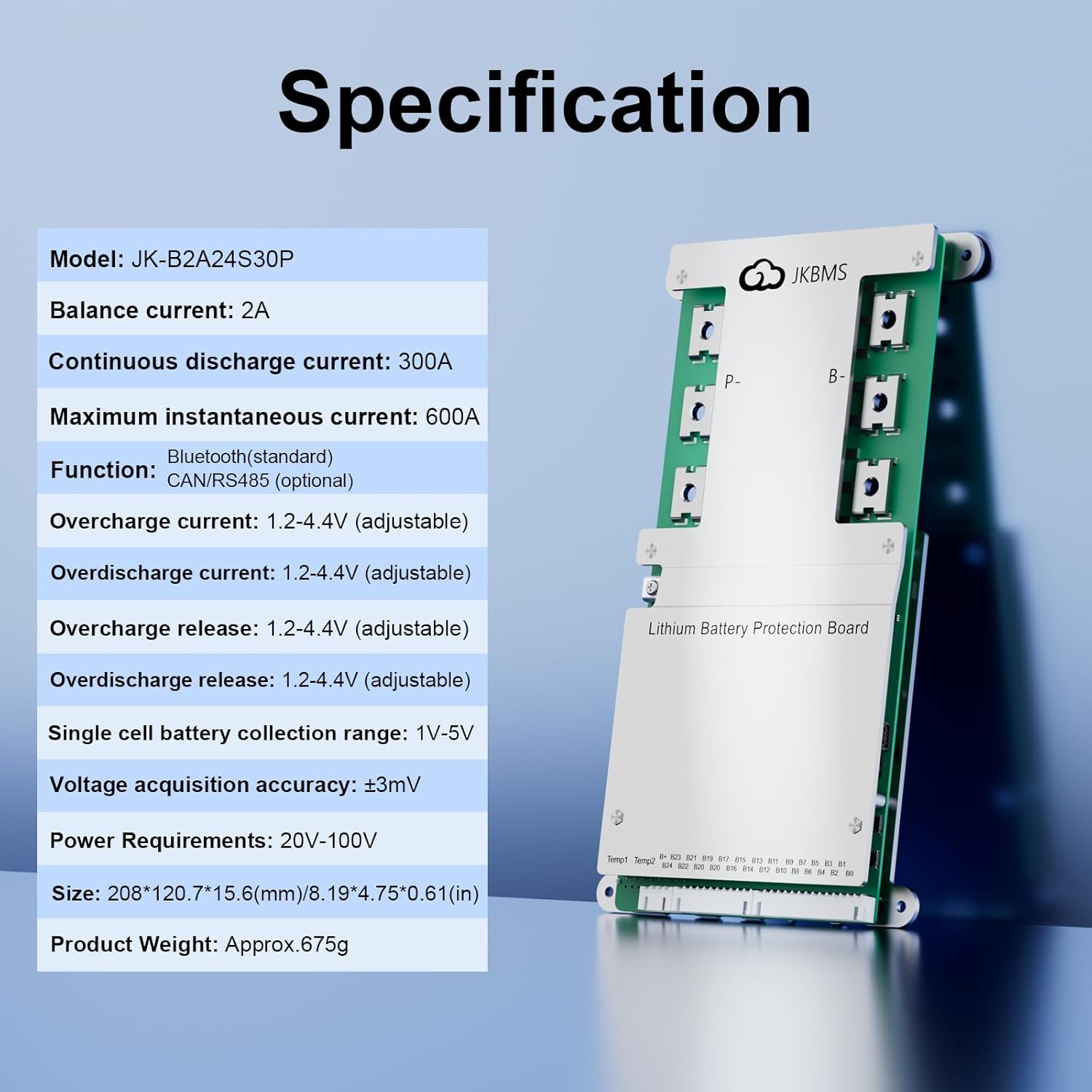
Figure 4.1: Detailed specifications for the JKBMS Smart BMS, including model number, balance current, discharge current, and voltage ranges.
| Parameter | Value |
|---|---|
| Model | JK-B2A24S30P |
| Balance Current | 2A |
| Continuous Discharge Current | 300A |
| Maximum Instantaneous Current | 600A |
| Function | Bluetooth (standard), CAN/RS485 (optional) |
| Overcharge Current | 1.2-4.4V (adjustable) |
| Overdischarge Current | 1.2-4.4V (adjustable) |
| Overcharge Release | 1.2-4.4V (adjustable) |
| Overdischarge Release | 1.2-4.4V (adjustable) |
| Single Cell Battery Collection Range | 1V-5V |
| Voltage Acquisition Accuracy | ±3mV |
| Power Requirements | 20V-100V |
| Dimensions (L x W x H) | 8.19 x 4.75 x 0.61 inches (208 x 120.7 x 15.6 mm) |
| Product Weight | 15.2 ounces (Approx. 675g) |
5. Setup and Installation
Careful wiring is crucial for the proper function and safety of the BMS. Follow these steps precisely:

Figure 5.1: Wiring diagram illustrating the connection points for the JKBMS Smart BMS to a battery pack, external load, and charger.
- Prepare the Battery Pack: Ensure your battery pack is assembled correctly with all cells balanced to a similar voltage before connecting the BMS.
- Connect B- Terminal: Connect the main negative terminal of the battery pack (Total negative electrode B-) to the B- terminal on the BMS. This is typically a thick wire.
- Connect Cell Balancing Wires: Starting from B0 (the negative terminal of the first cell), connect each cell's positive terminal to the corresponding balance wire on the BMS harness (B1, B2, B3, ..., B24). Ensure the wires are connected in sequential order and that B0 is connected to the main negative of the pack.
- Connect B+ Terminal: Connect the main positive terminal of the battery pack (Total positive pole B+) to the B+ terminal on the BMS. This is typically a thick wire.
- Connect P- Terminal: Connect the negative terminal of your load and charger to the P- terminal on the BMS. This is the common port for discharge and charge.
- Connect Load and Charger Positive: Connect the positive terminals of your load and charger directly to the main positive terminal of the battery pack (B+).
- Connect Temperature Sensors (NTC): If included, connect the NTC temperature sensors to the designated ports on the BMS and place them strategically within the battery pack to monitor cell temperatures.
- Connect Optional Modules: If using optional modules like RS485 or CAN, connect them according to their specific instructions.
- Final Check: Double-check all connections for correctness and tightness before powering on the system.
Note: Always connect the balance wires first, then the main B- and B+ wires, and finally the P- for load/charger. Disconnect in reverse order.
6. Operating the BMS
The JKBMS Smart BMS can be monitored and controlled via its dedicated Bluetooth application.

Figure 6.1: Screenshot of the JKBMS Smart Bluetooth APP displaying real-time battery data, cell voltages, and control options.
6.1 Bluetooth App Connection:
- Download the "JK BMS" app from your device's app store (available for iOS and Android).
- Ensure Bluetooth is enabled on your smartphone or tablet.
- Open the app and search for available BMS devices. Select your JKBMS device to connect.
- Once connected, the app will display real-time battery data.
6.2 App Functions:
- Real-time Monitoring: View battery voltage, current, individual cell voltages, temperature, State of Charge (SOC), State of Health (SOH), and remaining capacity.
- Parameter Adjustment: Modify various protection parameters such as overcharge/overdischarge voltage, overcurrent limits, and temperature thresholds. Exercise caution when adjusting these parameters.
- Balance Control: Manually activate or deactivate the active balancing function.
- Data Logging: The app may offer features to record and review historical charge/discharge data.
7. Maintenance
Regular maintenance helps ensure the longevity and optimal performance of your JKBMS and battery system:
- Periodic Inspection: Visually inspect all wiring and connections for signs of wear, corrosion, or looseness. Tighten any loose connections.
- Software Updates: Check for and install any available firmware updates for the BMS via the app to ensure you have the latest features and bug fixes.
- Cleanliness: Keep the BMS and battery pack clean and free from dust and debris. Use a dry, soft cloth for cleaning.
- Temperature Management: Ensure the battery system operates within its recommended temperature range. Avoid prolonged exposure to extreme heat or cold.
- Cell Balancing: Regularly monitor cell voltages via the app to ensure they remain balanced. The active balancing feature will work to maintain this, but manual checks are advisable.
8. Troubleshooting
This section addresses common issues you might encounter with your JKBMS Smart BMS.
8.1 BMS Not Powering On / No Output:
- Check Main Connections: Verify that the B- and B+ connections to the battery pack are secure and correctly wired.
- Check Balance Wires: Ensure all cell balance wires are connected in the correct sequence and are not loose or damaged. A single disconnected balance wire can prevent the BMS from operating.
- Check Battery Voltage: Confirm that the total battery pack voltage is within the operating range of the BMS (20V-100V).
- Check for Protection Activation: The BMS might be in a protection state (e.g., overdischarge, overcurrent). Use the app to check fault codes or status.
8.2 Bluetooth Connection Issues:
- Ensure BMS is On: The BMS must be powered on for Bluetooth to function.
- Bluetooth Enabled: Verify Bluetooth is enabled on your mobile device.
- App Permissions: Ensure the "JK BMS" app has necessary permissions (e.g., location services, if required by your device's OS for Bluetooth scanning).
- Proximity: Be within close range of the BMS for a stable Bluetooth connection.
- Restart: Try restarting both the BMS (if possible, by disconnecting and reconnecting the main battery negative) and your mobile device.
8.3 Cell Imbalance:
- Active Balancing: Ensure the active balancing function is enabled in the app.
- Time for Balancing: Active balancing takes time, especially for large imbalances. Allow the BMS sufficient time to balance the cells.
- Check Balance Wires: Inspect balance wires for damage or poor connections to individual cells.
8.4 CAN/RS485 Communication Issues:
- Correct Protocol: Verify that the connected device (e.g., inverter) uses a compatible CAN/RS485 protocol with the JKBMS. Note that JKBMS may use proprietary protocols.
- Wiring: Double-check the CAN/RS485 wiring for correct polarity and secure connections. For RS485, ensure only the middle two wires are used for data (TX/RX) and avoid connecting ground if using a 3.3V adapter.
- Adapter Compatibility: If using an adapter (e.g., FTDI for serial), ensure it is functional and set to the correct voltage (e.g., 3.3V).
- App Settings: In the JKBMS app's advanced settings, ensure the correct UART option (e.g., "GPS" for serial communication on the GPS port) is selected.
9. Application Scenarios
The JKBMS Smart BMS is versatile and suitable for a wide range of applications requiring robust battery management:

Figure 9.1: Examples of diverse applications where the JKBMS Smart BMS can be utilized, ranging from electric vehicles to stationary energy storage systems.
- Electric Vehicles (E-bikes, Electric Tricycles, Low Speed Quads, Electric Cars)
- Industrial Equipment (Forklifts, Cleaning Cars, Industrial Drones, AGV)
- Recreational Vehicles (RV Energy Storage, Tourist Cars)
- Energy Storage Systems (Home Energy Storage, Energy Storage Cabinets, Power Banks)
- Portable Power Tools
10. Support
For technical assistance, warranty claims, or further inquiries, please contact JKBMS customer support through the official website or your point of purchase. Ensure you have your product model number (JK-B2A24S30P) and purchase details available when seeking support.


