
Introduction
This manual provides essential instructions for the safe and efficient use of your Orestree 240W Laptop Charger. Please read this manual thoroughly before using the product and retain it for future reference. This charger is designed for compatibility with Dell Alienware m15 R6, P109F001, and P109F004 laptop models.
Safety Information
- Do not expose the charger to liquids: Avoid water, rain, or excessive humidity.
- Use in well-ventilated areas: Ensure proper airflow around the charger to prevent overheating.
- Avoid extreme temperatures: Do not operate the charger in excessively hot or cold environments.
- Handle with care: Do not drop, disassemble, or attempt to repair the charger yourself. Refer to qualified service personnel.
- Use only with compatible devices: Ensure the charger's specifications match your laptop's requirements.
- Unplug when not in use: Disconnect the charger from the power outlet and laptop when not actively charging.
Package Contents
Verify that all items are present in the package:
- 1 x Orestree 240W Power Adapter
- 1 x AC Power Cord
Product Overview
The Orestree 240W Laptop Charger is designed to provide reliable power to your compatible Dell Alienware laptop. It consists of the main power adapter unit and a detachable AC power cord.
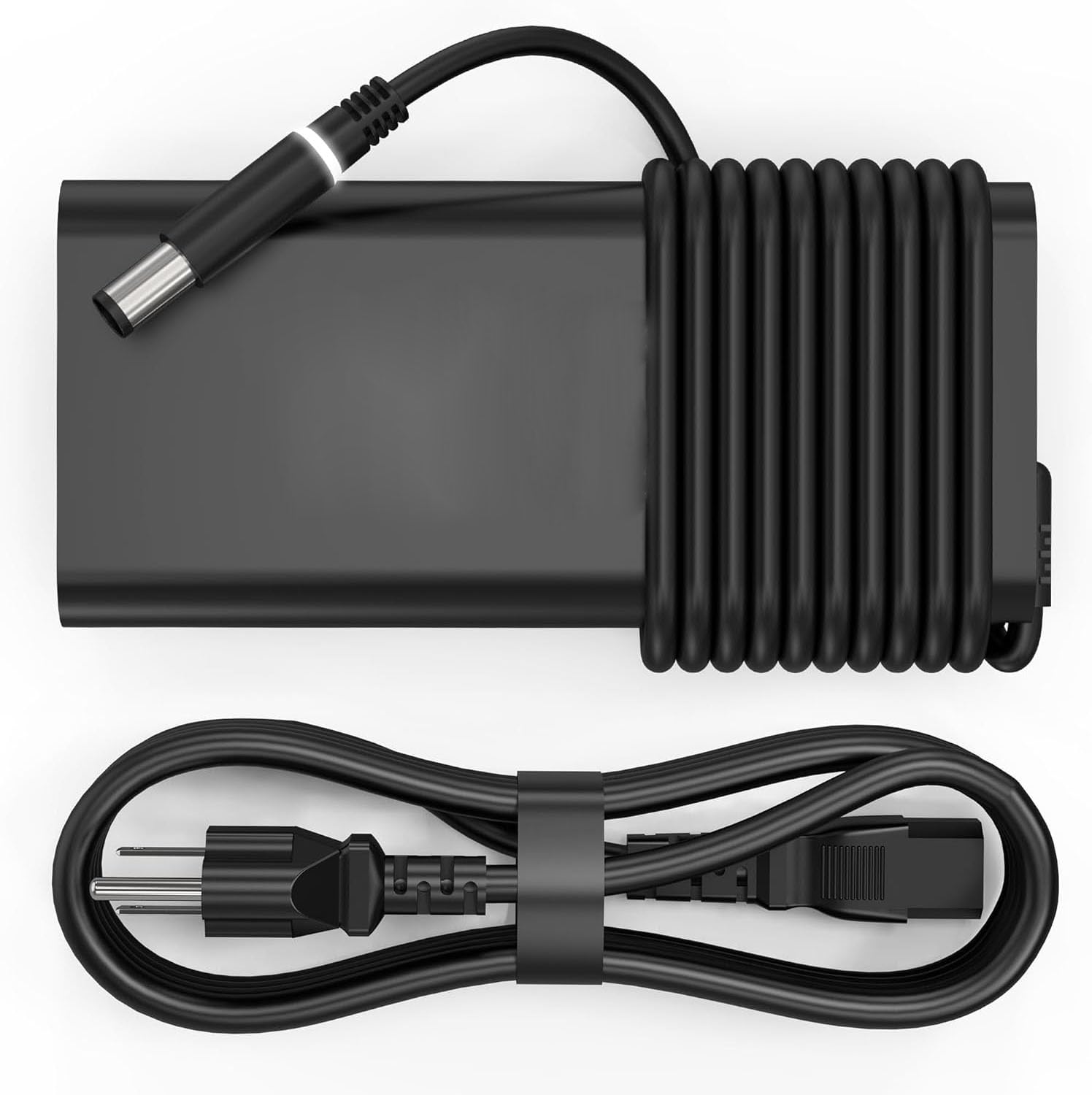
Image: The Orestree 240W laptop charger, showing the main adapter unit and the detachable AC power cord.
Setup
- Connect AC Power Cord: Insert one end of the AC power cord into the power adapter unit. Ensure it is firmly seated.
- Connect to Wall Outlet: Plug the other end of the AC power cord into a standard electrical wall outlet (100-240V, 50-60Hz).
- Connect to Laptop: Insert the charger's DC output connector (7.4mm*5.0mm) into the power input port of your Dell Alienware m15 R6, P109F001, or P109F004 laptop.
- Verify Connection: Confirm that the charger is securely connected to both the wall outlet and your laptop. Your laptop should indicate that it is receiving power or charging.
Operating
Once properly set up, the charger will automatically begin supplying power to your laptop and charging its battery. The charger is designed to provide a stable output of 19.5V at 12.3A, compatible with devices requiring 240W, 180W, or 130W power.
- The charger features automatic off and fast charging capabilities.
- Monitor your laptop's charging indicator to ensure proper operation.
Maintenance
- Cleaning: Use a soft, dry cloth to clean the charger. Do not use liquid cleaners or solvents.
- Storage: When not in use, store the charger in a cool, dry place, away from direct sunlight and extreme temperatures. Avoid tightly winding the cables to prevent damage.
- Cable Care: Regularly inspect the AC power cord and DC output cable for any signs of fraying, cuts, or damage. Replace immediately if damage is found.
Troubleshooting
| Problem | Possible Cause | Solution |
|---|---|---|
| Charger not supplying power. | Loose connection, faulty outlet, damaged cable. |
|
| Laptop not charging. | Incorrect charger, laptop issue, charger fault. |
|
| Charger feels hot. | Normal operation, poor ventilation, overload. |
|
Specifications
- Model Number: AD195123
- Input: 100-240V ~ 50-60Hz
- Output: 19.5V === 12.3A
- Wattage: 240W (compatible with 180W, 130W)
- Connector Size: 7.4mm * 5.0mm
- Color: Black
- Special Features: Automatic Off, Fast Charging
- Compatible Devices: Dell Alienware m15 R6, P109F001, P109F004 Laptops
- Certification: FCC
Warranty Information
This Orestree product is covered by a 12-month manufacturer's warranty from the date of purchase. This warranty covers defects in materials and workmanship under normal use. It does not cover damage caused by misuse, accident, unauthorized modification, or external causes.
Please retain your proof of purchase for warranty claims.
Support
If you encounter any issues or have questions regarding your Orestree 240W Laptop Charger that are not addressed in this manual, please refer to the retailer or manufacturer's support channels for assistance. Provide your product model number (AD195123) and proof of purchase when seeking support.