
Introduction
Thank you for choosing the YYFNGU Digital Calendar Power Cord. This power adapter is designed to provide a reliable and continuous power supply for your 15-inch Skylight Digital Calendar, specifically compatible with Model 860004165262. This manual provides essential information for the proper setup, operation, and maintenance of your new power cord.
Product Overview and Package Contents
The YYFNGU Digital Calendar Power Cord is a durable and compact AC adapter designed for long-term use. Its robust construction ensures resistance to bending and damage.

Image: The YYFNGU Digital Calendar Power Cord, showing the white AC adapter block and the coiled white power cable with its connector.

Image: The YYFNGU power cord alongside a Skylight Calendar, illustrating its compatibility with the 15-inch model.
Package Contents:
- 1 x YYFNGU Digital Calendar Power Cable (AC Adapter)
Setup Instructions
Follow these steps to set up your YYFNGU Digital Calendar Power Cord:
- Verify Compatibility: Ensure your Skylight Digital Calendar is the 15-inch model and specifically Model 860004165262. This power cord is designed for this specific model.
- Locate Power Port: Identify the power input port on your Skylight Digital Calendar.
- Connect Power Cord: Carefully insert the connector end of the YYFNGU power cord into the power input port of your Skylight Digital Calendar. Ensure a snug and secure fit.
- Plug into Outlet: Insert the AC adapter plug into a standard US wall outlet (100-240V, 50-60Hz).
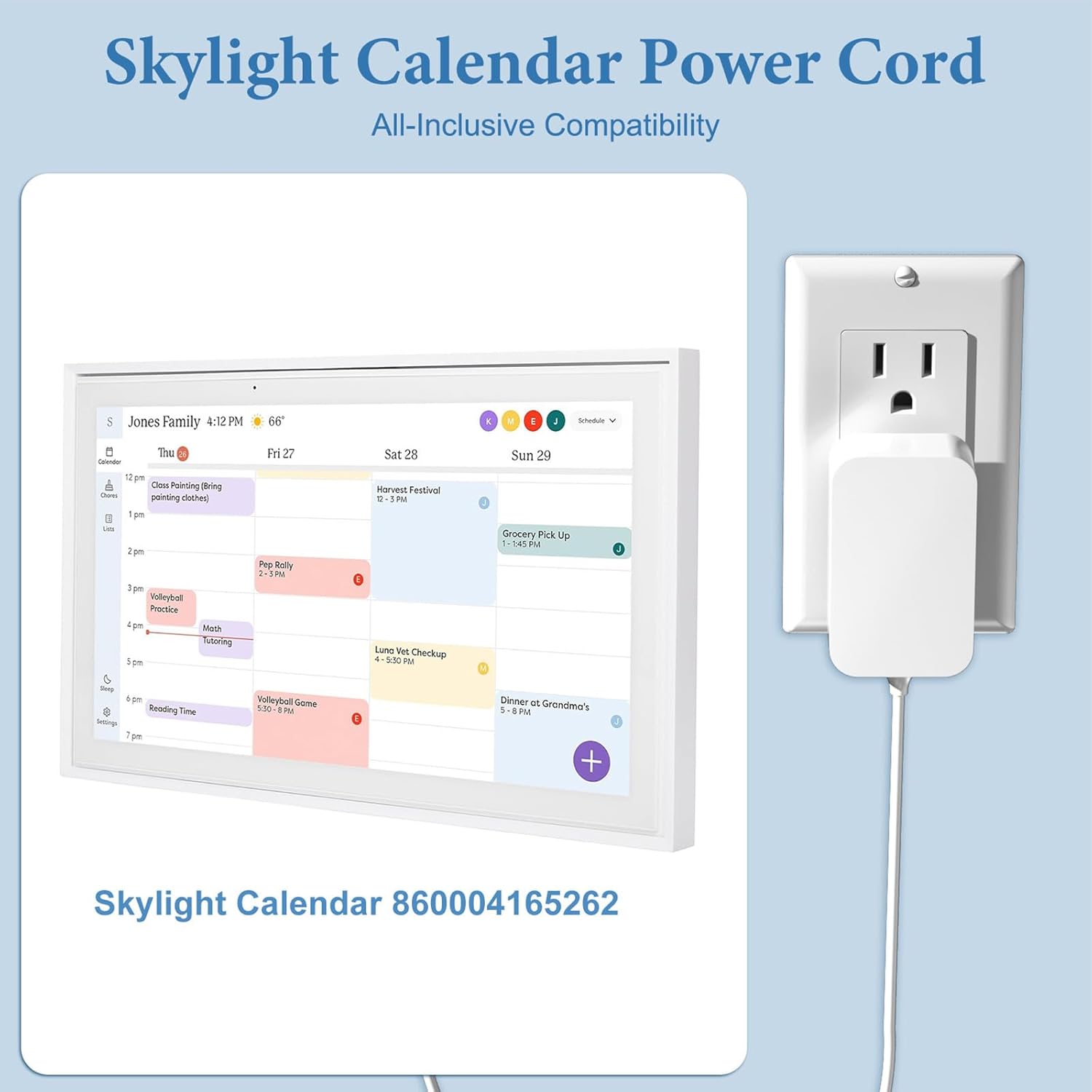
Image: The power cord connected to a Skylight Calendar, with the adapter plugged into a wall outlet, demonstrating proper setup.

Image: A Skylight Calendar placed on a wooden desk, powered by the YYFNGU AC adapter plugged into a wall outlet, illustrating a typical setup environment.
Operating Instructions
Once properly connected, the YYFNGU Digital Calendar Power Cord will automatically supply power to your Skylight Digital Calendar. No additional user interaction is required for its operation.
- Ensure the power cord is securely plugged into both the calendar and the wall outlet for uninterrupted power.
- The power cord is designed for continuous power supply.
Maintenance and Care
To ensure the longevity and optimal performance of your power cord, follow these maintenance guidelines:
- Cleaning: Disconnect the power cord from the outlet and the calendar before cleaning. Wipe the adapter and cable with a soft, dry cloth. Do not use liquid cleaners or abrasive materials.
- Storage: When not in use, store the power cord in a cool, dry place, away from direct sunlight and extreme temperatures. Avoid tightly coiling the cable to prevent damage. The cable is designed with bending resistance.
- Handling: Always grasp the plug when inserting or removing the power cord from an outlet. Do not pull on the cable itself.
- Inspection: Periodically inspect the power cord for any signs of damage, such as frayed wires, cracked insulation, or bent pins. If any damage is observed, discontinue use immediately.
Safety Features
The YYFNGU Digital Calendar Power Cord is equipped with multiple safety protections to ensure safe operation and protect your device:
- Overcurrent Protection: Prevents damage from excessive current flow.
- Overvoltage Protection: Safeguards against damage from voltage surges.
- Short Circuit Protection: Automatically shuts off power in case of a short circuit.
- Over Temperature Protection: Prevents overheating of the adapter.
- Overcharge Protection: Protects connected devices from overcharging.
- Overpower Protection: Manages power output to prevent overload.
YYFNGU products are UL / CE / FCC / RoHS certified, ensuring compliance with safety and environmental standards.

Image: Visual representation of the safety features including Over Temperature Protection, Overcurrent Protection, Short Circuit Protection, Overcharge Protection, Overpower Protection, and Overvoltage Protection, alongside the power adapter.
Troubleshooting
If you encounter issues with your power cord, refer to the following common troubleshooting steps:
| Problem | Possible Cause | Solution |
|---|---|---|
| Calendar not powering on. | Power cord not fully plugged in; Wall outlet not active; Calendar issue. | Ensure both ends of the power cord are securely connected. Test the wall outlet with another device. Verify the calendar is functioning correctly with its original power source if available. |
| Power cord feels warm. | Normal operation; Overload. | A slight warmth is normal during operation. If it feels excessively hot or emits a burning smell, immediately unplug it and discontinue use. Ensure the calendar is the correct compatible model. |
| Intermittent power to calendar. | Loose connection; Damaged cable. | Check all connections for tightness. Inspect the cable for any visible damage. If damaged, replace the power cord. |
Specifications
| Feature | Detail |
|---|---|
| Model | AC Adapter (for Skylight Calendar Model 860004165262) |
| Input Voltage | 100-240V AC, 50-60Hz |
| Output Current | 2 Amps |
| Cable Length | 5 feet (approximately 1.5 meters) |
| Product Dimensions (Adapter) | 2 x 1 x 3 inches (approx. 5.08 x 2.54 x 7.62 cm) |
| Item Weight | 3.84 ounces (approx. 108.87 grams) |
| Safety Certifications | UL / CE / FCC / RoHS |
| Special Features | Overcurrent Protection, Overvoltage Protection, Short Circuit Protection, Over Temperature Protection, Overcharge Protection, Overpower Protection, Bending Resistance Cable |

Image: Diagram showing the dimensions of the AC adapter (1.96in, 1.37in, 0.98in) and the 5ft cable length, along with features like protective PVC outer layer, perfect fit, and 180-degree bend testing.
Warranty and Support
YYFNGU is committed to providing high-quality products and customer satisfaction. While specific warranty terms are not detailed in this manual, we encourage you to contact us directly if you encounter any issues or require assistance with your power cord.
For support, please refer to the contact information provided with your purchase or visit the official YYFNGU website. Our customer service team is ready to help with any questions or concerns regarding the use of this power cord for your Skylight Digital Calendar.