
Introduction
This manual provides essential information for the safe and effective operation of your PHILIPS Smart Air Purifier AC3220/60. Please read it thoroughly before using the appliance and retain it for future reference. The PHILIPS AC3220/60 is designed to improve indoor air quality by removing airborne pollutants, allergens, and odors, covering areas up to 135 m² (600 sq. ft).

Image: The PHILIPS Smart Air Purifier AC3220/60, a cylindrical device with a striped silver and white finish, shown alongside a smartphone displaying its control application. The purifier has a blue light emanating from its top.
Important Safety Information
- Ensure the appliance is placed on a stable, level surface.
- Do not block the air inlets or outlets.
- Keep the appliance away from water or other liquids.
- Unplug the appliance before cleaning or performing any maintenance.
- Do not use the appliance in rooms with high humidity, such as bathrooms.
- This appliance is not intended for use by persons (including children) with reduced physical, sensory or mental capabilities, or lack of experience and knowledge, unless they have been given supervision or instruction concerning use of the appliance by a person responsible for their safety.
Package Contents
Verify that all items are present in the package:
- 1 x PHILIPS Smart Air Purifier AC3220/60 unit
- 2 x HEPA + Double Carbon Combi Filters (pre-installed or separate)
- 1 x User Manual (this document)
Setup
1. Unpacking and Placement
- Remove the air purifier from its packaging.
- Place the air purifier on a firm, level surface, ensuring at least 20 cm (8 inches) of clear space around the unit for optimal airflow.
- Ensure the unit is positioned in a room up to 135 m² (600 sq. ft) for effective purification.
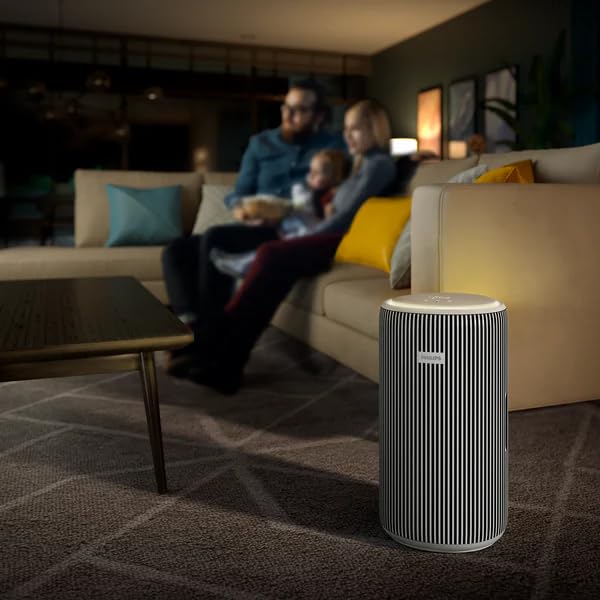
Image: The PHILIPS Smart Air Purifier AC3220/60 positioned in a modern living room, demonstrating suitable placement for operation.
2. Filter Installation
The HEPA + Double Carbon Combi Filters are typically pre-installed. If not, or if you are replacing them:
- Unplug the appliance.
- Open the filter compartment cover (refer to the diagram on the unit or in the quick start guide).
- Remove any packaging from the new filters.
- Insert the filters according to the markings, ensuring they are seated correctly.
- Close the filter compartment cover securely.
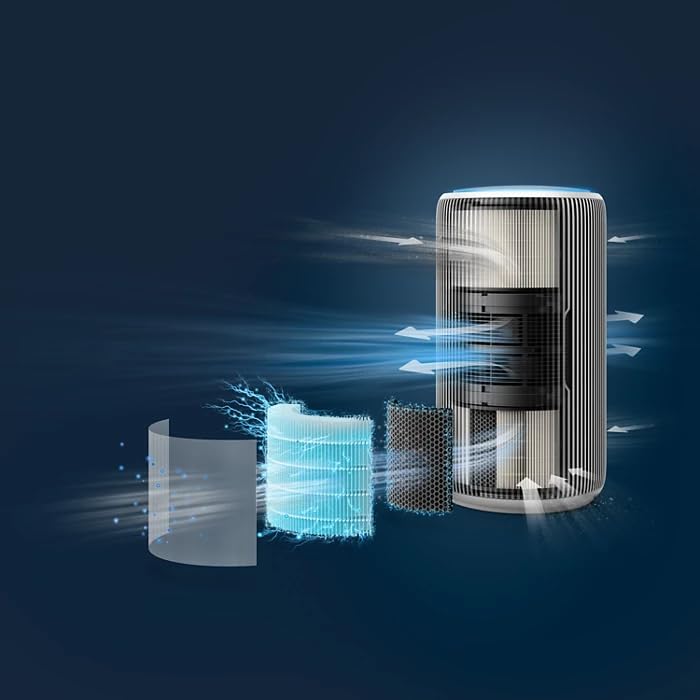
Image: An exploded diagram illustrating the multi-stage filtration system of the PHILIPS Air Purifier, showing the pre-filter, HEPA filter, and activated carbon filter layers.
3. Power Connection
Plug the power cord into a suitable electrical outlet. The appliance will enter standby mode.
4. Smart Connectivity (Optional)
To utilize smart features, download the PHILIPS Clean Home+ app from your device's app store. Follow the in-app instructions to connect your air purifier to your Wi-Fi network. The device supports integration with Amazon Alexa, Android, and Google Assistant.
Operating Instructions
1. Power On/Off
Press the power button on the top panel to turn the appliance on or off. The display will illuminate upon activation.
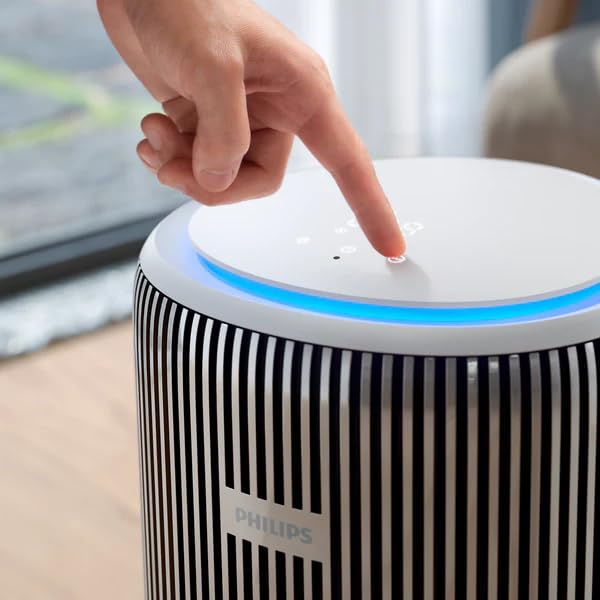
Image: A close-up of a hand pressing one of the touch controls on the top surface of the PHILIPS Air Purifier, which features a circular display and blue ambient lighting.
2. Operating Modes
The air purifier offers several operating modes:
- Automatic Mode: The purifier automatically adjusts fan speed based on real-time air quality readings from its sensors.
- Sleep Mode: Operates at the lowest fan speed with reduced display brightness for quiet operation, ideal for bedrooms.
- Turbo Mode: Provides maximum purification power for rapid air cleaning. This mode will generate more noise.

Image: The PHILIPS Smart Air Purifier AC3220/60 placed next to a baby's crib in a nursery, illustrating its quiet operation suitable for sleep environments.
3. Real-Time AQI Display
The top panel features a digital display showing the real-time Air Quality Index (AQI), PM2.5 levels, and other indicators like temperature and humidity. A color ring around the display provides a quick visual indication of air quality (e.g., blue for good, red for poor).

Image: A detailed view of the PHILIPS Air Purifier's circular top display, showing digital readings for PM2.5 and other air quality indicators, surrounded by touch controls and a blue light ring.
Maintenance
1. Filter Replacement
The appliance will indicate when filters need replacement. Filter lifespan varies depending on usage and air quality. Refer to the "Filter Installation" section for replacement steps. Always use genuine PHILIPS replacement filters.
2. Cleaning the Appliance
- Unplug the air purifier before cleaning.
- Wipe the exterior surfaces with a soft, damp cloth. Do not use abrasive cleaners or solvents.
- Clean the air inlet and outlet grilles with a soft brush or vacuum cleaner to remove dust.
Troubleshooting
| Problem | Possible Cause | Solution |
|---|---|---|
| Appliance does not turn on. | Power cord not properly connected. | Ensure the power cord is securely plugged into the unit and a working electrical outlet. |
| Poor air purification performance. | Filters are dirty or need replacement. Air inlets/outlets are blocked. | Check filter status and replace if necessary. Ensure no obstructions around the air inlets/outlets. |
| App connectivity issues. | Wi-Fi signal weak or incorrect network settings. | Ensure your Wi-Fi network is stable. Re-pair the device with the app if necessary. Check router settings. |
| Unusual noise during operation. | Foreign object inside the unit. Filters not installed correctly. | Unplug the unit and check for any obstructions. Reinstall filters correctly. If noise persists, contact customer support. |
Specifications
| Feature | Detail |
|---|---|
| Model Number | AC3220/60 |
| Brand | PHILIPS |
| Room Size Coverage | Up to 135 m² (600 sq. ft) |
| CADR (Clean Air Delivery Rate) | 520 m³/h |
| Filtration Efficiency | Removes 99.97% of particles as small as 0.003 microns |
| Noise Level | 47.5 Decibels (typical, varies by mode) |
| Wattage | 36 Watts |
| Product Dimensions (D x W x H) | 28.5 x 28.5 x 52 Centimeters |
| Item Weight | 6.2 kg |
| Controller Type | Amazon Alexa, Android, Google Assistant |
| Color | Silver, Arctic White |
| Certification | RoHS Certified |
Warranty and Support
Your PHILIPS Smart Air Purifier AC3220/60 comes with a standard manufacturer's warranty. Additionally, extended warranty plans are available for purchase:
- 1 Year Extended Warranty Plan: Available from Onsitego.
- 2 Year Extended Warranty Plan: Available from Onsitego.
For technical support, warranty claims, or service inquiries, please contact PHILIPS customer service or visit the official PHILIPS website. Keep your purchase receipt as proof of purchase for warranty purposes.


