
1. Introduction
Thank you for choosing the GoGonova Cordless Hot Glue Gun. This versatile tool is designed for various DIY projects, crafts, and quick repairs, offering convenience and portability with its cordless design. This manual provides essential information for the safe and efficient operation, maintenance, and troubleshooting of your new hot glue gun.

Image 1.1: The GoGonova Cordless Hot Glue Gun package, including the glue gun, 25 glue sticks, and a USB-C charging cable.
2. Safety Instructions
Please read and understand all safety instructions before using the hot glue gun. Failure to follow these instructions may result in electric shock, fire, or serious personal injury.
- Hot Surfaces: The nozzle and melted glue become very hot during operation. Avoid direct contact with skin to prevent burns.
- Ventilation: Use the glue gun in a well-ventilated area.
- Children and Pets: Keep the glue gun out of reach of children and pets. Adult supervision is required when children are near the device.
- Flammable Materials: Do not use the glue gun near flammable liquids, gases, or materials.
- Power Source: Only use the provided USB-C cable for charging. Do not operate the glue gun while it is charging.
- Storage: Store the glue gun in a dry, safe place when not in use. Ensure it has cooled down completely before storing.
- Maintenance: Do not attempt to disassemble or repair the glue gun yourself. Contact customer support for assistance.
- Glue Sticks: Use only 7mm diameter glue sticks compatible with this device.
3. Package Contents
Verify that all items are present in your package:
- GoGonova Cordless Hot Glue Gun
- 25 x 7mm Glue Sticks
- USB-C Charging Cable
4. Product Features
- Cordless Design: Integrated 2000 mAh Lithium-ion battery for maximum portability and freedom of movement.
- Fast Heating: Achieves operating temperature in approximately 20 seconds, minimizing wait time.
- Intelligent Auto-Shutoff: Automatically powers off after 5 minutes of inactivity to conserve energy and enhance safety.
- USB-C Rechargeable: Convenient charging via USB-C cable, fully charged in about 1.5 hours.
- Ergonomic Design: Features an anti-slip granular cushion and comfortable grip rubber for extended use.
- Upgraded Anti-Drip Nozzle: Designed for even glue dripping and smooth glue discharge, reducing mess.
- Upright Standing Base: Stable base allows the glue gun to stand upright when not in use.

Image 4.1: Illustration of the large capacity 2000mAh rechargeable battery, providing up to 45 minutes of running time.

Image 4.2: Visual representation of the glue gun's rapid 20-second heating capability.

Image 4.3: Detailed view of the upgraded anti-drip design, ensuring clean and precise glue application.

Image 4.4: Illustration highlighting the ergonomic design for comfortable and secure handling.

Image 4.5: The glue gun's stable upright standing design, convenient for placement during use.
5. Setup
5.1 Initial Charging
- Before first use, fully charge the glue gun.
- Connect the provided USB-C charging cable to the charging port on the base of the glue gun.
- Connect the other end of the USB-C cable to a compatible USB power adapter (not included) or a computer USB port.
- The charging indicator light will illuminate. A full charge takes approximately 1.5 hours.
- Once fully charged, disconnect the cable.
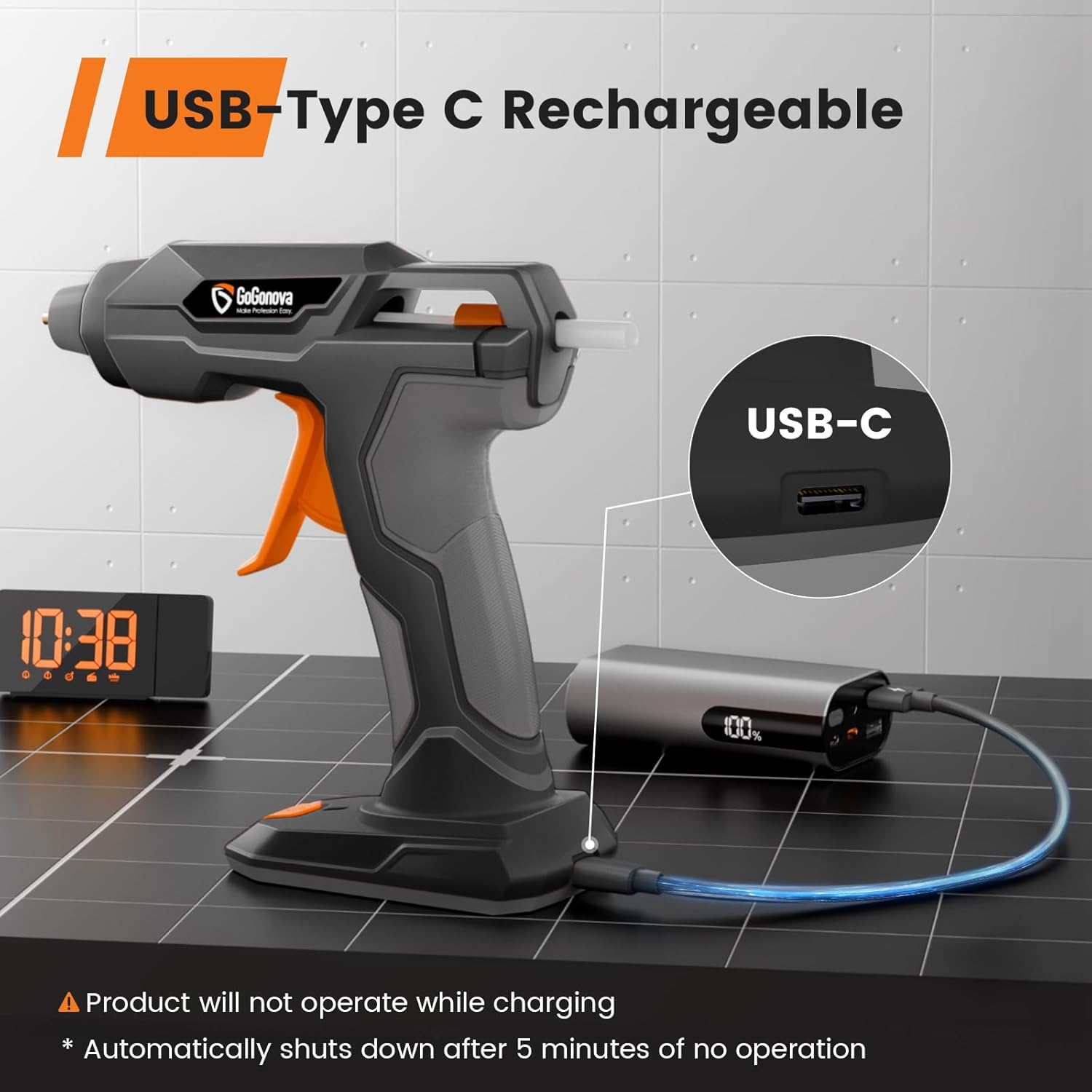
Image 5.1: The glue gun being charged via USB-C. Note: The product will not operate while charging.
5.2 Inserting a Glue Stick
- Ensure the glue gun is off and cool.
- Insert a 7mm diameter glue stick into the round opening at the back of the glue gun.
- Push the glue stick firmly until it stops. Do not force it.
6. Operating Instructions
- Power On: Press and hold the power button (usually located on the handle or base) for a few seconds until the indicator light illuminates, signaling that the gun is heating up.
- Preheating: Wait approximately 20 seconds for the glue gun to reach its operating temperature. The indicator light may change color or stop blinking when ready.
- Apply Glue: Once heated, gently squeeze the trigger to dispense melted glue from the nozzle. Apply glue to the desired surface.
- Joining Surfaces: Press the surfaces together immediately after applying glue, as hot glue sets quickly. Hold firmly for a few seconds.
- Continuous Use: As the glue stick shortens, insert a new one into the back to push the remaining stick forward.
- Power Off: After use, press and hold the power button to turn off the glue gun. The intelligent auto-shutoff feature will also turn off the device after 5 minutes of inactivity.
- Cool Down: Place the glue gun on its upright standing base and allow it to cool completely before storing.

Image 6.1: Examples of wide applications for the GoGonova glue gun in crafting and repairs.
7. Maintenance
- Cleaning: Ensure the glue gun is completely cool before cleaning. Gently wipe the exterior with a soft, damp cloth. Do not use abrasive cleaners or solvents.
- Nozzle Cleaning: Never attempt to clean the nozzle while the glue gun is hot. If there is dried glue on the nozzle, allow it to cool, then carefully peel or scrape it off. Do not use metal tools that could damage the nozzle.
- Storage: Store the glue gun in a dry, dust-free environment, away from direct sunlight and extreme temperatures.
- Battery Care: For optimal battery life, avoid fully discharging the battery frequently. Charge it regularly, even if not in use for extended periods.
8. Troubleshooting
| Problem | Possible Cause | Solution |
|---|---|---|
| Glue gun does not heat up. | Battery is low or depleted. | Charge the glue gun using the USB-C cable. |
| No glue dispenses when trigger is squeezed. | No glue stick inserted or glue stick is too short. | Insert a new 7mm glue stick and push it firmly. |
| Glue gun takes too long to heat. | Low battery or environmental temperature is too cold. | Ensure battery is fully charged. Use in a room temperature environment. |
| Glue drips excessively from the nozzle. | This model features an anti-drip design, but minor dripping can occur. Ensure the glue gun is fully heated before use. | Allow the glue gun to reach full temperature. Place it on its upright stand when not actively applying glue. |
| Glue gun automatically shuts off during use. | 5 minutes of inactivity detected (auto-shutoff feature). | Press the power button to turn it back on. This is a safety and energy-saving feature. |
9. Specifications
- Brand: GoGonova
- Model Number: GG4V2A01_FL
- Power Source: Battery-Powered
- Battery Type: Lithium-ion
- Battery Capacity: 2000 mAh
- Voltage: 4 Volts
- Wattage: 15 Watts
- Warm-up Time: Approximately 20 seconds
- Auto-Shutoff: After 5 minutes of inactivity
- Charging Port: USB-C
- Charging Time: Approximately 1.5 hours
- Compatible Glue Stick Diameter: 7 mm
- Compatible Material: PA and metal
- Color: Grey and Black
- Included Components: 1x Glue Gun, 25x 7mm Glue Sticks, 1x USB-C Charging Cable
10. Warranty and Support
GoGonova products are designed for quality and reliability. For any questions, technical support, or warranty claims, please contact GoGonova customer service through the retailer where the product was purchased or visit the official GoGonova website for contact information.
Please retain your proof of purchase for warranty purposes.