1. Introduction
Thank you for purchasing the TALOYA 72-Inch Ceiling Fan with LED Light and Remote Control. This product combines a powerful ceiling fan with an integrated LED light, designed to provide both air circulation and illumination. It features a quiet DC motor, reversible airflow for year-round use, dimmable LED lighting with adjustable color temperatures, and convenient remote control operation. This manual provides essential information for safe installation, operation, and maintenance of your new ceiling fan.

Image 1.1: Overview of the TALOYA 72-Inch Ceiling Fan highlighting its features and dimensions.
2. Safety Information
- Read all instructions carefully before installation and use.
- Ensure the power is disconnected at the circuit breaker before installation or maintenance.
- Installation must be performed by a qualified electrician or in accordance with local electrical codes.
- Mount the fan to a ceiling joist or a suitable support structure capable of holding the fan's weight.
- Do not use this fan in environments exposed to direct rain or sunlight. It is suitable for indoor and covered outdoor spaces.
- Keep hands, clothing, and other objects away from the fan blades when the fan is operating.
- Do not attempt to repair or modify the fan yourself. Contact customer service for assistance.
3. What's in the Box
Verify that all components are present before beginning installation:
- Ceiling Fan Unit with LED Light
- Remote Control
- Instruction Manual (this document)
- Mounting Hardware
- Down Rods (16.73 Inch & 30.71 Inch)

Image 3.1: Package contents including the fan, remote, and down rods.
4. Installation
The TALOYA 72-Inch Ceiling Fan is designed for straightforward installation, with most complex procedures pre-assembled. Refer to the detailed installation instructions provided in the box for step-by-step guidance.
4.1 Mounting
- The fan can be installed on sloping ceilings up to 18°.
- Two down rods (16.73 inches and 30.71 inches) are included to accommodate different ceiling heights. Select the appropriate rod for your installation.
- Ensure the mounting bracket is securely fastened to a ceiling joist or a certified outlet box.
4.2 Wiring
Follow the wiring diagrams in the detailed instruction manual. Ensure all electrical connections are secure and comply with local electrical codes.
4.3 Blade Attachment
Attach the solid wood blades to the motor housing as per the instructions. Ensure all screws are tightened securely.
5. Operating Instructions
Your TALOYA ceiling fan is controlled by the included multifunctional remote control.
5.1 Fan Speed and Direction
- The fan features 6 adjustable wind speeds. Use the remote control to select your desired speed.
- The reversible DC motor allows for year-round use:
- Summer Mode (Forward): Air flows downward, creating a cooling effect.
- Winter Mode (Reverse): Air flows upward, distributing warm air evenly throughout the room.

Image 5.1: Reversible DC motor function for summer and winter modes.
5.2 LED Light Control
- The integrated 15W LED light is dimmable (brightness from 10% to 100%).
- Choose from 3 color temperatures: 3000K (warm yellow light), 4500K (natural light), and 6000K (cool white light). Adjust these settings using the remote control.
- Light Memory Function: If you turn off the power for more than 15 seconds after setting a preferred color temperature and brightness, the light will recall these settings when turned on again.

Image 5.2: Dimmable LED light with 3 color temperature options and memory function.
5.3 Buzzer Control
- The fan includes a buzzer for operational feedback. This buzzer can be turned ON or OFF via the remote control.
- To turn off the buzzer, long press the designated button on the remote control for 5 seconds.
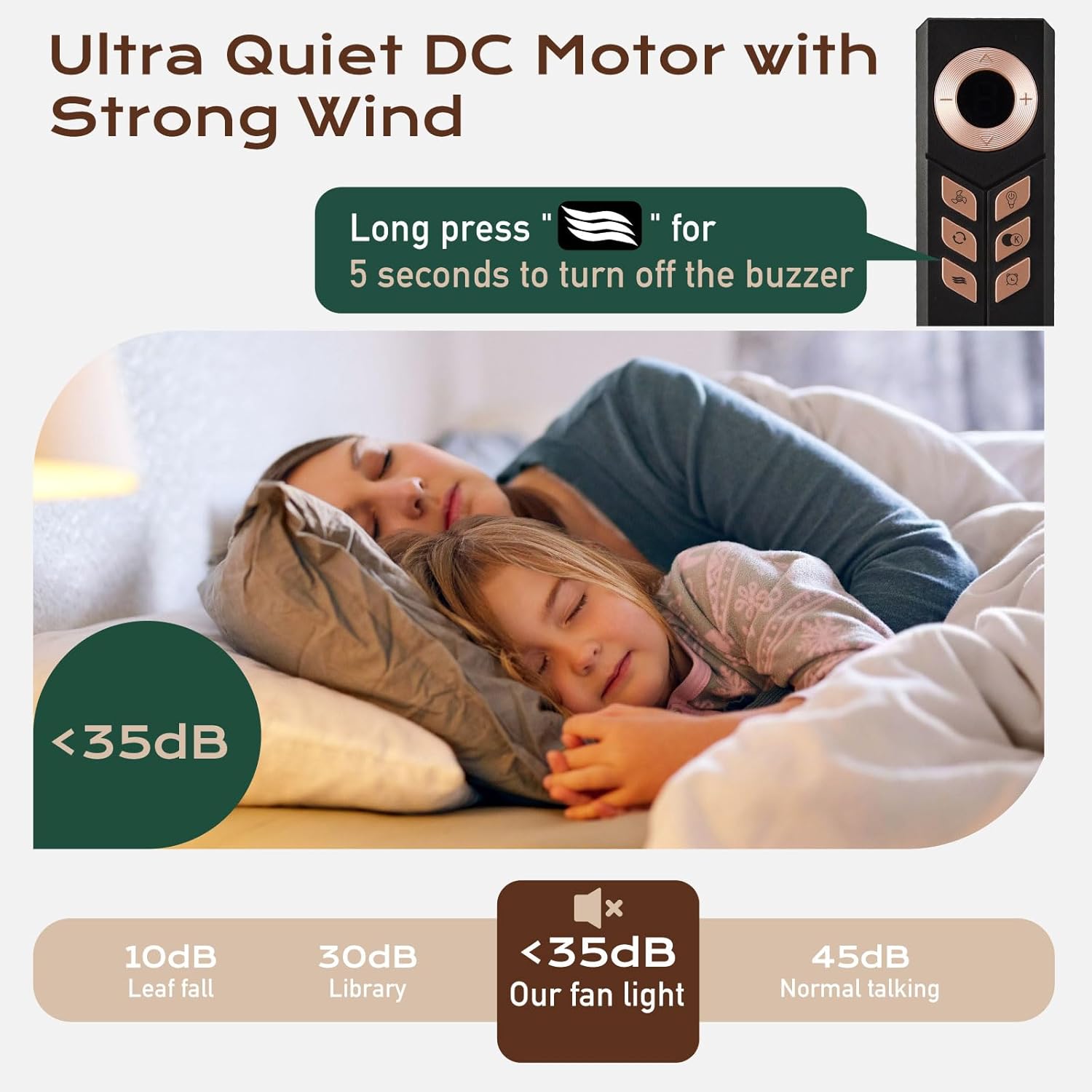
Image 5.3: Remote control functions and quiet operation of the DC motor.
5.4 Timer Setting
The fan features a timer function, allowing you to set it to turn off automatically after 1, 2, 4, or 8 hours. Select the desired duration using the remote control.
6. Maintenance
- Always disconnect power before cleaning or performing any maintenance.
- Clean the fan blades and motor housing with a soft, damp cloth. Do not use abrasive cleaners or solvents.
- Regularly check all connections and mounting hardware for tightness.
- The fan body has a waterproof design to protect internal structures from rain and dust, but it is not intended for direct exposure to heavy rain or sunlight.
7. Troubleshooting
If you encounter issues with your TALOYA ceiling fan, refer to the following common troubleshooting steps:
| Problem | Possible Cause | Solution |
|---|---|---|
| Fan does not operate | No power, loose wiring, remote control battery dead | Check circuit breaker, ensure all connections are secure, replace remote battery. |
| Light does not turn on | No power, loose wiring, LED module issue | Check power, verify wiring, contact customer service if LED module is suspected. |
| Fan wobbles | Loose blades, uneven blade balance, loose mounting | Ensure blades are securely attached, check for balanced blades, tighten mounting hardware. |
| Remote control not working | Dead battery, interference, remote not paired | Replace remote battery, ensure no obstructions, refer to manual for pairing instructions. |
| Buzzer is active/inactive unexpectedly | Buzzer setting enabled/disabled | Long press the buzzer button on the remote for 5 seconds to toggle its state. |
If the problem persists after attempting these solutions, please contact TALOYA Customer Service for further assistance.
8. Specifications
| Feature | Detail |
|---|---|
| Brand | TALOYA |
| Model Number | 9017 |
| Size | 72 Inch-Standard |
| Color | Black |
| Material | Metal, Wood (Solid Wood Blades) |
| Motor Type | DC Motor (6-speed, Reversible, Quiet) |
| Light Source | Integrated 15W LED Light |
| Light Features | Dimmable (10%-100%), 3 Color Temperatures (3000K, 4500K, 6000K), Memory Function |
| Control Method | Remote Control |
| Special Features | Buzzer ON/OFF, Timer (1/2/4/8 hours), Adjustable Height (with 2 down rods), Waterproof Design |
| Installation Type | Flush Mount, suitable for sloping ceilings up to 18° |
| Item Weight | 19.88 pounds |
| Product Dimensions | 10 x 72 x 10 inches (Assembled Height, Length, Width) |
| Number of Blades | 3 |
| Energy Use | 27 Watts |
| Estimated Yearly Energy Cost | $7 |
| Airflow | 9,660 Cubic Feet Per Minute |
| Airflow Efficiency | 362 Cubic Feet Per Minute Per Watt |

Image 8.1: Energy Guide for the TALOYA 72-Inch Ceiling Fan.
9. Warranty and Support
TALOYA provides an After-Sale Warranty service for this product. If you have any questions or concerns, please do not hesitate to contact our friendly customer service team. They will reply within 24 hours.
Tip: To contact customer support, find your ceiling fan order on Amazon and click on the Customer Support button.


