
Introduction
Thank you for choosing the Newmowa Pink Magnetic Phone Vlog Selfie Monitor Screen. This device is designed to enhance your mobile photography and videography experience by allowing you to use your phone's superior rear camera for selfies, vlogging, and live streaming, while providing a real-time view of your screen. This manual provides detailed instructions for setup, operation, maintenance, and troubleshooting to ensure you get the most out of your monitor screen.

The Newmowa Pink Magnetic Phone Vlog Selfie Monitor Screen, shown alongside a phone mounted on a tripod, demonstrating its primary function of mirroring the phone's display for improved selfie and vlogging capabilities.
Package Contents
Please check the package to ensure all items are present:
- Newmowa Magnetic Phone Vlog Selfie Monitor Screen
- Metal Ring (for non-MagSafe phones)
- Type-C Charging Cable
- Velvet Bag
- Instruction Manual
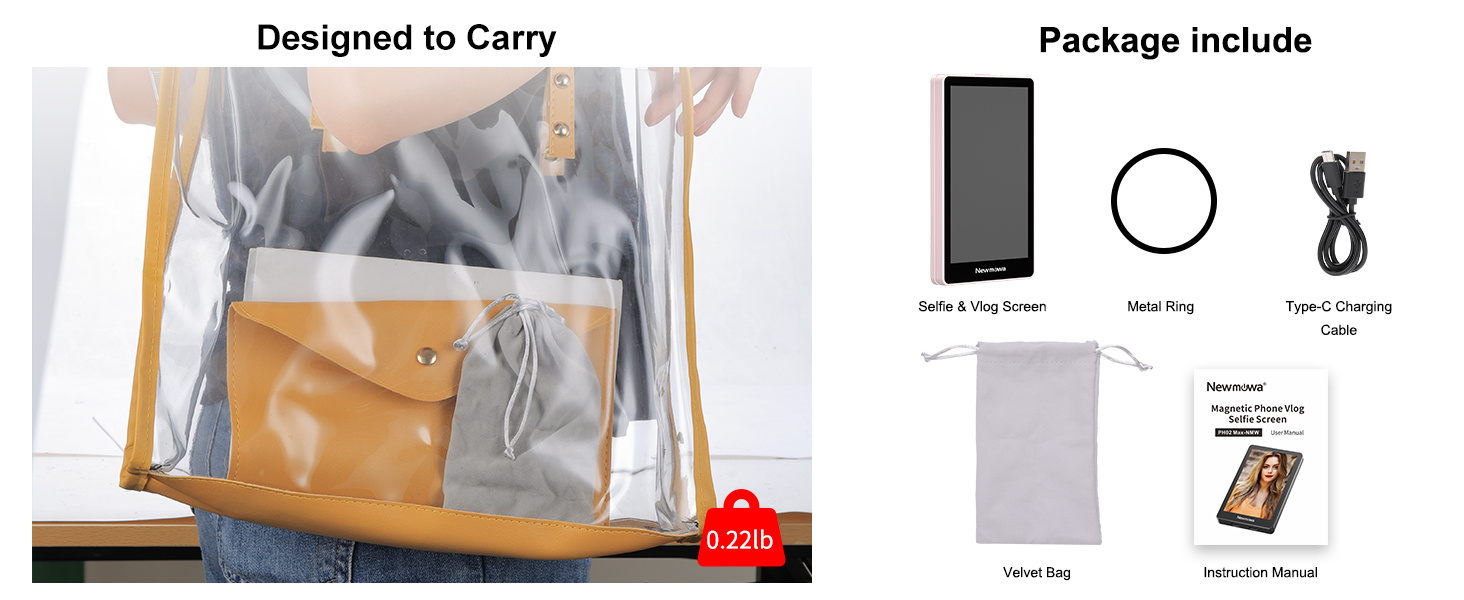
An illustration of the Newmowa Selfie Monitor Screen package contents, showing the monitor, a metal ring, a Type-C charging cable, a velvet bag, and the instruction manual.
Product Overview
The Newmowa Selfie Monitor Screen is a compact and lightweight device designed for portability and ease of use. It features a magnetic attachment system and a Type-C charging port. Key components include:
- Display Screen: Mirrors your phone's display.
- Magnetic Back: For secure attachment to compatible iPhones.
- Screen Rotation Button: Flips the display 180 degrees.
- Type-C Port: For charging and wired connection.

The Newmowa Selfie Monitor Screen highlighting its sleek and slim design, with specifications for its thickness (0.48 inches) and weight (0.22 lbs), emphasizing its portability.
Setup
1. Charging the Monitor Screen
Before first use, fully charge the monitor screen. Connect the included Type-C charging cable to the monitor's Type-C port and plug the other end into a 5V/1A charger, power bank, laptop, or car charger. The red light indicates charging, and the green light indicates a full charge.

The Newmowa Selfie Monitor Screen connected to a wall charger via its USB Type-C cable, illustrating various compatible charging sources such as computers, power banks, and laptops.
2. Attaching to Your Phone
The monitor screen uses a strong N52 magnet for secure attachment.
- For iPhone 12/13/14/15/16 Series: The monitor can be directly attached to the back of the bare iPhone or a MagSafe-compatible case.
- For iPhone 11 and Earlier Series (or non-MagSafe phones): Use the included magnetic sheet. Peel off the adhesive backing from the magnetic sheet and firmly attach it to the center of the back of your phone or phone case. Ensure it is clean and dry before application. Once the magnetic sheet is applied, the monitor can be magnetically attached to it.

The Newmowa Selfie Monitor Screen demonstrating its strong MagSafe adsorption, showing direct attachment to iPhone 12/13/14/15/16 series and the use of an included magnetic sheet for iPhone 11 and earlier models.
Operating Instructions
1. Powering On/Off
Press and hold the power button on the side of the monitor screen to turn it on or off.
2. Connecting to Your Phone
The Newmowa monitor screen supports two connection modes:
- Wired Recording (4K 30fps):
For iPhone 15/16 series, use your own original Dual USB-C cable (not included).
For iPhone 14 and below models, use your own original Lightning to USB-C cable (not included).
Connect the cable from your iPhone to the Type-C port on the monitor screen. This mode supports 4K 30fps recording and allows for phone audio output during screen sharing. - Wireless Recording (1080P):
The monitor screen generates its own Wi-Fi signal. On your iPhone (iOS 9 and above), go to Wi-Fi settings and connect to the monitor's Wi-Fi network. This mode supports 1080P recording. Note that audio output may not be available in wireless mode.

An image illustrating the wired connection setup for the Newmowa Selfie Monitor Screen, showing it connected to an iPhone via a USB-C cable for 4K 30fps recording, and emphasizing that cables are not included.
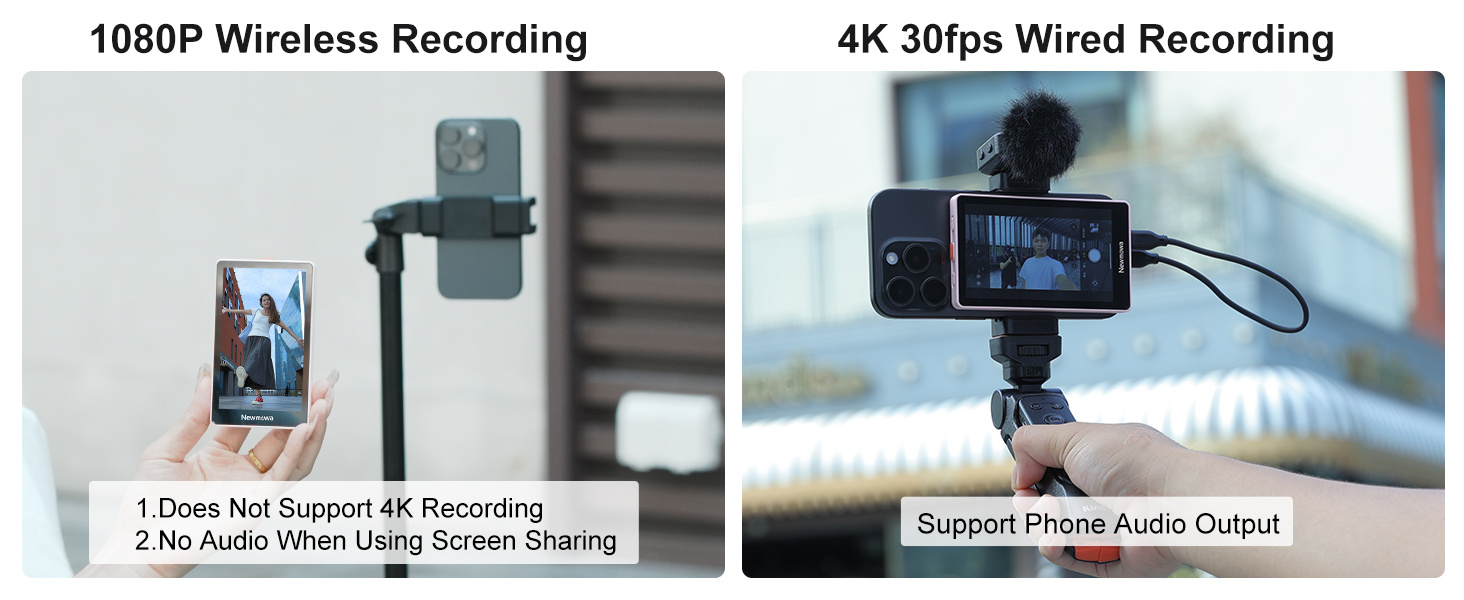
A comparison showing the 1080P Wireless Recording mode (no 4K, no audio) and the 4K 30fps Wired Recording mode (supports phone audio output) for the Newmowa Selfie Monitor Screen.
3. Screen Rotation
To reverse the image 180 degrees, press the Screen Rotation Button on the side of the monitor. This is useful if your phone is mounted upside down or in a different orientation.
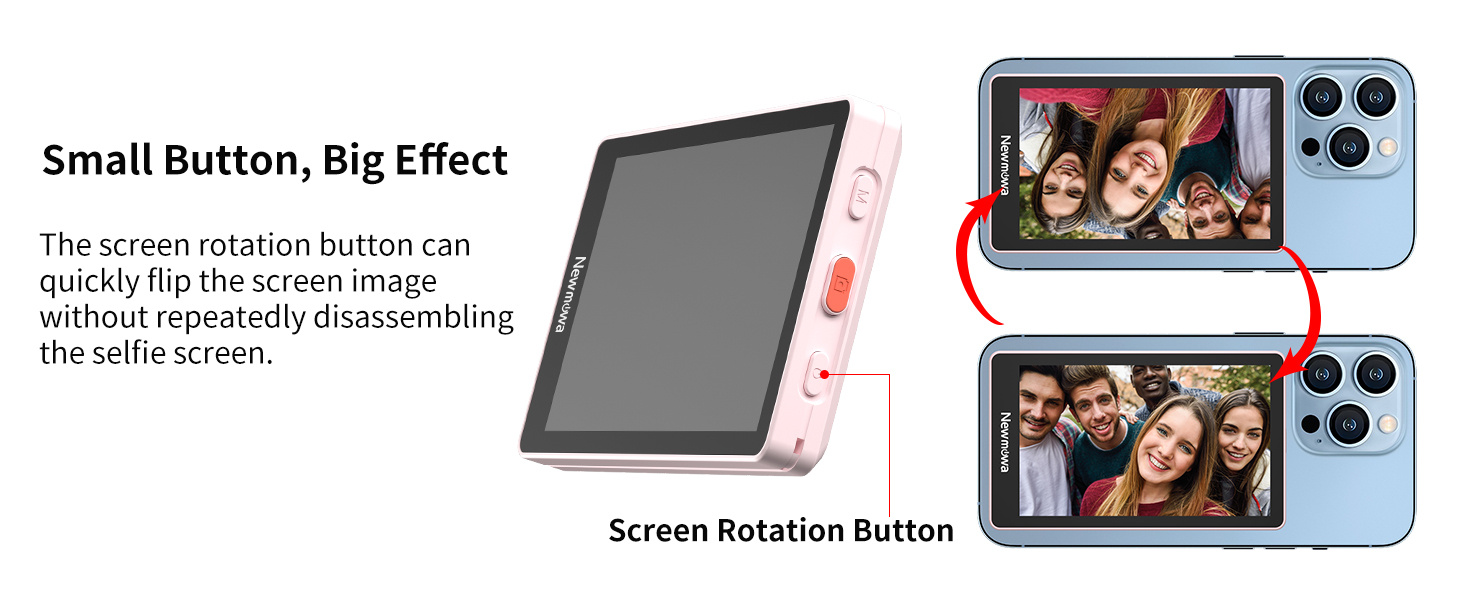
An image demonstrating the screen rotation feature of the Newmowa Selfie Monitor Screen, showing how pressing a button on the side can flip the display 180 degrees.
4. Using Your Phone's Rear Camera
The primary benefit of this monitor is to enable the use of your phone's higher-quality rear camera for self-recording. Position your phone with the rear camera facing you, and use the monitor screen to frame your shot in real-time.

A user demonstrating the Newmowa Selfie Monitor Screen as an iPhone selfie and vlog accessory, showing how it allows for easy capture of moments using the rear camera.

A visual comparison demonstrating that the rear camera of a phone captures clearer photos than the front camera, highlighting the benefit of using the Newmowa monitor for improved image quality.
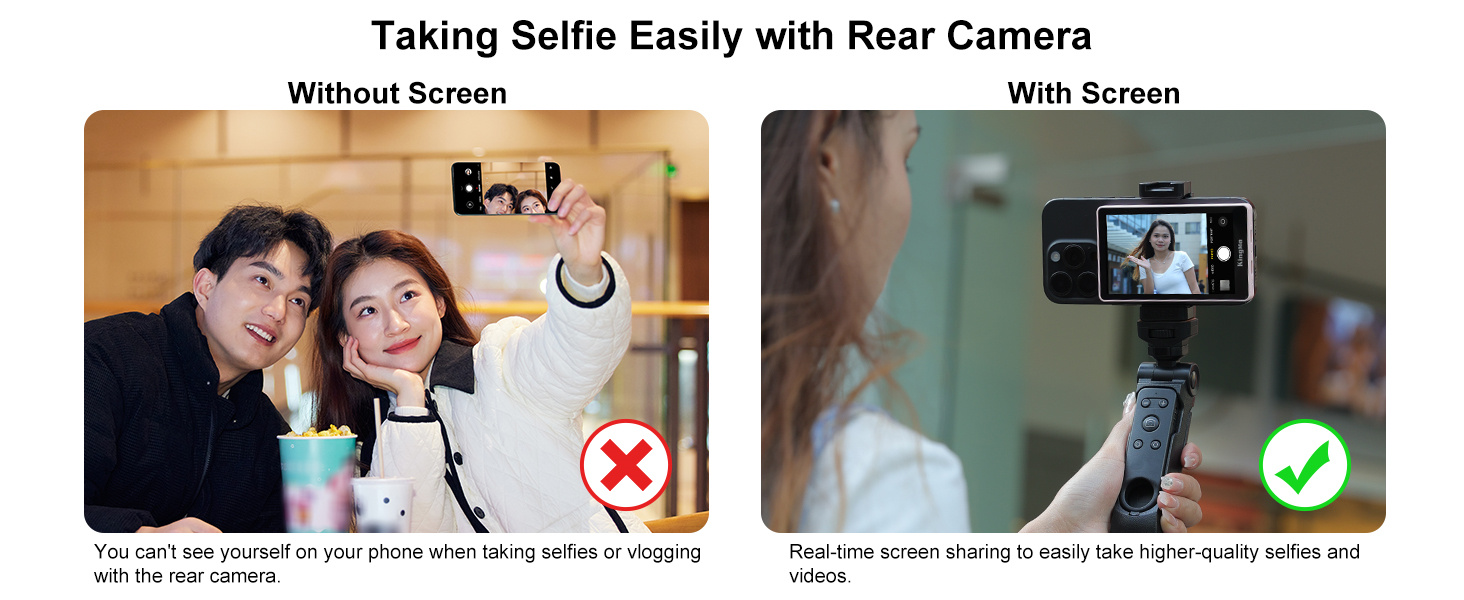
A side-by-side comparison illustrating the ease of taking selfies with the rear camera when using the Newmowa Selfie Monitor Screen, contrasting it with the difficulty of framing without the screen.
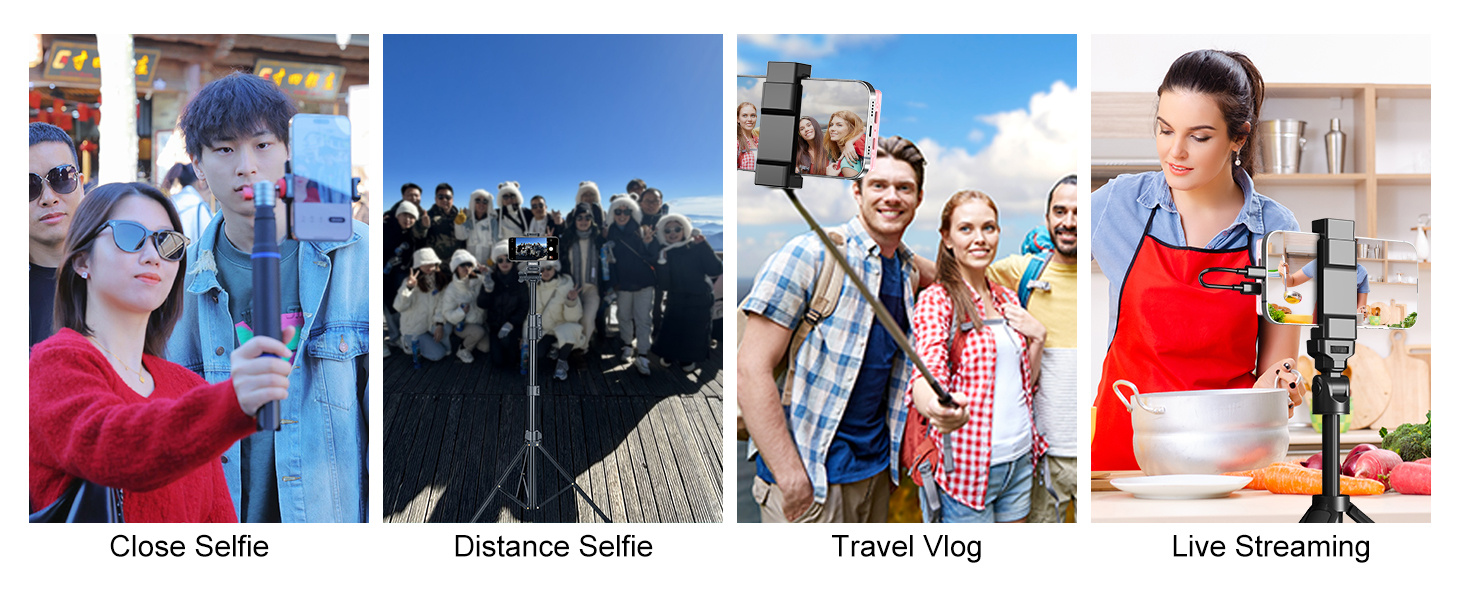
An overview of various applications for the Newmowa Selfie Monitor Screen, including close-up selfies, distant selfies, travel vlogging, and live streaming, showcasing its versatility.
Maintenance
To ensure the longevity and optimal performance of your Newmowa Selfie Monitor Screen, follow these maintenance guidelines:
- Cleaning: Use a soft, dry, lint-free cloth to clean the screen and body. Avoid abrasive cleaners or solvents.
- Storage: When not in use, store the monitor in the provided velvet bag to protect it from dust and scratches.
- Handling: Avoid dropping the device or exposing it to extreme temperatures or moisture.
Troubleshooting
If you encounter issues with your Newmowa Selfie Monitor Screen, refer to the following common problems and solutions:
| Problem | Possible Cause | Solution |
|---|---|---|
| Screen does not turn on. | Low battery. | Charge the monitor screen fully using the provided Type-C cable. |
| No display or black screen. | Incorrect connection mode; Loose cable; Phone not mirroring. | Ensure the cable is securely connected for wired mode. For wireless, confirm Wi-Fi connection. Check your phone's screen mirroring settings. |
| Significant lag or freezing during video recording. | Wireless connection interference; High video resolution/frame rate. | Use wired connection for optimal performance, especially for 4K recording. Ensure you select 1080P for wireless recording. Minimize other Wi-Fi interference. |
| Monitor keeps shutting off. | Low battery; Device malfunction. | Recharge the device. If the issue persists after charging, contact customer support. |
| Magnetic attachment is not strong. | Incorrect phone model; Magnetic sheet not applied correctly. | Ensure you have an iPhone 12/13/14/15/16 series or that the magnetic sheet is properly and securely attached to your phone/case for older models. |
Specifications
| Feature | Detail |
|---|---|
| Model Number | NMW-PH02 MAX-Pink-CAN |
| Color | Pink |
| Item Weight | 190 g |
| Parcel Dimensions | 15 x 9.9 x 3.4 cm |
| Battery Capacity | 920 mAh (1 A battery included) |
| Input Voltage | 5V/1A |
| Rated Power | 1.75W |
| Connection Type | Wired (USB-C), Wireless |
| Wired Recording Support | 4K 30fps (iPhone only) |
| Wireless Recording Support | 1080P |
| Compatibility | iOS 9 above systems (iPhone 11/12/13/14/15/16, etc.) |
| Manufacturer | Newmowa |
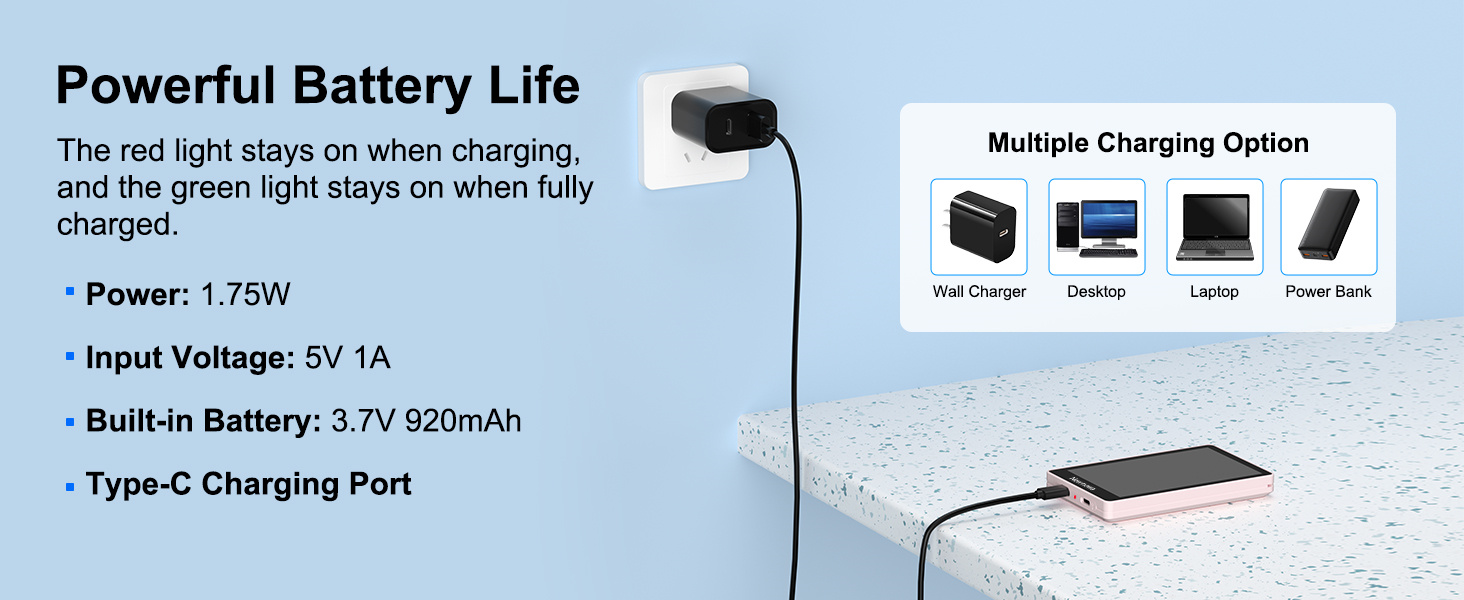
The Newmowa Selfie Monitor Screen being charged, with an overlay detailing its power specifications: 1.75W, 5V/1A input, 3.7V 920mAh built-in battery, and Type-C charging port.
Warranty and Support
Newmowa products are designed for reliability and performance. For warranty information or technical support, please refer to the contact details provided in your product packaging or visit the official Newmowa website. Keep your purchase receipt for warranty claims.