
Antarctic Star Z5815NB-BLACK-SP
Antarctic Star Nugget Countertop Ice Maker Instruction Manual
Model: Z5815NB-BLACK-SP
Introduction
This manual provides essential instructions for the safe and efficient operation, maintenance, and troubleshooting of your Antarctic Star Nugget Countertop Ice Maker. Please read this manual thoroughly before first use and retain it for future reference.

Image: The Antarctic Star Nugget Countertop Ice Maker, showcasing its compact design and the soft, chewable ice it produces.
Safety Information
- Read all instructions before operating the appliance.
- Ensure the power outlet voltage matches the appliance's requirements.
- Do not immerse the power cord, plug, or any part of the appliance in water or other liquids.
- Keep the appliance away from heat sources and direct sunlight.
- Supervise children when the appliance is in use.
- Unplug the appliance before cleaning or when not in use for extended periods.
- Do not operate the appliance with a damaged cord or plug.
What's in the Box
- Ice Maker x 1
- Ice Basket x 1
- Ice Scoop x 1
- Instruction Manual x 1
Setup
- Unpack the Appliance: Carefully remove the ice maker and all accessories from the packaging.
- Placement: Place the ice maker on a stable, level surface away from direct sunlight and heat sources. Ensure adequate ventilation around the unit.
- Initial Cleaning: Before first use, clean the interior and exterior of the ice maker. The self-cleaning function can be used for the internal components (refer to the Maintenance section).
- Add Water: Open the lid and remove the ice basket. Fill the water reservoir with clean, potable water up to the "MAX" fill line. Do not overfill.
- Replace Basket and Close Lid: Place the ice basket back into position and close the transparent lid securely.

Image: Illustration of the ice maker's capacities: 1.1 lbs ice basket, 1.0 L water tank, and 34 lbs/24h ice production.
Operating Instructions
- Power On: Plug the ice maker into a grounded electrical outlet. Press the "ICE/CLEAN" button once to turn on the appliance. The indicator light will illuminate.
- Ice Production: The ice maker will automatically begin the ice-making cycle. The first batch of nugget ice typically takes about 15-20 minutes.
- Indicator Lights:
- "Ice Full" Indicator: Illuminates when the ice basket is full. The ice maker will pause operation until ice is removed.
- "Add Water" Indicator: Illuminates when the water reservoir is low. Add more water to resume ice production.
- Collecting Ice: Use the provided ice scoop to retrieve ice from the basket.
- Power Off: Press the "ICE/CLEAN" button again to turn off the appliance.
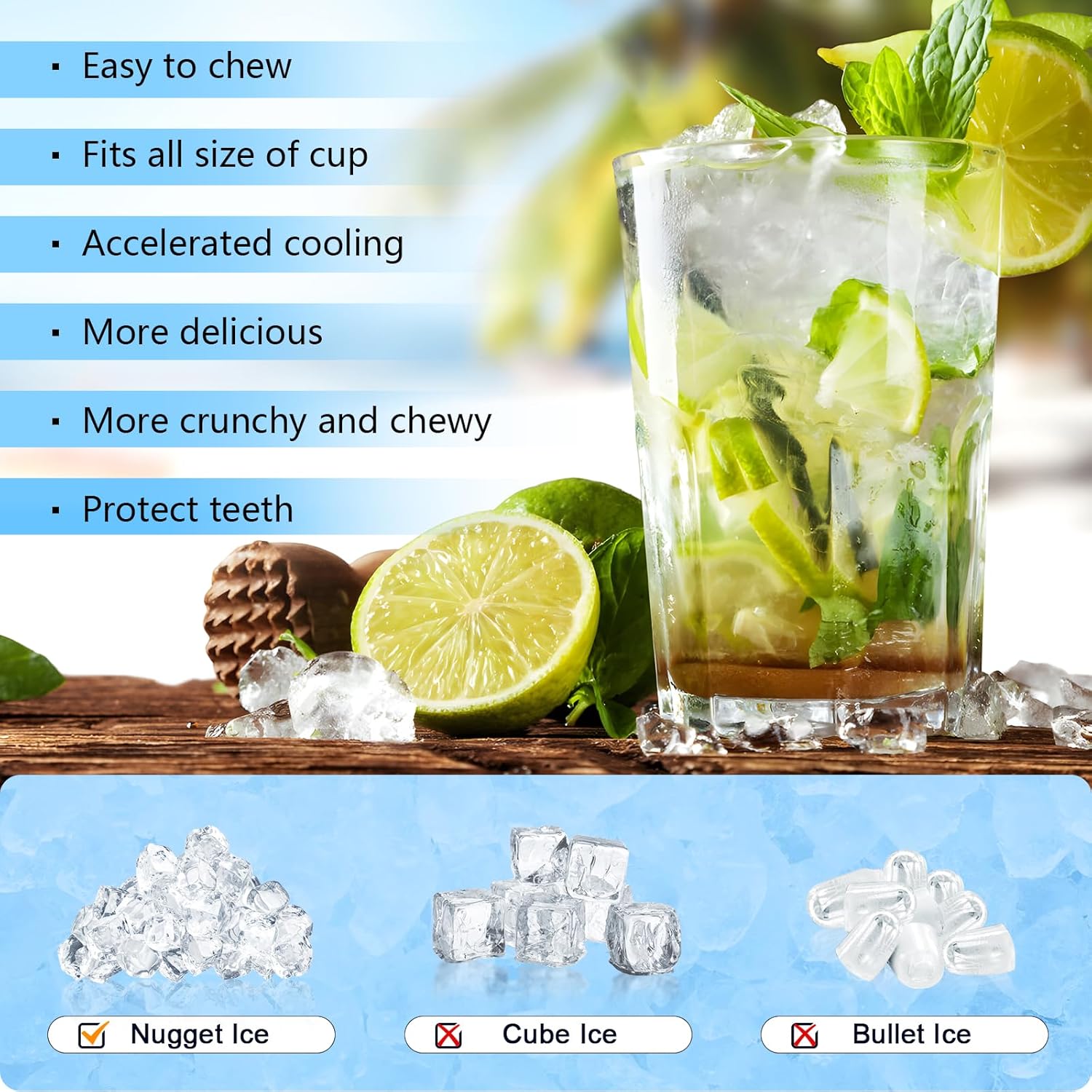
Image: The control panel of the ice maker, showing the "Ice Full" and "Add Water" indicators, and the single "Ice/Clean" button for operation.

Image: A visual comparison of nugget ice with traditional cube and bullet ice, emphasizing the chewable and desirable qualities of nugget ice.
Maintenance
Self-Cleaning Function
The ice maker features a self-cleaning function to help maintain hygiene and performance.
- Prepare for Cleaning: Ensure the ice maker is empty of ice and water.
- Add Water: Fill the water reservoir with clean water up to the "MAX" line. You may add a small amount of ice maker cleaning solution (not included) if desired, following the cleaner's instructions.
- Start Cleaning: Press and hold the "ICE/CLEAN" button for 5 seconds. The ring indicator light will flash white, indicating the cleaning cycle has started.
- Cycle Completion: The cleaning procedure will run for approximately 15 minutes and then automatically exit.
- Drain Water: After the cleaning cycle, drain the water from the reservoir.
- Rinse: Refill the reservoir with clean water and run a short ice-making cycle or another self-cleaning cycle to rinse any residual cleaning solution. Drain the water again.

Image: Step-by-step guide for activating the self-cleaning function of the ice maker.
General Cleaning
- Wipe the exterior with a soft, damp cloth.
- Regularly clean the ice basket and scoop with mild soap and water.
- For optimal performance, especially in hard water areas, clean the ice maker weekly.

Image: A map illustrating hard water areas in the US and suggesting more frequent cleaning for ice makers in those regions.
Troubleshooting
| Problem | Possible Cause | Solution |
|---|---|---|
| Ice maker not producing ice. | No water in reservoir; power not connected; ambient temperature too high. | Add water; check power connection; ensure proper ventilation and room temperature. |
| "Add Water" indicator is on. | Water level is too low. | Refill the water reservoir to the MAX line. |
| "Ice Full" indicator is on. | Ice basket is full. | Remove ice from the basket. |
| Ice has an unusual taste or odor. | Unit needs cleaning; water quality issue. | Perform a self-cleaning cycle; use filtered water. |
Specifications
| Feature | Detail |
|---|---|
| Brand | Antarctic Star |
| Model Name | Nugget Ice Maker |
| Item Model Number | Z5815NB-BLACK-SP |
| Product Dimensions (D x W x H) | 11.3" x 8.66" x 12.68" |
| Weight | 22.22 Pounds |
| Water Tank Capacity | 1 Liter |
| Ice Making Capacity | Up to 34 lbs per 24 hours |
| Wattage | 136 watts |
Warranty and Support
For warranty information or technical support, please refer to the warranty card included with your product or contact Antarctic Star customer service. Keep your purchase receipt as proof of purchase.
Ask a question about this manual
Ask about setup, troubleshooting, compatibility, parts, safety, or missing instructions. Manuals+ will review the question and use this page’s manual context to help answer it.