
Product Overview
The BAYGA THM201-BA-OR is a wireless indoor/outdoor thermometer and hygrometer designed to provide accurate temperature and humidity readings, along with additional environmental indices. It features a main display unit and a remote sensor for outdoor monitoring.
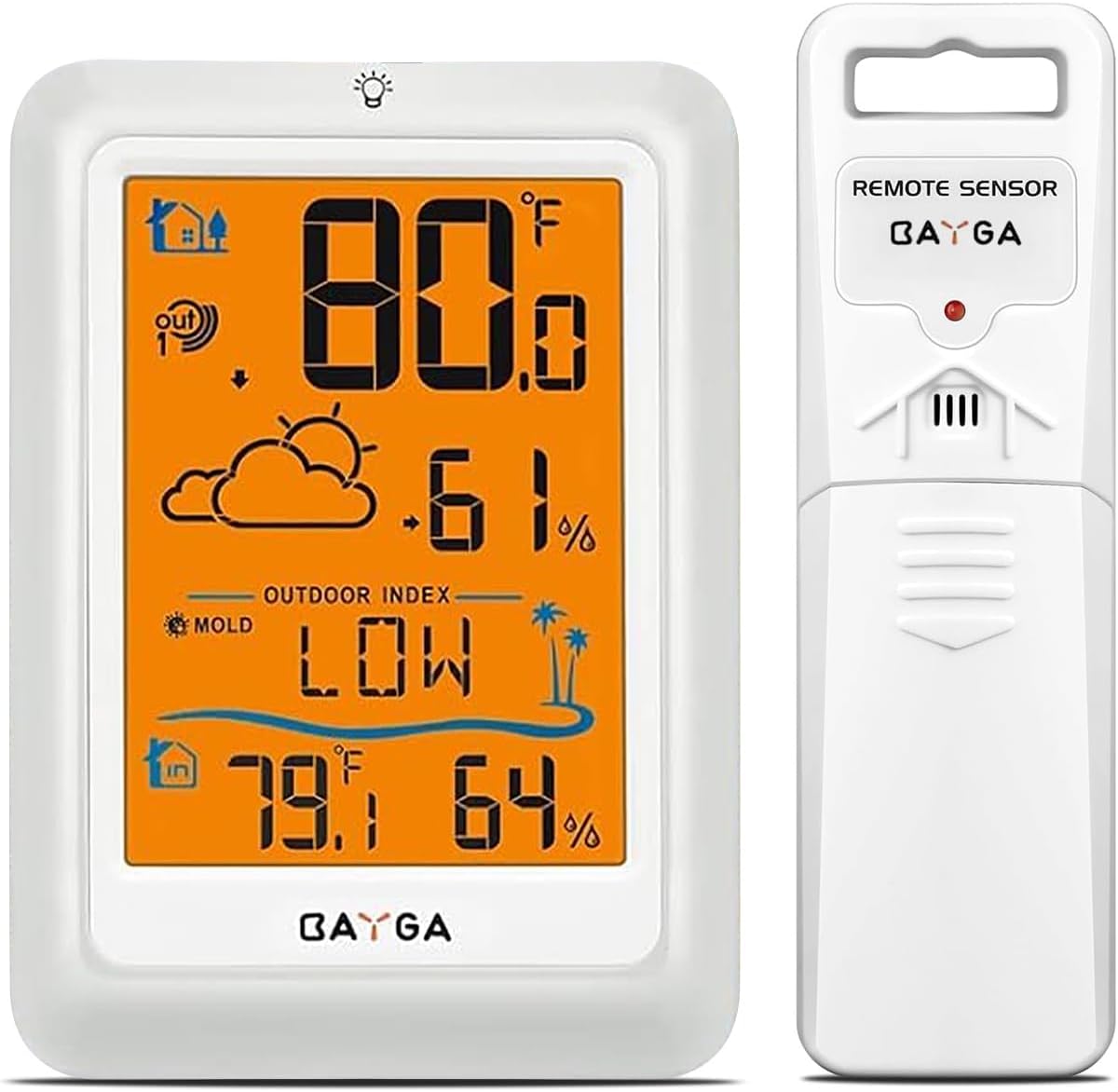
Image: The main display unit and the remote sensor of the BAYGA THM201-BA-OR wireless thermometer.
Key Features:
- High-Precision Sensors: Switzerland-made sensors for accurate temperature (±0.5°F) and humidity (±2%) readings.
- Wireless Transmission: Real-time data updates from the remote sensor up to 330 feet every 30 seconds.
- Environmental Indices: Displays Mold Index, Heat Index, and Dew Point.
- Large Backlit LCD Display: 4.5-inch screen with a 10-second orange backlight for easy reading in low light.
- Multi-Sensor Support: Accommodates up to 3 remote sensors (one included).
Package Contents
- 1 x BAYGA THM201-BA-OR Main Display Unit
- 1 x BAYGA Wireless Remote Sensor
- 1 x User Manual (this document)
- Note: Batteries are not included.
Setup Instructions
1. Battery Installation
For the Main Display Unit:
- Open the battery compartment cover on the back of the main unit.
- Insert 3 x AAA batteries, ensuring correct polarity (+/-).
- Close the battery compartment cover.
For the Wireless Remote Sensor:
- Open the battery compartment cover on the back of the remote sensor.
- Insert 2 x AA batteries, ensuring correct polarity (+/-).
- Close the battery compartment cover.
Important: Always install batteries in the main unit first, then in the remote sensor.
2. Sensor Pairing
The main unit and remote sensor should pair automatically once batteries are installed. If pairing does not occur:
- Ensure both units have fresh batteries.
- Bring the remote sensor close to the main unit.
- On the main unit, press and hold the "CHANNEL" button (if available, or a similar pairing button) to initiate a search for the sensor.
- On the remote sensor, press the "RESET" button (usually a small pinhole button) to force a signal transmission.
- The outdoor temperature and humidity should appear on the main unit's display.

Image: The remote sensor mounted outdoors, demonstrating suitable placement for wireless transmission.
3. Placement Guidelines
Main Display Unit:
- Place indoors, away from direct sunlight, heat sources, or drafts that could affect readings.
- Ensure it is within the 330ft wireless range of the remote sensor.
Wireless Remote Sensor:
- Mount in a shaded, dry location outdoors to ensure accurate temperature and humidity readings. Avoid direct sunlight and rain.
- Ensure it is within the 330ft wireless range of the main unit.
- Avoid placing near large metal objects or electrical appliances that may interfere with the wireless signal.

Image: The main unit placed indoors and the remote sensor placed outdoors, illustrating optimal setup for monitoring.
Operating Instructions
Display Overview

Image: Annotated display of the BAYGA THM201-BA-OR main unit, showing outdoor temperature & humidity, sensor channel, weather forecast, outdoor index (mold, heat, dew point), and indoor temperature & humidity.
- Outdoor Temperature & Humidity: Displays current readings from the remote sensor.
- Sensor Channel: Indicates which remote sensor is currently displayed (if multiple are used).
- Weather Forecast: Graphical representation of anticipated weather conditions.
- Outdoor Index: Shows Mold Index, Heat Index, and Dew Point.
- Indoor Temperature & Humidity: Displays current readings from the main unit's internal sensor.
Button Functions
Refer to the main unit for specific button labels. Common buttons include:
- LIGHT/SNOOZE: Activates the backlight for 10 seconds.
- CHANNEL: Cycles through connected remote sensors (if more than one) or initiates sensor search.
- °C/°F: Toggles between Celsius and Fahrenheit temperature display.
- MAX/MIN: Displays maximum and minimum recorded temperature/humidity values. Press again to clear.
Understanding Environmental Indices
- Mold Index: Indicates the risk of mold growth based on temperature and humidity. "LOW" suggests low risk, "HIGH" suggests high risk.
- Heat Index: Measures how hot it feels when relative humidity is combined with air temperature.
- Dew Point: The temperature at which air becomes saturated with water vapor and dew begins to form.
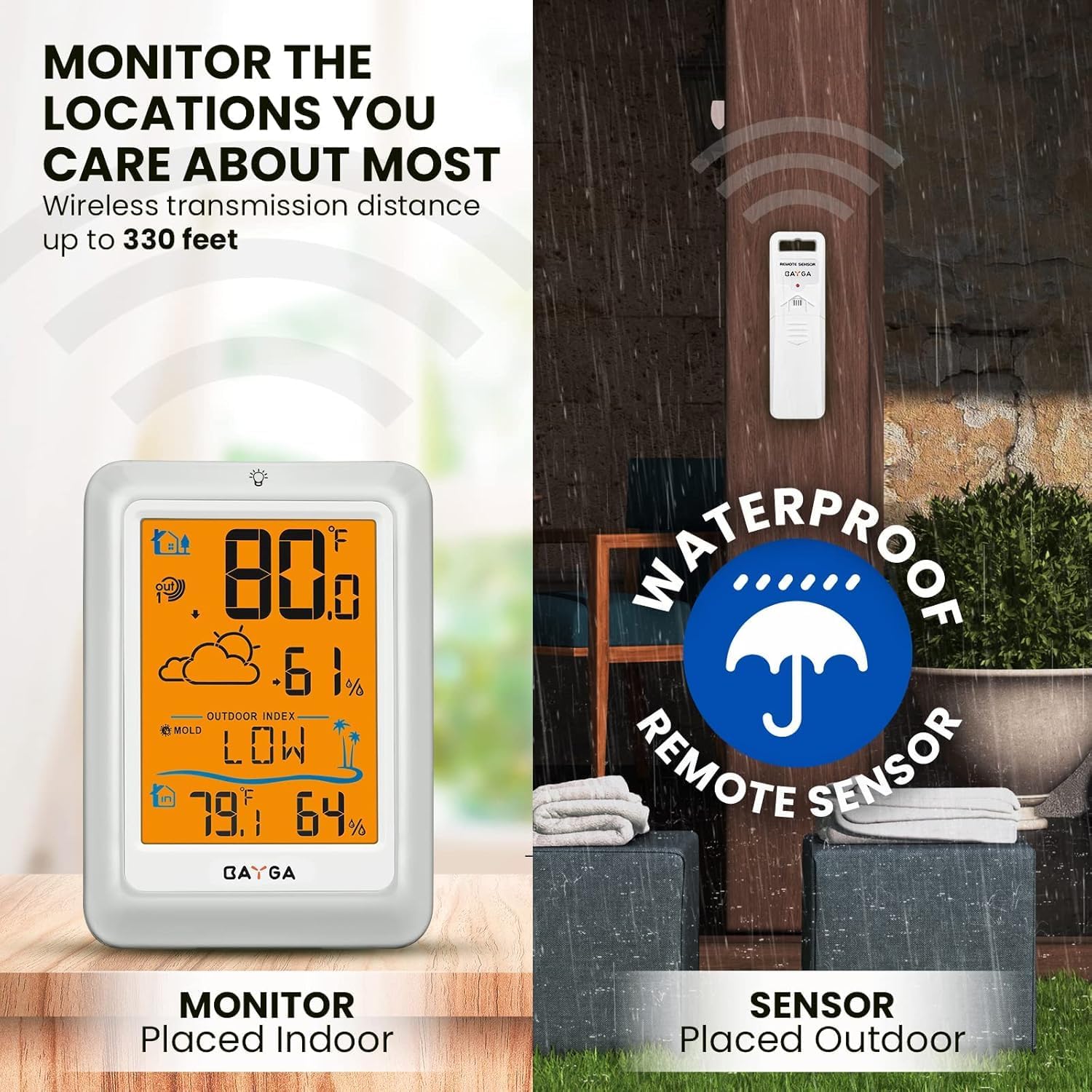
Image: The main unit displaying the Heat Index, Dew Point Index, and Mold Index, with visual cues for each.
Maintenance
- Cleaning: Wipe the display unit and sensor with a soft, damp cloth. Do not use abrasive cleaners or solvents.
- Battery Replacement: Replace batteries when the low battery indicator appears on the display. Always replace all batteries at once with new ones.
- Sensor Protection: Ensure the remote sensor is protected from direct heavy rain and prolonged direct sunlight to maximize its lifespan and accuracy.
Troubleshooting
| Problem | Possible Cause | Solution |
|---|---|---|
| No outdoor reading on main unit. |
|
|
| Inaccurate readings. |
|
|
| Display is dim or blank. |
|
|
Specifications
- Model: THM201-BA-OR
- Indoor Temperature Range: +14.2°F to +122°F (-9.9°C to +50°C)
- Outdoor Temperature Range: -58°F to +158°F (-50°C to +70°C)
- Indoor/Outdoor Humidity Range: 1-99% RH
- Temperature Accuracy: ±0.5°F (±0.28°C)
- Humidity Accuracy: ±2% RH
- Wireless Range: Up to 330 feet (100 meters) in open air
- Transmission Frequency: 433 MHz or 868 MHz (Wireless frequency)
- Update Interval: Every 30 seconds
- Main Unit Power: 3 x AAA batteries (not included)
- Remote Sensor Power: 2 x AA batteries (not included)
- Display Type: LCD with 10-second orange backlight
- Dimensions (Main Unit): Approximately 4.8 inches (H) x 3.5 inches (W)
- Weight: 8.1 ounces (0.23 kg)

Image: The main unit and remote sensor with a summary of technical specifications including temperature/humidity ranges and accuracy.
Warranty and Support
For warranty information or technical support, please refer to the contact details provided with your purchase or visit the official BAYGA website. Keep your purchase receipt as proof of purchase.
Online Resources:
- BAYGA Store on Amazon: Visit the BAYGA Store