
Wildgame Innovations Spark 2.0 Combo Lightsout 18MP Trail Camera
Wildgame Innovations Spark 2.0 Combo Lightsout 18MP Trail Camera User Manual
Model: Spark 2.0 Combo Lightsout 18MP Trail Camera
Brand: Wildgame Innovations
Introduction
This manual provides comprehensive instructions for the setup, operation, maintenance, and troubleshooting of your Wildgame Innovations Spark 2.0 Combo Lightsout 18MP Trail Camera. Please read this manual thoroughly before using your device to ensure optimal performance and longevity.
Product Overview
The Wildgame Innovations Spark 2.0 Combo Lightsout 18MP Trail Camera is designed for capturing high-quality photos and videos of wildlife with its advanced features and robust design. This bundle includes multiple cameras, memory cards, and a versatile USB card reader for convenient data management.

Image: Four Wildgame Innovations Spark 2.0 Trail Cameras and a 4-in-1 USB Card Reader, illustrating the complete bundle contents.

Image: A Wildgame Innovations Spark 2.0 Trail Camera highlighting its 18 MP resolution, sub-0.7 second trigger speed, 70-foot flash range, and HD video capability.
Key Features:
- 18 Megapixel Resolution: Captures crisp, high-quality still images.
- 720p HD Video: Records clear, detailed video footage without audio.
- Fast Trigger Speed: Less than one second trigger speed ensures minimal missed shots.
- 70-Feet Detection Range: Wide detection area for comprehensive monitoring.
- Lightsout Technology: Utilizes infrared illumination for discreet night captures.
- Intuitive Switch Programming: Easy-to-use controls for quick setup.
- Date, Time, and Moon Phase Stamps: Adds valuable metadata to captured media.
- Durable Design: Built to withstand outdoor conditions.
- Bundle Inclusions: Each camera comes with 8 AA batteries and a compatible SD card. The bundle also includes a 4-in-1 USB 2.0 Card Reader.
4-in-1 USB 2.0 Card Reader:
The included 4-in-1 USB 2.0 Card Reader facilitates quick and easy transfer of photos and videos from your camera's memory card to your computer. It supports SD, SDHC, microSD, and microSDHC formats with transfer speeds up to 480 MBps, utilizing USB Type B and USB Type A connectivity.
Setup
Follow these steps to set up your Wildgame Innovations Spark 2.0 Trail Camera for the first time.
1. Unboxing and Components Check:

Image: The contents of the bundle, showing one Wildgame Innovations Spark 2.0 Trail Camera and the 4-in-1 USB Card Reader. Note that the bundle includes four cameras and four memory cards.
Verify that all components are present:
- Wildgame Innovations Spark 2.0 Combo Lightsout 18MP Trail Camera (4 units)
- 4-in-1 USB 2.0 Card Reader (1 unit)
- Memory Cards (4 units)
- AA Batteries (8 per camera, 32 total)
- Adjustable Tree Strap with Alligator-Style Clips (4 units)
2. Battery Installation:

Image: The Wildgame Innovations Spark 2.0 Trail Camera with its side compartment open, revealing the battery tray and control panel for settings adjustment.
- Open the camera's side latch to access the internal compartment.
- Locate the battery compartment.
- Insert eight (8) new AA batteries, ensuring correct polarity (+/-) as indicated inside the compartment.
- Close the battery compartment securely.
3. Memory Card Insertion:
- With the camera compartment still open, locate the SD card slot.
- Insert the provided memory card into the slot until it clicks into place. Ensure the card is inserted in the correct orientation.
- To remove, gently push the card in until it springs out.
4. Initial Settings Configuration:
Refer to the control panel visible when the camera is open (as shown in the image above).
- Power On: Use the power switch to turn the camera ON.
- Set Date and Time: Navigate through the menu options to set the current date and time. This is crucial for accurate photo and video timestamps.
- Set Moon Phase: Configure the moon phase setting if desired.
- Mode Selection: Select your desired operating mode (e.g., Photo, Video, Photo+Video).
- Resolution Settings: Adjust photo resolution (18MP) and video resolution (720p HD) as needed.
- Trigger Delay/Recovery Time: Set the delay between detections to conserve battery life and memory.
Once settings are configured, close the camera's side latch securely to ensure weather resistance.
Operating the Camera
This section details how to deploy and operate your trail camera effectively.
Deployment and Placement:
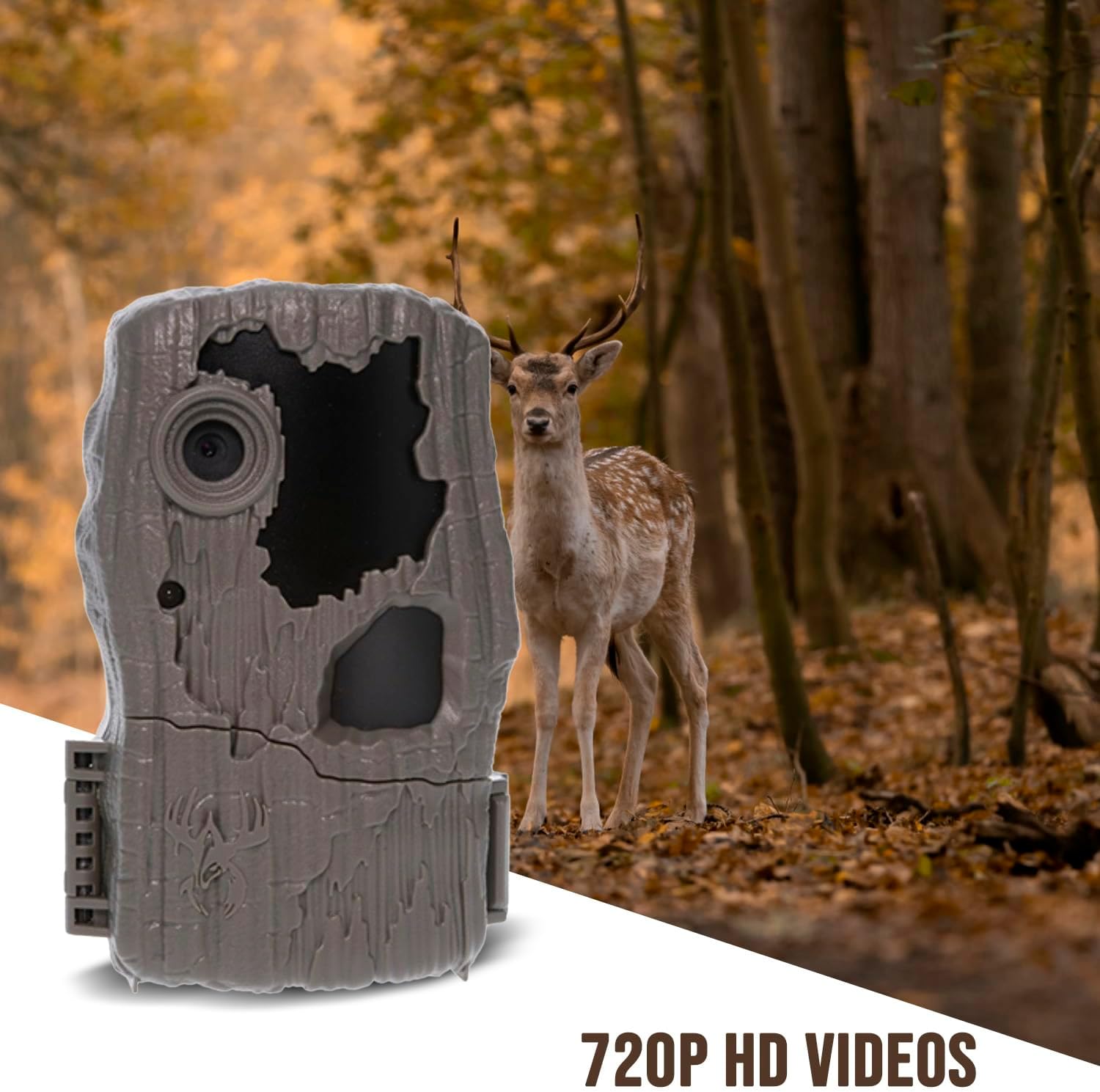
Image: A Wildgame Innovations Spark 2.0 Trail Camera discreetly mounted on a tree in a natural forest setting, with a deer visible in the background, demonstrating typical deployment.
- Mounting: Use the adjustable tree strap to securely attach the camera to a tree or post. Ensure the camera is stable and pointed towards the desired detection area.
- Height: Mount the camera at a height appropriate for the target animals (e.g., knee to waist height for deer).
- Orientation: Avoid pointing the camera directly at the sun to prevent overexposure. Consider the angle relative to animal trails.
- Clearance: Clear any branches or tall grass in front of the camera that might trigger false detections or obstruct the view.
- Security: Utilize the cable-lock-ready latch for added security (security accessories not included).
Monitoring and Data Retrieval:
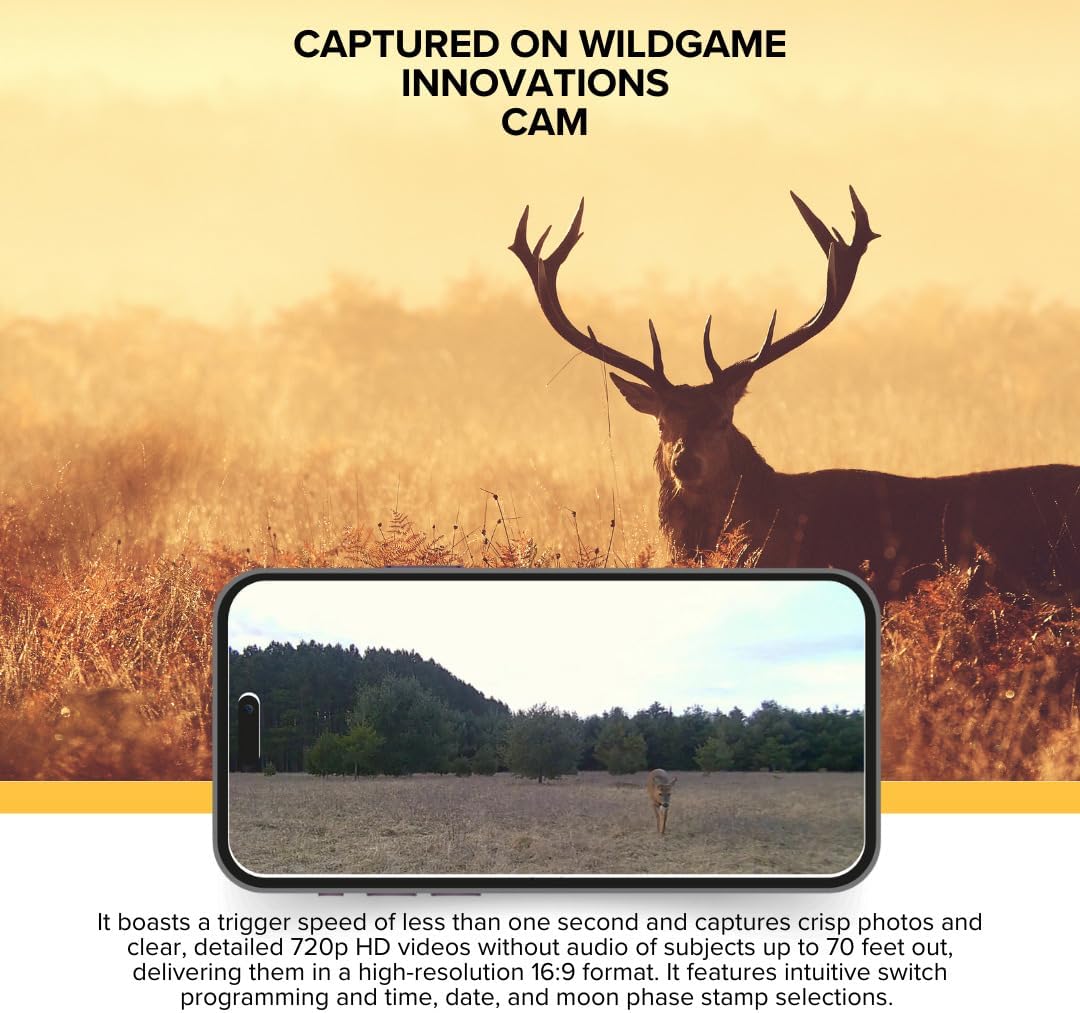
Image: A smartphone screen displaying a crisp image of a deer captured by the Wildgame Innovations trail camera, demonstrating the quality of captured media.
- Checking Status: Periodically check the camera's status indicator (if available) to ensure it is functioning correctly.
- Retrieving Media: To retrieve photos and videos, open the camera compartment, remove the SD card, and insert it into the 4-in-1 USB 2.0 Card Reader.
- Using the Card Reader: Connect the card reader to your computer's USB port. The memory card will appear as a removable drive, allowing you to copy or move files.
- Formatting Card: It is recommended to format the memory card periodically (after backing up data) to maintain optimal performance. Format the card using the camera's internal menu or a computer.
Maintenance
Proper maintenance ensures the longevity and reliable operation of your trail camera.
- Cleaning:
- Wipe the camera lens and PIR sensor window with a soft, lint-free cloth. Avoid abrasive materials.
- Clean the camera body with a damp cloth if necessary. Do not use harsh chemicals.
- Battery Replacement: Replace batteries when the low battery indicator appears or when performance degrades. Always use fresh, high-quality AA batteries.
- Memory Card Management: Regularly back up your data and format the memory card to prevent corruption and ensure sufficient storage space.
- Environmental Protection: While the camera is designed for outdoor use, avoid prolonged exposure to extreme temperatures or direct water submersion. Ensure the compartment latch is always securely closed.
- Storage: When not in use for extended periods, remove batteries and store the camera in a cool, dry place.
Troubleshooting
This section addresses common issues you might encounter with your Wildgame Innovations Spark 2.0 Trail Camera.
| Problem | Possible Cause | Solution |
|---|---|---|
| Camera not powering on | Dead or incorrectly installed batteries. | Ensure batteries are new and inserted with correct polarity. Check battery contacts for corrosion. |
| No photos/videos captured | Memory card full or corrupted; incorrect settings; PIR sensor obstructed; camera not armed. | Format or replace memory card. Check mode settings (Photo/Video). Clear obstructions from sensor. Ensure camera is in "ON" or "ARM" mode. |
| Poor image/video quality | Dirty lens; low light conditions; subject too far; incorrect resolution settings. | Clean the lens. Ensure adequate lighting or use flash. Check detection range. Verify resolution settings are at 18MP/720p. |
| False triggers | Moving branches/grass; heat sources; direct sunlight. | Clear vegetation in front of the camera. Reposition camera to avoid direct sunlight or heat sources. Adjust trigger delay. |
| Memory card not recognized by computer | Card reader issue; corrupted card; incompatible format. | Try a different USB port or computer. Reformat the card (data will be lost). Ensure card reader is properly connected. |
If you continue to experience issues, please contact Wildgame Innovations customer support.
Specifications
Detailed technical specifications for the Wildgame Innovations Spark 2.0 Combo Lightsout 18MP Trail Camera.
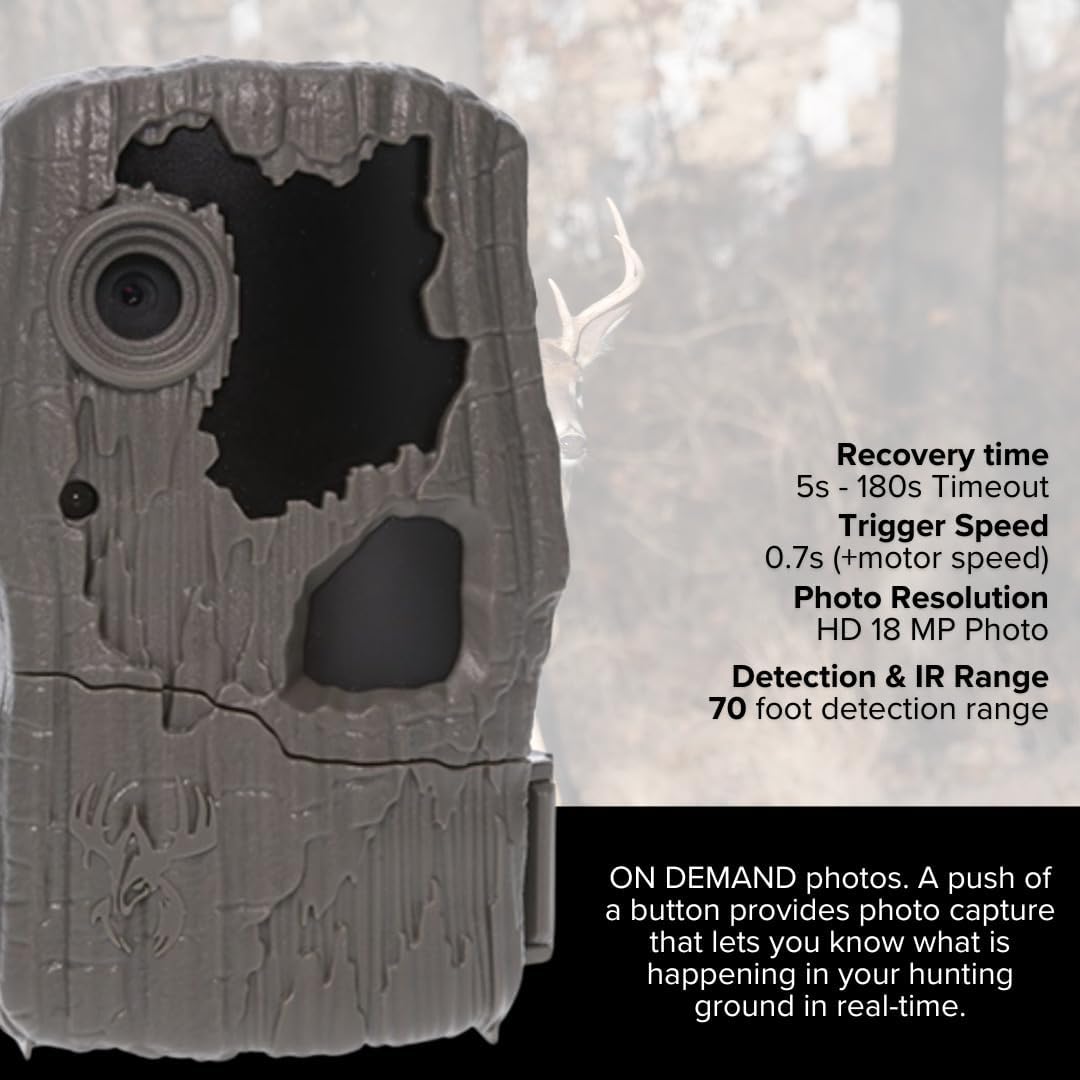
Image: A close-up of the Wildgame Innovations Spark 2.0 Trail Camera, accompanied by text detailing its recovery time, trigger speed, photo resolution, and detection/IR range.
- Model: Spark 2.0 Combo Lightsout 18MP Trail Camera
- Image Resolution: 18 Megapixels
- Video Resolution: 720p HD (without audio)
- Trigger Speed: Less than 1 second (typically 0.7 seconds)
- Detection Range: Up to 70 feet
- Flash Range: Up to 70 feet (Lightsout Infrared)
- Recovery Time: 5s - 180s Timeout (adjustable)
- Aspect Ratio: 16:9 (for images and videos)
- Power Source: 8 AA Batteries (included)
- Memory: Compatible SD Card (included)
- Product Dimensions: 9.1 x 9.1 x 9.1 inches
- Item Weight: 5 pounds
- Connectivity (Card Reader): USB 2.0 (Type A, Type B)
- Card Reader Compatibility: SD, SDHC, microSD, microSDHC
- UPC: 196271159872
Warranty and Support
Wildgame Innovations products are designed for durability and performance. For specific warranty details and to register your product, please visit the official Wildgame Innovations website or refer to the warranty card included with your purchase.
For technical support, troubleshooting assistance beyond this manual, or inquiries about replacement parts, please contact Wildgame Innovations Customer Service:
- Website: www.wildgameinnovations.com
- Contact Information: Refer to the website for the most current contact methods (phone, email, support forms).
Please have your product model number (Spark 2.0 Combo Lightsout 18MP Trail Camera) and ASIN (B0DNG7K6R6) ready when contacting support.
Ask a question about this manual
Ask about setup, troubleshooting, compatibility, parts, safety, or missing instructions. Manuals+ will review the question and use this page’s manual context to help answer it.