
1. Introduction
Thank you for choosing the Generic LED Wrist Light. This compact and portable device is designed to provide convenient illumination for various activities, including running, hiking, cycling, camping, and night reading. Its adjustable angles, three-color options, and comfortable bracelet design make it a versatile lighting solution.

Image 1.1: The Generic LED Wrist Light and its accompanying USB charging cable.
This manual provides essential information on setting up, operating, and maintaining your LED Wrist Light to ensure optimal performance and longevity.
2. Package Contents
Please check the package for the following items:
- 1 x LED Wrist Light
- 1 x USB Charging Cable

Image 2.1: The LED Wrist Light and its USB charging cable, as included in the package.
3. Specifications
| Brand | Generic |
| Model Number | XVA57I6PZN6F3OG7 |
| Product Dimensions | Approx. 7 cm (L) x 4 cm (W) x 6 cm (H) / 2.76 in (L) x 1.57 in (W) x 2.36 in (H) |
| Product Weight | Approx. 50 g (0.11 lbs) |
| Material | ABS + Electronic Components |
| Battery Capacity | 400 mAh |
| Power | 2 W |
| Charging | USB Charging |

Image 3.1: Detailed dimensions of the LED Wrist Light.
4. Setup
4.1 Charging the Device
Before first use, fully charge the LED Wrist Light. Connect the provided USB charging cable to the charging port on the device and plug the other end into a standard USB power source (e.g., computer USB port, USB wall adapter).
- A charging indicator (if present) will typically show the charging status.
- Charging time may vary, but typically takes a few hours for a full charge.
4.2 Wearing the Wrist Light
The LED Wrist Light features a comfortable bracelet design for easy wearing.
- Unfasten the wristband.
- Place the light unit on your wrist, ensuring the light beam is directed as desired.
- Securely fasten the wristband for a comfortable fit. The removable film and frame-compatible construction allow for flexible angles.

Image 4.1: Demonstrating how to wear the LED Wrist Light on the wrist.
5. Operating Instructions
5.1 Power On/Off
Locate the power button on the device. Press and hold the power button for a few seconds to turn the light ON or OFF.
5.2 Adjusting Brightness and Color
The LED Wrist Light offers three color options and continuous dimming for brightness control.
- Color Selection: Short press the power button to cycle through the three available light colors.
- Brightness Adjustment: While the light is on, press and hold the power button to continuously dim or brighten the light. Release the button when the desired brightness level is reached.
5.3 Angle Adjustment
The light unit can be adjusted to various angles to direct the beam precisely where needed. This includes 360-degree rotation and up/down tilting.

Image 5.1: Illustration of the multi-angle adjustment capabilities, including 360-degree rotation and up/down tilting.
This feature allows for versatile use, whether you need a wide beam for general illumination or a focused light for reading or specific tasks.

Image 5.2: The wrist light providing illumination for reading.
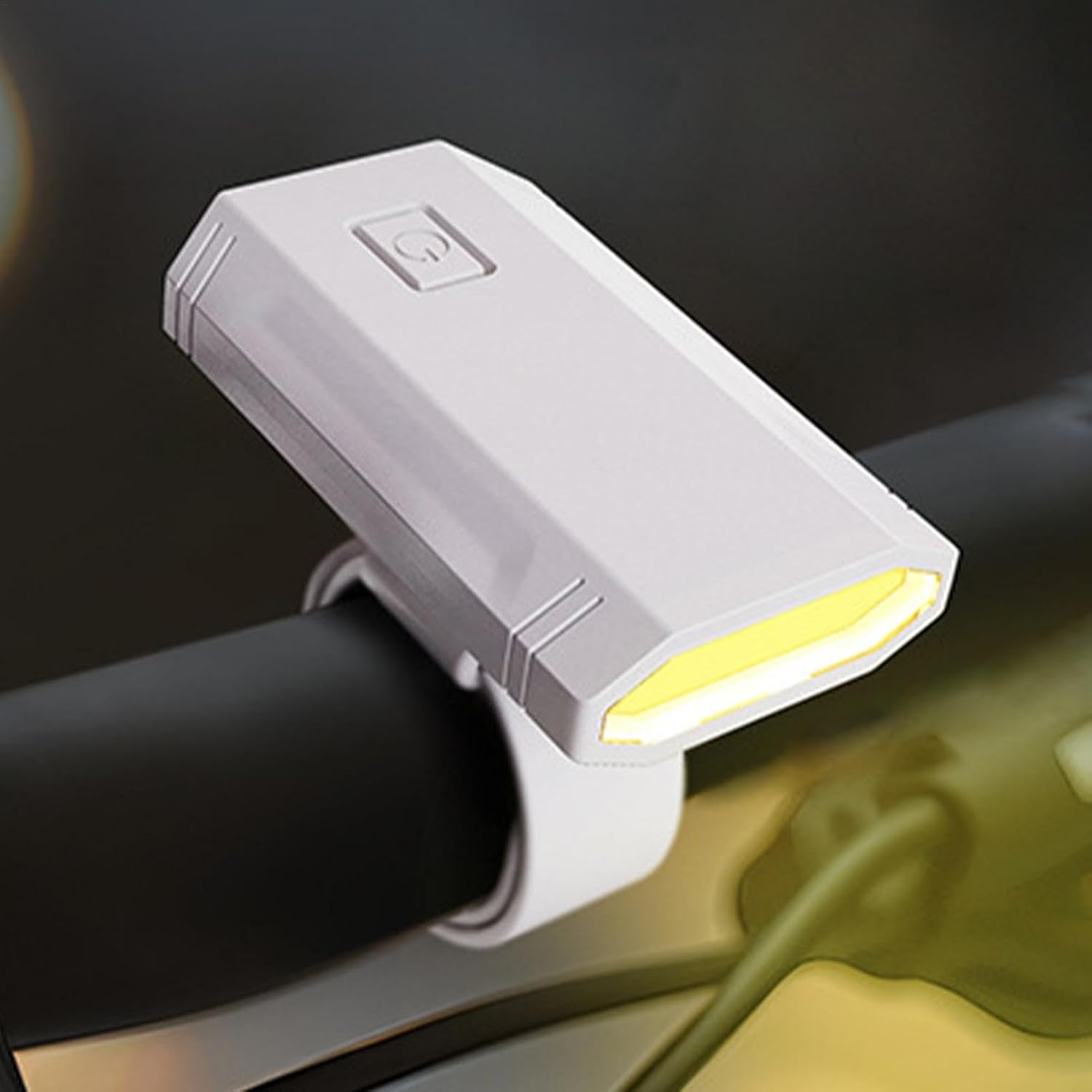
Image 5.3: The wrist light mounted on a bicycle handlebar for cycling illumination.
6. Maintenance
6.1 Cleaning
To clean the LED Wrist Light, gently wipe the surface with a soft, damp cloth. Do not use abrasive cleaners or solvents, as these may damage the device.
6.2 Storage
When not in use, store the device in a cool, dry place, away from direct sunlight and extreme temperatures. Ensure the battery is partially charged before long-term storage to preserve battery health.
7. Troubleshooting
If you encounter any issues with your LED Wrist Light, please refer to the following common problems and solutions:
| Problem | Possible Cause | Solution |
|---|---|---|
| Device does not turn on. | Battery is depleted. | Charge the device fully using the provided USB cable. |
| Light is dim or flickers. | Low battery or incorrect brightness setting. | Recharge the battery. Adjust brightness by pressing and holding the power button. |
| Device not charging. | Faulty cable, power source, or charging port. | Try a different USB cable or power source. Ensure the charging port is clean and free of debris. |
If the problem persists after trying these solutions, please contact customer support.
8. Warranty and Support
8.1 Warranty Information
This product is sold by a third-party seller. Please refer to the seller's return policy and any specific warranty information provided at the time of purchase. General return policy for this product is 30 days from the date of purchase.
8.2 Customer Support
For technical assistance or inquiries regarding your LED Wrist Light, please contact the seller directly through the platform where the purchase was made. Keep your purchase receipt or order number handy for faster service.