
Introduction
This manual provides comprehensive instructions for the Mxfdegf Slim Lightweight Smart Shell Stand Cover, designed to protect and enhance the functionality of your Samsung Galaxy Tab S9 Ultra 14.6 inch (2023 Release) or Samsung Galaxy Tab S8 Ultra 14.6 inch (2022 Release) tablet.

Image: The Mxfdegf tablet case featuring a 'Books and Moon' design, shown on a desk alongside a keyboard.
Compatibility
This case is specifically designed for the following Samsung tablet models:
- Samsung Galaxy Tab S9 Ultra 14.6 inch (2023 Released, Models: SM-X910, SM-X916B, SM-X918U)
- Samsung Galaxy Tab S8 Ultra 14.6 inch (2022 Released, Models: SM-X900, SM-X906)
Important: This case is not compatible with any other tablet models. Please verify your device model number before installation to ensure a proper fit.

Image: A visual guide illustrating the compatibility of the case with the Samsung Galaxy Tab S9 Ultra.
Key Features
The Mxfdegf tablet case offers several features designed for protection and convenience:
- Shockproof Protection
- Automatic Wake/Sleep Function
- Precise Cutouts for Full Access
- Adjustable Multi-Angle Stand
- Durable Material with High-Definition Print
Shockproof Protection
The case is constructed with a soft TPU interior cover and a premium PU leather exterior. This dual-layer design effectively protects your tablet against scratches, dust accumulation, and minimizes damage from accidental drops and impacts.

Image: Illustration of the case providing 360-degree corner protection against drops.
Automatic Wake/Sleep Function
The integrated smart cover automatically wakes your tablet's screen when opened and puts it to sleep when closed. This feature helps to conserve battery life and provides quick access to your device.

Image: The case illustrating the automatic screen wake-up when opened and sleep when closed.
Precise Cutouts
All cutouts are precisely engineered to align with your device's features, ensuring easy access to the speaker, charging port, volume buttons, power button, and camera without the need to remove the case.

Image: Detailed view of the case highlighting precise cutouts for the rear camera lens and the non-slip interior material.
Adjustable Multi-Angle Stand
The folding folio design allows you to configure your tablet into various horizontal stand angles. This is ideal for hands-free viewing of movies, video calls, or comfortable typing, providing a versatile user experience.
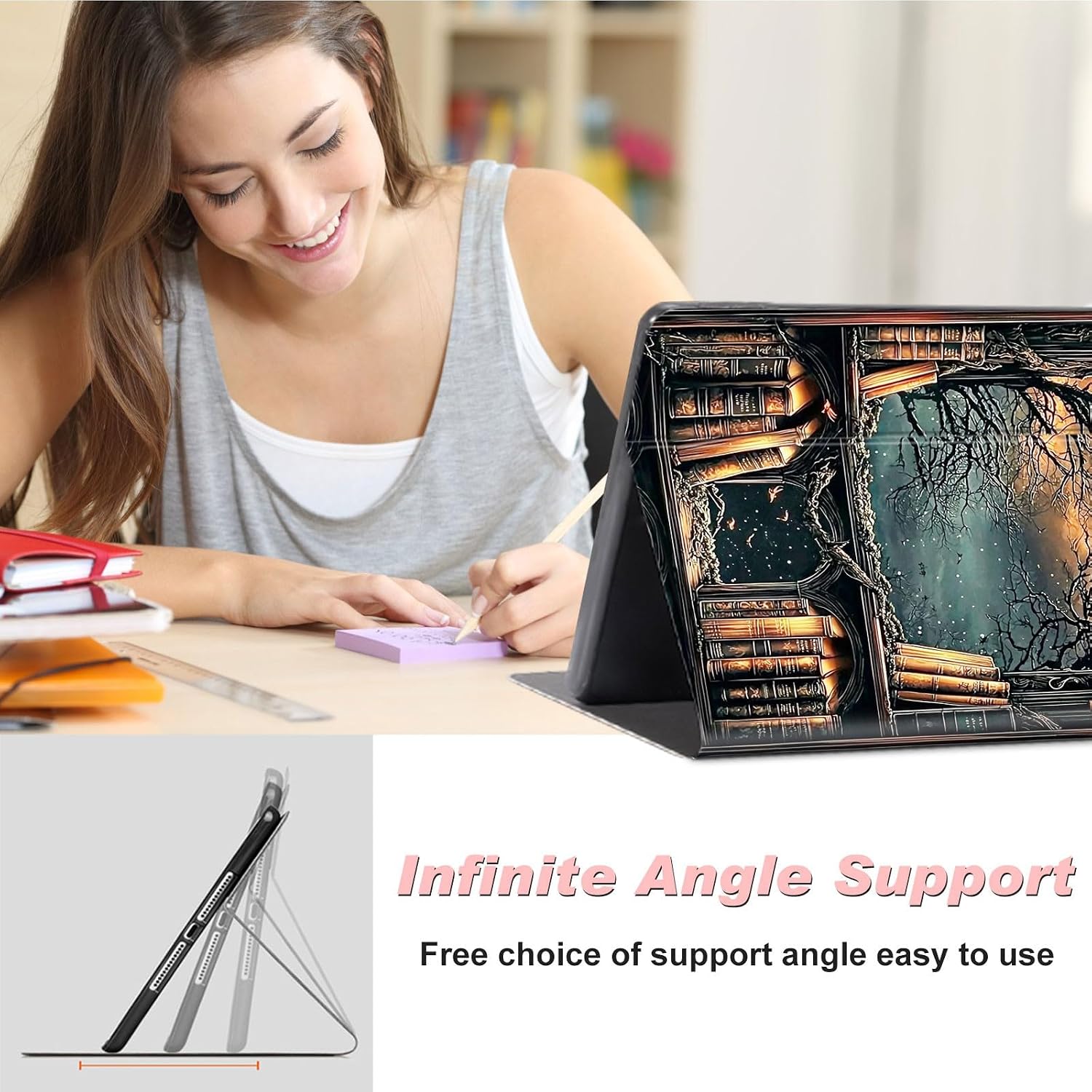
Image: The tablet case folded to create an adjustable stand, demonstrating multiple viewing angles.
Installation Guide
Follow these steps to properly install your Mxfdegf tablet case:
- Clean Your Tablet: Before installation, ensure your Samsung Galaxy Tab S9 Ultra or S8 Ultra is clean and free of any dust, smudges, or debris.
- Align the Tablet: Gently align your tablet with the case. Pay attention to the camera cutout and all port openings to ensure they match the case's design.
- Insert the Tablet: Carefully press the tablet into the soft TPU interior cover. Start by securing one corner, then work your way around the edges until the tablet is fully seated and snug within the case.
- Check Fit: Once installed, verify that all edges of the tablet are securely covered by the case and that all ports, buttons, and the camera remain easily accessible and unobstructed.
Operating Instructions
Using the Automatic Wake/Sleep Function
To utilize the automatic wake/sleep feature, simply open the front cover of the case to wake your tablet's screen. Close the front cover to automatically put your tablet into sleep mode.
Using the Adjustable Stand
To use the adjustable stand, fold the front cover into a triangular shape. This will prop up your tablet at various horizontal angles, providing a stable and comfortable position for viewing or typing.
Care and Maintenance
Proper care will extend the life and appearance of your tablet case:
- Cleaning: To clean the case, gently wipe it with a soft, slightly damp cloth. Avoid using harsh chemicals, abrasive cleaners, or solvents, as these can damage the material and print.
- Storage: When not in use, store the case in a cool, dry place away from direct sunlight to prevent discoloration or material degradation.
- Avoid Extreme Conditions: Do not expose the case to extreme temperatures, excessive moisture, or sharp objects, which could cause damage to the case's structure or design.
Troubleshooting
Case Does Not Fit
Solution: Please double-check your tablet's model number (SM-X910/X916B/X918U for S9 Ultra, SM-X900/X906 for S8 Ultra) and compare it against the compatible models listed in the Compatibility section. This case is exclusively designed for the Samsung Galaxy Tab S9 Ultra and S8 Ultra 14.6 inch. If your model differs, the case will not fit correctly.
Automatic Wake/Sleep Function Not Working
Solution: Ensure the case is properly aligned and fully closed. A slight misalignment can prevent the internal magnets from correctly triggering the wake/sleep function. Additionally, check your tablet's settings to confirm that the 'Smart Cover' or 'Flip Cover' function is enabled. This setting is usually found under Display or Advanced Features.
Product Specifications
| Feature | Detail |
|---|---|
| Brand | Mxfdegf |
| Compatible Devices | Samsung Galaxy Tab S9 Ultra 14.6 inch, Samsung Galaxy Tab S8 Ultra 14.6 inch |
| Material | Premium PU Leather (Exterior), Soft TPU (Interior) |
| Key Features | Automatic Wake/Sleep, Adjustable Kickstand, Shockproof Protection, Precise Cutouts |
| Model Number | for Galaxy Tab S9 Ultra Case |
| Color/Pattern | Books and Moon -1840 |
Customer Support
If you encounter any issues with your Mxfdegf tablet case or are not completely satisfied with your purchase, please contact us immediately through the platform where the product was acquired. We are committed to providing a response within 24 hours to assist you with any concerns or questions.