
HelloReef a968b1ca-c2d8-4bdc-95d9-84f73ddb2d36
HelloReef 15 Gallon Glofish Complete Freshwater Aquarium Kit
Instruction Manual
Introduction
Welcome to the world of aquatic pet keeping with your new HelloReef 15 Gallon Glofish Complete Freshwater Aquarium Kit. This comprehensive kit is designed to provide everything necessary for setting up and maintaining a vibrant freshwater habitat. This manual will guide you through the assembly, operation, and care of your aquarium, ensuring a successful and enjoyable experience.
The HelloReef kit includes the 15-gallon aquarium, filtration system, pump, app-controlled LED lighting, Glofish decor, Glofish substrate, fish food, lid, and heater. Additionally, access to the HelloReef Connect online learning center provides expert guidance and step-by-step video tutorials.
Safety Information
- Always unplug all electrical components before performing any maintenance or handling water inside the aquarium.
- Ensure the aquarium is placed on a sturdy, level surface capable of supporting its full weight when filled with water and decorations.
- Keep electrical cords and connections dry. Use drip loops for all cords to prevent water from traveling along the cord to the outlet.
- Do not use abrasive cleaners on the aquarium glass or acrylic.
- Keep out of reach of children and pets when performing maintenance.
- Never operate the heater or pump outside of water.
Setup Guide
Follow these steps to set up your HelloReef aquarium kit. For detailed visual instructions, refer to the HelloReef Connect online learning center.
1. Unpacking and Inspection
Carefully unpack all components and inspect for any damage. Ensure all listed items are present.

Image: All components of the HelloReef 15 Gallon Aquarium Kit, including the tank, lighting, heater, pump, decor, and food.
2. Aquarium Placement
Choose a stable, level surface away from direct sunlight, heat sources, and drafts. The dimensions of the tank are 15 x 15 x 15 inches.

Image: The HelloReef 15 Gallon Aquarium set up on a surface, with a smartphone showing the HelloReef Connect app, highlighting the integrated learning experience.
3. Filtration System Assembly
The aquarium features a hidden multi-stage filtration chamber at the back. This chamber houses the filter sock, pump, and heater for a clean aesthetic.
- Install the pre-filter sleeve into the leftmost compartment of the filter chamber. This is where water first enters the filtration system.
- Place the large sponge filter at the bottom of the center chamber, followed by the bag of ceramic filter media on top of the sponge.
- Adhere the heater to the back glass of the tank inside the center filter chamber. Ensure it is fully submerged when the tank is filled.
- Set the pump to maximum flow and attach the included hoses. Adhere the pump to the bottom glass inside the rightmost filter chamber. The nozzle connects to the supply line from the pump through a round cutout in the top right-hand corner of the filter partition. This serves as the water outlet.

Image: A detailed view of the integrated rear filtration system of the HelloReef aquarium, showing the compartments for filter media and equipment.
4. Substrate and Decor
Rinse the included Glofish substrate thoroughly before adding it to the bottom of the aquarium. Arrange the Glofish decor, including plants and spider wood, to create your desired aquascape.

Image: A fully set up HelloReef 15 Gallon Glofish Aquarium, showcasing colorful Glofish, vibrant decor, and the integrated lighting system.
5. Filling the Tank
Slowly fill the tank with water by pouring it into the rear filter chamber. This method prevents disturbing the substrate and decor. Once filled, add the provided water conditioners and beneficial bacteria (e.g., Tetra SafeStart) as instructed on their packaging.
6. Lighting and Lid Installation
Install the two-piece lid components onto the aquarium. Place the AI Blade Smart LED Light atop the lid. Connect the light to power.
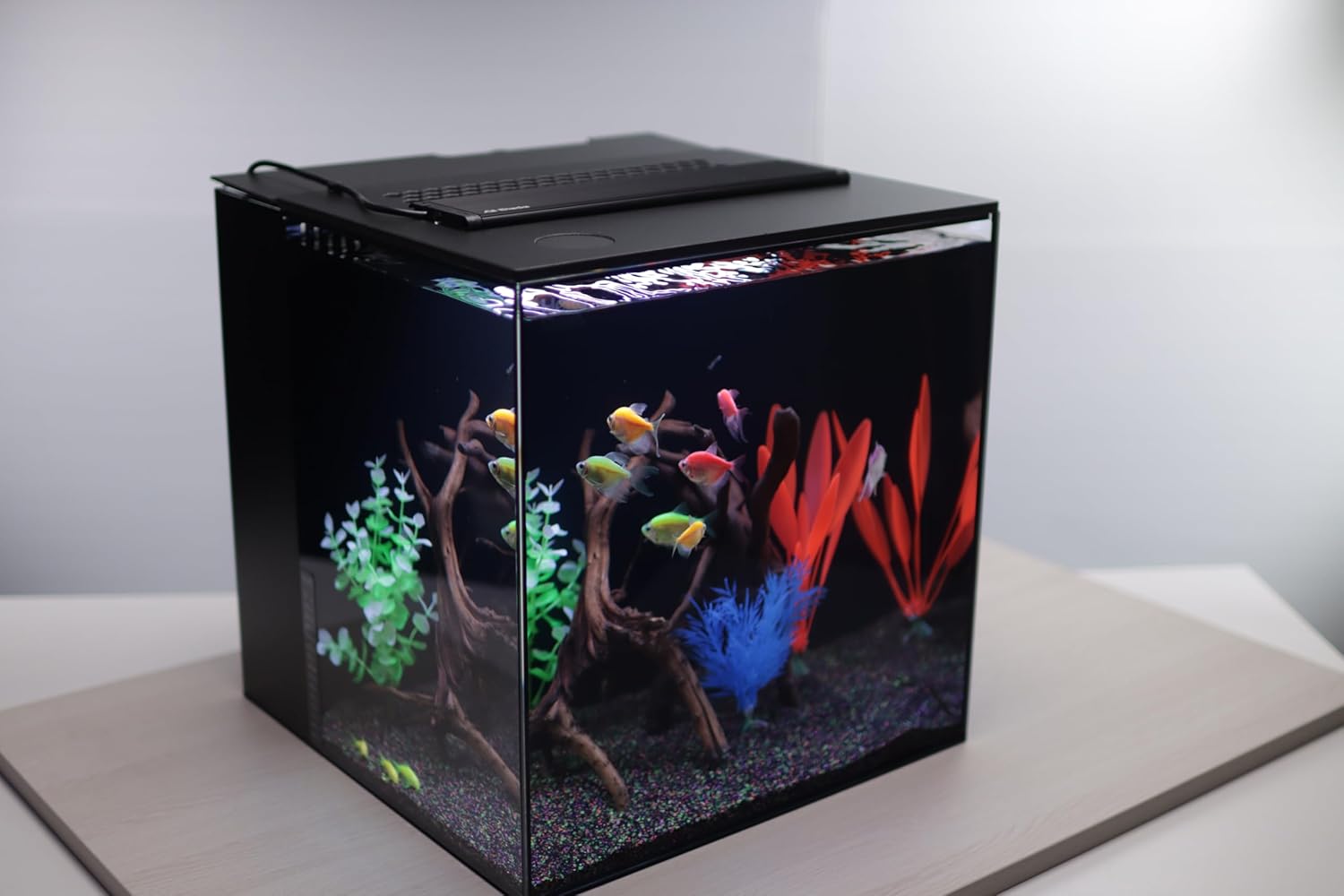
Image: A close-up of the AI Blade Smart LED Light positioned on the top of the HelloReef aquarium, illuminating the tank.
7. Cycling the Aquarium
Allow the aquarium to cycle for at least 2-3 weeks before introducing fish. This process establishes beneficial bacteria necessary for a healthy aquatic environment. Monitor water parameters regularly.
Operating Your Aquarium
LED Lighting Control
The AI Blade Smart LED Light is controlled via the Mobius app. Download the app and connect to your light. You can choose from preset lighting templates, such as the natural template, and set daily schedules to enhance the colors of your Glofish and decor.
Feeding Your Fish
Use the provided Glofish flake food or wafers. Feed small amounts once or twice daily, only what your fish can consume within a few minutes. Overfeeding can lead to poor water quality.
Introducing Fish
Once your aquarium is fully cycled and water parameters are stable, you can introduce your Glofish. Acclimate new fish slowly to the tank's water conditions to minimize stress.
Video: An overview of the HelloReef Aquarium Kit, demonstrating its features and ease of setup. This video is provided by the seller, Leap Habitats.
Maintenance
Regular maintenance is crucial for a healthy aquarium. The multi-stage filtration system simplifies this process.
Water Changes
Perform partial water changes regularly (e.g., 25% weekly or bi-weekly). The integrated filtration chamber allows for easy water removal without disturbing the main tank or fish. Simply siphon water from the filter chambers.
Filter Cleaning
Periodically clean or replace filter media as needed. The filter sock should be cleaned when visibly dirty. Rinse sponge and ceramic media in old aquarium water to preserve beneficial bacteria.
Aquarium Cleaning
Wipe down the inside glass with an aquarium-safe cleaner or magnet cleaner to remove algae. Clean decor as necessary.
Troubleshooting
- Cloudy Water: This can be common in new tanks (bacterial bloom) or due to overfeeding. Ensure proper filtration and avoid overfeeding.
- Algae Growth: Reduce lighting duration, avoid direct sunlight, and perform regular water changes. Consider adding algae-eating inhabitants if suitable for your tank.
- Fish Illness: Isolate affected fish if possible. Research symptoms and treat with appropriate aquarium medications. Maintain optimal water quality.
- Pump Not Working: Check power connection. Clean the pump impeller and housing for any blockages.
- Light Issues: Ensure the light is properly connected to power and the Mobius app. Check app settings for schedules or brightness levels.
Specifications
| Feature | Detail |
|---|---|
| Tank Volume | 15 Gallons |
| Item Dimensions (LxWxH) | 15 x 15 x 15 inches |
| Item Weight | 48 Pounds |
| Material | Glass |
| Special Feature | Rimless |
| Included Components | AI Blade Smart LED Light, Glofish Substrate & Decor, Filtration, Heater, 15 Gallon HelloReef All-In-One Aquarium |
| Model Number | a968b1ca-c2d8-4bdc-95d9-84f73ddb2d36 |
| UPC | 850048740853 |
Warranty and Support
HelloReef is committed to your success in aquatic pet keeping. Your kit includes access to the exclusive HelloReef Connect online learning center, which provides comprehensive guides, tutorials, and personalized support from seasoned professionals. Scan the QR code below to access the portal.

Image: QR code for accessing the HelloReef Connect online learning center, offering expert guidance and tutorials.
For specific warranty information, please refer to the documentation included with your product or contact HelloReef customer support directly through the online portal.
Additionally, HelloReef supports ocean conservation efforts, with 2% of net proceeds contributing to worldwide coral conservation and restoration.
Ask a question about this manual
Ask about setup, troubleshooting, compatibility, parts, safety, or missing instructions. Manuals+ will review the question and use this page’s manual context to help answer it.