
1. Introduction and Package Contents
The ABM700 Video Baby Monitor is designed to provide secure and reliable monitoring of your baby. This advanced model includes a 5-inch HD display, night vision capabilities, and a range of features for enhanced peace of mind.
Package Contents:
- Baby Camera Unit
- Parent Monitor Unit
- User Manual
- Power Adapters and Cables (2 sets)
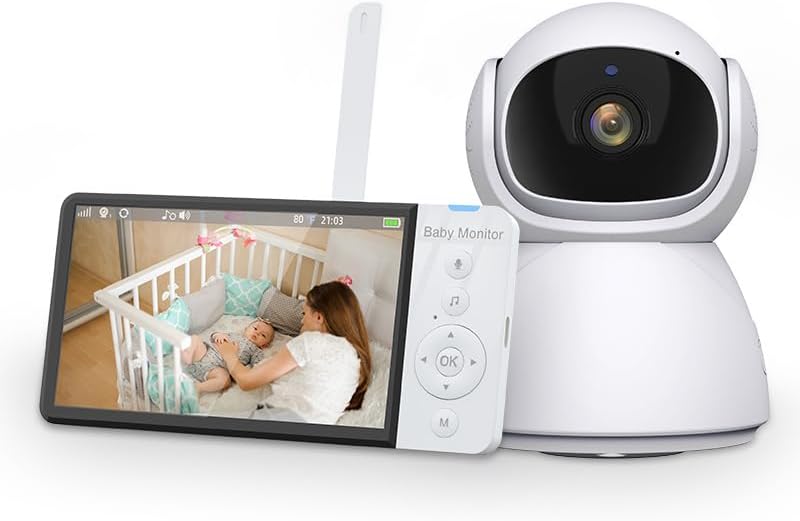
Image 1.1: The ABM700 Video Baby Monitor, featuring the camera unit and the parent monitor unit with a live view of a baby in a crib.
2. Setup Guide
2.1 Charging the Monitor
Before first use, fully charge the parent monitor unit for approximately 8 hours. Connect the power adapter to the monitor's charging port and plug it into a wall outlet. The battery indicator on the screen will show charging status.
2.2 Positioning the Camera
Place the baby camera unit in a location that provides a clear view of your baby's crib or play area. Ensure it is at least 1 meter (3 feet) away from the baby to prevent entanglement with cables.
2.3 Initial Connection
The camera and monitor units are pre-paired at the factory. Simply power on both units, and they should automatically connect. If connection issues occur, refer to the troubleshooting section for re-pairing instructions.
3. Operating Instructions
3.1 Monitor Controls Overview

Image 3.1: Overview of the ABM700's intelligent monitoring features, including 355° PTZ rotation, infrared night vision, 8 lullabies, 2.4G wireless transmission, two-way audio, temperature detection, volume control, 5.0-inch LCD HD display, breast feeding reminder, crying reminder, sound activation (VOX), and loop recording.
The parent monitor unit features a 5-inch HD display and intuitive controls for managing camera functions and settings. Refer to the on-screen menu for detailed options.
3.2 Pan, Tilt, and Zoom (PTZ)
Use the directional buttons on the parent unit to remotely control the camera's pan (355° horizontal) and tilt (75° vertical) movements. This allows you to adjust the viewing angle without entering the baby's room. The monitor also supports digital zoom for closer inspection.
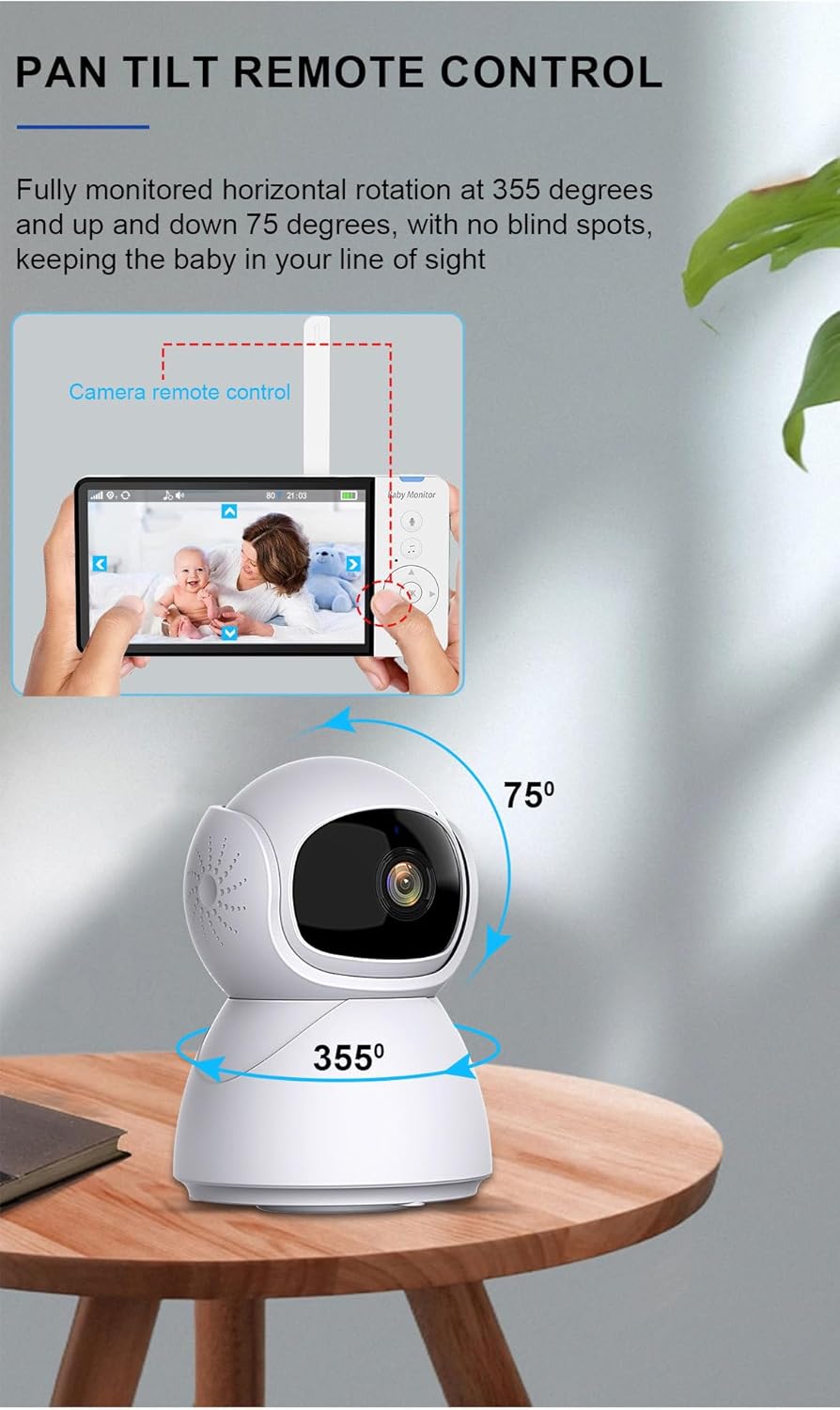
Image 3.2: The camera unit's pan and tilt capabilities, showing 355 degrees of horizontal rotation and 75 degrees of vertical tilt, ensuring comprehensive room coverage.
3.3 Two-Way Intercom
Press and hold the talk button on the parent unit to speak to your baby through the camera's speaker. Release the button to hear your baby's sounds. This feature allows for comforting your baby remotely.

Image 3.3: Illustration of the two-way intercom feature, enabling parents to speak to their baby through the monitor and hear their baby's responses.
3.4 Night Vision
The camera automatically activates infrared night vision in low-light conditions, providing a clear black and white image of your baby up to 32 feet (approximately 10 meters) away, even in complete darkness.
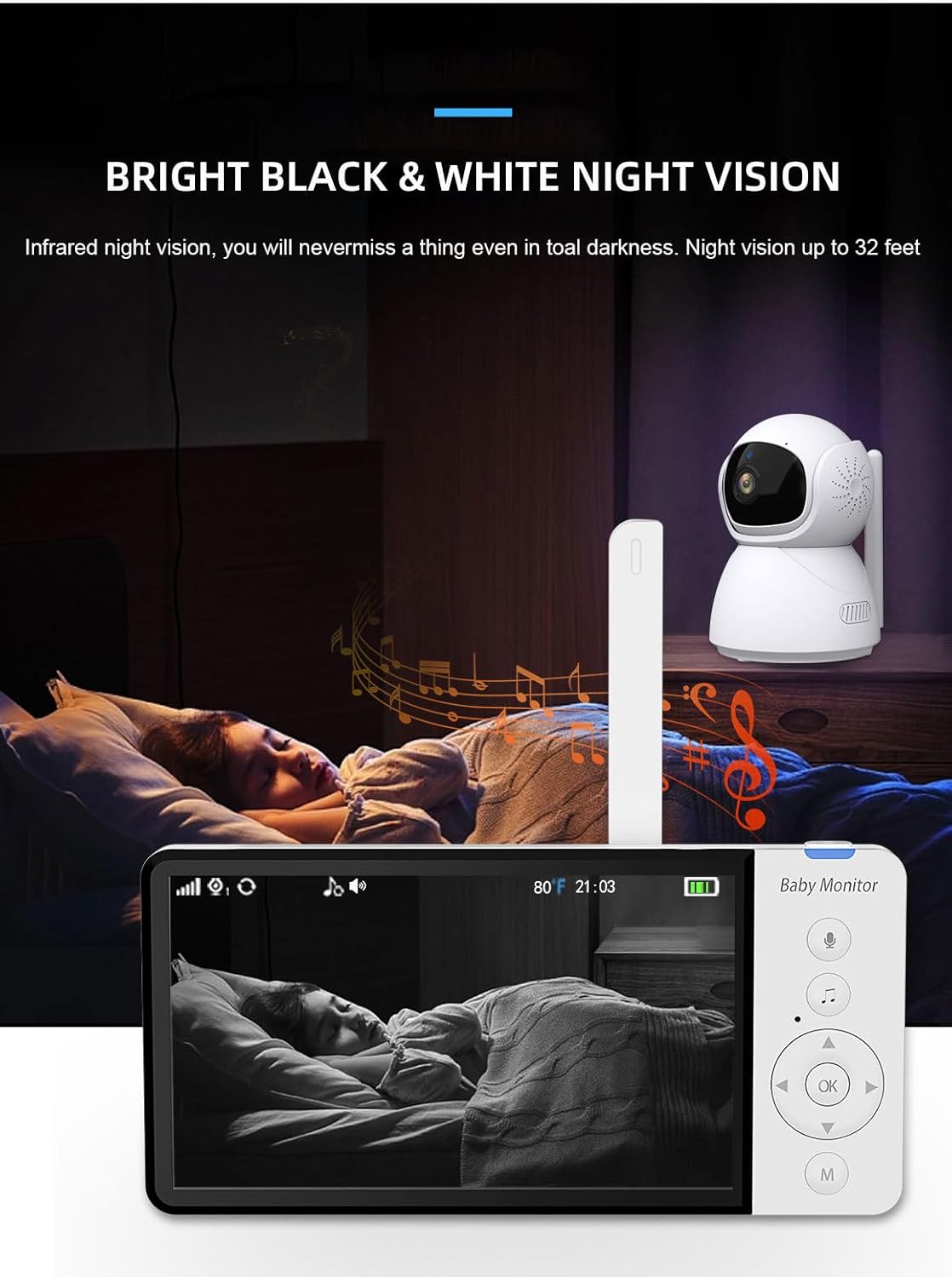
Image 3.4: The monitor displaying a clear black and white image of a sleeping baby in a dark room, demonstrating the infrared night vision feature.
3.5 Temperature Alert
The camera unit includes a built-in temperature sensor that constantly monitors the room temperature. You can set high and low temperature alerts on the parent unit to be notified if the room temperature falls outside your desired range.
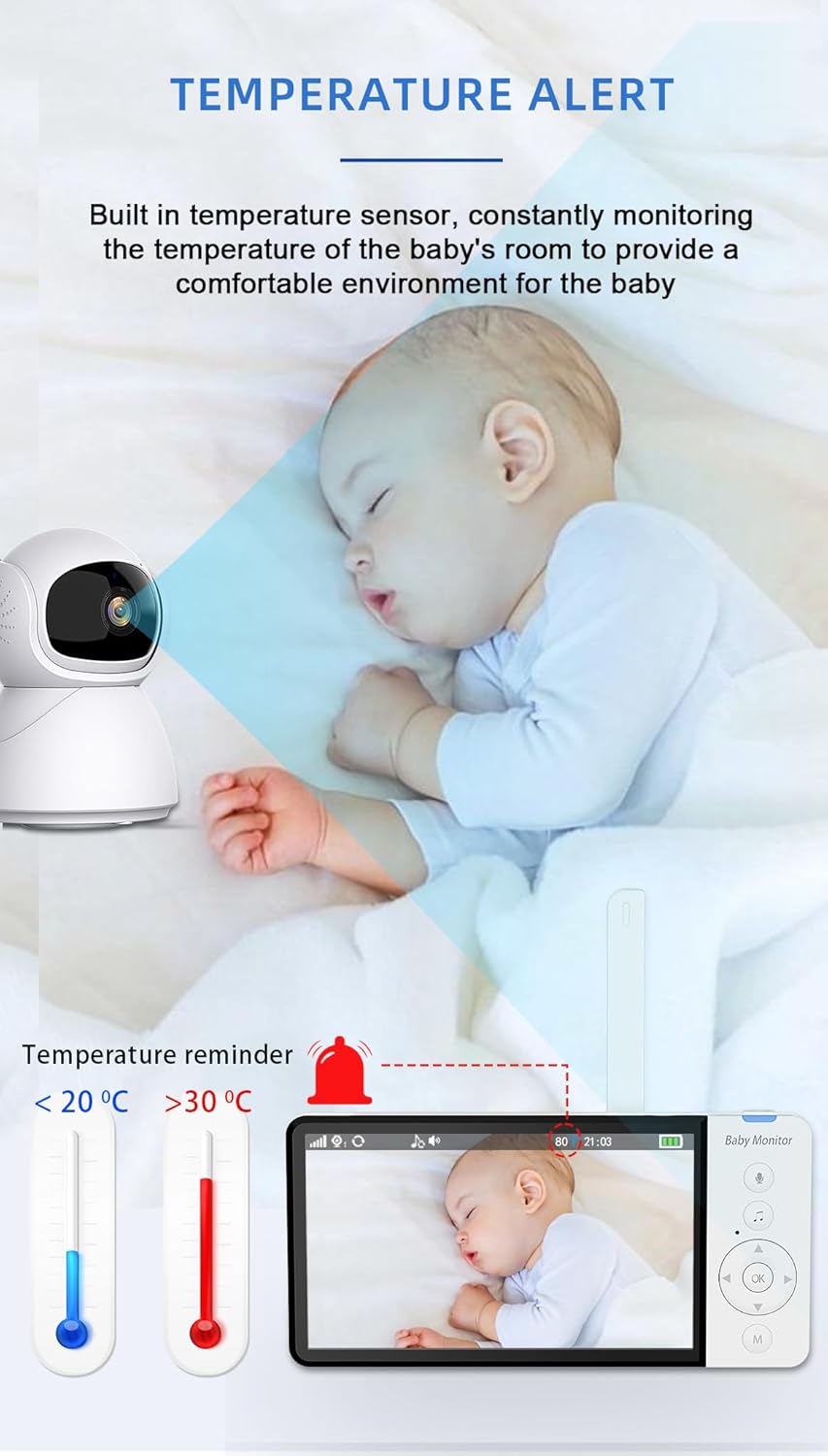
Image 3.5: The temperature alert feature, which notifies parents if the baby's room temperature goes below 20°C or above 30°C, ensuring a comfortable environment.
3.6 Lullabies
The monitor features 8 pre-programmed lullabies. Access the lullaby menu on the parent unit to select and play soothing melodies for your baby.
3.7 Built-in Recorder and VOX Mode
The ABM700 includes a built-in recorder for capturing moments. Insert a compatible memory card (not included) to utilize this feature. The VOX (Voice Operated eXchange) mode activates the monitor's screen and sound when it detects noise above a certain threshold, conserving battery life.
4. Maintenance
4.1 Cleaning
Wipe the camera and monitor units with a soft, dry cloth. Do not use abrasive cleaners or solvents. Ensure the units are unplugged before cleaning.
4.2 Storage
When not in use for extended periods, store the monitor and camera in a cool, dry place, away from direct sunlight and extreme temperatures. Ensure the battery is partially charged before storage to maintain its health.
5. Troubleshooting
| Problem | Possible Cause | Solution |
|---|---|---|
| No image/sound on monitor | Units not powered on, out of range, or not paired. | Ensure both units are plugged in and powered on. Move monitor closer to camera. Re-pair units if necessary (refer to manual for specific steps). |
| Poor signal reception | Too far apart, obstructions (walls, electronics). | Reduce distance between units. Remove large metal objects or other electronic devices that may cause interference. |
| Monitor battery drains quickly | VOX mode off, continuous use, aging battery. | Enable VOX mode to conserve battery. Ensure monitor is fully charged before use. Battery life naturally decreases over time. |
| Temperature reading inaccurate | Camera placed near heat/cold source. | Relocate camera away from direct sunlight, vents, or windows. |
6. Specifications
| Feature | Detail |
|---|---|
| Model Number | ABM700 |
| Display Size | 5-inch HD LCD |
| Video Resolution | 720p |
| Connectivity Technology | Wireless (FHSS) |
| Signal Range | Up to 400m (open space) |
| Camera Pan Angle | 355° |
| Camera Tilt Angle | 75° |
| Night Vision Range | Up to 32 feet (10 meters) |
| Monitor Battery Capacity | 5,000 mAH |
| Special Features | Local Recording, 2 Way Audio, HD Resolution, Cry Detection, Motion Sensor, Temperature Sensor, Lullabies |
| Product Dimensions (Camera) | 80mm (W) x 114mm (H) x 100mm (D) |
| Product Dimensions (Monitor) | 150mm (W) x 75mm (H) x 20mm (D) |
| Item Weight | 600 g |
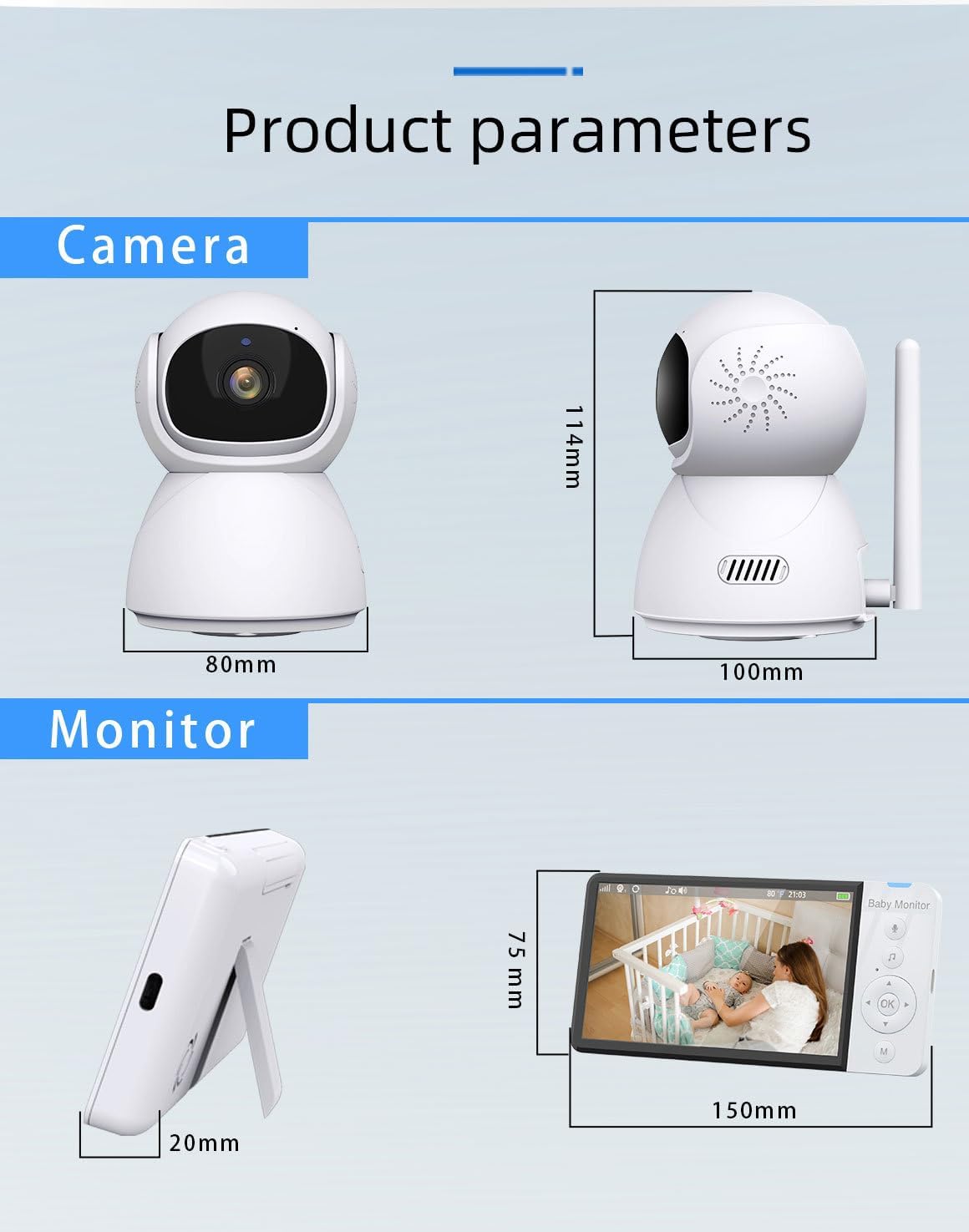
Image 6.1: Detailed dimensions of the ABM700 camera and monitor units.
7. Warranty and Support
7.1 Warranty Information
This product comes with a 1-year local warranty against manufacturing defects from the date of purchase. Please retain your proof of purchase for warranty claims.
7.2 Customer Support
For technical assistance, troubleshooting, or warranty inquiries, please contact our customer support team. Refer to the contact information provided on the product packaging or our official website.