
ABM501
User Manual
Generic Video Baby Monitor ABM501
Introduction
This user manual provides comprehensive instructions for the safe and effective operation of your Generic Video Baby Monitor ABM501. Please read this manual thoroughly before using the product and retain it for future reference.
The ABM501 is designed to provide reliable monitoring of your baby, featuring a 5-inch HD display, night vision, secure encrypted signal, and enhanced battery life. It includes a camera with pan-tilt-zoom capabilities and a parent unit for convenient monitoring.
Package Contents
Please verify that all items listed below are included in your package:
- 1 x Baby Camera Unit
- 1 x Parent Monitor Unit
- 1 x User Manual
- 1 x Power Adapter and USB Cable (for camera)
- 1 x Power Adapter and USB Cable (for monitor)
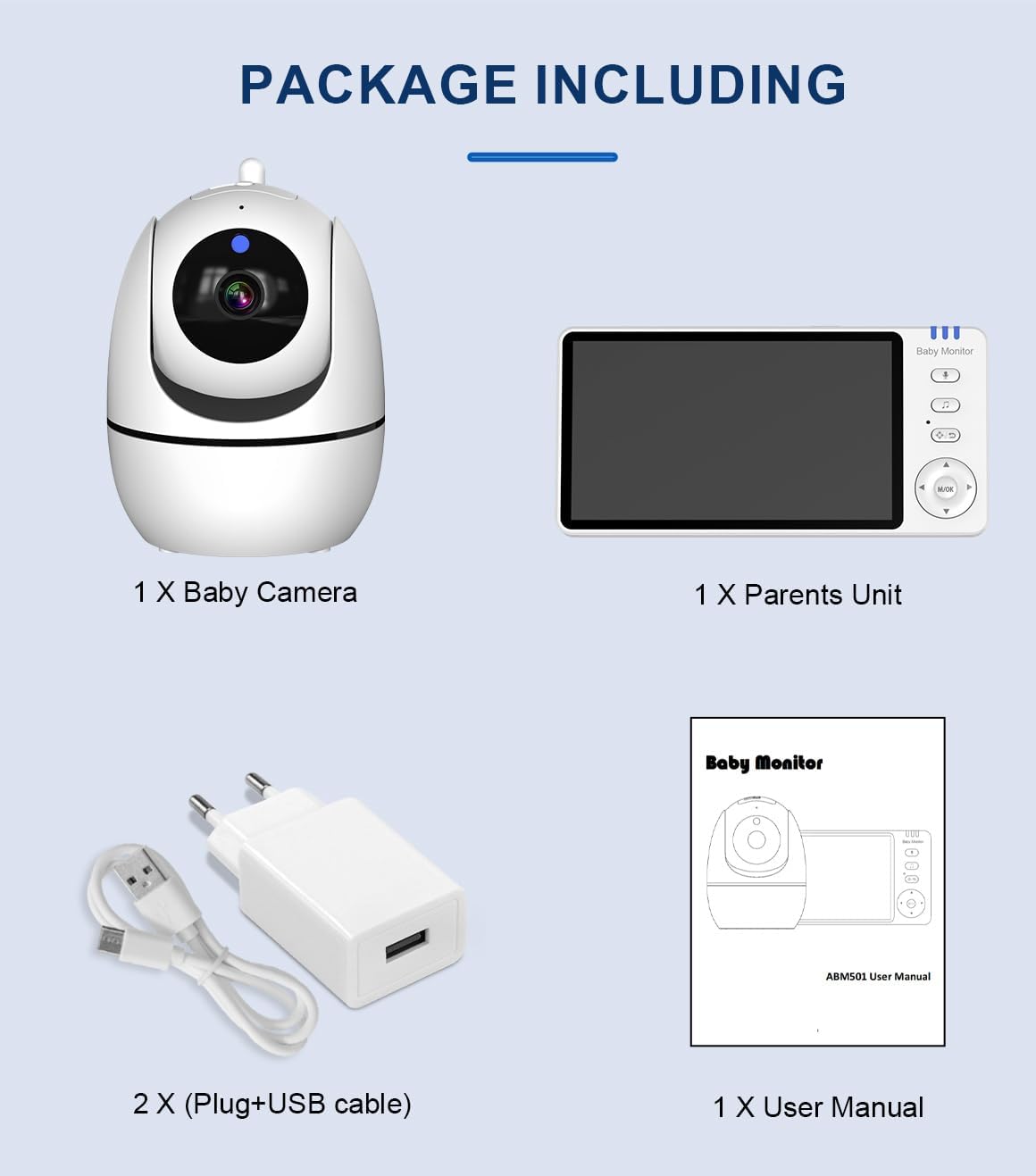
Image: All components included in the ABM501 baby monitor package, neatly laid out.
Key Features
- 5-inch HD Display: Provides a clear and detailed view of your baby.
- Night Vision: Automatic infrared night vision for clear monitoring in low light conditions.
- Pan, Tilt, and Zoom Camera: Remotely adjust the camera's view to cover the entire room.
- Two-Way Intercom: Communicate with your baby from the parent unit.
- Secure Data Transmission: High-security encrypted signal (FHSS 2.4GHz) for privacy.
- Extended Range: Up to 400m signal range in open spaces.
- Enhanced Battery Life: 3,500 mAh battery capacity for the monitor.
- Room Temperature Monitoring: Displays the temperature of the baby's room.
- Lullabies: 8 built-in lullabies to soothe your baby.
- Cry Detection / VOX: Sound activation feature to alert you when your baby cries.
- Feeding Reminder: Set alarms for feeding times.

Image: Visual representation of the monitor's key functions, such as two-way audio and night vision.
Setup Guide
- Position the Camera: Place the baby camera unit in a secure location in your baby's room, ensuring a clear view of the crib. Avoid placing it within reach of the baby.
- Connect the Camera: Plug the power adapter into the camera unit and then into a power outlet. The camera will power on automatically.
- Charge the Monitor: Before first use, fully charge the parent monitor unit by connecting it to the power adapter and a power outlet. The battery indicator will show charging status.
- Power On the Monitor: Press and hold the power button on the parent unit to turn it on.
- Pairing (if necessary): The camera and monitor are pre-paired at the factory. If they do not connect automatically, refer to the "Troubleshooting" section for pairing instructions.

Image: The baby camera and parent monitor unit, ready for setup.
Operating Instructions
Monitor Overview
Familiarize yourself with the buttons and indicators on the parent unit for optimal use.
Camera Pan, Tilt, and Zoom
Use the directional buttons on the parent unit to remotely control the camera's pan (left/right) and tilt (up/down) movements. The zoom function allows you to get a closer view of your baby.
Two-Way Intercom
To speak to your baby, press and hold the microphone button on the parent unit. Release the button to listen. This feature allows for comforting communication with your baby.

Image: Demonstrating the two-way intercom feature, allowing parents to speak to their baby through the monitor.
Lullabies
Press the lullaby button on the parent unit to cycle through the 8 pre-programmed lullabies. Press again to stop playback.
Room Temperature Monitoring
The current room temperature is displayed on the parent unit screen, measured by a sensor on the camera unit. This helps ensure a comfortable environment for your baby.
Feeding Reminder
Access the menu on the parent unit to set a feeding reminder alarm. This feature helps you maintain a regular feeding schedule for your baby.
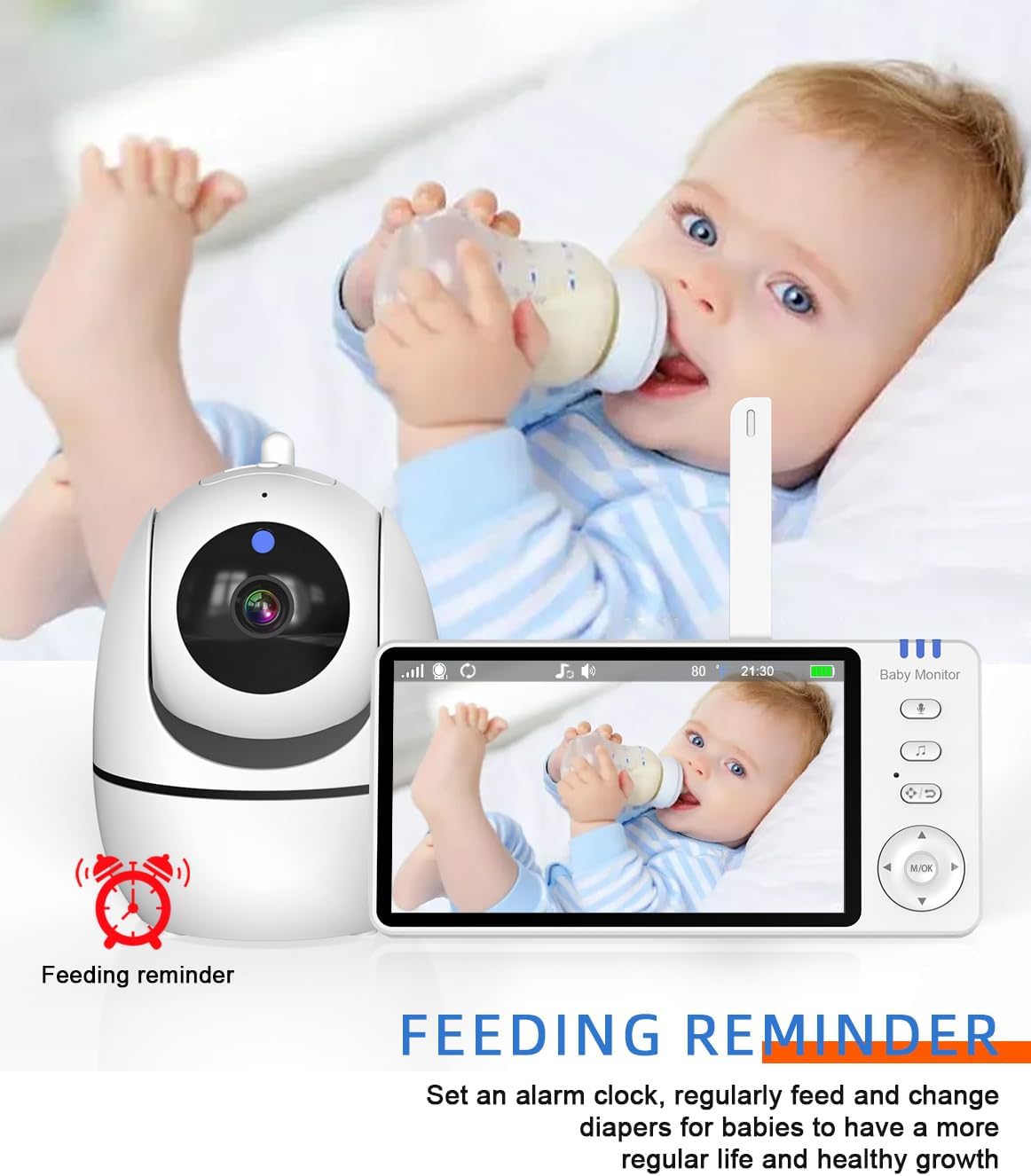
Image: The feeding reminder feature, useful for maintaining a consistent feeding schedule.
VOX (Voice Operated Exchange) Mode
In VOX mode, the monitor screen will automatically turn on and alert you when sound is detected from the baby's room, conserving battery life when the room is quiet.
Maintenance and Care
- Cleaning: Use a soft, dry cloth to clean the surfaces of the camera and monitor. Do not use abrasive cleaners or solvents.
- Storage: When not in use for extended periods, store the monitor and camera in a cool, dry place, away from direct sunlight.
- Battery Care: To prolong battery life, avoid fully discharging the monitor's battery frequently. Charge it regularly.
- Environmental Conditions: Avoid exposing the units to extreme temperatures, humidity, or direct water contact. The product is not water resistant.
Troubleshooting
- No picture/sound on the monitor:
- Ensure both the camera and monitor are powered on and connected to power outlets.
- Check if the camera and monitor are within range. Move them closer if necessary.
- Verify that the monitor's battery is charged.
- Re-pair the camera and monitor if the connection is lost (refer to manual for specific pairing steps if needed, generally found in settings).
- Picture is black and white:
- This indicates that the night vision feature is active due to low light conditions. This is normal operation.
- Interference or poor signal:
- Move the monitor closer to the camera.
- Avoid placing the units near other electronic devices that may cause interference (e.g., Wi-Fi routers, microwaves).
- Ensure there are no large obstructions (thick walls, metal objects) between the camera and monitor.
Specifications
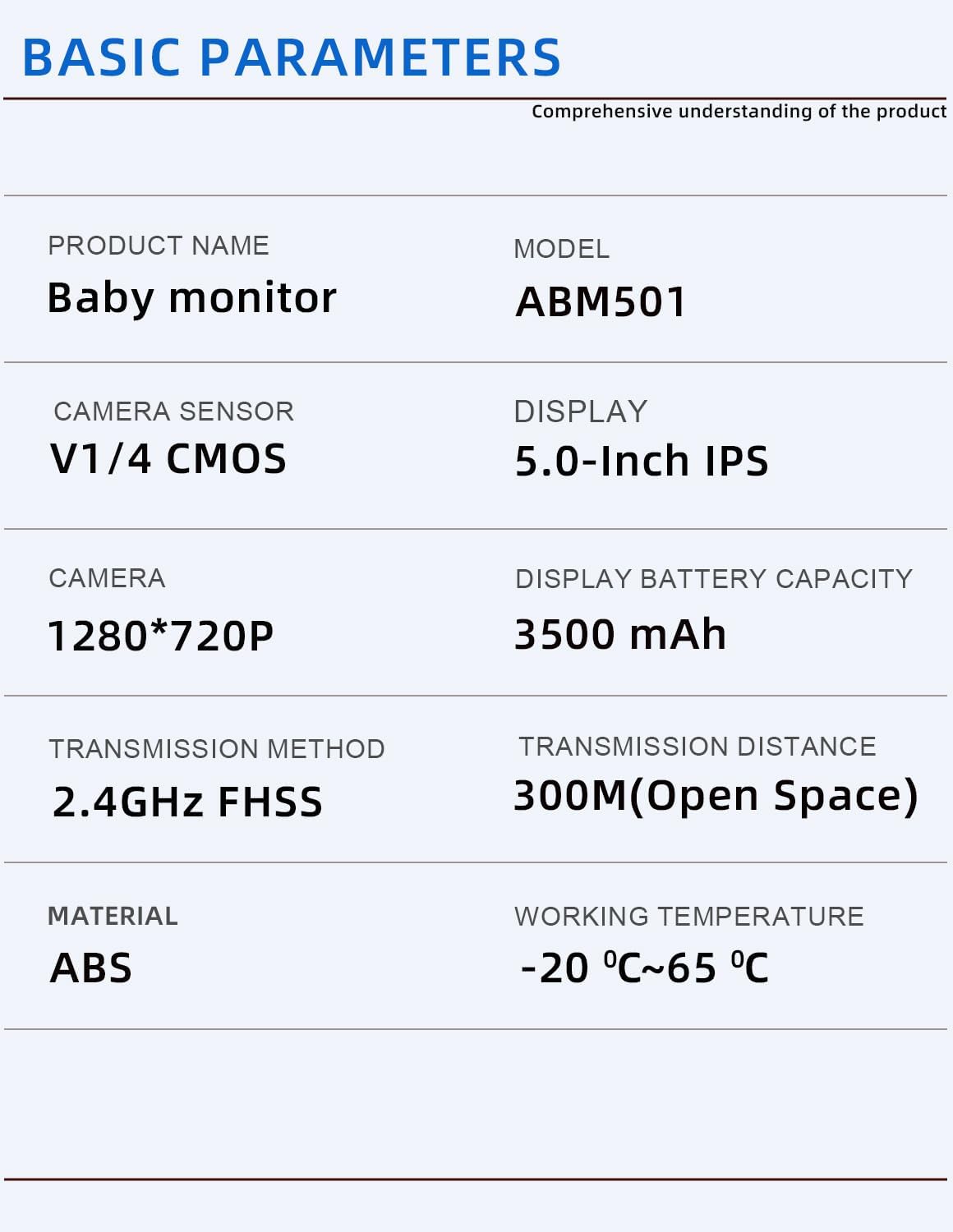
Image: Basic technical parameters of the ABM501 baby monitor.
| Feature | Detail |
|---|---|
| Model Name | Video baby monitor ABM501 |
| Display Size | 5.0-inch HD IPS |
| Camera Resolution | 1280*720P |
| Camera Sensor | V1/4 CMOS |
| Connectivity Technology | Wireless (2.4GHz FHSS) |
| Signal Range | Up to 400m (open space) / 300M (Open Space) |
| Monitor Battery Capacity | 3500 mAh |
| Material | Acrylonitrile Butadiene Styrene (ABS) |
| Item Dimensions (L x W x H) | 18 x 11 x 13 Centimetres |
| Item Weight | 649 g |
| Working Temperature | -20°C to 65°C |
| Special Features | 2 Way Audio, HD Resolution, Night Vision, Brightness Control, Cry Detection |

Image: Physical dimensions of the camera and monitor units.
Warranty and Support
Your Generic Video Baby Monitor ABM501 comes with a 1-year local warranty against manufacturing defects from the date of purchase.
This warranty covers defects in materials and workmanship under normal use. It does not cover damage caused by misuse, accident, unauthorized modification, or failure to follow the instructions in this manual.
For warranty claims or technical support, please contact the retailer or manufacturer's customer service with your proof of purchase.
Related Documents - ABM501
 |
Cdycam ABM501 5.0 Inch Video Baby Monitor with Pan Tilt Camera - User Manual Comprehensive user manual for the Cdycam ABM501 5.0 inch video baby monitor. Features include pan tilt camera, wireless 2.4G, two-way audio, night vision, temperature display, and VOX wake-up. Includes important safety precautions. |
 |
Cdycam ABM501 User Manual User manual for the Cdycam ABM501 video baby monitor, detailing features like two-way audio, night vision, and temperature monitoring for infant care. |
 |
Baby Monitor ABM501 User Manual User manual for the Baby Monitor Model ABM501, detailing setup, features, and troubleshooting. |
 |
ABM501 Baby Monitor User Manual Comprehensive user manual for the ABM501 Baby Monitor, detailing setup, features, safety guidelines, and troubleshooting for optimal use. |
 |
Dongguan Anhong ABM Series Baby Monitor Model Differences & FCC ID 2AYKP-ABM501 Technical specifications detailing model differences for Dongguan Anhong's ABM series baby monitors. All models utilize the same core circuit and RF module, with variations in name and appearance. Includes FCC ID 2AYKP-ABM501. |
 |
Baby Monitor Test Report - ABM900 This document presents the comprehensive test report for the Baby Monitor, Model ABM900, detailing its compliance with ETSI EN 301 489-1 and ETSI EN 301 489-17 standards for electromagnetic compatibility. |
Ask a question about this manual
Ask about setup, troubleshooting, compatibility, parts, safety, or missing instructions. Manuals+ will review the question and use this page’s manual context to help answer it.