
Introduction
This manual provides instructions for the safe and effective use of your XWNV AC Adapter. This adapter is designed to provide power to compatible devices, specifically the Razor Black Label HoverTrax 188002 25.2V Smart Electric Scooter. Please read this manual thoroughly before use and retain it for future reference.
Safety Information
- Input Voltage: Ensure the adapter is connected to a power source within the specified input range of 100-240V AC, 50/60Hz.
- Environmental Conditions: To prevent overheating, use the adapter in a well-ventilated area. Avoid placing it on soft surfaces or near heat sources. Do not expose to moisture or extreme temperatures.
- Protection Features: The adapter includes built-in Over Voltage Protection, Over Current Protection, and Short Circuit Protection to safeguard your devices.
- Handling: Do not attempt to open or modify the adapter. If the adapter or cable is damaged, discontinue use immediately and contact support.
- Compatibility: Verify that the output voltage and connector plug size of this adapter match the requirements of your device before connecting.
Package Contents
The package includes the following items:
- 1 x XWNV AC/DC Adapter Charger
Product Overview
The XWNV AC Adapter is designed for efficient and safe power delivery. Key features include:
- Power Lamp: An indicator light on the adapter body shows when the unit is receiving power.
- Connector: Features a 5.5mm x 2.5mm round connector plug.
- Cable Length: The power cable has a length of approximately 7 feet (2.1 meters).
- Protection: Incorporates Overheating protection, Overvoltage protection, Electrostatic protection, Short Circuit protection, Overcurrent protection, and Overcharge protection.
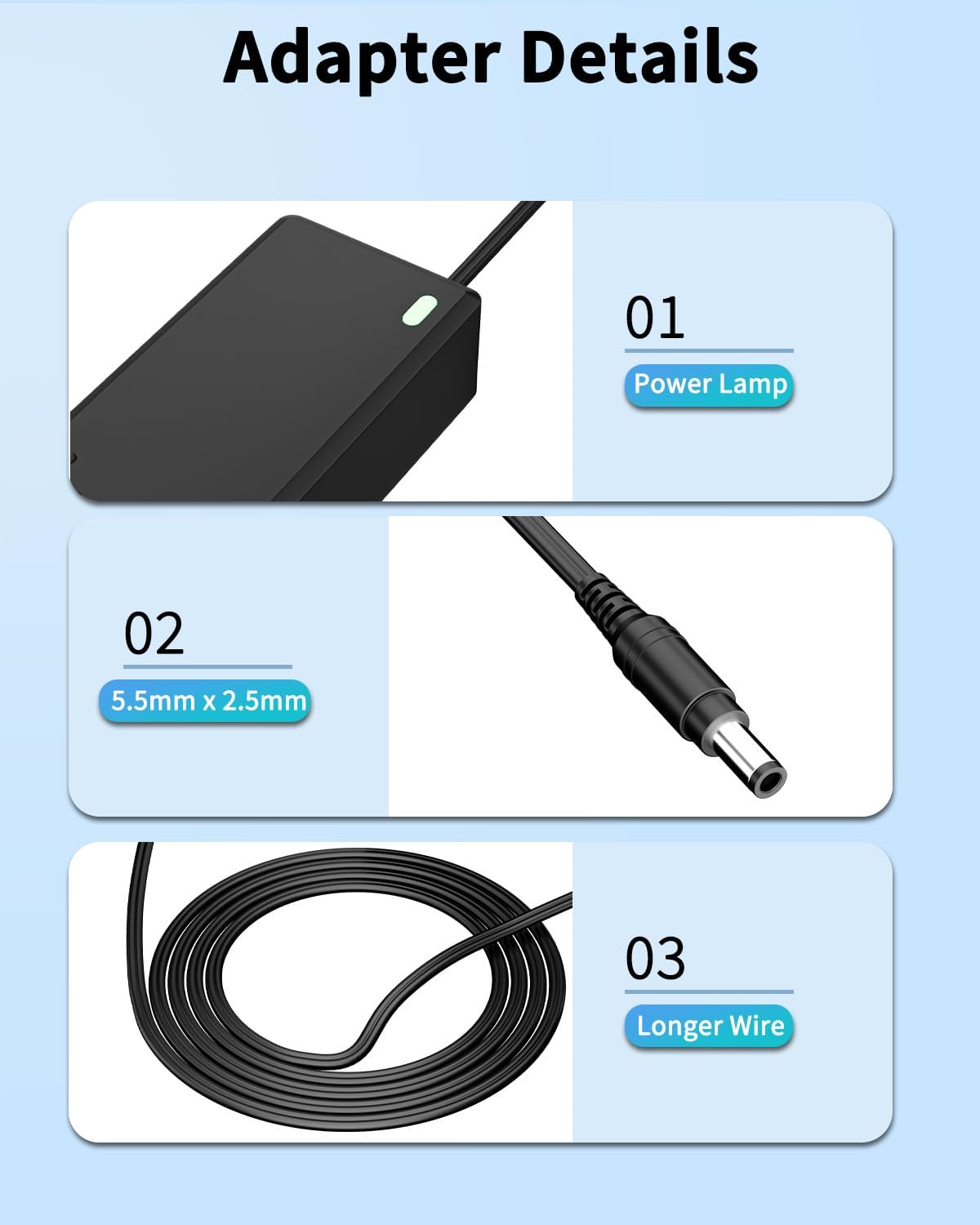
Image: Adapter Details - Power lamp, connector size, and cable length.
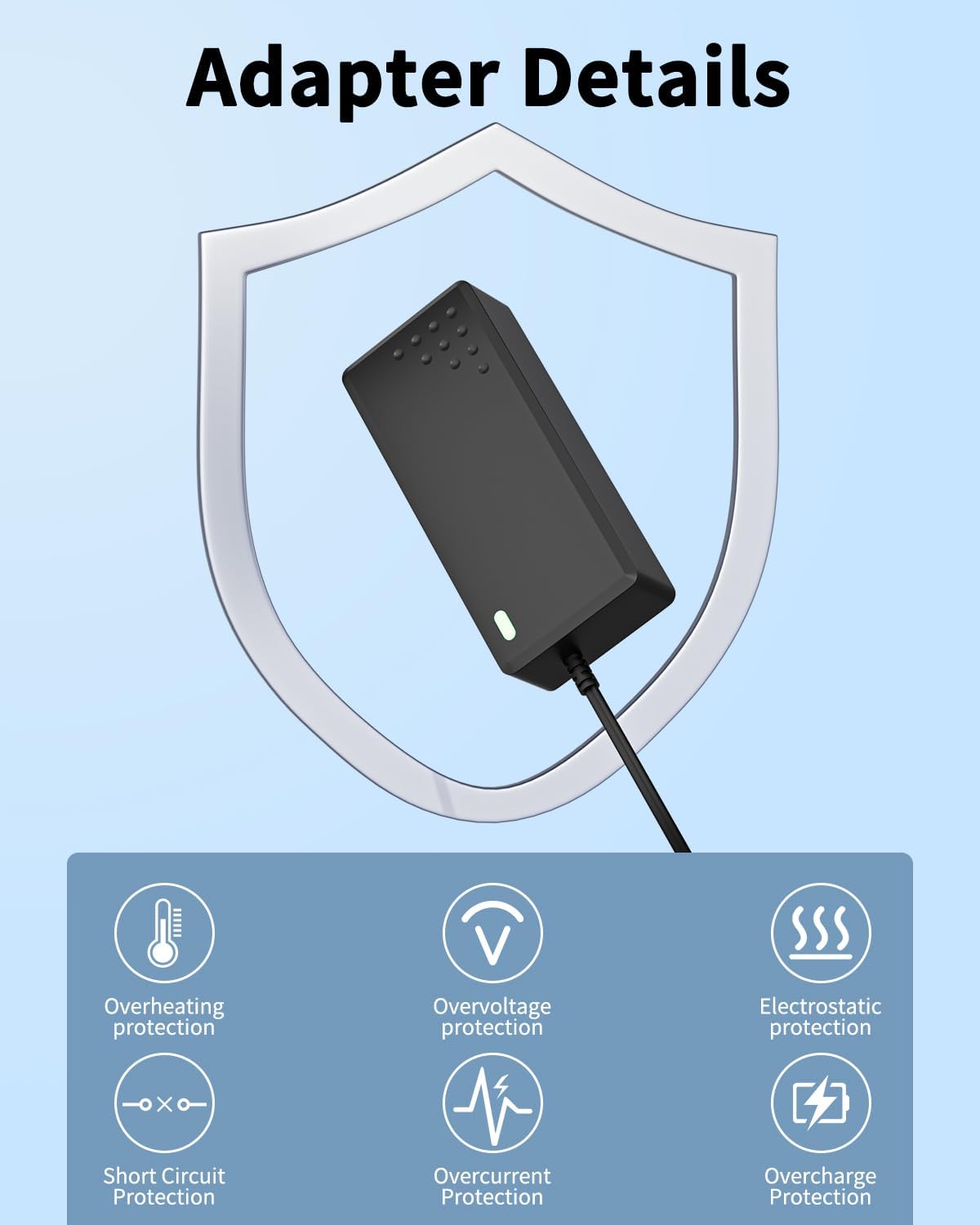
Image: Adapter Details - Built-in protection features.
Setup
- Verify Compatibility: Before connecting, ensure your device requires a 25.2V power supply and has a compatible 5.5mm x 2.5mm round power input port.
- Connect to Device: Insert the round connector plug of the AC adapter firmly into the power input port of your Razor Black Label HoverTrax 188002 or other compatible device.
- Connect to Power Outlet: Plug the AC power cord into a standard 100-240V AC wall outlet.
- Power Indicator: The power lamp on the adapter will illuminate, indicating that it is receiving power and ready to charge or power your device.

Image: General view of the AC adapter.
Operating Instructions
Once connected, the adapter will automatically begin to power or charge your device. Monitor your device's charging indicator (if available) to confirm charging status. Disconnect the adapter from the wall outlet and the device when not in use or when charging is complete.
Maintenance
- Cleaning: Disconnect the adapter from all power sources before cleaning. Use a soft, dry cloth to wipe the surface. Do not use liquid cleaners or solvents.
- Storage: Store the adapter in a cool, dry place away from direct sunlight and moisture. Avoid tightly coiling the cable to prevent damage.
- Inspection: Periodically inspect the adapter and cable for any signs of damage, such as frayed wires or cracked casing. If damage is found, discontinue use.
Troubleshooting
| Problem | Possible Cause | Solution |
|---|---|---|
| Adapter not powering on / No indicator light |
|
|
| Device not charging |
|
|
| Adapter gets hot during use |
|
|
Specifications
| Brand | XWNV |
| Model Compatibility | Razor Black Label HoverTrax 188002 25.2V Smart Electric Scooter |
| Input Voltage | 100-240V AC, 50/60Hz |
| Output Voltage | 25.2V |
| Connector Type | Round, 5.5mm x 2.5mm |
| Cable Length | Approximately 7 feet (2.1 meters) |
| Color | Black |
| Protection Features | Over Voltage Protection, Over Current Protection, Short Circuit Protection, Overheating Protection, Electrostatic Protection, Overcharge Protection |
| Dimensions (Approximate) | Length: 4.96in, Width: 1.95in, Height: 1.20in |

Image: Item Dimensions.
Compatibility
This AC adapter is primarily compatible with the Razor Black Label HoverTrax 188002 25.2V Smart Electric Scooter. It may also be compatible with other devices requiring a 25.2V power input and featuring a 5.5mm x 2.5mm round connector. Examples of devices that might use similar connectors include:
- Speakers
- Tablets
- Certain computers or monitors
- Printers or scanners
- Game consoles
Important: Always verify the voltage, amperage, and connector size requirements of your device before connecting this adapter.

Image: Examples of compatible device types.
Warranty
This product comes with a 3-year warranty. For warranty claims or service, please retain your proof of purchase and contact customer support.
Support
If you have any questions, concerns, or require assistance with your XWNV AC Adapter, please do not hesitate to contact our customer support team. We are available to help.
Contact information can typically be found on the product packaging or through the retailer where the product was purchased.