
Introduction
This manual provides detailed instructions for the safe and effective use of your YTEATH PRO Electric Toothbrush. Designed for both adults and children, this sonic toothbrush features 5 brushing modes, a long-lasting battery, and a smart timer to enhance your oral hygiene routine. Please read this manual thoroughly before first use and retain it for future reference.
Important Safety Information
- Keep the product away from strong sunlight, fire, or extreme heat.
- This product contains a built-in lithium battery. Do not expose it to high temperatures or dispose of it in fire to prevent explosion.
- Do not disassemble, repair, or modify the product yourself. Contact customer support for assistance.
- Ensure the charging port is dry before charging to prevent electrical hazards.
- This appliance is not intended for use by persons with reduced physical, sensory or mental capabilities, or lack of experience and knowledge, unless they have been given supervision or instruction concerning use of the appliance by a person responsible for their safety.
Package Contents
Upon opening your YTEATH PRO Electric Toothbrush package, you should find the following items:
- 1 x Electric Toothbrush Handle
- 8 x Toothbrush Heads
- 1 x USB Charging Cable
- 1 x User's Manual (this document)
- 1 x Travel Case
- 1 x Wall Mount Toothbrush Holder

Image: The YTEATH PRO Electric Toothbrush, its charging cable, multiple brush heads, and travel case, as typically found in the product packaging.
Setup Guide
Charging the Toothbrush
Before first use, fully charge your toothbrush. A full charge takes approximately 3.5 hours and provides up to 90 days of regular use, making it ideal for travel. The battery indicator light will turn red when charging is needed.
- Connect the USB charging cable to the charging port at the bottom of the toothbrush handle.
- Plug the other end of the USB cable into a compatible USB power adapter (not included) or a USB port.
- The indicator light will show charging status. Once fully charged, the light will change or turn off depending on the model.
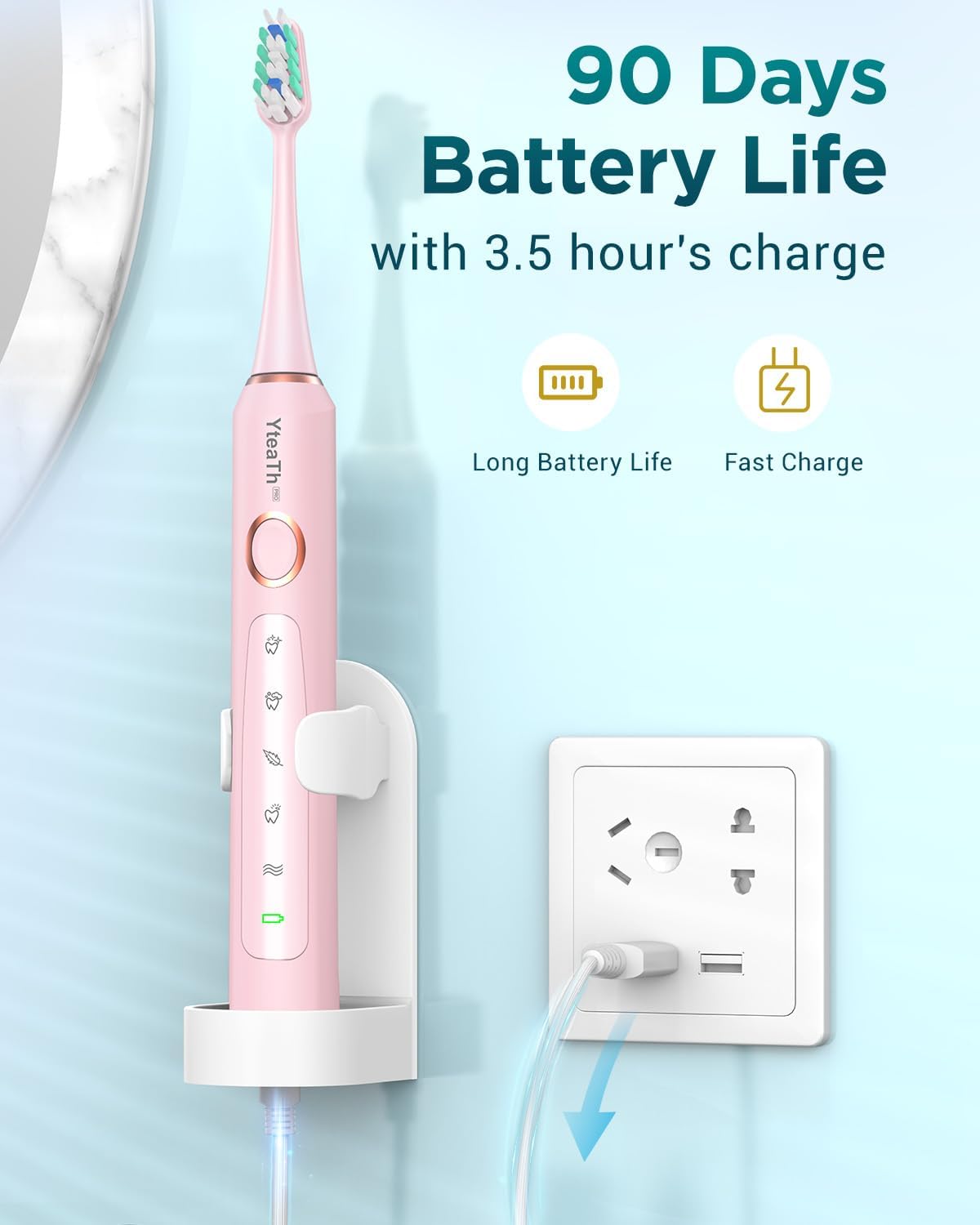
Image: The YTEATH PRO Electric Toothbrush placed on its wall-mounted holder, connected to a USB power outlet for charging, illustrating its 90-day battery life and fast charge capability.
Attaching the Brush Head
To attach a brush head, align the brush head with the metal shaft on the toothbrush handle and push it down firmly until it clicks into place. To remove, simply pull the brush head upwards.
Operating Instructions
Powering On/Off
Press the power button once to turn the toothbrush on. Press it again to cycle through the brushing modes. To turn the toothbrush off, press and hold the power button for a few seconds, or cycle through all modes until it turns off automatically.
Brushing Modes
Your YTEATH PRO Electric Toothbrush offers 5 distinct brushing modes to personalize your oral care experience:
- White Mode: Designed to remove surface stains for a brighter smile.
- Clean Mode: Standard mode for daily comprehensive teeth cleaning.
- Sensitive Mode: Gentle cleaning for sensitive teeth and gums, or for first-time electric toothbrush users.
- Polish Mode: Strong vibration to remove stubborn stains and polish teeth.
- Massage Mode: Gently massages gums to improve gum health.

Image: A close-up of the YTEATH PRO Electric Toothbrush handle, highlighting the five distinct brushing modes: White, Clean, Sensitive, Polish, and Massage, with their corresponding icons.
Recommended Brushing Technique
Dentists recommend brushing for a full 2 minutes. Your YTEATH PRO toothbrush features a smart timer that automatically shuts off after 2 minutes. It also includes a 30-second interval reminder to prompt you to move to a different quadrant of your mouth, ensuring thorough cleaning of all areas.
- Wet the brush head and apply a small amount of toothpaste.
- Place the brush head against your teeth at a slight angle towards the gumline.
- Turn on the toothbrush. Gently move the brush head slowly across each tooth, allowing the sonic vibrations to do the work.
- Divide your mouth into four quadrants (upper right, upper left, lower right, lower left). The toothbrush will pause briefly every 30 seconds to indicate when to move to the next quadrant.
- Continue brushing until the 2-minute timer automatically turns off the toothbrush.
- Rinse your mouth and the brush head thoroughly after brushing.

Image: A person demonstrating the use of the YTEATH PRO Electric Toothbrush, with an overlay illustrating the 2-minute smart timer and 30-second quadrant change indicator for effective brushing.

Image: An illustration demonstrating how the YTEATH PRO Electric Toothbrush effectively removes plaque from teeth, highlighting its cleaning power compared to a manual toothbrush.
Maintenance and Care
Cleaning Your Toothbrush
The YTEATH PRO Electric Toothbrush is IPX7 waterproof, allowing for easy cleaning. After each use, rinse the brush head and handle under running water. Wipe the handle with a soft cloth. Do not immerse the charging base in water.
Replacing Brush Heads
For optimal cleaning performance and hygiene, it is recommended to replace your toothbrush head every 3 months. Your package includes 8 replacement brush heads, providing up to 24 months of use.

Image: A display of eight YTEATH PRO replacement toothbrush heads, emphasizing that they provide 24 months of use based on a 3-month replacement cycle.
Troubleshooting
Common Issues and Solutions
- Toothbrush not turning on: Ensure the battery is charged. If the battery indicator is red, charge the toothbrush.
- Weak vibration: The battery may be low. Charge the toothbrush fully. Ensure the brush head is securely attached.
- Toothbrush stops unexpectedly: The 2-minute smart timer has completed the brushing cycle. This is normal operation.
- Charging indicator not lighting up: Check if the USB cable is properly connected to both the toothbrush and the power source. Try a different USB port or adapter.
- Unusual noise during operation: Ensure the brush head is correctly and firmly attached. If the issue persists, contact customer support.
Product Specifications
| Feature | Specification |
|---|---|
| Model Number | Y05U05 |
| Brand | YTEATH PRO |
| Vibrations per Minute | 40,000 vpm |
| Brushing Modes | 5 (White, Clean, Sensitive, Polish, Massage) |
| Battery Life | Up to 90 days (with 3.5 hours charge) |
| Timer | 2-minute smart timer with 30-second interval reminder |
| Waterproof Rating | IPX7 |
| Brush Head Type | U-Shaped bristles, Soft firmness |
| Power Source | Battery Powered |
| Manufacturer | Shenzhen Shenlong Technology Co., Ltd. |
| Age Range (description) | 12 Years Old + |

Image: The back of the product packaging, displaying key specifications such as model, battery, manufacturer, and customer support contact details.
Warranty and Customer Support
YTEATH PRO provides a 2-year warranty for this electric toothbrush. In case of any issues or questions, our customer service team is available to assist you.
For customer service, please contact us via email:
Our team is available on working days to provide prompt assistance.
