
BVIUNTWO RCHI0009+2SF0003-A2
BVIUNTWO 100 Inch Farmhouse Fireplace TV Stand with 36" Electric Fireplace - Instruction Manual
Product Overview
This manual provides detailed instructions for the assembly, operation, and maintenance of your BVIUNTWO 100 Inch Farmhouse Fireplace TV Stand with a 36" Electric Fireplace. Please read all instructions carefully before assembly and use to ensure safe and proper functioning.
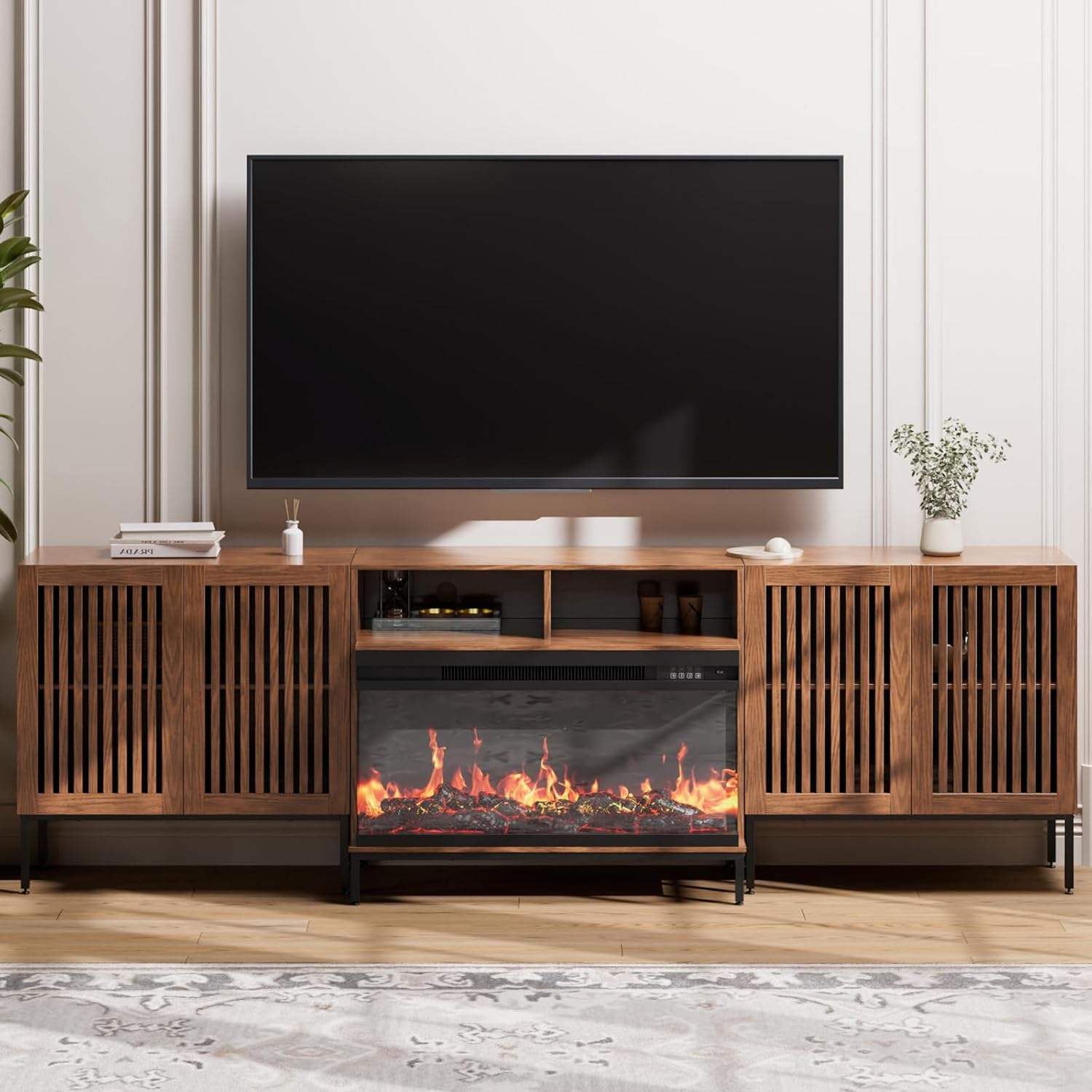
Image: The BVIUNTWO 100 Inch Farmhouse Fireplace TV Stand, fully assembled, featuring a 36-inch electric fireplace and ample storage, with a television placed on top.

Image: A lifestyle view of the BVIUNTWO 100 Inch Farmhouse Fireplace TV Stand, showcasing its design and functionality within a living room environment.
Important Safety Information
Please adhere to the following safety guidelines to prevent injury or damage:
- Avoid placing heavy objects on top of the TV stand to prevent tip-over.
- Exercise caution around sharp edges during assembly.
- Do not exceed the maximum weight capacity of 150 pounds for the TV stand.
- Keep children and pets away from the electric fireplace unit during operation.
- Always follow the assembly instructions precisely to ensure structural integrity and safety.
Package Contents
Your BVIUNTWO TV Stand and Electric Fireplace are shipped in four separate packages. Please ensure all packages have arrived before beginning assembly. Verify that all components and hardware listed in the instruction manual are present and undamaged.
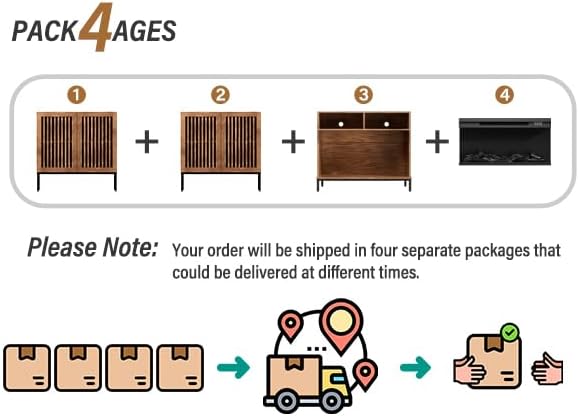
Image: A diagram illustrating that the product is delivered in four separate packages, which may arrive at different times.
Assembly Instructions
Assembly of the BVIUNTWO Farmhouse Fireplace TV Stand requires careful attention to detail. All screws, pins, and boards are coded and labeled for easy identification. A Philips head screwdriver is the only tool required.
Assembly Steps Overview:
- Assemble the main fireplace housing structure using the provided panels and hardware.
- Attach the metal base frame to the bottom of the main structure.
- Install the internal support panels and back panels.
- Integrate the 36-inch electric fireplace unit into the designated opening.
- Assemble the side storage cabinets, including door panel adjustments.
- Connect the side cabinets to the central fireplace unit.
- Secure the entire unit to the wall using the anti-tip hardware provided.
Video: An official installation guide for the BVIUNTWO 3-Sided Glass Fireplace TV Stand, demonstrating the step-by-step assembly process.

Image: A detailed diagram illustrating how to adjust the door panels for proper alignment and function.
Operating Instructions for the Electric Fireplace
The integrated 36-inch electric fireplace offers various settings for ambiance and heating. Use the control panel on the unit or the remote control (if included) to adjust settings.
Fireplace Controls:
- STANDBY: Press to turn the flame effects and heater ON/OFF.
- FLAME: Cycle through 12 flame colors and an OFF setting.
- BRIGHTNESS: Adjust flame and fuel bed brightness through 5 settings (L1-L5).
- HEATING: Cycle through low heat, high heat, and an OFF setting.
- TEMPERATURE: Adjust the heater's response to ambient temperature conditions. Hold for 3 seconds to switch between Celsius/Fahrenheit.
- 7 DAYS TIMER: Press to turn ON/OFF the 7-day timer. Press again to set the timer for 7 days.
- TIMER: Set the desired run time for the fireplace from 0.5 hours up to 9 hours in 1-hour increments.
- TIME: Press to set the heating start and end time under the 7-day timer. Press again to set the current time.
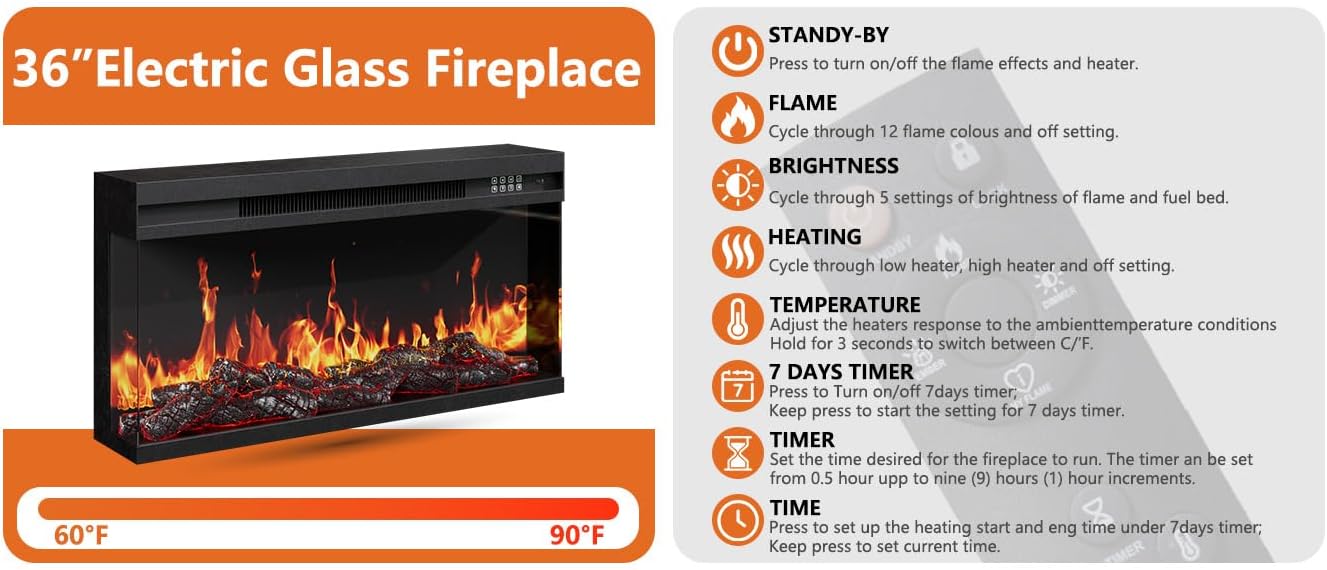
Image: A visual guide detailing the functions of the 36-inch electric glass fireplace controls, including temperature range and timer settings.

Image: An illustration showcasing the 12 available flame colors and 5 levels of flame brightness for the electric fireplace.
Maintenance
Regular maintenance ensures the longevity and appearance of your TV stand and electric fireplace.
- Cleaning: Wipe surfaces with a soft, damp cloth. Avoid harsh chemicals or abrasive cleaners that may damage the engineered wood finish.
- Dusting: Regularly dust the unit, especially around the fireplace vents, to maintain optimal airflow.
- Fireplace Care: Ensure the electric fireplace vents are clear of obstructions. Refer to the separate fireplace manual (if provided) for specific cleaning and maintenance instructions for the heating element and flame effects.
- Hardware Check: Periodically check all assembly hardware to ensure it remains tight. Retighten if necessary.
Troubleshooting
If you encounter issues with your BVIUNTWO TV Stand or electric fireplace, refer to the following common solutions:
- Wobbly Stand: Ensure all cam locks and screws are fully tightened. Verify that the stand is placed on a level surface. Adjust the feet if necessary.
- Misaligned Doors: Refer to the 'Door Panel Adjustment' section in the assembly instructions or the provided image to correctly adjust the hinges.
- Fireplace Not Turning On: Check if the power cord is securely plugged into a working outlet. Ensure the main power switch on the fireplace unit is ON.
- No Heat from Fireplace: Confirm the heating function is activated and not set to OFF. Check the temperature setting. Ensure vents are not blocked.
- Flame Effect Issues: If flame effects are not working or appear dim, check the brightness settings. Ensure the flame function is activated.
For persistent issues, please contact BVIUNTWO customer support.
Specifications
| Feature | Detail |
|---|---|
| Item Dimensions (L x W x H) | 15.3 x 100.4 x 31.5 inches |
| Material | Engineered Wood |
| Item Weight | 150 pounds |
| Special Features | Adjustable Feet, Adjustable Shelf |
| Assembly Required | Yes (Self-assembly with clear instructions) |
| Electric Fireplace Size | 36 inches |
| Flame Colors | 12 options |
| Flame Brightness | 5 levels |

Image: A technical drawing displaying the precise dimensions (length, width, height) of the TV stand components.
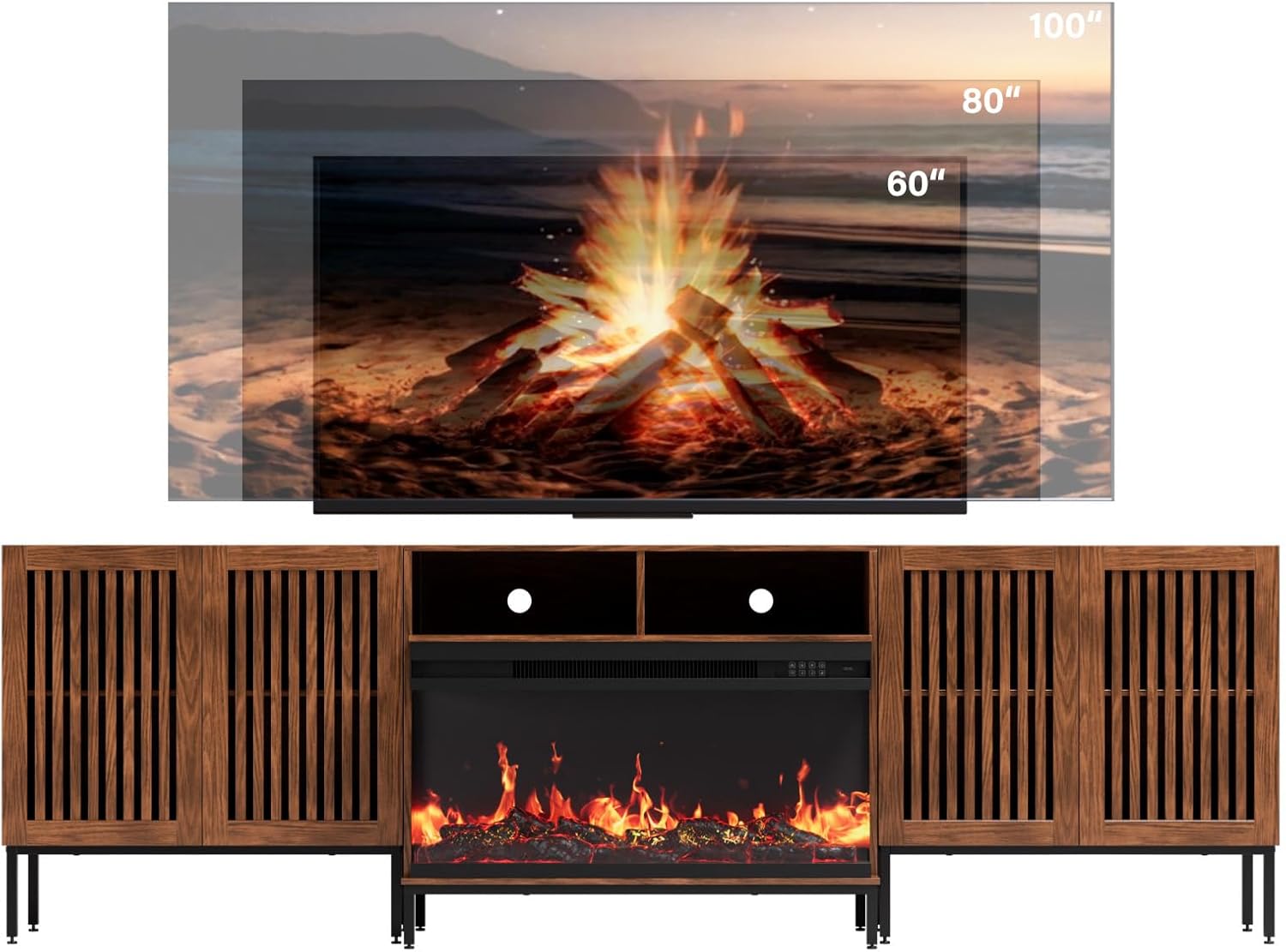
Image: A visual comparison demonstrating how different TV sizes (60, 80, and 100 inches) fit on or above the TV stand.
Warranty and Support
For warranty information or customer support, please refer to the documentation included with your product or contact BVIUNTWO directly through their official channels. General customer support is available for product inquiries and assistance.
Contact Information: Refer to your purchase receipt or the manufacturer's website for the most current customer service contact details.
Ask a question about this manual
Ask about setup, troubleshooting, compatibility, parts, safety, or missing instructions. Manuals+ will review the question and use this page’s manual context to help answer it.