
Comfort Stretch Power Recliner Sectional Sofa User Manual
Model: M072-WH
Introduction
Thank you for choosing the Comfort Stretch Power Recliner Sectional Sofa. This manual provides essential information for the safe assembly, operation, and maintenance of your new furniture. Please read these instructions carefully before use and retain them for future reference.
Safety Information
To ensure safe operation and prevent damage, please observe the following:
- Keep the sofa away from open flames or high heat sources.
- Do not use the sofa if any part is damaged or broken.
- Supervise children and pets to avoid entrapment risks, especially during reclining operations.
- Unplug the power cord when the sofa is not in use or during cleaning.
- Do not expose electrical components to water or moisture.
- Ensure adequate clearance (at least 4 inches) behind the sofa for reclining functionality.
Package Contents
Verify that all components are present before beginning assembly. The package should include:
- Multiple sectional sofa pieces (L-shape configuration)
- Power cords for electrical features
- Connecting brackets/hardware
- Instruction manual
Assembly Instructions
Assembly is required for this sectional sofa. It is recommended that two people perform the assembly. A screwdriver may be needed, but other tools are not included.
- Unpack Components: Carefully remove all parts from the packaging. Place them on a soft, clean surface to prevent scratches.
- Connect Sectional Pieces: Align the connecting brackets on each sectional piece. Slide the pieces together until they securely lock. Ensure all connections are firm.
- Attach Backrests: For pieces with detachable backrests, slide the backrests onto the metal posts located on the seat base until they click into place.
- Connect Power: Locate the power cords for each reclining section and the main power supply. Connect them according to the diagram provided in the separate assembly guide (if applicable). Plug the main power cord into a wall outlet.

Image: Overall view of the assembled sectional sofa, highlighting its L-shape and integrated features.

Image: Detailed view of the sofa's faux leather upholstery and design elements.
Operating Instructions
Power Reclining Function
The sofa features power recliners on two seats, allowing adjustment from 90° (upright) to 160° (fully reclined).
- Recline: Press and hold the forward button on the control panel located on the side of the armrest to extend the footrest and recline the backrest.
- Return to Upright: Press and hold the backward button on the control panel to retract the footrest and return the backrest to the upright position.

Image: Power control button and USB charging port on the armrest.
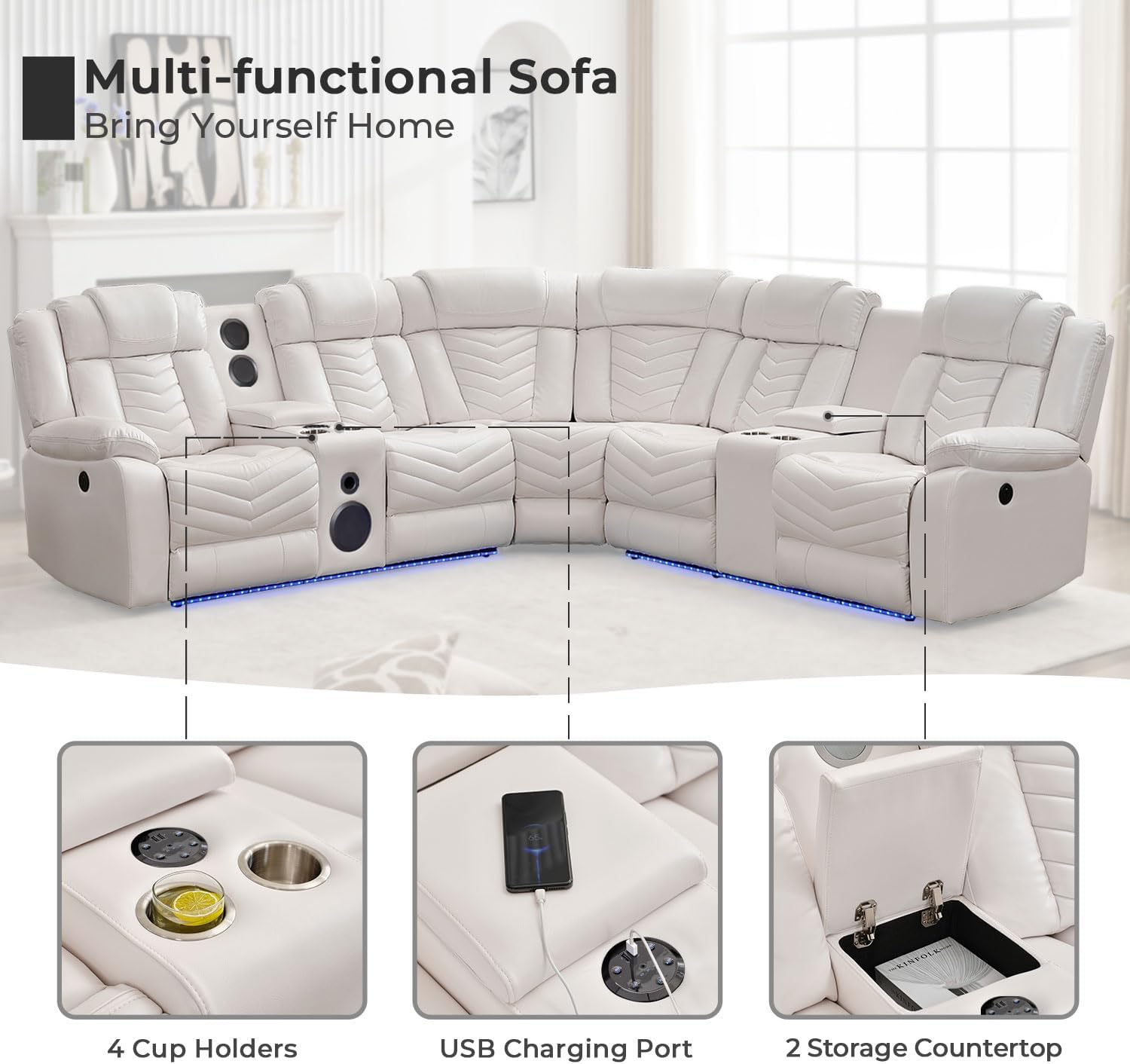
Image: Sofa illustrating different reclining angles for various activities.
LED Light Strips
The sofa features LED light strips along its base for ambient lighting.
- Activate/Deactivate: Press the dedicated LED light button on the control panel to turn the lights on or off.
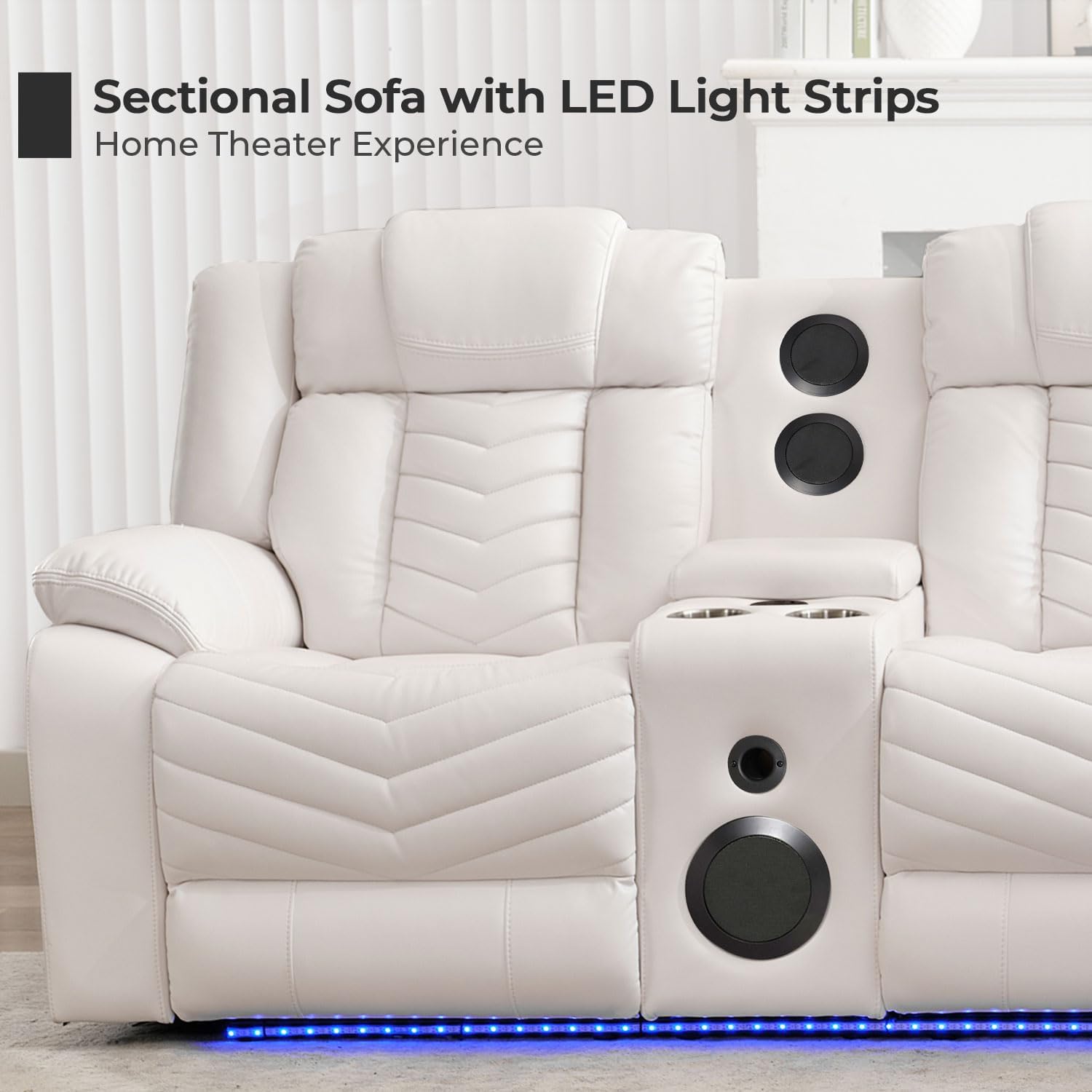
Image: Sofa with illuminated LED light strips.
Bluetooth Speakers
Integrated bass speakers enhance your entertainment experience.
- Power On: Locate the speaker control panel (often near cup holders) and press the power button to activate the speakers.
- Pairing: On your mobile device, enable Bluetooth and search for available devices. Select the sofa's Bluetooth name (refer to the separate speaker manual if provided for specific name).
- Play Audio: Once paired, play audio from your device, and it will stream through the sofa's speakers.

Image: Console with speakers, cup holders, and Bluetooth audio in use.
USB Charging Ports
Convenient USB ports are available for charging your devices.
- Charging: Plug your device's USB charging cable into the USB port located on the control panel. Ensure the sofa is powered on.

Image: Device charging via the integrated USB port.
Storage Console & Cup Holders
The sofa includes two consoles with hidden storage and cup holders.
- Access Storage: Lift the top lid of the console to reveal the storage compartment, ideal for remotes or magazines.
- Use Cup Holders: Place beverages in the integrated cup holders for convenience.

Image: Open storage console with cup holders.
Official Product Video
Video: This video demonstrates the key features of the Power Recliner Sectional Sofa, including the reclining mechanism, LED lights, and integrated bass speakers. It provides a visual guide to the sofa's functionality and design.
Maintenance and Care
Proper care will extend the life and appearance of your sofa.
- Cleaning: Wipe clean with a dry or damp cloth. Avoid excessive water exposure to the faux leather.
- Spills: Blot spills immediately with a clean, dry cloth. Do not rub.
- Avoid Harsh Chemicals: Do not use abrasive cleaners, solvents, or harsh chemicals, as these can damage the faux leather.
- Sunlight: Avoid prolonged exposure to direct sunlight to prevent fading and material degradation.
Troubleshooting
If you encounter issues with your sofa, refer to the following common solutions:
- Recliner Not Working:
- Ensure the power cord is securely plugged into both the sofa and the wall outlet.
- Check if the wall outlet is functional by plugging in another device.
- Verify that no objects are obstructing the reclining mechanism.
- LED Lights Not Illuminating:
- Confirm the sofa is powered on.
- Press the LED light button firmly.
- Bluetooth Speakers Not Connecting/Playing:
- Ensure the speakers are powered on.
- Check that Bluetooth is enabled on your device and the sofa is in pairing mode.
- Move your device closer to the sofa to ensure a strong Bluetooth signal.
- Verify that the volume on both your device and the sofa speakers is turned up.
- USB Port Not Charging:
- Ensure the sofa is powered on.
- Try a different USB cable or device to rule out cable/device issues.
If problems persist after attempting these steps, please contact customer support.
Specifications
| Feature | Detail |
|---|---|
| Brand | Comfort Stretch |
| Model Number | M072-WH |
| Color | White |
| Type | Sectional |
| Material Type | Artificial Leather (Faux Leather) |
| Product Dimensions (D x W x H) | 38.6"D x 159.24"W x 41.3"H |
| Item Weight | 386 Pounds |
| Weight Limit (per seat) | 350 Pounds |
| Seating Capacity | 5 |
| Reclining Seat Count | 2 |
| Reclining Position Count | 3 (90°, 120°, 160°) |
| Special Features | Power Recliners, LED Strips, Bluetooth Speakers, USB Charging Ports, Hidden Storage, Cup Holders |
| Assembly Required | Yes |
| Furniture Wall Clearance | 4 Inches |

Image: Dimensional diagram of the sectional sofa.
Warranty and Support
This Comfort Stretch Power Recliner Sectional Sofa comes with a Limited Warranty. For specific details regarding coverage and duration, please refer to the warranty documentation included with your purchase or contact the manufacturer directly.
For customer support, technical assistance, or warranty claims, please contact ASD Furniture, the seller, or Comfort Stretch directly. Contact information can typically be found on your purchase receipt or the product packaging.