1. Introduction
This instruction manual provides detailed guidance for the installation, operation, and maintenance of your BRUVISH 25-piece accessory kit. This kit is designed to maintain the optimal performance of your compatible iRobot Roomba robot vacuum.
1.1. Compatibility
This accessory kit is fully compatible with the following iRobot Roomba robot vacuum models:
- iRobot Roomba 104
- iRobot Roomba 105 Combo Robot
- iRobot Roomba Vacuum 2 Essential Robot Q0520
Ensure your robot vacuum model matches one of the listed compatible devices for proper function.

Figure 1.1: Visual confirmation of compatibility with Roomba Essential Vac 2 robot (Q0520).
2. Package Contents
Your BRUVISH accessory kit includes the following 25 components:
- 2 x Roller Brushes: Main brushes for debris collection.
- 6 x Side Brushes: For cleaning edges and corners.
- 6 x HEPA Filters: For air filtration.
- 6 x Dust Bags: For collecting vacuumed debris.
- 5 x Mop Pads: For wet cleaning functions.

Figure 2.1: Overview of all included accessory components.
3. Installation Guide
Follow these steps to install or replace the accessories in your iRobot Roomba robot vacuum.
3.1. Roller Brush Installation
- Turn off your robot vacuum and place it upside down on a flat surface.
- Locate the brush frame cover, usually secured by latches or screws. Open or remove it.
- Remove the old roller brushes.
- Insert the new BRUVISH roller brushes, ensuring they are properly seated in their designated slots. The V-shape design helps in effective debris absorption.
- Close the brush frame cover and secure it.

Figure 3.1: The V-shaped roller brush design efficiently collects pet hair, dirt, and debris from hardwood, carpet, and tile floors.
3.2. Side Brush Installation
- Turn off your robot vacuum and place it upside down.
- Locate the side brush, typically held by a screw. Unscrew and remove the old side brush.
- Align the new BRUVISH side brush with the screw hole and secure it with the screw. The innovative design helps reach deep into corners.
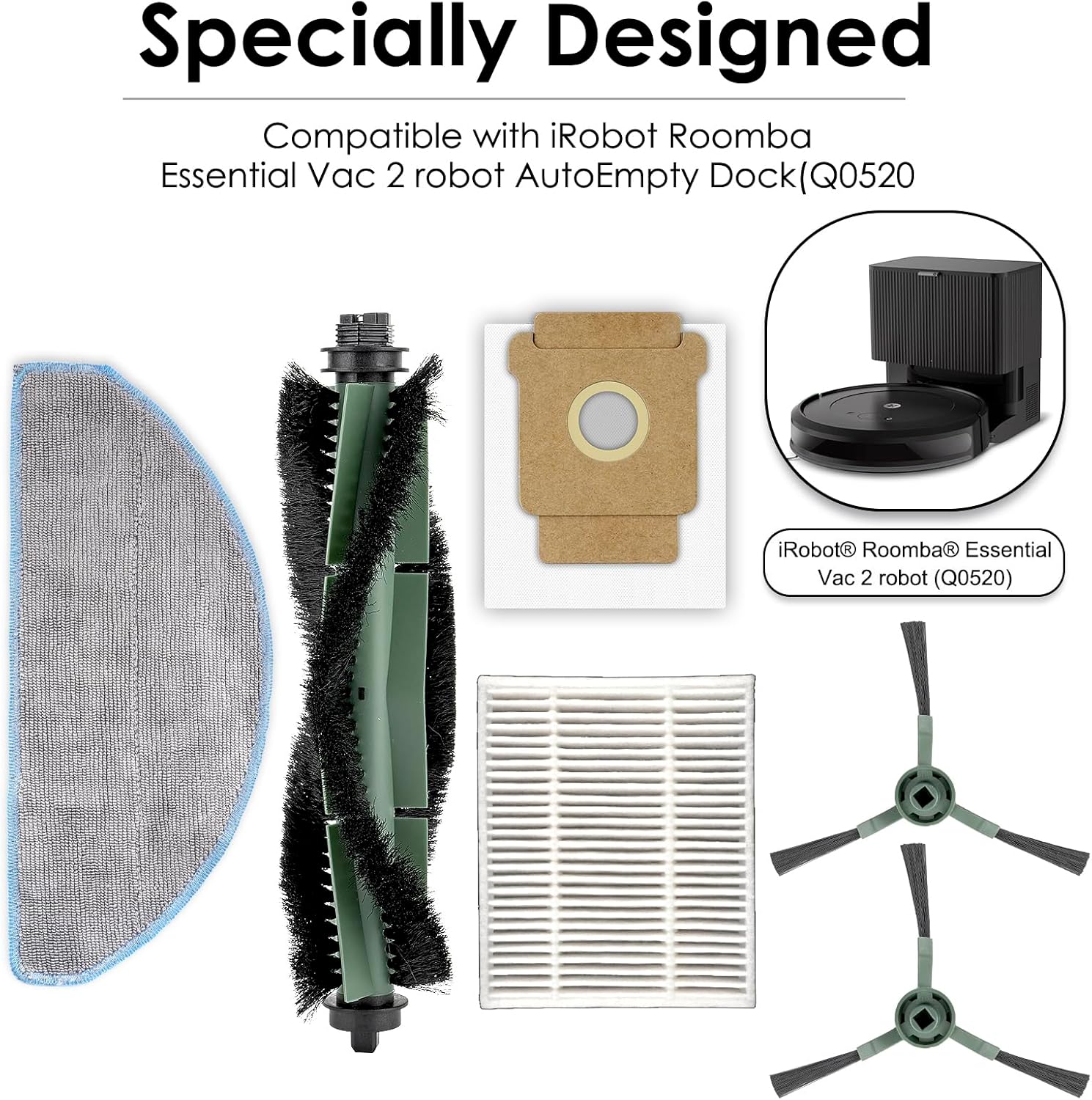
Figure 3.2: The side brush is designed to reach deep into corners and along baseboards for thorough cleaning.
3.3. HEPA Filter Installation
- Open the dust bin of your robot vacuum.
- Remove the old HEPA filter from the dust bin.
- Insert the new BRUVISH HEPA filter into the designated slot in the dust bin. Ensure it is seated correctly to filter up to 99.9% of particles.
- Close the dust bin.

Figure 3.3: The high-efficiency HEPA filter captures fine dust, pet hair, and small particles from the air.
3.4. Dust Bag Installation
- Open the dust bin or the auto-empty dock compartment of your robot vacuum.
- Remove the full or old dust bag.
- Insert a new BRUVISH dust bag, ensuring it is properly sealed within the compartment. These bags are made of high-quality melt-blown fiber and non-woven fabrics.
- Close the compartment.
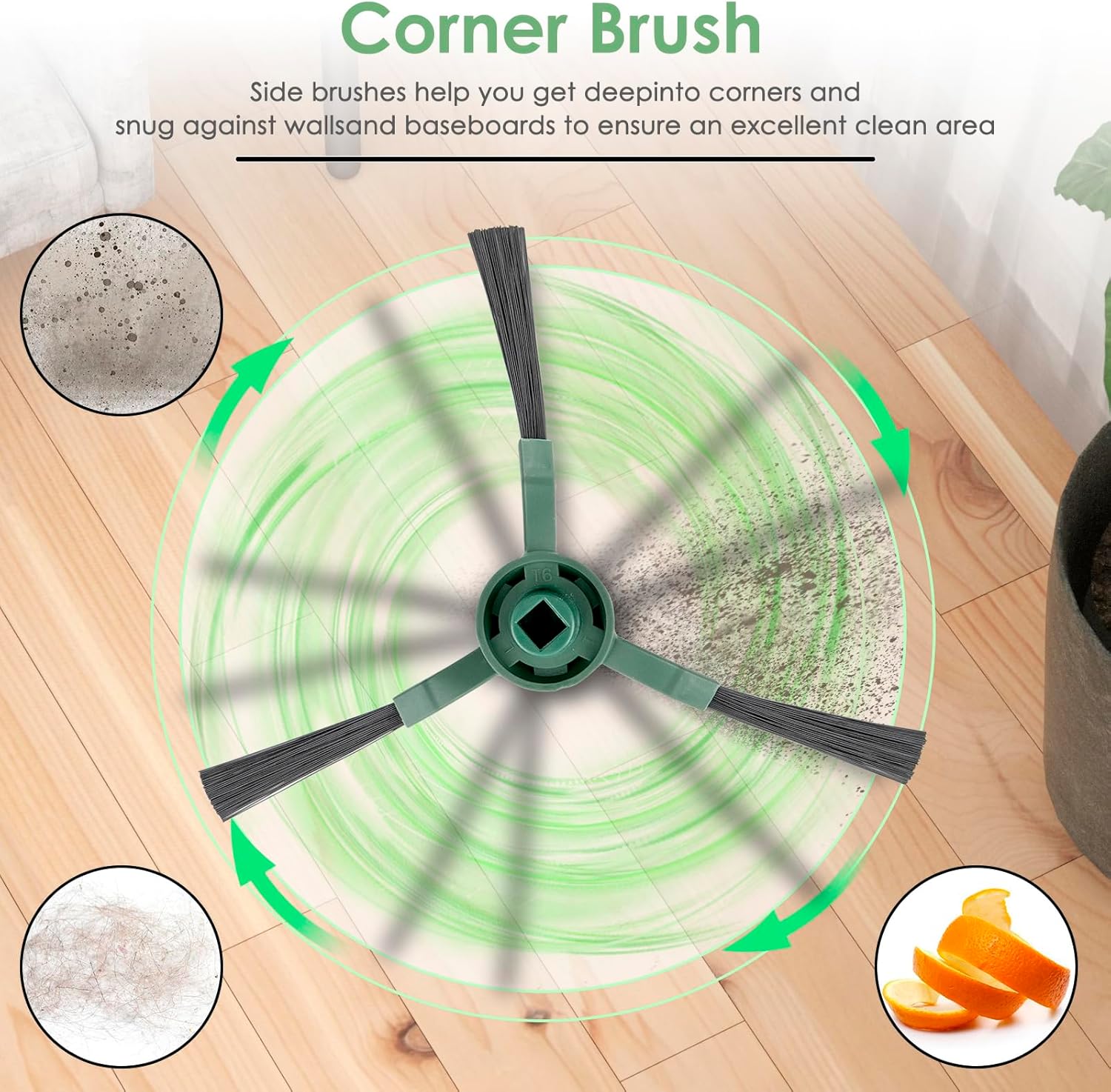
Figure 3.4: The dust bag effectively blocks dust, pollen, and small particles, contributing to a cleaner environment.
3.5. Mop Pad Installation
- Locate the mop pad attachment area on your robot vacuum.
- Attach a new BRUVISH mop pad to the designated area, typically using a hook-and-loop fastening system. The three-layer structure ensures effective cleaning.
- Ensure the mop pad is securely attached before operating the robot in mop mode.

Figure 3.5: The mop pad is designed for effective cleaning of various floor types, removing dirt, water stains, and juice residues.
4. Operating Guidelines
Once accessories are installed, operate your robot vacuum according to its original manufacturer's instructions. The BRUVISH accessories are designed to integrate seamlessly with your compatible iRobot Roomba model.
- Always ensure all accessories are correctly installed before starting a cleaning cycle.
- For optimal performance, regularly check the condition of all installed accessories.
- When using mop pads, ensure the water tank is filled as per your robot's instructions.
5. Maintenance
Regular maintenance of your accessories ensures the longevity and efficiency of your robot vacuum.
5.1. Roller Brushes
- Cleaning: Periodically remove hair and debris tangled around the roller brushes. Use the cleaning tool provided with your robot vacuum, if available.
- Replacement: Replace roller brushes every 6-12 months, or sooner if visible wear or reduced cleaning performance is observed.
5.2. Side Brushes
- Cleaning: Remove any tangled hair or debris from the side brushes regularly.
- Replacement: Replace side brushes every 3-6 months, or if bristles are bent or damaged, to ensure effective edge cleaning.
5.3. HEPA Filters
- Cleaning: Tap the filter against a trash can to dislodge dust. Do not wash HEPA filters with water.
- Replacement: It is recommended to replace HEPA filters every 1-2 months to maintain optimal filtration and prevent dust from entering the robot's engine.
5.4. Dust Bags
- Replacement: Replace dust bags when they are full. The frequency depends on usage and household debris levels.
- Disposal: The non-woven fabric of the dust bags is designed to decompose within 90 days under natural conditions.
5.5. Mop Pads
- Cleaning: Mop pads are washable and reusable. After each use, remove and rinse them thoroughly with water.
- Replacement: Replace mop pads as needed, or if they show signs of wear or reduced cleaning effectiveness.
6. Troubleshooting
If you encounter issues after replacing accessories, consider the following:
- Robot Error Messages: Ensure all accessories are correctly installed and securely fastened. Refer to your robot vacuum's original manual for specific error codes.
- Reduced Cleaning Performance: Check if brushes are tangled with hair or debris. Verify that filters are clean and not clogged. Replace accessories if they are worn out.
- Unusual Noises: Inspect roller brushes and side brushes for any foreign objects or improper installation that might cause friction or noise.
7. Specifications
| Feature | Detail |
|---|---|
| Product Dimensions | 0.39 x 0.39 x 0.39 inches |
| Item Weight | 0.352 ounces |
| Number of Pieces | 25 |
| Material | High-quality plastics, nylon, melt-blown fiber, non-woven fabrics |
| Compatible Devices | iRobot Roomba 104, Roomba 105 Combo Robot, Roomba Vacuum 2 Essential Robot Q0520 |
| Reusability | Mop pads are reusable; other components are replaceable. |
8. Warranty and Support
This BRUVISH accessory kit comes with a 1-year manufacturer warranty. Should you have any questions, concerns, or require assistance with your product, please contact our customer service team. We are committed to resolving any issues you may encounter.
For support inquiries, please refer to the contact information provided at the point of purchase or on the product packaging.