
1. Introduction
Thank you for choosing the POOLPURE RPC100A Cordless Robotic Pool Cleaner. This device is designed to provide efficient and convenient cleaning for your swimming pool. Please read this manual thoroughly before operation to ensure proper use, maintenance, and to maximize the lifespan of your cleaner. Keep this manual for future reference.
2. Important Safety Information
Always observe the following safety precautions to reduce the risk of injury or damage:
- Read all instructions carefully before using the appliance.
- Do not operate the cleaner when people or animals are in the pool.
- Ensure the charging port is dry before connecting the charger.
- Use only the original charger supplied with the cleaner.
- Do not attempt to repair the cleaner yourself. Contact qualified service personnel.
- Keep the cleaner out of reach of children.
- Store the cleaner in a cool, dry place when not in use.
3. Product Overview
The POOLPURE RPC100A is a cordless robotic pool cleaner featuring a super waterproof design, dual motors, and a high-capacity battery for extended cleaning cycles.

Figure 3.1: The POOLPURE RPC100A Cordless Robotic Pool Cleaner submerged in water, showcasing its super waterproof design. This image illustrates the cleaner's robust construction for underwater operation.
4. Setup
4.1 Charging the Cleaner
Before first use, fully charge the cleaner. The 5000mAh battery provides over 100 minutes of work time on a full charge, which typically takes about 3 hours.
- Ensure the cleaner is dry and clean, especially the charging port.
- Connect the charger to the cleaner's charging port.
- Plug the charger into a standard electrical outlet.
- The indicator light will show charging status (refer to LED indicator section for details).
- Once fully charged, disconnect the charger from the outlet and the cleaner.

Figure 4.1: The POOLPURE RPC100A Cordless Robotic Pool Cleaner connected to its charger, illustrating the charging process. The image shows the cleaner on a wooden floor, plugged into a wall outlet.
4.2 Preparing the Pool
Ensure the pool is free of large debris that could obstruct the cleaner's movement or suction. The cleaner is suitable for above-ground and in-ground pools up to 1000 sq.ft.

Figure 4.2: An aerial view of an above-ground pool with the POOLPURE RPC100A cleaner positioned in the center. This image demonstrates the cleaner's suitability for pools up to 52 feet in diameter.

Figure 4.3: An image illustrating pool types that are not suitable for the POOLPURE RPC100A. It shows pools with slopes, steps, and walls, indicating the cleaner is designed for flat-bottom pools and does not clean vertical surfaces or stairs.
5. Operating Instructions
5.1 Starting the Cleaner
- Ensure the cleaner is fully charged.
- Press the power button once to activate the cleaner. The indicator light will illuminate.
- Gently lower the cleaner into the pool. It will begin its cleaning cycle automatically.
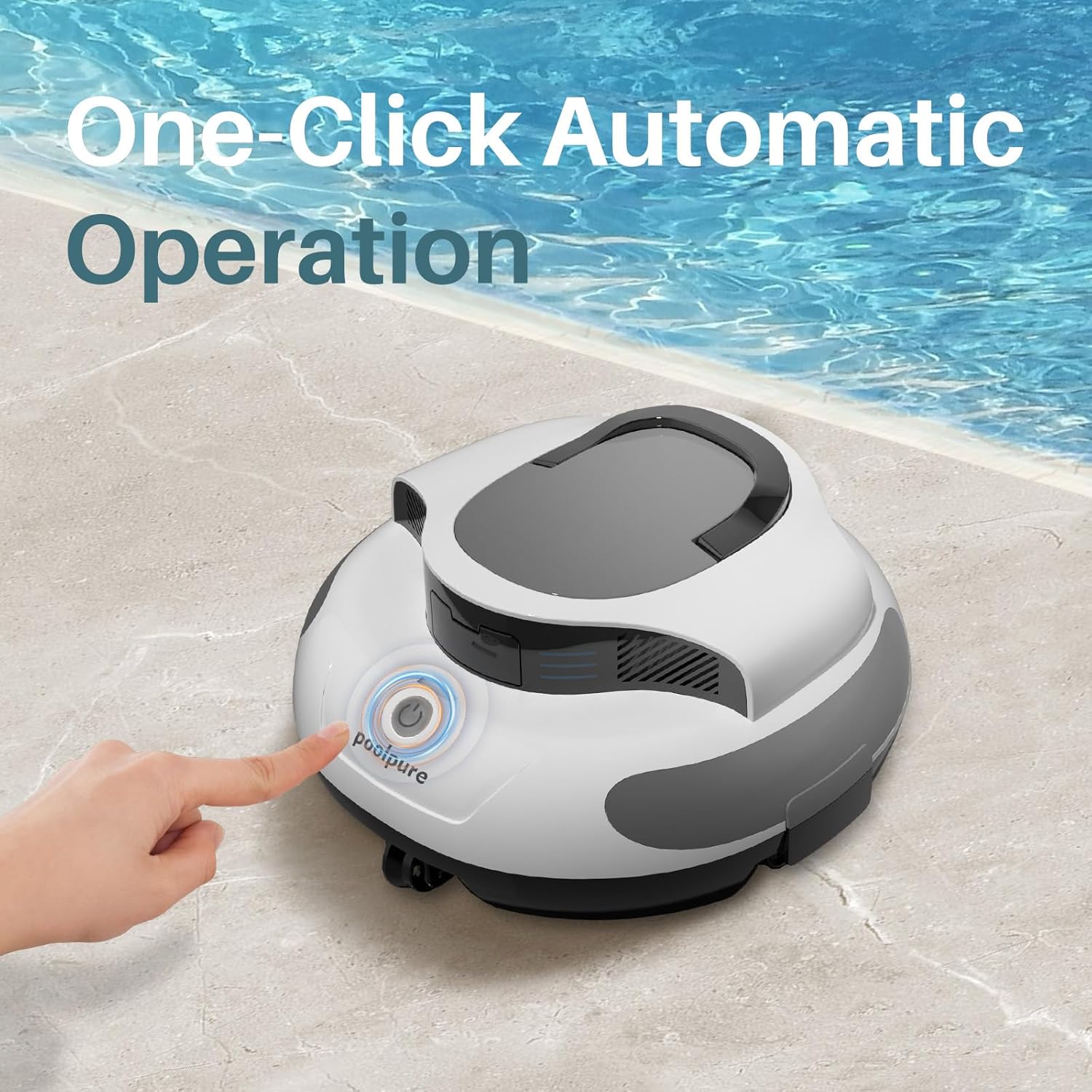
Figure 5.1: A hand pressing the power button on the POOLPURE RPC100A Cordless Robotic Pool Cleaner, demonstrating its one-click automatic operation. The cleaner is positioned at the edge of a pool.
5.2 Cleaning Cycle
The cleaner will navigate the pool floor, collecting debris, leaves, and hair with its powerful suction. It is designed for hassle-free cleaning without the need for cords.

Figure 5.2: The POOLPURE RPC100A Cordless Robotic Pool Cleaner actively cleaning the bottom of a tiled pool, demonstrating its powerful suction as it collects leaves and debris. A clear path behind the cleaner indicates its cleaning effectiveness.

Figure 5.3: A comparison image highlighting the benefits of the cordless design of the POOLPURE RPC100A (top) versus a traditional corded cleaner (bottom). The cordless cleaner is shown freely moving in the pool, while the corded cleaner requires manual handling and is prone to tangling.
5.3 Retrieving the Cleaner
When the cleaning cycle is complete or the battery is low, the cleaner will self-park near the edge of the pool. Use the handle to carefully lift it out of the water.
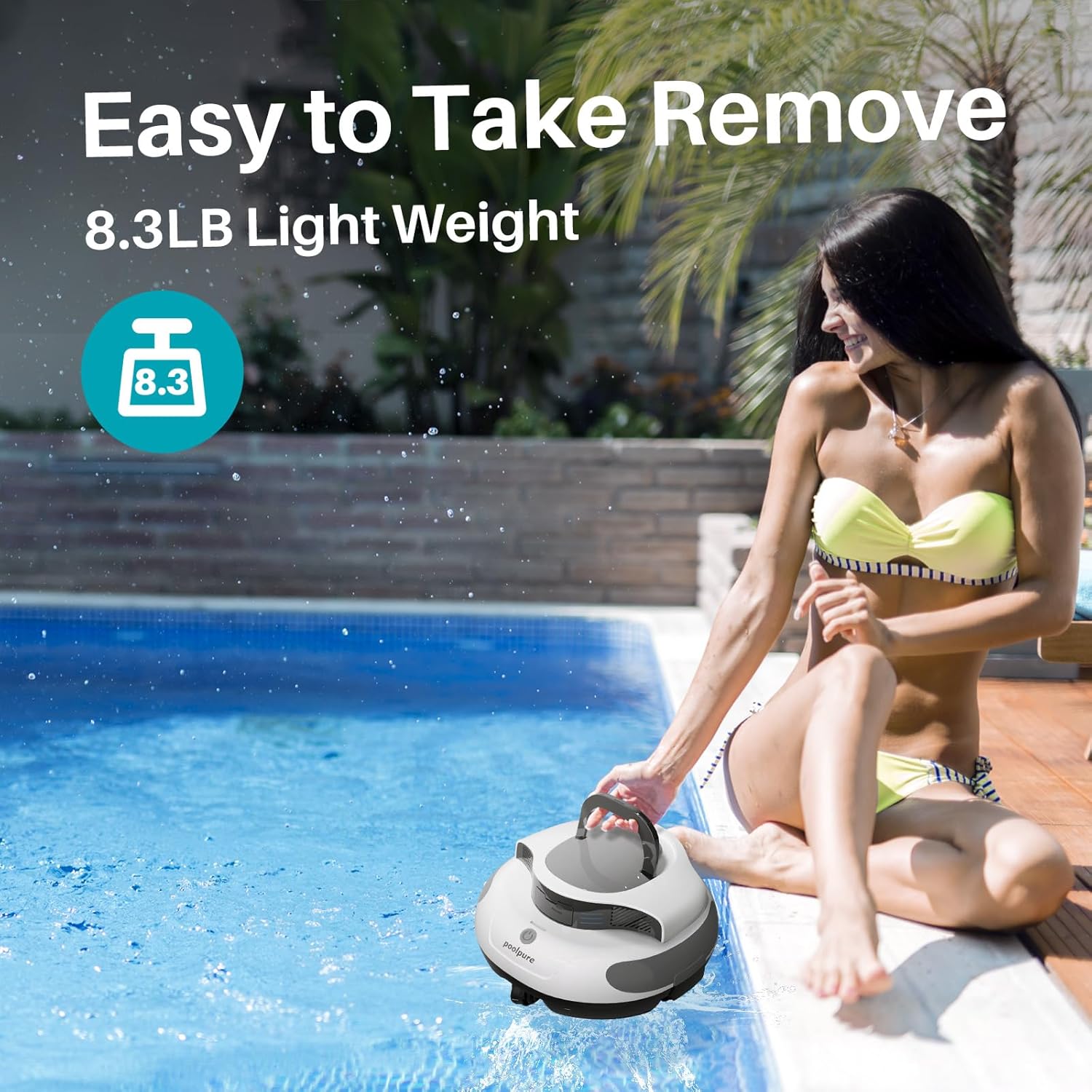
Figure 5.4: A person easily removing the POOLPURE RPC100A Cordless Robotic Pool Cleaner from the pool using its integrated handle. This image emphasizes the cleaner's lightweight design (8.3 lbs) and ease of handling.
6. Maintenance
6.1 Cleaning the Filter Basket
After each use, or when the cleaning performance decreases, clean the filter basket.
- Remove the cleaner from the pool.
- Open the cleaner's cover to access the filter basket.
- Remove the filter basket and empty any collected debris.
- Rinse the filter basket thoroughly with clean water.
- Reinsert the clean filter basket and close the cover securely.
6.2 Storage
When not in use for extended periods, store the cleaner in a cool, dry place, away from direct sunlight and extreme temperatures. Ensure the battery is partially charged (around 50%) before storage to prolong battery life.
7. Troubleshooting
If you encounter issues with your POOLPURE RPC100A, refer to the following table:
| Problem | Possible Cause | Solution |
|---|---|---|
| Cleaner does not start | Battery is low or depleted. | Charge the cleaner fully. |
| Cleaner moves slowly or stops during operation | Filter basket is full. Battery is low. Obstruction in motors/wheels. | Clean the filter basket. Recharge the cleaner. Check for and remove any obstructions. |
| Poor cleaning performance | Filter basket is dirty. Impeller is blocked. | Clean the filter basket. Inspect and clear the impeller. |
| Cleaner does not self-park | Sensor obstruction or malfunction. | Ensure sensors are clean. If problem persists, contact support. |
If the issue persists after attempting these solutions, please contact customer support.
8. Specifications
| Feature | Detail |
|---|---|
| Model Number | RPC100A |
| Battery Type | Lithium Ion |
| Battery Capacity | 5000mAh (55.5 Watt-hours) |
| Battery Voltage | 11.1 Volts |
| Runtime | Up to 120 minutes |
| Motor Power | Dual 30W Motors |
| Waterproof Rating | IPX8 |
| Product Dimensions | 35.31 x 34.54 x 20.07 cm |
| Product Weight | 3.63 kg (8 Pounds) |
| Max Pool Size | Up to 1000 sq.ft |
| Assembly Required | No |
| Model Year | 2025 |
9. Warranty and Support
For warranty information, technical support, or service inquiries, please refer to the warranty card included with your product or visit the official POOLPURE website. Keep your purchase receipt as proof of purchase.