
1. Important Safety Instructions
Please read all instructions carefully before using the fan and retain this manual for future reference. Failure to follow these instructions may result in electric shock, fire, or serious personal injury.
- Do not insert fingers or any objects into the fan grille when the fan is operating.
- Keep the fan away from water or other liquids. Do not use in wet environments.
- Do not block the air inlets or outlets.
- Ensure the fan is placed on a stable, flat surface to prevent tipping.
- This fan is not intended for use by persons (including children) with reduced physical, sensory, or mental capabilities, or lack of experience and knowledge, unless they have been given supervision or instruction concerning use of the fan by a person responsible for their safety.
- Only use the provided USB cable for charging.
- Do not attempt to disassemble or repair the fan yourself. Contact qualified service personnel for repairs.
2. Package Contents
Verify that all items are present in the package:
- KASYDoFF F42 Desk Fan Unit
- USB Charging Cable
- User Manual (this document)
3. Product Overview
The KASYDoFF F42 is an 8-inch oscillating portable desk fan designed for versatile cooling. It features a rechargeable battery, multiple speed settings, a timer function, and a foldable design for easy storage and portability.

Image: The KASYDoFF F42 Desk Fan shown in its fully extended, upright position, ready for use on a desk or table.
4. Setup
4.1 Unfolding and Adjusting Height
- Place the fan base on a flat, stable surface.
- Gently pull the fan head upwards from the base to extend the telescopic pole.
- Adjust the height to your desired level. The fan can extend up to 16.5 inches (42 cm).
- Tilt the fan head to direct airflow as needed.
- To fold for storage, push the fan head down until it collapses into the base.

Image: The fan displayed in its compact, folded state (left) and fully extended state (right), with dimensions indicating a height of 16.5 inches (42 cm) when extended and a base diameter of 8 inches (20 cm).
4.2 Initial Charging
Before first use, fully charge the fan. The fan is equipped with a 5400mAh industrial-grade battery.
- Connect the provided USB charging cable to the fan's Type-C charging port.
- Connect the other end of the USB cable to a compatible USB power adapter (not included) or a computer USB port.
- The charging indicator lights will illuminate to show charging status. A full charge typically takes 9-10 hours.
- Once fully charged, the indicator lights will show a steady full charge, and the fan can operate cordlessly for up to 24 hours on eco mode.
5. Operation
The fan features three clearly labeled buttons for control.

Image: A close-up view of the fan's control panel, showing three buttons for speed, oscillation, and timer functions, along with indicator lights. The image also highlights the phone stand feature and detachable cover.
5.1 Power On/Off and Speed Control
- Press the Power/Speed button (usually indicated by a fan icon) once to turn on the fan at Speed 1.
- Press the button repeatedly to cycle through Speed 2, Speed 3, and Speed 4.
- After Speed 4, pressing the button again will turn the fan off.
5.2 Oscillation Function
- Press the Oscillation button (usually indicated by a rotating arrow icon) to activate 90° oscillation.
- Press the button again to stop oscillation.
5.3 Timer Setting
- Press the Timer button (usually indicated by a clock icon) to set an automatic shut-off timer.
- Each press cycles through 1 hour, 2 hours, 4 hours, and 8 hours.
- The corresponding indicator light will illuminate to show the selected timer duration.
- To cancel the timer, press the button until no timer indicator lights are on.

Image: A graphic illustrating the four speed settings (Speed 1 to 4) with corresponding run times (1450 mins to 360 mins) and four timer options (1H, 2H, 4H, 8H).
6. Maintenance
6.1 Cleaning the Fan Blades and Grille
Regular cleaning helps maintain optimal performance and airflow.
- Ensure the fan is turned off and unplugged from any power source before cleaning.
- The front grille and fan blades are detachable for easy cleaning. Gently twist or unclip the front grille to remove it.
- Carefully remove the fan blades.
- Wash the grille and blades with mild soap and water. Rinse thoroughly and allow them to dry completely before reassembling.
- Wipe the main body of the fan with a soft, damp cloth. Do not immerse the fan body in water.
- Reassemble the blades and grille, ensuring they are securely fastened.
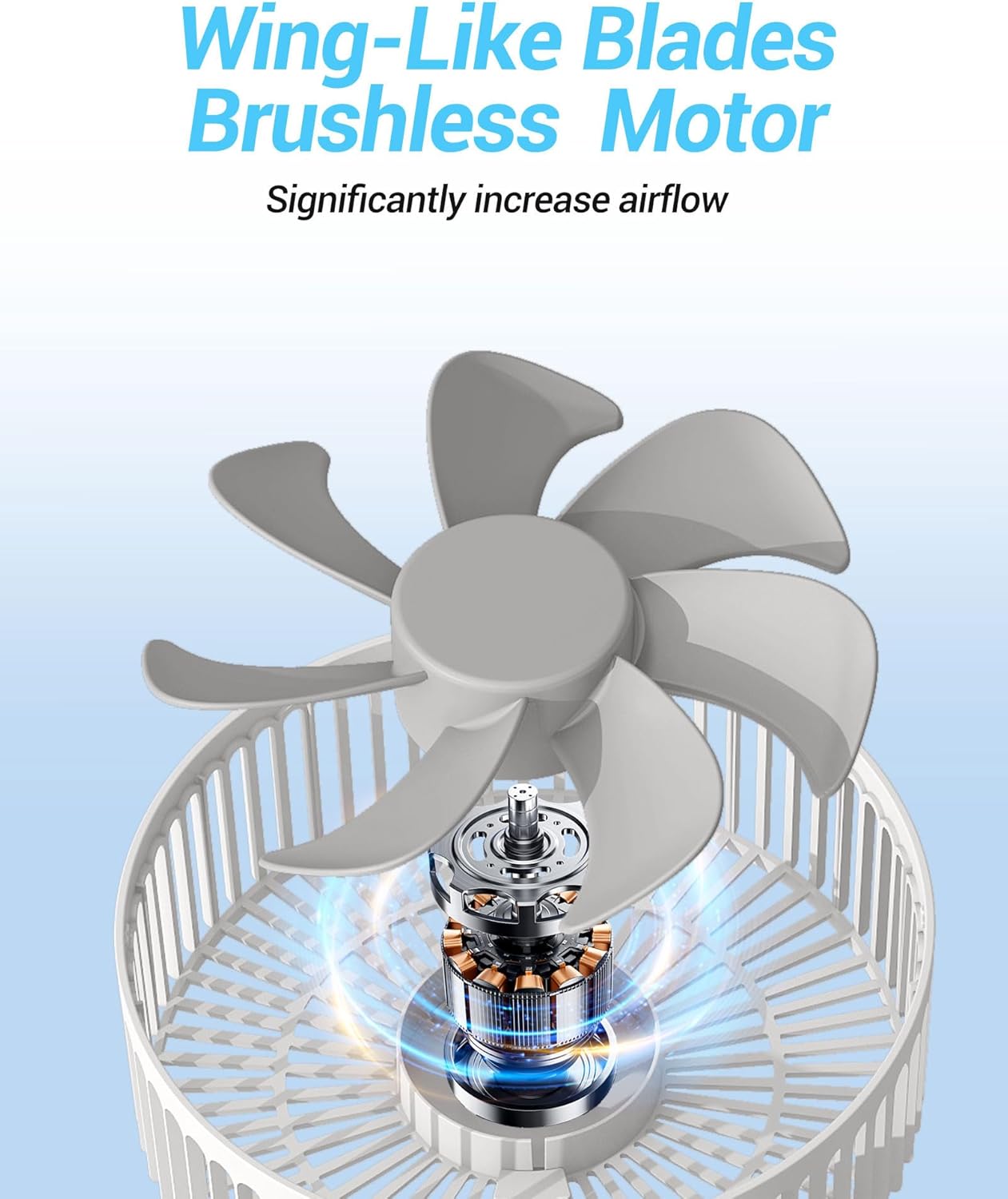
Image: The KASYDoFF F42 Desk Fan with its front grille and fan blades detached, illustrating the removable design for cleaning.
6.2 Storage
When not in use, fold the fan into its compact form and store it in a cool, dry place away from direct sunlight.
7. Troubleshooting
If you encounter issues with your KASYDoFF F42 Desk Fan, refer to the following common problems and solutions:
- Fan does not turn on:
- Ensure the fan is charged. Connect it to a power source using the USB cable.
- Check if the power button is pressed correctly.
- Weak airflow:
- Increase the fan speed setting.
- Check if the fan blades or grille are obstructed or dirty. Clean as per maintenance instructions.
- Ensure the battery is sufficiently charged.
- Fan does not oscillate:
- Press the oscillation button to activate the function.
- Ensure there are no physical obstructions preventing rotation.
- Unusual noise during operation:
- Ensure the fan is placed on a stable, flat surface.
- Check for any foreign objects caught in the fan blades or grille.
- Clean the fan blades and grille to remove any dust buildup.
8. Specifications
| Brand | KASYDoFF |
| Model Name | F42 |
| Electric Fan Design | Table Fan |
| Power Source | Battery Powered |
| Battery Capacity | 5400mAh |
| Run Time (Max) | Up to 24 hours (eco mode) |
| Number of Speeds | 4 |
| Oscillation | 90 degrees |
| Timer Settings | 1H, 2H, 4H, 8H |
| Noise Level | 25 Decibels |
| Wattage | 12 watts |
| Product Dimensions (Extended) | 8"D x 8"W x 16.5"H (20cm D x 20cm W x 42cm H) |
| Item Weight | 0.8 Pounds |
| Material | Plastic |
| Charging Port | USB Type-C |
9. Warranty and Support
9.1 Warranty Information
The KASYDoFF F42 Desk Fan comes with a 1-year warranty from the date of purchase. This warranty covers manufacturing defects and workmanship under normal use. It does not cover damage caused by misuse, accidents, unauthorized modifications, or normal wear and tear.
9.2 Customer Support
If you have any questions, concerns, or require assistance with your KASYDoFF F42 Desk Fan, please contact our customer service team. Refer to your purchase documentation or the KASYDoFF official website for contact details.