
1. Introduction
Thank you for choosing the Coleshome L-Shaped Corner Desk. This manual provides essential information for the safe assembly, proper operation, and effective maintenance of your new desk. Please read these instructions carefully before beginning assembly and retain them for future reference.
This versatile desk is designed to optimize your workspace, offering ample storage, integrated power solutions, and dynamic LED lighting. Its L-shaped design can be configured to suit various room layouts, making it ideal for home offices, study areas, or gaming setups.
2. Safety Information
- Read All Instructions: Ensure you understand all assembly steps and safety warnings before proceeding.
- Two-Person Assembly Recommended: For safety and ease of assembly, it is highly recommended that two adults assemble this desk.
- Use Correct Tools: Only use the tools specified in the assembly guide. Do not use power tools unless explicitly instructed, as this may damage the product.
- Stable Surface: Assemble the desk on a clean, flat, and stable surface to prevent scratches or damage.
- Secure All Fasteners: Ensure all screws, bolts, and connectors are tightened securely before using the desk. Periodically check and re-tighten as needed.
- Electrical Safety: When using the integrated power outlets and USB ports, ensure that connected devices do not exceed the specified voltage and current limits. Do not expose electrical components to moisture.
- Weight Limits: Do not overload the desk surface, shelves, or drawers. Refer to the specifications for maximum weight capacities.
- Children and Pets: Keep small parts and packaging materials away from children and pets during assembly to prevent choking hazards.
3. Package Contents
Please verify that all components listed in the included assembly guide are present before beginning assembly. If any parts are missing or damaged, please contact customer support.
Typical Components Include:
- Desk Panels (Main desktop, side panels, shelf panels)
- Metal Frame Components
- 5 Fabric Drawers with Front Panels
- LED Light Strip with Controller
- Integrated Power Outlet Unit (2 AC outlets, 2 USB ports)
- Assembly Hardware (screws, bolts, connectors, adjustable feet)
- Assembly Instructions (separate document)
Note: All assembly tools are not included with this product. Please refer to the separate assembly instructions for a detailed list of required tools.
4. Setup and Assembly
The Coleshome L-Shaped Corner Desk requires assembly. For detailed, step-by-step instructions, please refer to the dedicated assembly manual included in your package. The following provides a general overview:
General Assembly Steps:
- Unpack and Identify: Carefully unpack all components and compare them against the parts list in your assembly guide.
- Assemble the Frame: Begin by assembling the metal frame structure according to the diagrams. Ensure all connections are secure.
- Attach Desk Panels: Secure the main desktop and side panels to the assembled frame.
- Install Shelves: Place and secure the four storage shelves into their designated positions.
- Insert Drawers: Assemble the fabric drawers and slide them into the desk's compartments.
- Install Electrical Components: Integrate the LED light strip and the power outlet unit as shown in the instructions. Connect the power cord.
- Adjust Leveling Feet: Once assembled, adjust the leveling feet at the bottom of the desk to ensure stability on uneven floors.

Figure 4.1: Product Dimensions Overview
The L-shaped design offers flexibility, allowing you to configure the desk for either a left-hand or right-hand setup. Consult your assembly guide for specific instructions on reversible configurations.
5. Operating Instructions
5.1. LED Lighting System
The desk features an integrated LED lighting system to enhance your work or gaming environment. The LED strip is controlled via a small inline controller.
- Power On/Off: Press the power button on the controller to turn the LED lights on or off.
- Brightness Adjustment: Use the brightness buttons (often marked with '+' and '-') to cycle through 10 levels of brightness.
- Mode Selection: Use the mode button to switch between 10 different lighting modes, including various colors and dynamic effects.

Figure 5.1: Dynamic LED Lighting

Figure 5.2: LED Color and Mode Variations
5.2. Integrated Power Outlets and USB Ports
The desk is equipped with a convenient power strip featuring 2 AC outlets (110V-240V/6A) and 2 USB ports (5V/2A) for charging your devices directly on the desktop.
- Connecting Devices: Plug your electronic devices into the AC outlets or use a USB cable to connect to the USB ports for charging.
- Power Cord: Ensure the desk's 200cm power cord is securely plugged into a wall outlet.
- Overload Protection: Avoid overloading the power strip. Do not connect devices that collectively exceed the maximum current rating.
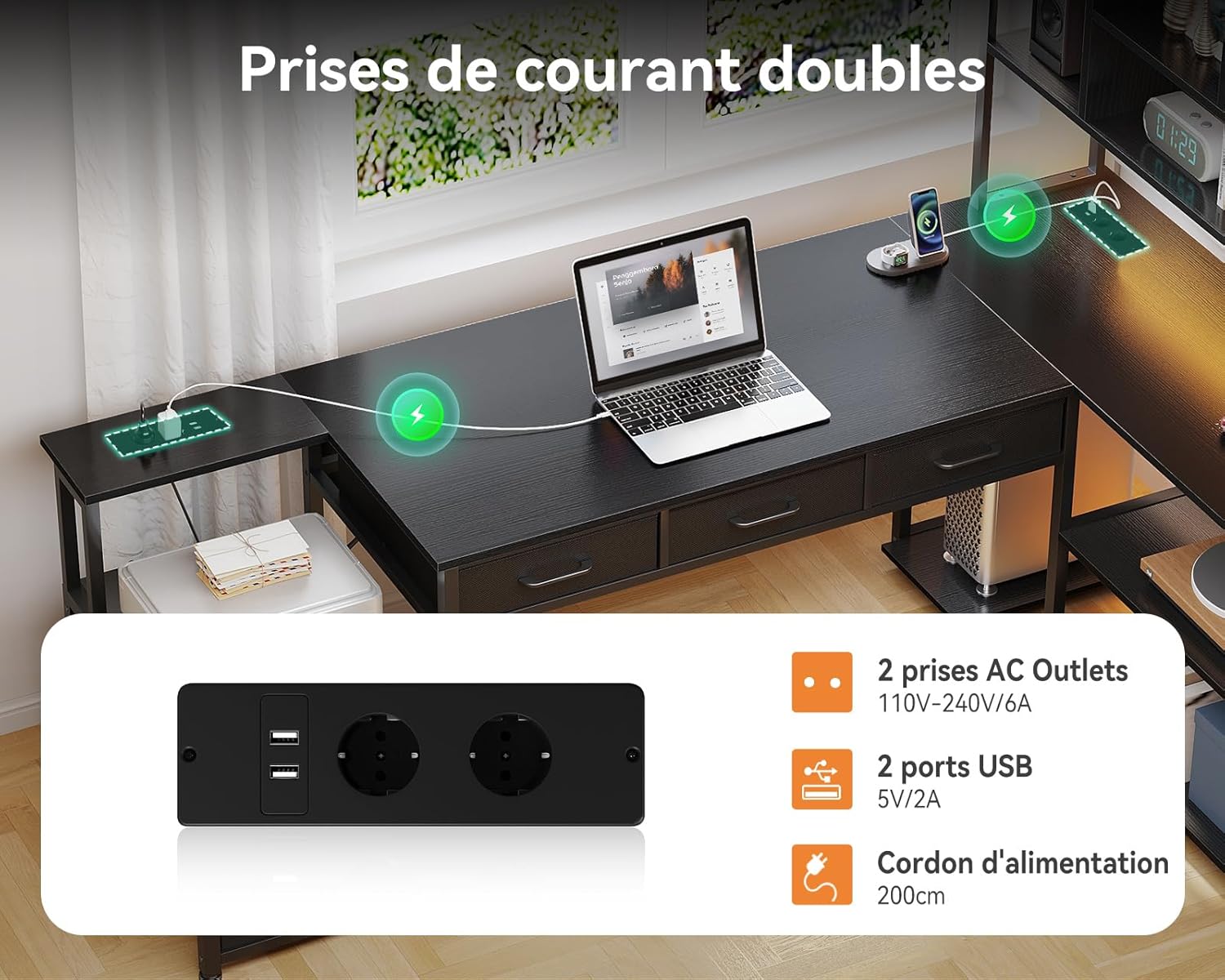
Figure 5.3: Integrated Double Power Outlets
5.3. Storage Features
The desk provides extensive storage with 5 drawers and 4 open shelves to help keep your workspace organized.
- Drawers: The 5 fabric drawers are ideal for storing office supplies, documents, and personal items. Some drawers are designed to accommodate A4/Letter-sized files.
- Shelves: The 4-level shelving unit offers space for books, decorative items, computer peripherals, or even a small printer.
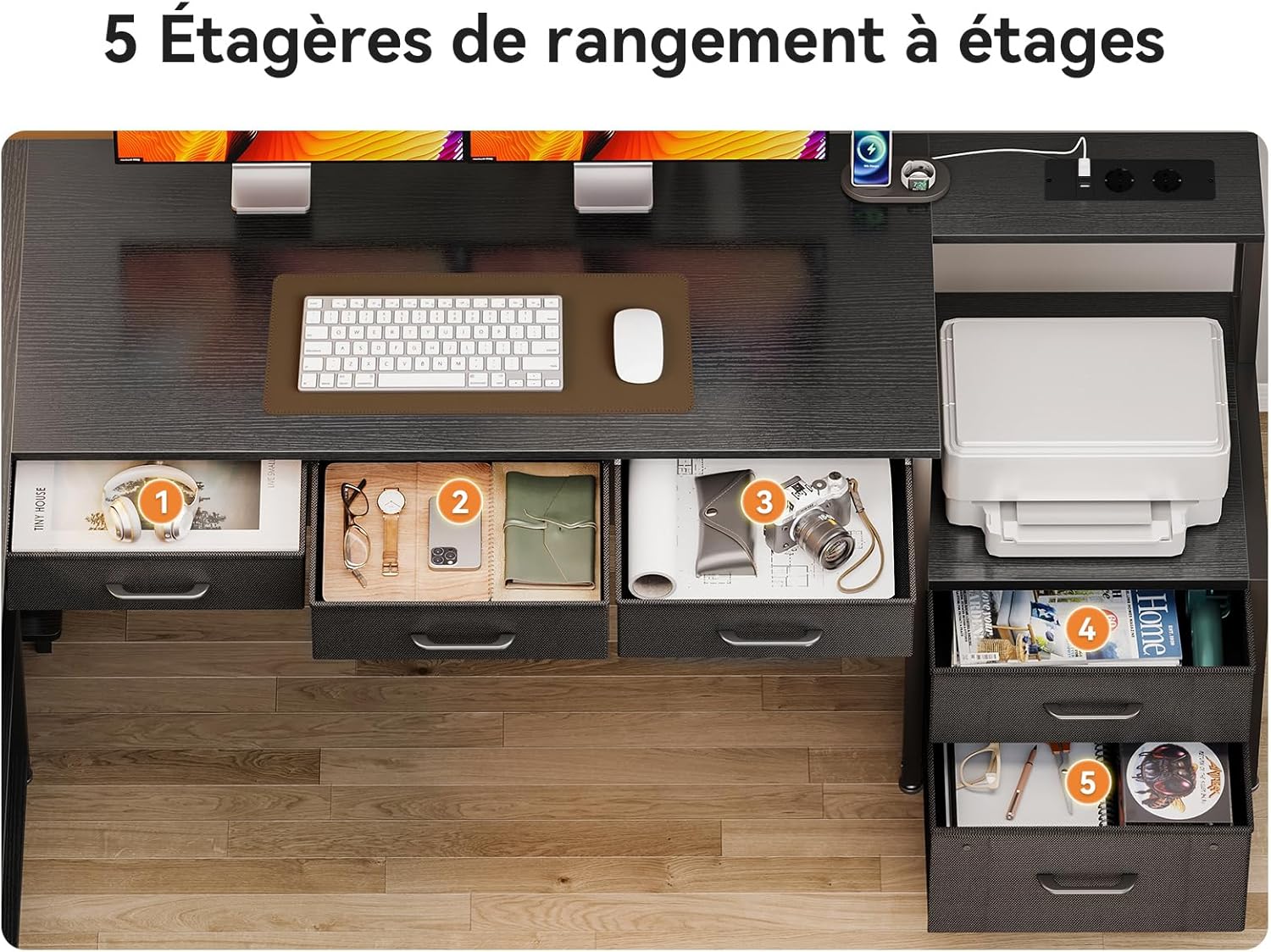
Figure 5.4: Five Storage Drawers

Figure 5.5: Four-Level Storage Shelves
5.4. Product Demonstration Video
Video 5.6: Coleshome L-Shaped Desk Product Features Overview. This video demonstrates the desk's features, including its storage drawers, shelving, integrated power outlets, and LED lighting system.
6. Maintenance
- Cleaning: Wipe the desk surfaces with a soft, damp cloth. Avoid harsh chemicals or abrasive cleaners, which can damage the finish.
- Dusting: Regularly dust all surfaces, including shelves and frame, to prevent buildup.
- Spills: Immediately wipe up any spills to prevent staining or damage to the wood surfaces.
- Fastener Check: Periodically inspect all screws and bolts to ensure they remain tight. Re-tighten as necessary to maintain stability.
- Drawer Care: The fabric drawers can be spot cleaned with a mild detergent and damp cloth. Allow to air dry completely.
7. Troubleshooting
Common Issues and Solutions:
- Desk is Wobbly:
- Ensure all assembly fasteners are securely tightened.
- Adjust the leveling feet at the bottom of the desk to compensate for uneven flooring.
- LED Lights Not Working:
- Check if the desk's main power cord is securely plugged into a functional wall outlet.
- Verify that the LED strip's connection to the power unit and controller is secure.
- Ensure the power button on the LED controller has been pressed.
- Power Outlets/USB Ports Not Functioning:
- Confirm the desk's main power cord is plugged in and the wall outlet is active.
- Check if the power strip unit is correctly installed and connected internally (refer to assembly guide).
- Avoid overloading the power strip; disconnect some devices to see if it restores function.
- Drawers Do Not Slide Smoothly:
- Ensure the fabric drawers are correctly assembled and inserted into their compartments.
- Check for any obstructions within the drawer compartments.
If you encounter issues not covered here, or if troubleshooting steps do not resolve the problem, please contact Coleshome customer support.
8. Specifications
| Feature | Detail |
|---|---|
| Brand | Coleshome |
| Model Number | ZJZ-ZSJYCWJG |
| Dimensions (L x W x H) | 180 cm x 100 cm x 154.2 cm |
| Shape | L-Shape (Reversible) |
| Color | Black |
| Material | Wood (Top), Metal (Frame) |
| Number of Drawers | 5 (Fabric) |
| Number of Shelves | 4 |
| LED Lighting | Yes (10 Brightness Levels, 10 Modes) |
| Power Outlets | 2 AC Outlets (110V-240V/6A) |
| USB Ports | 2 USB Ports (5V/2A) |
| Power Cord Length | 200 cm |
| Assembly Required | Yes |
| Item Weight | 33.5 Kilograms |
9. Warranty and Support
Coleshome products are manufactured to high-quality standards. For information regarding warranty coverage, please refer to the warranty card included with your purchase or visit the official Coleshome website.
If you have any questions, require assistance with assembly, or need to report missing/damaged parts, please contact Coleshome customer support through the retailer where you purchased the product or via the contact information provided on the Coleshome brand store.
Online Support: Visit the Coleshome Store on Amazon