Introduction
This instruction manual provides essential information for the safe and efficient use of your PowerHOOD 12V AC/DC Adapter. This adapter is specifically designed to provide power to UnionSine HD3510 Desktop External Hard Drives (10TB, 12TB, 14TB, 16TB, 18TB). Please read this manual thoroughly before use and retain it for future reference.
Safety Information
Your safety is paramount. This PowerHOOD adapter incorporates multiple safety features to ensure reliable operation. Adhere to the following guidelines:
- Do not expose the adapter to water, moisture, or extreme temperatures.
- Do not attempt to open, modify, or repair the adapter. Refer servicing to qualified personnel.
- Ensure the adapter is connected to a properly grounded power outlet.
- Avoid placing heavy objects on the power cord or adapter.
- Disconnect the adapter from the power outlet during lightning storms or when unused for extended periods.
- This adapter is UL certified and features built-in protections against overvoltage, short circuit, overcurrent, over-temperature, and overload.
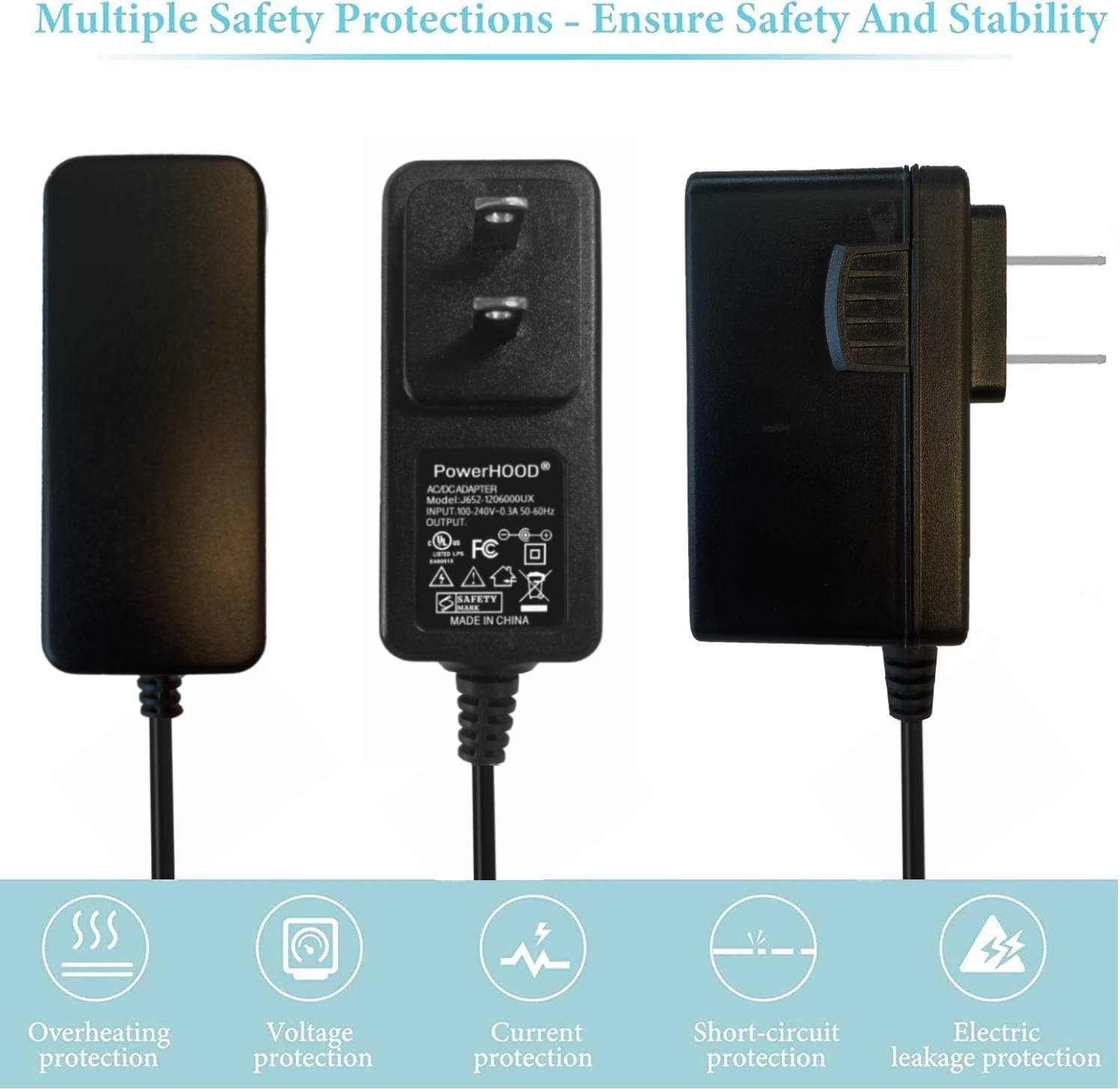
Image: The PowerHOOD AC/DC adapter highlighting its multiple safety protections including overheating, voltage, current, short-circuit, and electric leakage protection.

Image: A detailed view of the PowerHOOD AC/DC adapter's internal circuit board, illustrating its comprehensive protection mechanisms such as over current, over charge, short circuit, temperature, over load, and over voltage protection.
Setup Instructions
Follow these steps to properly set up your PowerHOOD 12V AC/DC Adapter:
- Unpack the Adapter: Carefully remove the PowerHOOD 12V AC/DC Adapter from its packaging. Inspect it for any visible damage.
- Identify the Connectors: The adapter has a standard two-prong or three-prong plug for the wall outlet and a barrel connector for your UnionSine HD3510 external hard drive.
- Connect to Hard Drive: Insert the barrel connector end of the adapter cable firmly into the designated power input port on your UnionSine HD3510 Desktop External Hard Drive. Ensure a snug fit.
- Connect to Power Outlet: Plug the adapter's power plug into a standard, functional wall outlet or power strip.

Image: The PowerHOOD 12V AC/DC adapter, showing its main body and the barrel connector designed for compatible devices.

Image: A hand demonstrating the correct way to plug the PowerHOOD AC/DC adapter into a power strip, ensuring a secure connection.
Operating Instructions
Once the adapter is properly connected to both the hard drive and a power outlet, the UnionSine HD3510 Desktop External Hard Drive should receive power. The hard drive's own indicator light (if present) will typically illuminate to confirm power reception.
- Ensure all connections are secure before powering on your hard drive.
- The adapter is designed for continuous operation within its specified voltage and current limits.
- Always disconnect the adapter from the power source before disconnecting it from the hard drive to prevent potential data corruption or damage.
Maintenance
Proper maintenance ensures the longevity and safe operation of your adapter:
- Cleaning: Use a soft, dry cloth to wipe the adapter. Do not use liquid cleaners or solvents.
- Storage: When not in use, store the adapter in a cool, dry place, away from direct sunlight and extreme temperatures. Avoid tightly coiling the cable to prevent damage.
- Inspection: Periodically inspect the adapter and its cable for any signs of wear, cuts, or damage. If damage is observed, discontinue use immediately and replace the adapter.
Troubleshooting
If you encounter issues with your PowerHOOD 12V AC/DC Adapter, refer to the following common problems and solutions:
| Problem | Possible Cause | Solution |
|---|---|---|
| Hard drive not powering on. | Adapter not properly connected. | Ensure the barrel connector is fully inserted into the hard drive and the power plug is securely in the wall outlet. |
| Hard drive powers on intermittently. | Loose connection or faulty power outlet. | Check all connections for tightness. Try plugging the adapter into a different wall outlet. |
| Adapter feels unusually hot. | Overload or poor ventilation. | Ensure the adapter is not covered and has adequate ventilation. If overheating persists, discontinue use and contact support. |
| Hard drive not recognized by computer. | Power issue (less likely if hard drive powers on) or data cable issue. | Verify the hard drive is receiving power. Check the USB data cable connection between the hard drive and the computer. |
Specifications
Detailed technical specifications for the PowerHOOD 12V AC/DC Adapter (Model J652-1206000UX):
| Feature | Specification |
|---|---|
| Model Number | J652-1206000UX |
| Input Voltage | 100-240V AC |
| Input Frequency | 50/60 Hz |
| Output Voltage | 12V DC |
| Output Current | 2 Amps |
| Compatible Devices | UnionSine HD3510 Desktop External Hard Drive (10TB, 12TB, 14TB, 16TB, 18TB) |
| Connector Type | Barrel Connector |
| Safety Features | UL Certified, Short Circuit Protection, Over Temperature Protection, Over Voltage Protection, Overcurrent Protection, Overload Protection |
| Item Weight | 4 ounces |
| Manufacturer | PowerHOOD |
Warranty and Support
For warranty information and technical support, please refer to the documentation provided with your purchase or contact the seller directly. PowerHOOD is committed to providing reliable products and customer satisfaction.
Manufacturer: PowerHOOD