1. Introduction
This manual provides essential information for the safe and effective use of your VkingMoR Wearable Bluetooth Speaker. Please read this manual thoroughly before operating the device and retain it for future reference.

Image 1.1: Front view of the VkingMoR Wearable Bluetooth Speaker in Pink.
2. Package Contents
Verify that all items are present in your package:
- VkingMoR Wearable Bluetooth Speaker
- USB-C Charging Cable
- User Manual (this document)
3. Product Overview
Familiarize yourself with the speaker's components and controls.

Image 3.1: Diagram illustrating the speaker's button controls.
Key Features:
- Wearable Design: Equipped with a clip for attachment to clothing or gear.
- IPX6 Waterproof: Resistant to strong water jets, suitable for outdoor use.
- Built-in Microphone: For hands-free calls with Environmental Noise Cancellation (ENC).
- LED Light: Integrated flashlight for illumination.
- RGB Lights: Decorative lighting modes.
- Bluetooth 5.4: For stable and efficient wireless connectivity.
- TWS Pairing: Allows two speakers to connect for stereo sound.
4. Setup
4.1 Charging the Speaker
Before first use, fully charge the speaker. Use the provided USB-C cable.
- Connect the USB-C end of the cable to the speaker's charging port (DC 5V).
- Connect the USB-A end to a compatible USB power adapter (not included) or computer USB port.
- The charging indicator light will illuminate during charging and turn off when fully charged. A full charge takes approximately 1.5 hours and provides up to 15 hours of playtime.

Image 4.1: The speaker connected to a USB-C charging cable.
4.2 Power On/Off
- To Power On: Press and hold the Power/Play/Pause button (center button on the top panel) for approximately 2 seconds. A voice prompt will indicate "Power On".
- To Power Off: Press and hold the Power/Play/Pause button for approximately 2 seconds. A voice prompt will indicate "Power Off".
4.3 Bluetooth Pairing
Pair the speaker with your Bluetooth-enabled device (e.g., smartphone, tablet, laptop).
- Ensure the speaker is powered on and in pairing mode. The LED indicator will flash, and a voice prompt will say "Pairing".
- On your device, enable Bluetooth and search for available devices.
- Select "S2" from the list of devices.
- Once connected, a voice prompt will confirm "Connected", and the LED indicator will stop flashing.

Image 4.2: The speaker in use, demonstrating its portable and wireless nature.
4.4 TWS (True Wireless Stereo) Pairing
To achieve stereo sound, you can pair two VkingMoR BH127A speakers together.
- Ensure both speakers are powered off.
- Power on both speakers simultaneously. They will enter pairing mode.
- Double-click the Power/Play/Pause button on one of the speakers. It will attempt to pair with the other speaker.
- Once successfully paired, a voice prompt will confirm the TWS connection.
- Now, connect your device to one of the speakers via Bluetooth as described in Section 4.3. Both speakers will play audio in stereo.

Image 4.3: Two speakers connected for True Wireless Stereo (TWS) playback.
5. Operating Instructions
5.1 Basic Controls
- Power On/Off: Press and hold the Power/Play/Pause button for 2 seconds.
- Play/Pause: Single click the Power/Play/Pause button.
- Volume Up: Single click the '+' button.
- Volume Down: Single click the '-' button.
- Next Track: Long press the '+' button for 3 seconds.
- Previous Track: Long press the '-' button for 3 seconds.
5.2 Call Management
- Answer/End Call: Single click the Power/Play/Pause button.
- Reject Call: Long press the Power/Play/Pause button for 2 seconds.

Image 5.1: The speaker enables hands-free communication with its built-in microphone.
5.3 LED Light Functions
The speaker features a built-in LED flashlight and RGB ambient lights.
- Flashlight On/Off/Modes: Single click the Light button (below the main control panel) to cycle through brightness levels or turn off the flashlight.
- RGB Lights On/Off/Modes: Long press the Light button for 2 seconds to activate RGB ambient lights. Continue long pressing to cycle through different color modes or turn off.
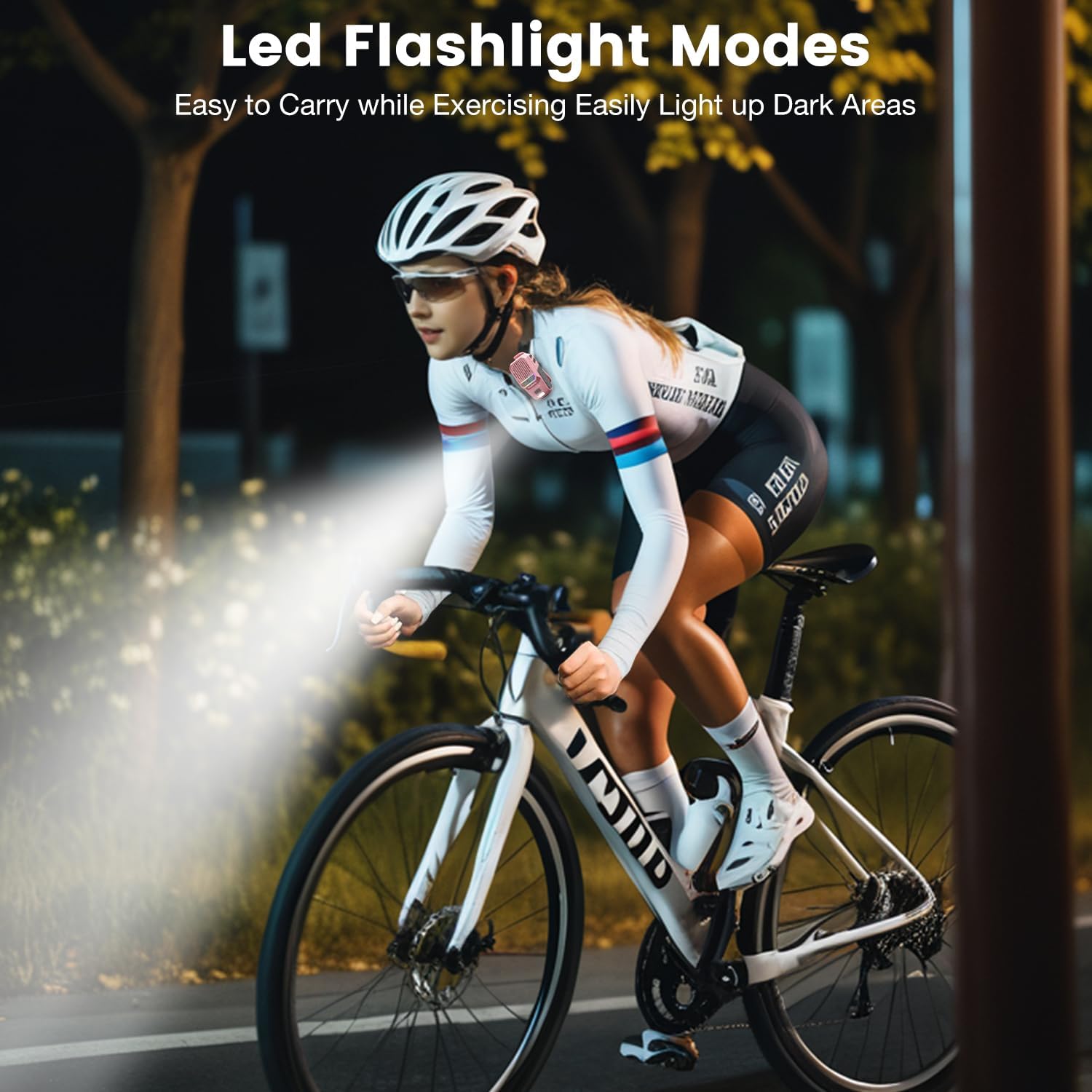
Image 5.2: The integrated LED flashlight provides illumination during activities.
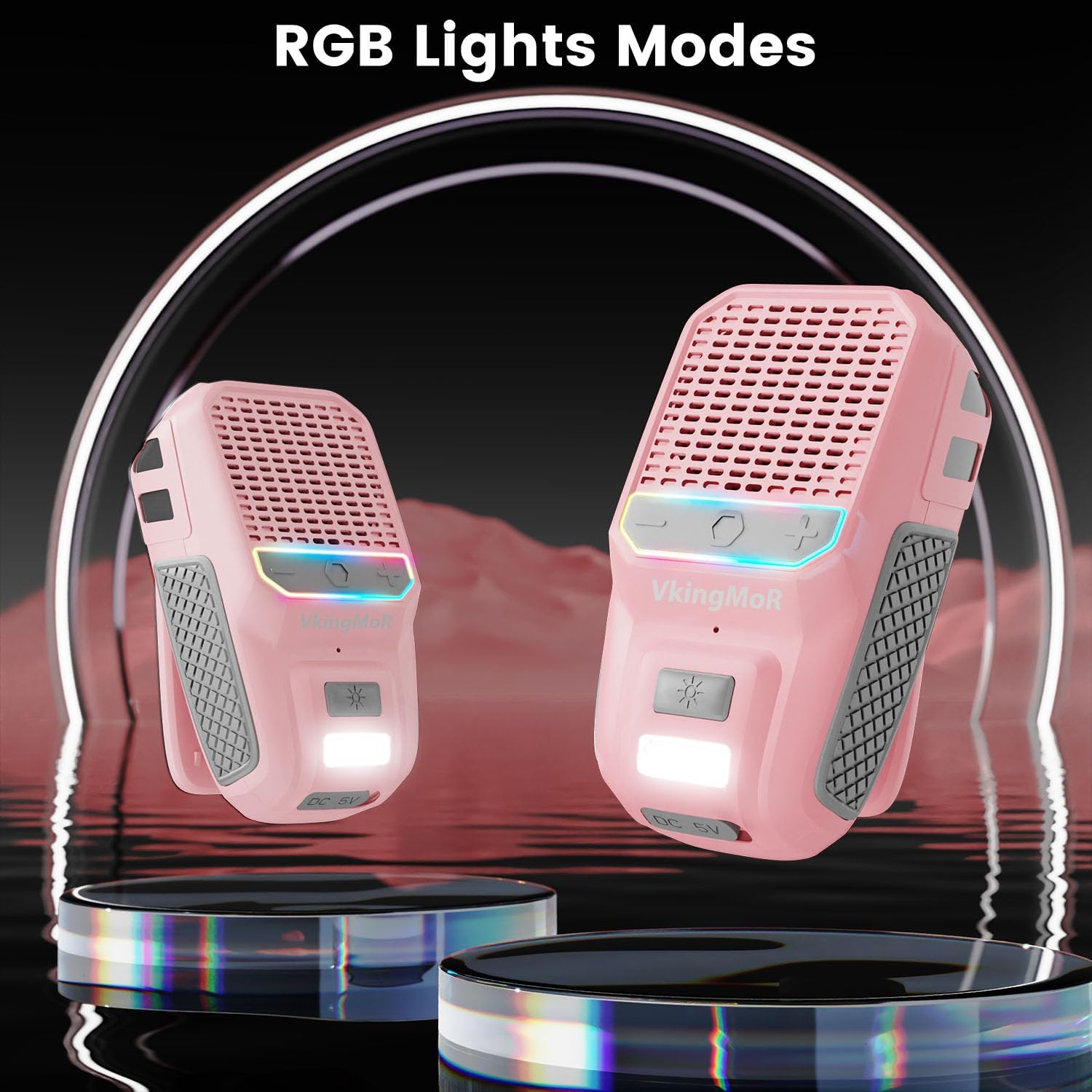
Image 5.3: The speaker features customizable RGB ambient lighting.
5.4 Voice Assistant
The speaker supports voice assistant activation on your connected device.
- Activate Voice Assistant: Triple click the Power/Play/Pause button.

Image 5.4: Voice assistant functionality allows for hands-free control of your device.
6. Maintenance
- Cleaning: Wipe the speaker with a soft, damp cloth. Do not use abrasive cleaners or solvents.
- Storage: Store the speaker in a cool, dry place away from extreme temperatures and direct sunlight.
- Water Resistance: While IPX6 rated, avoid prolonged submersion in water. Ensure the charging port cover is securely closed to maintain water resistance.

Image 6.1: The speaker's IPX6 rating provides protection against water splashes.
7. Troubleshooting
| Problem | Possible Cause | Solution |
|---|---|---|
| Speaker does not power on. | Low battery. | Charge the speaker fully. |
| Cannot pair with device. | Bluetooth is off on device; speaker is not in pairing mode; device is too far. | Ensure Bluetooth is enabled on your device. Power cycle the speaker to enter pairing mode. Move device closer to speaker. |
| No sound or low volume. | Volume too low on speaker or device; speaker not connected. | Increase volume on both speaker and connected device. Re-establish Bluetooth connection. |
| TWS pairing fails. | Speakers not in TWS pairing mode correctly. | Ensure both speakers are powered off, then power them on and double-click the Power/Play/Pause button on one speaker to initiate TWS pairing. |
| Call quality is poor. | Environmental noise; speaker too far from mouth. | Move to a quieter environment. Ensure speaker is positioned optimally for microphone pickup. |
8. Specifications
| Feature | Detail |
|---|---|
| Model Name | BH127AP |
| Bluetooth Version | 5.4 |
| Wireless Range | Up to 10 meters (33 feet) |
| Waterproof Rating | IPX6 |
| Battery Life | Up to 15 hours |
| Charging Time | Approx. 1.5 hours (USB-C) |
| Speaker Output Power | 10 Watts |
| Frequency Response | 20 KHz |
| Item Weight | 72 Grams (2.54 ounces) |
| Product Dimensions | 2.12"D x 1.29"W x 3.42"H |
| Special Features | Built-in Microphone (ENC), LED Light, RGB Lights, Portable, Wearable Clip |
9. Safety Information
- Do not disassemble, repair, or modify the product.
- Keep the product away from extreme heat, direct sunlight, and open flames.
- Do not expose the product to corrosive liquids.
- Dispose of the product and its battery responsibly according to local regulations.
- Avoid listening at high volumes for extended periods to prevent hearing damage.
10. Warranty and Support
This VkingMoR product comes with a limited warranty. For specific warranty terms and conditions, please refer to the documentation provided at the time of purchase or contact VkingMoR customer support through their official channels. Please retain your proof of purchase for warranty claims.