1. Introduction
This manual provides detailed instructions for the proper installation, usage, and maintenance of your upscreen Scratch Shield Clear screen protector, designed specifically for the Denver SWC-191 device. This screen protector offers robust scratch protection, high transparency, and an anti-fingerprint coating to maintain your device's display clarity and responsiveness.
2. Package Contents
Please verify that all items are present in your package before beginning the installation process. The standard package includes:
- 1x upscreen Scratch Shield Clear Screen Protector compatible with Denver SWC-191
- 1x Cleaning Wipe
- 1x Smoothing Card
- 1x Wet Pad
- 1x Dust Remover Sticker
- 3x Guide Stickers
- Installation Instructions (this manual)

Image: The package contents, including the screen protector, cleaning wipe, smoothing card, wet pad, dust remover, and guide stickers.
3. Product Features
The upscreen Scratch Shield Clear screen protector is engineered with several key features to enhance your device's protection and user experience:
- Strong Scratch Protection: A newly developed coating protects your display against scratches and minor damages.
- High Transparency: With 94% light penetration, the protector preserves the original clarity and sharpness of your device's display.
- Anti-Fingerprint Coating: An oleophobic layer resists oil and smudges, significantly reducing fingerprints and making the screen easier to clean.
- Bubble-Free Installation: The advanced silicon adhesive ensures a smooth, bubble-free application and perfect adhesion.
- Delicate Touch: The multitouch-optimized surface maintains the original touch sensitivity and responsiveness of your device.
- Precision Cut: Manufactured in Germany using advanced laser technology for a precise fit.

Image: Visual representation of the screen protector's features, including scratch protection, high transparency, bubble-free installation, delicate touch, anti-fingerprint, and German manufacturing.

Image: A side-by-side comparison showing a device display with visible scratches versus a display protected by an upscreen screen protector, highlighting scratch resistance.
4. Installation Guide (Setup)
Follow these steps carefully for a successful, bubble-free installation of your screen protector.
- Prepare Your Workspace: Choose a clean, dust-free environment. Wash your hands thoroughly to avoid transferring oils or dirt to the screen.
- Clean the Device Screen: Use the provided Wet Pad to thoroughly clean the entire surface of your Denver SWC-191 display. Ensure all smudges, oils, and dirt are removed.
- Dry the Screen: Use the Cleaning Wipe to dry the screen completely. Ensure no moisture or streaks remain.
- Remove Dust: Use the Dust Remover Sticker to gently dab the screen surface, picking up any remaining dust particles. Inspect the screen carefully under good lighting to ensure it is perfectly clean.
- Positioning with Guide Stickers: Place the screen protector on your device's screen without removing the protective films. Use the Guide Stickers to temporarily secure the screen protector in its desired position on one side (e.g., along the top edge). This acts as a hinge.
- Peel and Apply: Carefully lift the screen protector using the guide stickers as a hinge. Slowly peel off the protective film labeled '1' (or similar, indicating the adhesive side). As you peel, slowly lower the screen protector onto the device's display, starting from the hinged side.
- Smooth Out Bubbles: As the protector adheres, use the Smoothing Card to gently push out any air bubbles towards the edges of the screen. Work from the center outwards.
- Remove Top Film: Once the screen protector is fully adhered and free of major bubbles, carefully peel off the top protective film labeled '2' (or similar).
- Final Smoothing: Use the smoothing card again to remove any remaining small bubbles. Minor bubbles may disappear naturally within 24-48 hours.
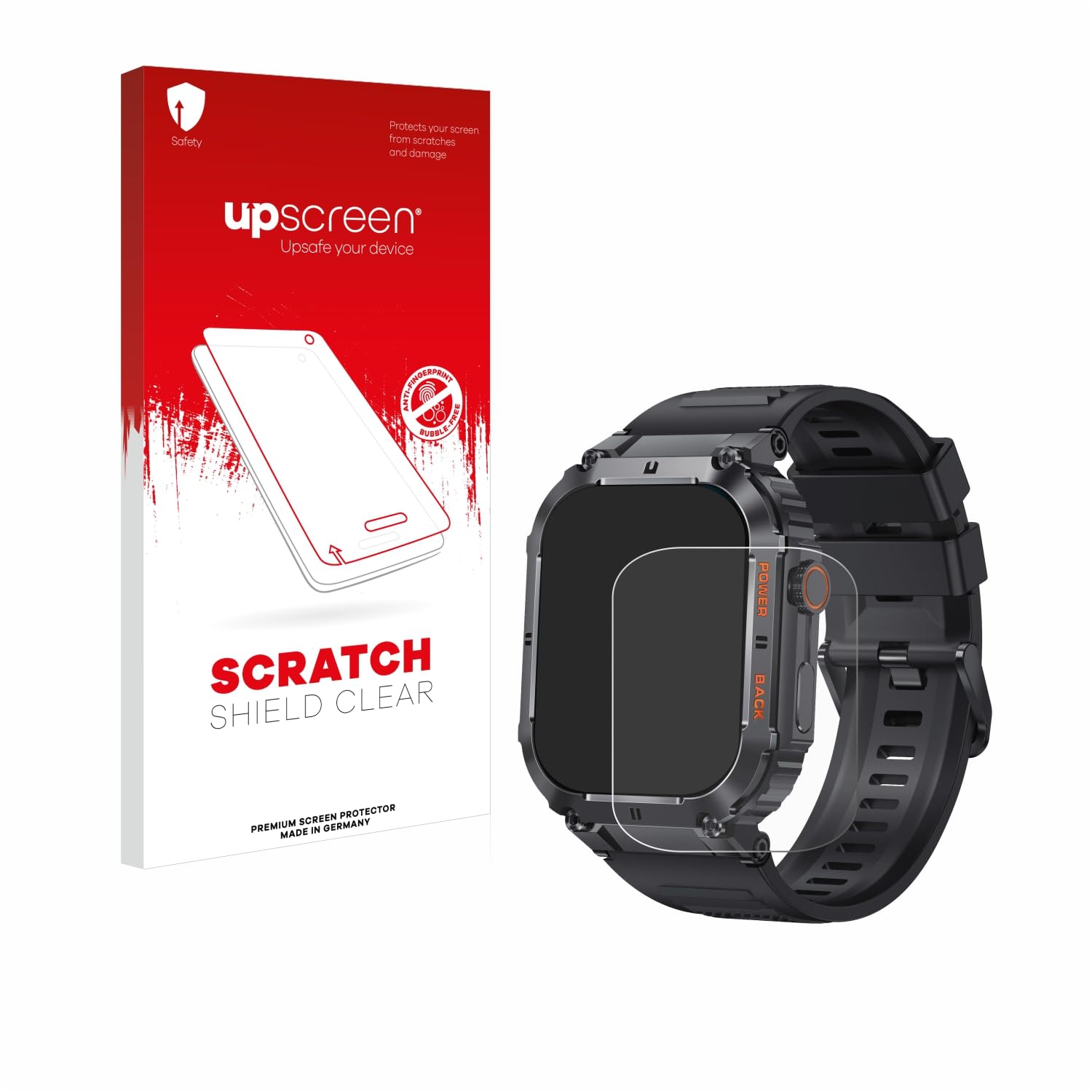
Image: The upscreen Scratch Shield screen protector correctly applied to a Denver SWC-191 smartwatch, demonstrating proper alignment and fit.
5. Usage (Operating)
Once installed, the upscreen Scratch Shield screen protector operates seamlessly with your Denver SWC-191 device. It is designed to:
- Maintain full touch screen functionality and sensitivity.
- Preserve the original display brightness and color accuracy due to its high transparency.
- Provide a smooth surface for comfortable interaction.
6. Care and Maintenance
To ensure the longevity and effectiveness of your screen protector:
- Cleaning: Due to the anti-fingerprint coating, the screen protector is easy to clean. Use a soft, lint-free cloth (like the provided cleaning wipe) to gently wipe the surface. For stubborn smudges, a slightly damp cloth with water or a mild screen cleaner can be used. Avoid harsh chemicals or abrasive materials.
- Avoid Sharp Objects: While the protector offers strong scratch resistance, extreme pressure or very sharp objects can still cause damage.
- Removal: If you need to remove the screen protector, gently lift one corner and slowly peel it off. The advanced silicon adhesive ensures it can be removed without leaving sticky residue or marks on your device's screen.
7. Troubleshooting
Here are solutions to common issues you might encounter:
- Bubbles After Installation: Small bubbles often disappear within 24-48 hours as the adhesive settles. For larger bubbles, gently lift the nearest edge of the protector and reapply, using the smoothing card to push the air out. Ensure no dust is trapped underneath.
- Dust Particles Trapped: If dust is trapped, it will create a permanent bubble. Carefully lift the nearest edge of the protector, use a dust remover sticker or a piece of tape to lift the dust particle from both the screen and the protector's adhesive side, then reapply.
- Misalignment: If the protector is significantly misaligned, gently peel it off completely and restart the installation process from step 1 (cleaning the screen). The adhesive allows for reapplication if done carefully.
8. Specifications
| Feature | Description |
|---|---|
| Compatibility | Denver SWC-191 |
| Material | Polyethylene Terephthalate (PET) |
| Special Features | Anti-Fingerprint, Scratch Resistant, HD-Clear |
| Screen Surface | Glossy |
| Light Penetration | 94% |
| Product Dimensions | 7.48 x 3.94 x 0.5 inches (packaging), 7"L x 4"W (protector) |
| Manufacturer | upscreen |
9. Warranty and Support
upscreen products are manufactured in Germany following high quality standards. For any questions, technical support, or warranty inquiries regarding your upscreen Scratch Shield screen protector, please contact the manufacturer directly or refer to their official website.
Manufacturer: upscreen
Website: www.upscreen.com