
1. Introduction
Thank you for choosing the POWERUP Powerslim Mini 10000mAh Mag-Safe Power Bank. This device is designed to provide convenient and efficient charging for your compatible devices, featuring both 15W wireless charging and 22.5W wired fast charging capabilities. Please read this manual carefully before use to ensure proper operation and to maximize the lifespan of your power bank.
2. Safety Information
- Do not expose the power bank to extreme temperatures (above 45°C or below 0°C).
- Avoid dropping, disassembling, or attempting to repair the device yourself.
- Keep away from water, moisture, and flammable materials.
- Use only certified charging cables and adapters.
- Keep out of reach of children.
- Dispose of the power bank responsibly according to local regulations.
3. Package Contents
The POWERUP Powerslim Mini 10000mAh Mag-Safe Power Bank package includes:
- 1 x POWERUP Powerslim Mini 10000mAh Mag-Safe Power Bank
- 1 x User Manual

Image: The POWERUP Powerslim Mini 10000mAh Mag-Safe Power Bank, showcasing its compact design.
4. Product Features
- 10000mAh Capacity: Provides extended battery life for your devices.
- 15W Wireless Charging: Fast and convenient wireless power delivery.
- 22.5W Wired Fast Charging: High-speed charging via USB Type-C port.
- Strong Magnetic Hold: Securely attaches to MagSafe-compatible devices for stable wireless charging.
- Ultra-Slim & Lightweight Design: Easy to carry and store.
- LED Indicators: Displays remaining battery capacity.
- Broad Compatibility: Supports Qi-charging phones and various smartphones via wired connection.

Image: The PowerSlim Mini power bank magnetically attached to a smartphone, highlighting its slim profile.
5. Setup
5.1 Initial Charge
Before first use, fully charge your POWERUP Powerslim Mini power bank. Connect the power bank to a power adapter using a USB Type-C cable. The LED indicators will illuminate to show the charging status. Once all LEDs are solid, the power bank is fully charged.
5.2 Checking Battery Level
Press the power button once to check the current battery level via the LED indicators. Each LED typically represents a percentage of the total charge.

Image: Close-up of the power bank showing the LED indicator lights, which display the remaining battery capacity.
6. Operating Instructions
6.1 Charging Devices Wirelessly (Mag-Safe Compatible)
- Ensure your device is Mag-Safe compatible or has a Mag-Safe compatible case.
- Align the power bank with the back of your device. The magnets will automatically snap into place, securing the connection.
- Wireless charging will begin automatically. The LED indicators on the power bank may show charging status.
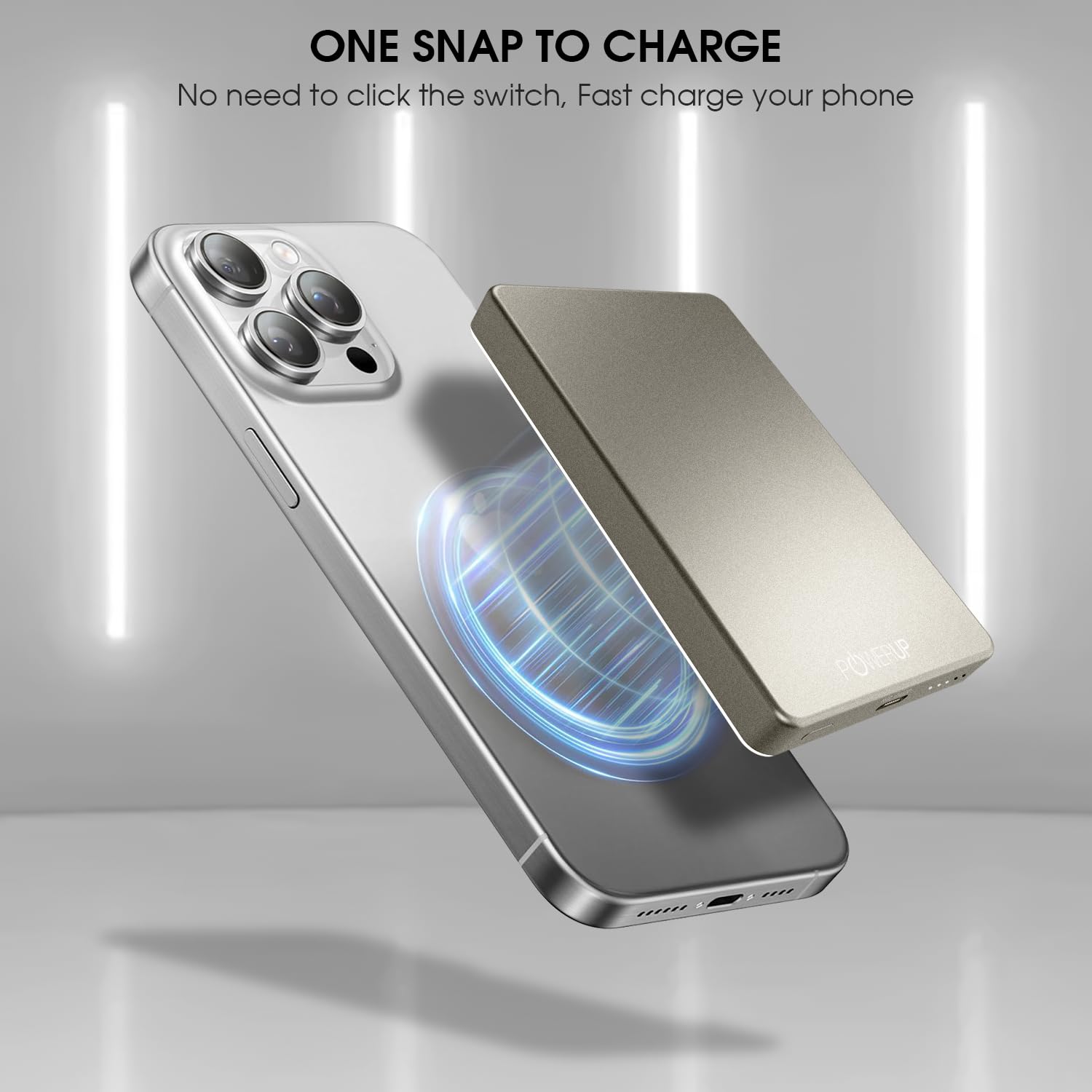
Image: A smartphone being wirelessly charged by the power bank, demonstrating the magnetic attachment.
6.2 Charging Devices via Wired Connection
- Connect one end of a USB Type-C cable to the power bank's Type-C port.
- Connect the other end of the cable to your device's charging port.
- Wired charging will begin automatically. The power bank supports 22.5W fast charging for compatible devices.

Image: Illustration showing both wireless (15W) and wired (22.5W) charging methods for smartphones using the power bank.
7. Maintenance
- Clean the power bank with a soft, dry cloth. Do not use liquid cleaners or aerosols.
- Store the power bank in a cool, dry place when not in use.
- Avoid storing the power bank completely discharged for extended periods. Charge it at least once every three months to maintain battery health.
8. Troubleshooting
8.1 Power Bank Not Charging
- Ensure the charging cable is securely connected to both the power bank and the power adapter.
- Verify that the power adapter is functioning correctly and plugged into a live outlet.
- Try using a different USB Type-C cable and power adapter.
8.2 Device Not Charging from Power Bank
- For Wireless Charging: Ensure your device is Mag-Safe compatible or has a Mag-Safe compatible case. Check for proper alignment between the power bank and your device. Remove any thick cases that might interfere with wireless charging.
- For Wired Charging: Ensure the cable is securely connected to both the power bank and your device. Try a different charging cable. Verify your device's charging port is clean and undamaged.
- Check if the power bank has sufficient charge.
9. Specifications
| Model Name | Powerslim Mini |
| Model Number | PUP-WPBN |
| Battery Capacity | 10000mAh |
| Battery Cell Type | Lithium Polymer |
| Wireless Output | 15W Max |
| Wired Output (USB Type-C) | 22.5W Max |
| Input (USB Type-C) | 22.5W Max |
| Dimensions (L x W x Thickness) | 11L x 7W x 1.8Th Centimeters |
| Weight | 218 Grams |
| Compatible Devices | Qi Charging Phones, Smartphones (iPhone 12/13/14/15/16 series for Mag-Safe) |
10. Warranty and Support
10.1 Warranty Information
This POWERUP Powerslim Mini Power Bank comes with a 1 Year Manufacturer Warranty from the date of purchase. The warranty covers manufacturing defects. It does not cover damage caused by misuse, accidents, unauthorized modifications, or normal wear and tear.
10.2 Customer Support
For warranty claims, technical support, or any inquiries regarding your POWERUP product, please contact Gadget League India Pvt. Ltd. through their official support channels. Please have your proof of purchase and model number (PUP-WPBN) ready when contacting support.