
Dxyue S8 MaxV Ultra / S8 Max Ultra / G20s Compatible Filter
Maintenance Water Filter Assembly User Manual
Brand: Dxyue | Model: Roborock S8 MaxV Ultra / S8 Max Ultra / G20s Compatible Filter
1. Introduction
This manual provides essential information for the Dxyue Maintenance Water Filter Assembly, designed as a replacement accessory for specific Roborock robot vacuum models. This filter assembly plays a crucial role in maintaining the cleanliness and efficiency of your robot vacuum's cleaning tank, ensuring effective filtration and preventing unpleasant odors.
2. Compatible Models
The Maintenance Water Filter Assembly is specifically designed for compatibility with the following robot vacuum models:
- Roborock S8 MaxV Ultra
- Roborock S8 Max Ultra
- Roborock G20s Robot Vacuum

Image: The filter assembly shown alongside a compatible robot vacuum and its dock, highlighting the intended use.
3. Product Overview
The Dxyue Maintenance Water Filter Assembly is constructed from high-quality, heat-resistant materials, capable of withstanding temperatures up to approximately 90 °C. Its durable design ensures effective filtration and cleaning performance. The assembly is engineered for convenient maintenance of the suction station, contributing to a hygienic environment by preventing odors.

Image: Detailed views of the filter assembly, showcasing its construction and components.
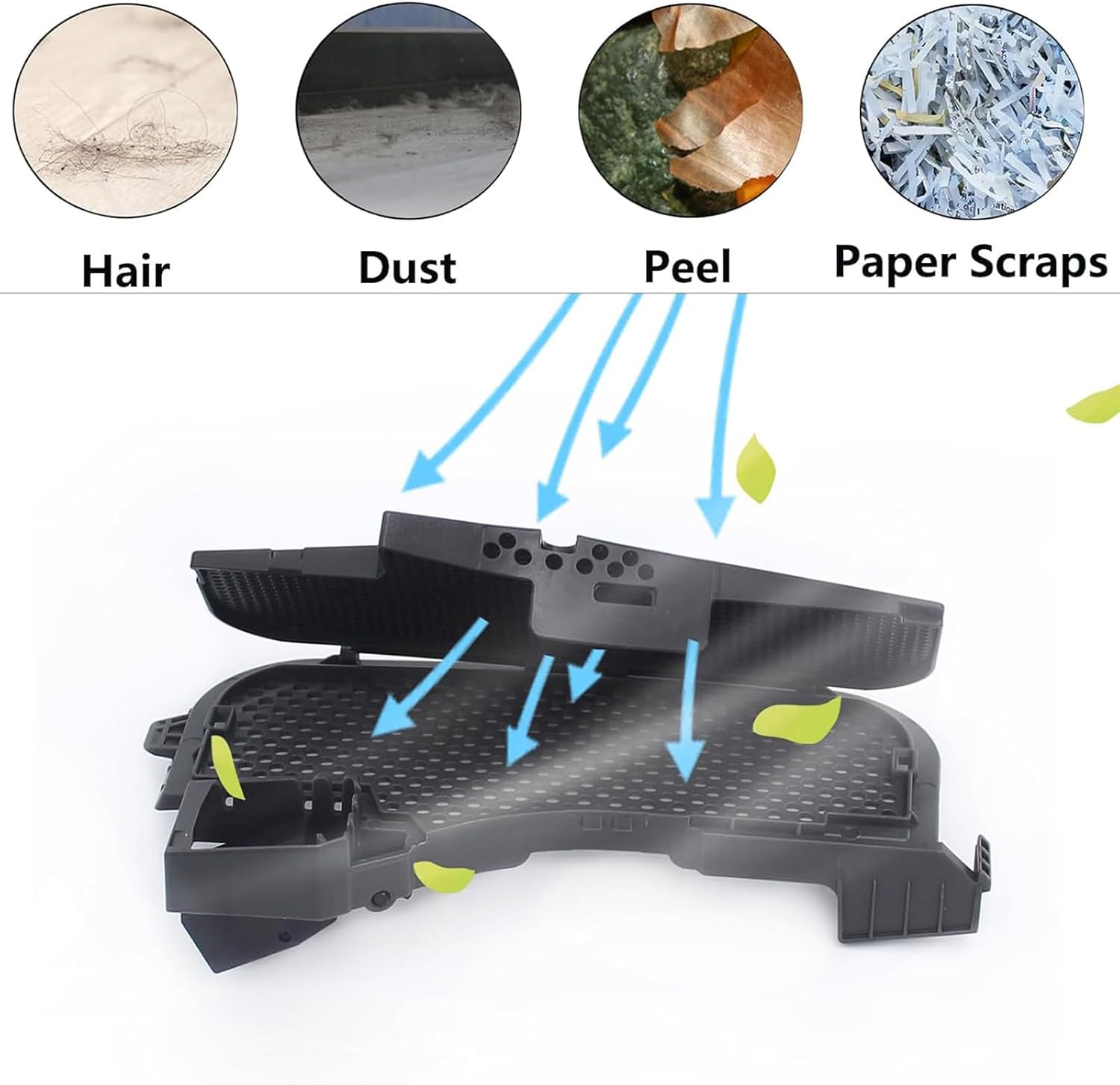
Image: Visual representation of the filter's function in capturing various debris types.
4. Installation
The clean tank filter assembly is designed for easy installation, making the maintenance process of your robot vacuum's suction station straightforward and convenient. While specific step-by-step instructions may vary slightly depending on your robot vacuum model, the general process involves:
- Ensure the robot vacuum and its docking station are powered off and unplugged.
- Locate the existing water filter assembly in the cleaning tank or suction station.
- Carefully remove the old filter assembly.
- Align the new Dxyue Maintenance Water Filter Assembly with the designated slot and gently press it into place until it is securely seated.
- Ensure all connections are firm before powering on the device.
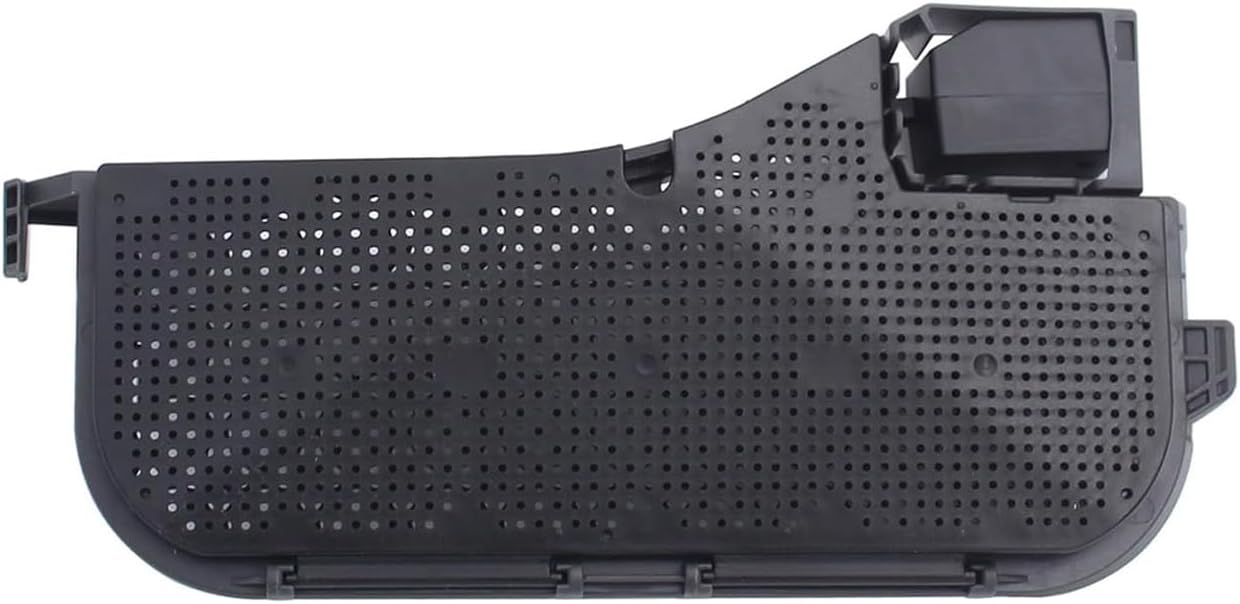
Image: The Dxyue Maintenance Water Filter Assembly, ready for installation.
5. Maintenance
Regular replacement and cleaning of the water filter assembly are crucial for ensuring maximum hygiene and optimal performance of your robot vacuum. It is recommended to inspect the filter periodically and replace it as needed, or according to your robot vacuum's manufacturer guidelines.
- Cleaning: The filter can be cleaned by rinsing it under running water. Ensure it is completely dry before re-installing.
- Replacement: Replace the filter assembly if you notice a decrease in filtration efficiency, persistent odors, or visible damage.

Image: The filter assembly being cleaned in water.
6. Troubleshooting
While the filter assembly itself is a passive component, issues related to its function can impact the overall performance of your robot vacuum's cleaning system. If you experience any of the following, consider inspecting or replacing the filter:
- Unpleasant Odors: If the cleaning tank or suction station develops persistent unpleasant odors, the filter may be clogged or require replacement.
- Reduced Cleaning Efficiency: A compromised filter can lead to less effective cleaning or water distribution.
- Water Flow Issues: Blockages in the filter assembly might impede proper water flow within the cleaning system.
Always ensure the filter is clean and properly installed to prevent these issues and maintain optimal performance.
7. Specifications
| Feature | Detail |
|---|---|
| Product Dimensions | 0.39 x 0.39 x 0.39 inches (approx. 10 x 10 x 10 mm) |
| Manufacturer | Dxyue |
| ASIN | B0DN1BPZQT |
| Material | High-quality, heat-resistant material |
| Heat Resistance | Up to approx. 90 °C |

Image: Dimensional drawing of the filter assembly.
Related Documents - S8 MaxV Ultra / S8 Max Ultra / G20s Compatible Filter
 |
MEMEMAX M-SDJMK001 Auto Water Kit User Manual | Installation & Troubleshooting Comprehensive user manual for the MEMEMAX M-SDJMK001 Auto Water Kit, designed for robot vacuums. Includes detailed instructions for installation, product testing, troubleshooting, precautions, and environmental information. Compatible with various Dreame and Roborock robot vacuum models. |
 |
Roborock S8 MaxV Ultra Robotic Vacuum Cleaner User Manual Official user manual for the Roborock S8 MaxV Ultra robotic vacuum cleaner. Find detailed instructions on setup, operation, maintenance, safety guidelines, and troubleshooting for your advanced cleaning device. |
 |
Roborock S8 MaxV Ultra: Component Diagrams and Assembly Detailed diagrams illustrating the components and assembly steps for the Roborock S8 MaxV Ultra robot vacuum cleaner, including its docking station and accessories. |
 |
Roborock S6 MaxV Robot Vacuum Cleaner User Manual This user manual provides comprehensive guidance for the Roborock S6 MaxV Robot Vacuum Cleaner, covering setup, operation, maintenance, and troubleshooting to ensure optimal performance and longevity. |
 |
Roborock Robot Vacuum Accessories: HEPA Filter & Roller Brush User Guide Essential information and safety warnings for Roborock robot vacuum cleaner accessories, including HEPA filters and roller brushes. Covers product quality, compatibility, installation guidance, and critical suffocation hazard warnings for children. Compatible with models like Roborock G10S PRO, S7, S8 series, and more. |
 |
Roborock S7 MaxV Robotic Vacuum Cleaner User Manual Comprehensive user manual for the Roborock S7 MaxV robotic vacuum cleaner, covering setup, operation, maintenance, troubleshooting, and technical specifications. Learn how to install, connect to the app, and use the device effectively. |