
HAYLOU OW03
HAYLOU Airfree Wireless Earbuds User Manual
Model: OW03

Image: HAYLOU Airfree Wireless Earbuds, showing the open-ear design and the sleek charging case with an LED display indicating battery percentage.
Introduction
Thank you for choosing the HAYLOU Airfree Wireless Earbuds. These earbuds are designed to provide a comfortable and immersive audio experience with their unique open-ear clip design and advanced Bluetooth 5.4 technology. This manual will guide you through the setup, operation, maintenance, and troubleshooting of your new earbuds.
Key features include:
- True Wireless Technology for seamless connectivity.
- Hands-free mode with built-in microphone for calls.
- IPX4 dust and water resistance, suitable for various activities.
- 11mm speaker drivers for powerful audio.
- Smart LED display on the charging case for battery status.
Setup
1. Unboxing and Initial Charge
Upon opening the package, ensure all components are present:
- HAYLOU Airfree Wireless Earbuds (Left and Right)
- Charging Case
- USB Charging Cable
- User Manual
Before first use, fully charge the earbuds and the charging case. Place the earbuds into the charging case and connect the USB cable to a power source. The LED display on the case will indicate the charging status.

Image: The HAYLOU Airfree product box, showing the earbuds, charging case, USB cable, and user manual.
2. Pairing with Your Device
- Ensure the earbuds are charged and inside the charging case.
- Open the charging case. The earbuds will automatically enter pairing mode.
- On your device (smartphone, tablet, laptop), go to Bluetooth settings and turn Bluetooth on.
- Search for "HAYLOU Airfree" in the list of available devices and select it to connect.
- Once connected, you will hear a confirmation tone, and the LED indicator on the case may change.
The HAYLOU Airfree earbuds utilize the latest Bluetooth 5.4 technology for fast pairing and ultra-low latency sound transmission.

Image: An internal view of the HAYLOU Airfree earbud, highlighting the integrated Bluetooth 5.4 chip for advanced connectivity.
Operating Instructions
1. Wearing the Earbuds
The HAYLOU Airfree earbuds feature a unique C-shape open-ear clip design, ensuring comfort and stability throughout the day while allowing you to stay aware of your surroundings.

Image: A woman smiling while wearing the HAYLOU Airfree earbuds, demonstrating the comfortable and secure C-shape open-ear fit.

Image: A diagram illustrating the directional audio technology of the earbuds, which delivers sound directly to the ear canal while minimizing sound leakage.
2. Basic Controls
The earbuds are equipped with touch controls for easy management of your audio and calls. Specific touch functions may vary slightly, but common operations include:
- Play/Pause: Single tap on either earbud.
- Next Track: Double tap on the right earbud.
- Previous Track: Double tap on the left earbud.
- Answer/End Call: Single tap on either earbud during an incoming call.
- Reject Call: Press and hold on either earbud during an incoming call.
- Activate Voice Assistant: Triple tap on either earbud.
3. Battery Life and Charging
The HAYLOU Airfree earbuds offer up to 5 hours of playback on a single charge, with the charging case providing an additional 23 hours, totaling 28 hours of combined battery life. The smart LED display on the case shows the remaining battery percentage.
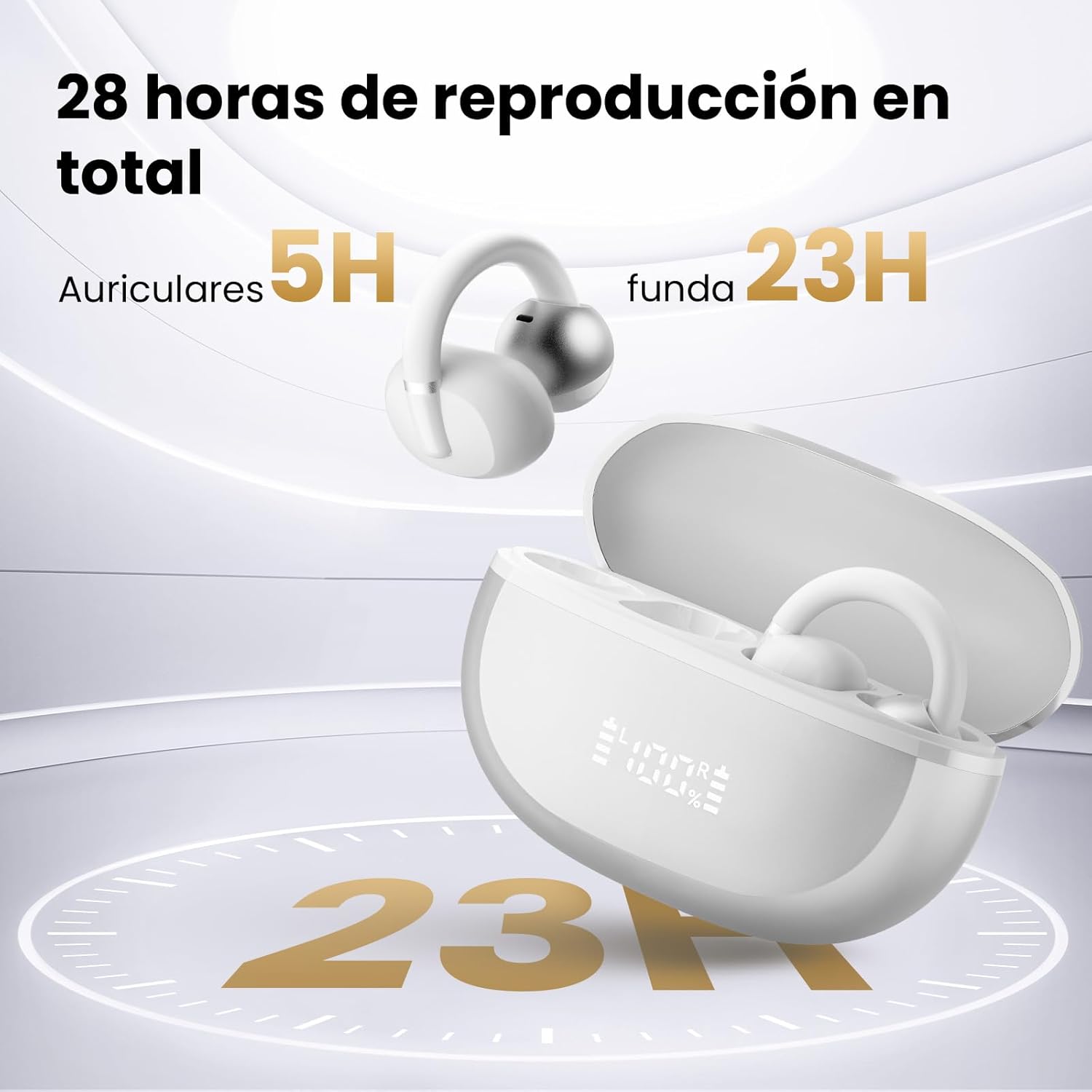
Image: The HAYLOU Airfree earbuds and charging case, visually representing the total 28 hours of playback time (5 hours from earbuds + 23 hours from case).
4. Audio Quality
Equipped with 11mm drivers and Digital Sound Enhanced Technology (DSE), the HAYLOU Airfree earbuds deliver a wide soundstage and powerful bass, making your favorite music sound as if you're experiencing it live.
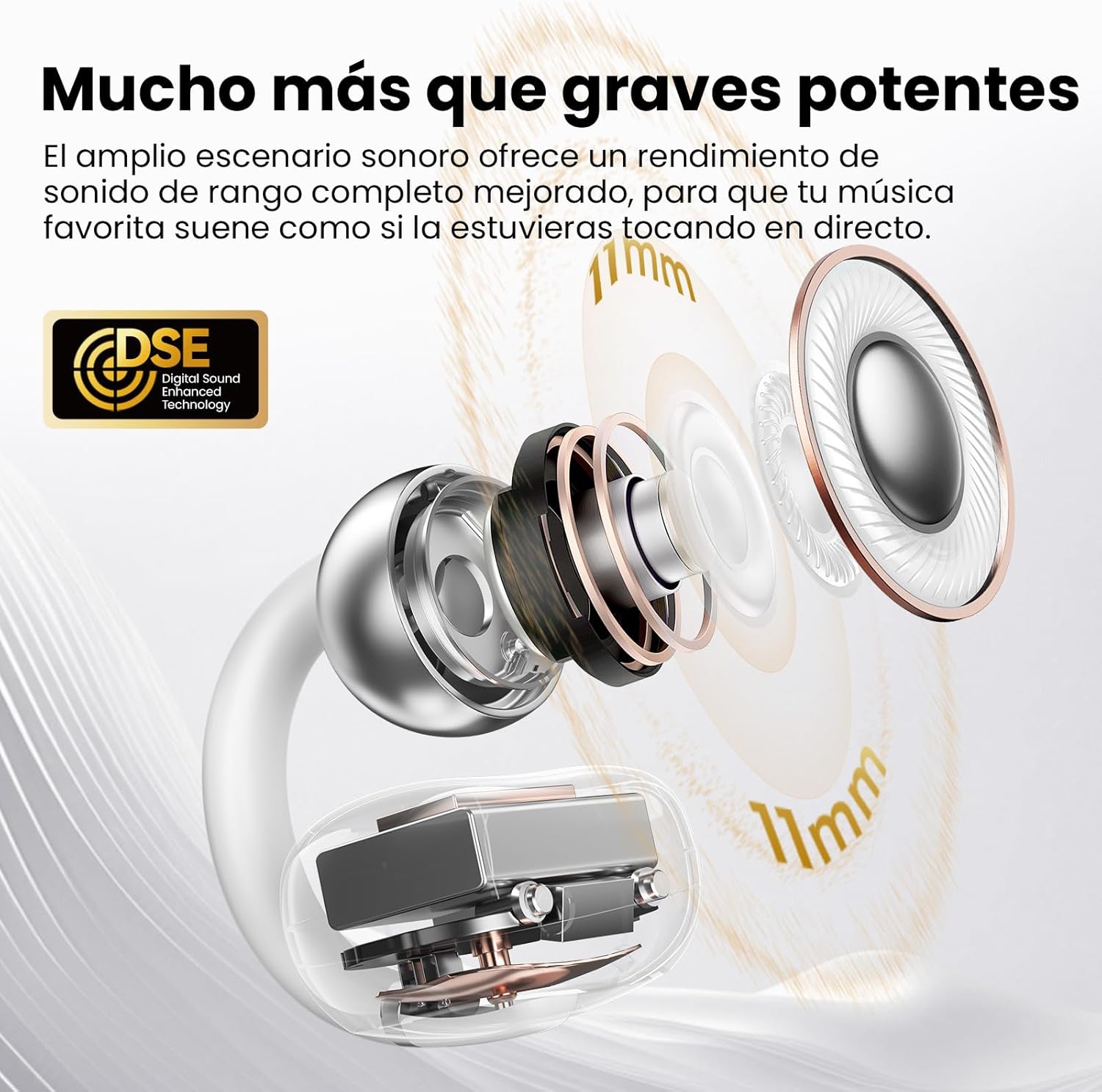
Image: A detailed diagram illustrating the 11mm driver components and the Digital Sound Enhanced Technology (DSE) within the earbud, designed for superior audio performance.
Maintenance
1. Cleaning
Regular cleaning helps maintain optimal performance and hygiene. Use a soft, dry, lint-free cloth to wipe the earbuds and charging case. For stubborn dirt, slightly dampen the cloth with water. Do not use harsh chemicals or abrasive materials.
2. Storage
When not in use, store the earbuds in their charging case to protect them and keep them charged. Store the case in a cool, dry place, away from direct sunlight and extreme temperatures.
3. Water Resistance (IPX4)
The HAYLOU Airfree earbuds are rated IPX4, meaning they are resistant to splashing water from any direction. This makes them suitable for workouts and light rain. However, they are not designed for swimming or submersion in water. Do not expose them to pressurized water or high-velocity water, such as showering or bathing.
Troubleshooting
| Problem | Possible Cause | Solution |
|---|---|---|
| Earbuds not pairing. | Low battery; Bluetooth off on device; earbuds not in pairing mode; interference. | Charge earbuds and case. Ensure Bluetooth is on. Place earbuds in case, close, then open to re-enter pairing mode. Move closer to device. |
| No sound from one earbud. | One earbud not connected; low battery; dirty contacts. | Place both earbuds in case, close, then open. Check battery levels. Clean charging contacts on earbuds and case. |
| Charging case not charging. | Faulty cable/adapter; dirty charging port. | Try a different USB cable and power adapter. Clean the charging port on the case. |
| Poor sound quality. | Weak Bluetooth signal; earbud placement; audio source quality. | Move closer to your device. Adjust earbud position. Try a different audio source. |
If the issue persists, try resetting the earbuds (refer to the manufacturer's website for specific reset instructions if not detailed here) or contact customer support.
Specifications
| Feature | Detail |
|---|---|
| Model Name | Airfree (OW03) |
| Connectivity Technology | Wireless (Bluetooth 5.4) |
| Driver Size | 11mm |
| Noise Control | None |
| Water Resistance Level | IPX4 (Water Resistant) |
| Average Battery Life | 28 Hours (with charging case) |
| Battery Composition | Lithium Polymer |
| Material | Plastic |
| Dimensions | 10.6 x 8.9 x 3.9 cm; 120 g (Package) |
| Compatible Devices | Mobile phones, desktop computers, laptops, tablets |
Warranty and Support
Your HAYLOU Airfree Wireless Earbuds come with a standard manufacturer's warranty. Please refer to the warranty card included in your package or visit the official HAYLOU website for detailed warranty terms and conditions.
For technical support, troubleshooting assistance beyond this manual, or warranty claims, please contact HAYLOU customer service through their official channels. You can often find contact information on the product packaging or the brand's official website.
Keep your purchase receipt and product serial number handy when contacting support.