
1. Introduction
This manual provides detailed instructions for the safe and effective use of your Generic STN-28 Kids Wireless Cat Ear Bluetooth Headphones. Please read this manual thoroughly before using the product and retain it for future reference.
Product Features:
- Designed for children with a focus on hearing protection.
- Automatic volume limit to a maximum of 94 decibels.
- Wireless Bluetooth 5.0 connectivity.
- Illuminated cat ear design with rainbow effects.
- Built-in microphone for communication.
- Soft memory foam ear pads and silicone headband for comfort.
- Foldable design for portability.
- Supports Bluetooth, TF card, 3.5mm audio line-in, and FM Radio modes.
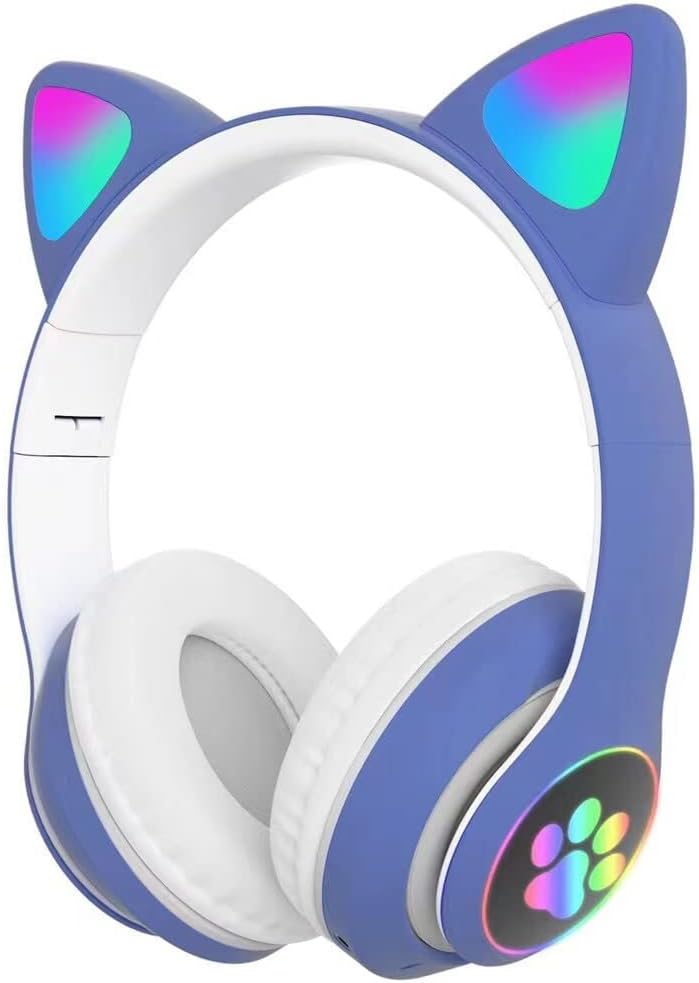
Image 1.1: Front view of the Generic STN-28 Kids Wireless Cat Ear Bluetooth Headphones in blue, showcasing the illuminated cat ears and paw print on the ear cup.
2. Package Contents
Please ensure all items are present in the package:
- 1 x Generic STN-28 Over-Ear Headphones
- 1 x Audio Cable (3.5mm jack)
- 1 x USB Charging Cable
- 1 x User Manual (this document)
3. Setup and Charging
3.1 Initial Charge
Before first use, fully charge the headphones. Connect the USB charging cable to the charging port on the headphones and to a compatible USB power source. The charging time is approximately 2-3 hours.

Image 3.1: Illustration showing the headphones with a large battery icon, representing the charging process and long battery life.
3.2 Powering On/Off
- To Power On: Long press the Power button (usually indicated by a power symbol) until the indicator light illuminates.
- To Power Off: Long press the Power button again until the indicator light turns off.
4. Operating Instructions
4.1 Bluetooth Connection
- Ensure the headphones are charged and powered on. The indicator light will flash red and green alternately, indicating pairing mode.
- On your device (smartphone, tablet, etc.), enable Bluetooth and search for available devices.
- Select "STN-28" (or similar model name) from the list of found devices.
- Once connected, the indicator light on the headphones will typically turn solid blue or flash slowly.
4.2 Supported Usage Modes
- Bluetooth Connection: For wireless audio playback and calls.
- TF Card: Insert a TF (microSD) card with audio files into the designated slot for direct playback.
- 3.5mm Audio Line-in (Wired Mode): Connect the provided 3.5mm audio cable to the headphone jack and your audio device. This allows use even when the battery is depleted.
- FM Radio: Switch to FM Radio mode to listen to local radio stations. (Specific instructions for switching modes are not provided in the source, refer to device controls).
4.3 Headphone Controls

Image 4.1: Visual guide to the headphone controls, including power, volume, track navigation, and call management.
- Power On/Off: Long press the Power button.
- Play/Pause: Short press the Power button.
- Answer/Hang Up Call: Short press the Call button (often integrated with Power/Play/Pause).
- Reject Call: Long press the Call button.
- Redial Last Number: Double click the Call button.
- Volume Up (+): Long press the '+' button.
- Next Song: Short press the '+' button.
- Volume Down (-): Long press the '-' button.
- Previous Song: Short press the '-' button.
- Cat Ear Lights On/Off: Short press the dedicated light button (if available) or a specific combination.
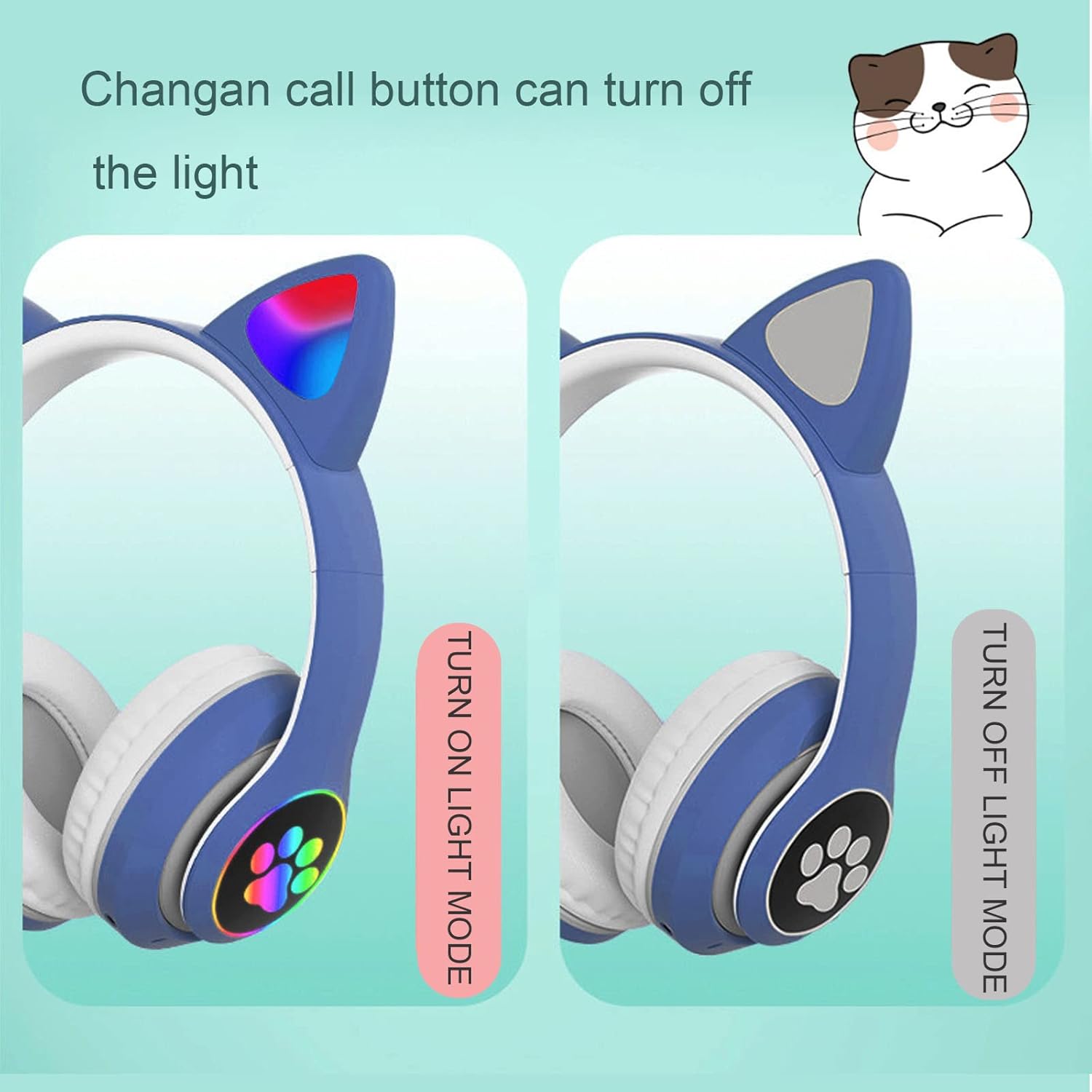
Image 4.2: Demonstration of how to turn the illuminated cat ear lights on and off.
5. Maintenance and Care
- Clean the headphones with a soft, dry cloth. Do not use abrasive cleaners or solvents.
- Avoid exposing the headphones to extreme temperatures, humidity, or direct sunlight.
- Do not immerse the headphones in water or any other liquids.
- Store the headphones in a cool, dry place when not in use. The foldable design allows for compact storage.
- Handle the headphones gently to prevent damage to the ear cups, headband, or electronic components.
6. Troubleshooting
6.1 No Power / Not Charging
- Ensure the charging cable is securely connected to both the headphones and the power source.
- Try a different USB charging cable or power adapter.
- Verify the power source is active.
6.2 Cannot Connect via Bluetooth
- Ensure the headphones are in pairing mode (indicator light flashing red and green alternately).
- Make sure Bluetooth is enabled on your device and it is within range (typically 10 meters).
- Try "refreshing" the Bluetooth connection:
- Turn on the Bluetooth of the headset; the indicator light flashes red and green alternately.
- Plug in the audio cable; the light goes out, indicating that the Bluetooth has been refreshed.
- Unplug the headphone cable and turn on the Bluetooth search again on your device.
- Forget the device from your phone's Bluetooth settings and try pairing again.
6.3 No Sound
- Check the volume level on both the headphones and your connected device.
- Ensure the headphones are properly connected via Bluetooth or the 3.5mm audio cable.
- If using wired mode, ensure the 3.5mm cable is fully inserted into both jacks.
- If using a TF card, ensure the card is inserted correctly and contains playable audio files.
7. Specifications
| Feature | Detail |
|---|---|
| Model Name | STN-28 |
| Connectivity Technology | Wireless (Bluetooth) |
| Wireless Communication Technology | Bluetooth 5.0 |
| Earpiece Shape | Over-Ear Cups |
| Audio Driver Type | Dynamic Driver |
| Charging Time | Approximately 3 Hours |
| Playtime (LED flash mode) | 5-7 hours |
| Playtime (LED light mode) | 8-10 hours |
| Headphones Jack | 3.5 mm Jack |
| Product Dimensions | 7.87 x 6.89 x 2.76 inches (20 x 17.5 x 7 cm) |
| Item Weight | 10.6 ounces |
| Material | Silicone, Soft Cushioning Material |
| Compatible Devices | Smartphones, Tablets, Kindle, PC, Laptops, TVs, Music Players |

Image 7.1: Dimensional drawing of the headphones, indicating a height of 20 cm, width of 17.5 cm, and depth of 7 cm.
8. Safety Information
- The headphones feature an automatic volume limit to a maximum of 94 decibels to protect children's hearing. However, prolonged listening at high volumes can still cause hearing damage.
- Do not use headphones while driving, cycling, or operating machinery where external sounds are necessary for safety.
- Keep out of reach of small children to prevent choking hazards from small parts.
- Dispose of the product and its battery responsibly according to local regulations.
9. Warranty and Support
Specific warranty information is not provided in the product details. For support or warranty inquiries, please contact the seller or manufacturer directly through your purchase platform.
Note: Sockets and voltages may vary by country. This product may require an adapter or converter for use in certain destinations. Please check compatibility before purchase.