
1. Introduction
Thank you for choosing the VECTOR WELDING Compact Inverter Welder 160A. This manual provides essential information for the safe and efficient operation, setup, maintenance, and troubleshooting of your welding machine. Please read this manual thoroughly before use and keep it for future reference.
The ARC 160 is a compact and lightweight inverter welder designed for MMA/ARC welding. It incorporates advanced IGBT and MCU control technology to ensure a stable arc and consistent welding performance across various metals.
2. Safety Information
WARNING: Welding can be dangerous. Always follow safety precautions to prevent injury or death. Read and understand all safety instructions before operating this equipment.
- Electrical Shock: This equipment uses high voltage. Ensure proper grounding. Never touch live electrical parts. Wear dry welding gloves.
- Fumes and Gases: Welding fumes and gases can be hazardous to your health. Work in a well-ventilated area. Use fume extractors if necessary.
- Arc Rays: Arc rays can burn eyes and skin. Wear a welding helmet with appropriate shade lenses and protective clothing.
- Fire and Explosion: Welding sparks and hot metal can cause fires. Keep flammable materials away from the welding area. Have a fire extinguisher readily available.
- Personal Protective Equipment (PPE): Always wear appropriate PPE, including a welding helmet, flame-resistant clothing, welding gloves, and safety shoes.
- Machine Placement: Ensure the machine is placed on a stable, level surface. Do not block ventilation openings.

Figure 2.1: Enhanced Safety Features and Cooling System. The welder is IP23 certified for protection against dust and splashing water. Multi-channel cooling reduces temperature efficiently.
3. Package Contents
Verify that all items listed below are included in your package:
- 1 x ARC 160 Inverter Welder
- 1 x Ground Clamp with 2-meter cable
- 1 x Electrode Holder with 2-meter cable
- 1 x User Manual
4. Product Overview
4.1 Key Features
- IGBT Inverter Technology: Ensures stable arc and high efficiency.
- MCU Intelligent Control System: Provides precise control over welding parameters.
- Hot Start: Facilitates easy arc ignition.
- Arc Force: Adjustable feature to reduce spatter by up to 60%, improving weld quality.
- Anti-Stick: Prevents electrodes from sticking to the workpiece.
- Portable Design: Compact and lightweight (3 kg) with an ergonomic handle for easy transport.
- Enhanced Safety: IP23 certified, with multi-channel cooling, overcurrent, overvoltage, and overheat protection.
4.2 Control Panel and Machine Components

Figure 4.1: LED Display Panel Introduction. This image shows the various indicators on the display, including input voltage, cooling fan status, overheat/fault indication, electrode diameter selection, current indication, thermal arc current, and thrust current.

Figure 4.2: Machine Panel Introduction. This image highlights the high-definition LED digital display, current adjustment knob, electrode diameter selection button, positive output terminal (for ground clamp), negative output terminal (for electrode holder), input power cable, power switch, and cooling fan.

Figure 4.3: Portable Design. The welder weighs 3.2 kg and features a convenient carrying handle, making it easy to transport. Dimensions are approximately 260mm (length) x 122mm (width) x 195mm (height).
5. Setup
5.1 Connecting Welding Cables
- Connect the ground clamp cable to the positive output terminal on the front panel of the welder. Ensure a secure connection.
- Attach the ground clamp securely to the workpiece or welding table, ensuring good electrical contact.
- Connect the electrode holder cable to the negative output terminal on the front panel of the welder. Ensure a secure connection.
- Insert the welding electrode into the electrode holder.
5.2 Power Connection
- Ensure the welder's power switch is in the OFF position.
- Connect the input power cable to a suitable power outlet (AC 230V). Ensure the power supply meets the welder's requirements.
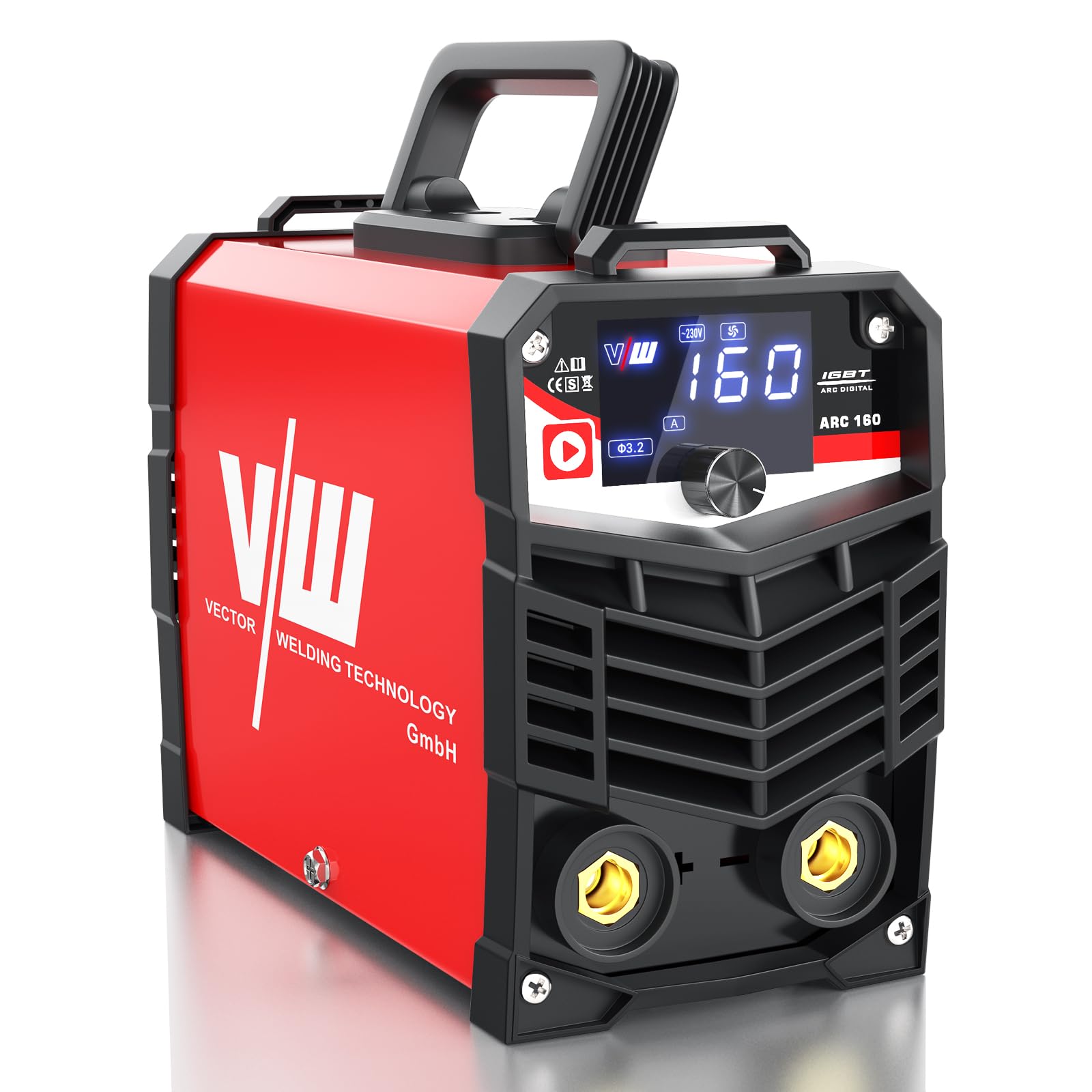
Figure 5.1: Welder with Cables Connected. This image shows the general setup of the welding machine with the ground clamp and electrode holder cables attached.
6. Operating Instructions
6.1 Powering On and Basic Settings
- Turn the power switch to the ON position. The LED display will illuminate.
- Adjust Welding Current: Use the current adjustment knob to set the desired welding amperage (10-160A). The HD display shows the intensity in real-time.
- Select Electrode Diameter: Use the electrode diameter selection button to match the setting to your electrode size (e.g., Ø2.0, Ø2.5, Ø3.2).
6.2 Welding Process
- Hot Start: The integrated Hot Start technology provides an initial boost of current to facilitate easy arc ignition, especially with difficult-to-start electrodes.
- Arc Force: Adjust the Arc Force setting as needed to maintain a stable arc and minimize spatter. This is particularly useful for beginners to achieve flat and regular weld beads.
- Anti-Stick: If the electrode accidentally sticks to the workpiece, the Anti-Stick function automatically reduces the current, allowing you to easily detach the electrode without damaging the machine or the workpiece.
6.3 Compatible Electrodes
The ARC 160 is compatible with both alkaline and acidic welding electrodes. Recommended current ranges for common electrode diameters are:
- Ø2.0mm: 50-80A
- Ø2.5mm: 70-100A
- Ø3.2mm: 110-140A

Figure 6.1: Versatile Applications. The ARC 160 is suitable for a wide range of uses, including domestic welding, industrial applications, vehicle maintenance, pipeline engineering, metal treatment, and field operations.

Figure 6.2: Real Welding Results. This image displays examples of clean and consistent weld beads produced by the machine.
7. Maintenance
Regular maintenance ensures the longevity and optimal performance of your welding machine.
- Cleaning: Periodically clean the exterior of the machine with a dry cloth. Ensure ventilation openings are free from dust and debris. Use compressed air to gently clear internal dust if necessary, ensuring the machine is unplugged.
- Cable Inspection: Regularly inspect welding cables, ground clamp, and electrode holder for any signs of damage, fraying, or loose connections. Replace damaged components immediately.
- Storage: Store the welder in a dry, clean environment, away from direct sunlight and extreme temperatures.
8. Troubleshooting
If you encounter issues with your welder, refer to the table below for common problems and solutions.
| Problem | Possible Cause | Solution |
|---|---|---|
| No power to the machine | Power switch off, power cable disconnected, faulty power outlet. | Turn on power switch, check power cable connection, test power outlet. |
| Difficulty starting arc | Improper current setting, poor ground connection, damp electrode. | Adjust current, ensure good ground contact, use dry electrodes. |
| Unstable arc or excessive spatter | Incorrect current/voltage, improper Arc Force setting, incorrect electrode type. | Adjust current and Arc Force, ensure correct electrode for material. |
| Machine overheats and shuts down | Overuse, blocked ventilation, high ambient temperature. | Allow machine to cool down, clear ventilation openings, reduce duty cycle. |
9. Specifications
| Specification | Value |
|---|---|
| Manufacturer | VECTOR WELDING |
| Model Number | A1601D |
| Product Dimensions | 29 x 27 x 23 cm |
| Item Weight | 3 Kilograms |
| Color | Red |
| Power Type | DC |
| Input Voltage | AC 230V (Inferred from image) |
| Welding Current Range | 10-160A |
| Protection Class | IP23 |
| Battery(ies) Required | No |
| Spare Parts Availability | Information unavailable |
10. Warranty and Support
Your VECTOR WELDING Compact Inverter Welder 160A is covered by a 5-year warranty. Additionally, VECTOR WELDING provides lifetime customer service.
For any questions, concerns, or dissatisfaction, please contact Vector Welding GmbH customer service. Refer to the product packaging or the official VECTOR WELDING website for the most current contact information.
