
Shimbol CP5
Shimbol CP5 Wireless Video Transmission System User Manual
Model: CP5
Introduction
The Shimbol CP5 is a 1080p Full HD 5-inch touch screen monitor designed for vlogging and professional video recording. It functions as a rear camera selfie monitor, offering constant outdoor brightness, wireless video transmission up to 50 meters, and a 3.5-hour endurance. This manual provides detailed instructions for setting up, operating, and maintaining your CP5 system.

Image: Front view of the Shimbol CP5 monitor, showcasing its sleek design and large display.
What's in the Box
Upon unboxing your Shimbol CP5, please verify that all the following items are included:
- Shimbol CP5 x 1
- Product Manual x 1
- Type-C Cable x 1
- TF Card x 1

Image: All components included in the Shimbol CP5 package, laid out clearly.
Key Features
1080P Full HD Touch Screen
The CP5 features a 5-inch Full HD display with 1080P resolution, allowing for effortless creation of professional-quality videos and photos when filming through your phone's rear camera. The live preview and intuitive touchscreen enhance your storytelling capabilities.

Image: Visual comparison demonstrating the clarity of 1080P resolution on the 5-inch display versus 480P.
High Brightness for Outdoor Use
Equipped with 500 nits brightness, the CP5 is designed to perform optimally outdoors, maintaining clear visibility even in direct sunlight. This ensures real-time footage preview and intuitive touch screen operation are always accessible.

Image: A hand interacting with the bright FHD touch screen, illustrating its outdoor visibility.
Long Transmission Distance
Utilizing Wi-Fi technology, the CP5 supports wireless video transmission up to 50 meters. This feature, combined with ultra-low latency of 0.04s, provides outstanding performance for various shooting environments, especially those requiring long-distance wireless video transmission.

Image: Diagram illustrating the 50-meter wireless transmission range between the CP5 and a smartphone in a large venue setting.
Built-in Bluetooth Remote Control
The CP5 integrates Bluetooth control, allowing you to remotely capture photos or videos with a simple button press. This offers quick and convenient operation of your connected phone.

Image: Depiction of the CP5's built-in Bluetooth remote control functionality, showing a user operating their phone's camera remotely.
Automatic Horizontal and Vertical Switching
The CP5 intelligently recognizes horizontal and vertical shooting orientations and automatically adjusts the aspect ratio, providing seamless transitions for your content creation.

Image: Examples of the CP5 automatically switching between vertical and horizontal shooting modes.
Built-in Rechargeable Battery
Equipped with a 2000mAh high-capacity rechargeable battery, the CP5 offers up to 3.5 hours of continuous usage, ensuring your creativity is not limited by power constraints.

Image: Graphic representation of the 2000mAh high-capacity rechargeable battery inside the CP5.
CNC Machined Aluminum Shell
The CP5 is designed with a CNC-machined aluminum shell, ensuring both durability and portability. Weighing only 123g, it allows you to focus on capturing stunning moments without the burden of extra weight.

Image: The sleek, lightweight design of the CP5, highlighting its CNC machined aluminum shell and portability.
Setup Guide
- Charge the Device: Before first use, fully charge the Shimbol CP5 using the provided Type-C cable. Connect the cable to the CP5's Type-C port and a compatible USB power adapter. The charging indicator will show progress.
- Power On: Press and hold the power button on the side of the CP5 until the screen illuminates.
- Connect to Phone: The CP5 connects wirelessly to your smartphone. Ensure your phone's Wi-Fi and Bluetooth are enabled. The CP5 will broadcast a Wi-Fi signal. Connect your phone to this network. Specific app instructions are not provided, but typically a companion app is required for full functionality.
- Mounting (Optional): If using with a tripod or selfie stick, attach the CP5 to your mounting accessory. The CP5 is designed to work with your phone's rear camera, so ensure proper alignment.
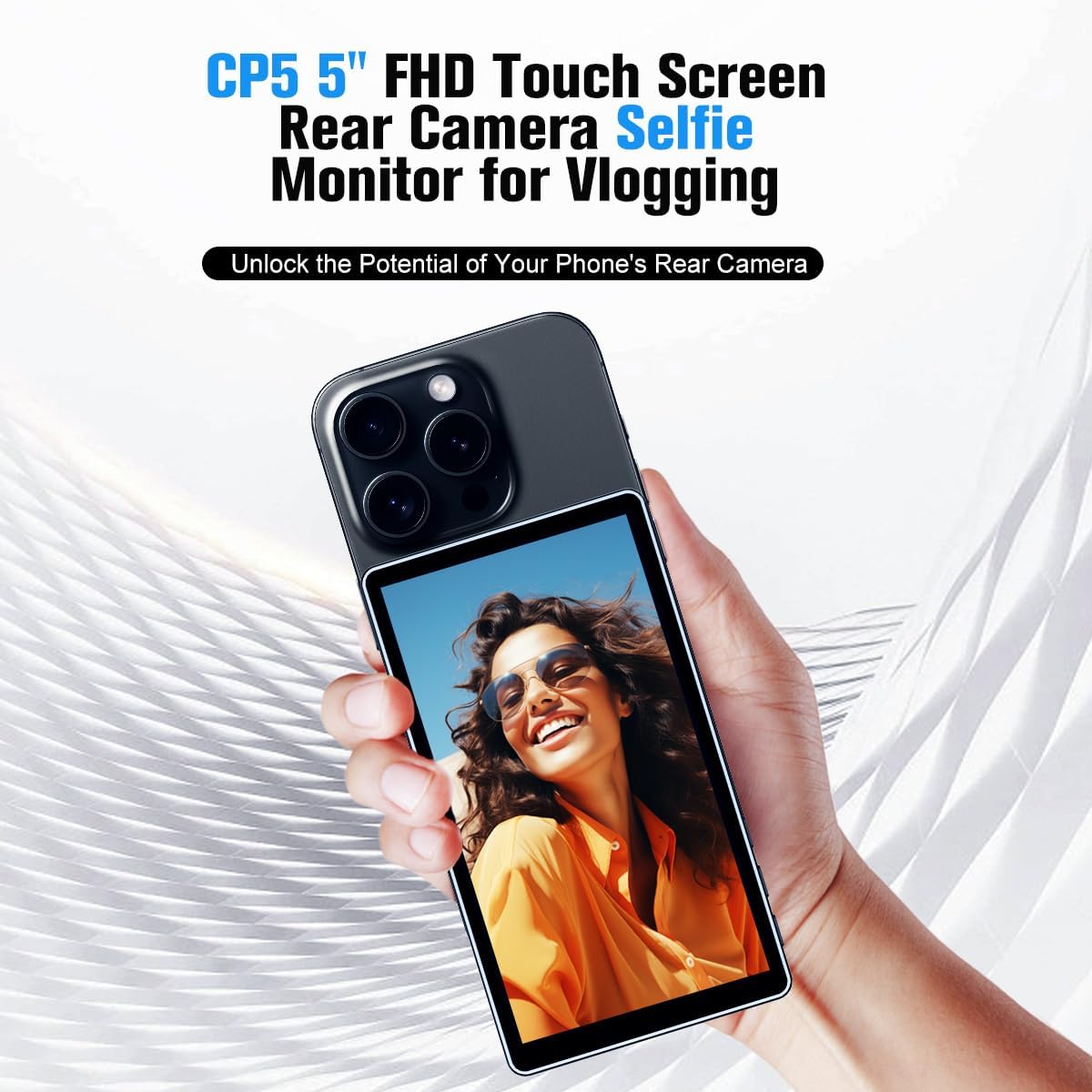
Image: The Shimbol CP5 mounted with a smartphone, demonstrating its use as a rear camera selfie monitor for vlogging.
Operating Instructions
- Real-time Preview: Once connected, your phone's rear camera feed will be displayed on the CP5's 5-inch touch screen in real-time.
- Touch Screen Controls: Use the intuitive touch screen to navigate menus, adjust settings, and control camera functions (if supported by the connected app).
- Bluetooth Remote Control: Utilize the built-in Bluetooth remote control for convenient photo and video capture. A dedicated button on the CP5 allows for remote operation of your phone's camera.
- Horizontal/Vertical Switching: The CP5 automatically detects and switches between horizontal and vertical shooting modes based on its orientation.
- Recording and Playback: The CP5 is equipped with recording and playback functions. It also features a headphone jack for real-time monitoring of your audio.

Image: Display of the CP5's interface showing recording and playback modes, along with an icon for headphone monitoring.
Usage Scenarios
The Shimbol CP5 is versatile for various content creation needs:
- Vlogging: Perfect for self-recording with your phone's higher-quality rear camera.
- Live Streaming: Provides a clear monitor for interactive broadcasts.
- Group Photos: Easily frame group shots when you're also in the picture.
- Selfies: Achieve perfectly framed selfies using the rear camera.

Image: Collage showing different scenarios where the CP5 can be used, including group photos, live streaming, and selfies.
Maintenance
- Cleaning: Use a soft, lint-free cloth to clean the screen and body of the CP5. For stubborn smudges, a slightly damp cloth with water or a screen-specific cleaning solution can be used. Avoid harsh chemicals or abrasive materials.
- Storage: When not in use, store the CP5 in a cool, dry place away from direct sunlight and extreme temperatures. It is recommended to use the original packaging or a protective case.
- Battery Care: To prolong battery life, avoid fully discharging the battery frequently. If storing for an extended period, charge the battery to approximately 50% every few months.
- Water Resistance: The CP5 is NOT water resistant. Avoid exposure to rain, splashes, or submersion in water.
Troubleshooting
| Problem | Possible Cause | Solution |
|---|---|---|
| Device does not power on. | Low battery; Power button not pressed correctly. | Charge the device fully. Press and hold the power button for a few seconds. |
| No image on screen / Cannot connect to phone. | Incorrect Wi-Fi connection; Phone app not running or configured; Firmware issue (as per review). | Ensure your phone is connected to the CP5's Wi-Fi network. Check the companion app (if any) for proper setup. If issues persist, contact customer support for firmware updates or advanced troubleshooting. |
| Bluetooth remote not working. | Bluetooth not paired; Battery low on CP5. | Ensure Bluetooth is enabled on both devices and they are properly paired. Charge the CP5. |
| Short battery life. | Battery not fully charged; High brightness setting; Old battery. | Ensure full charge before use. Reduce screen brightness if possible. Battery degradation is normal over time. |
Specifications
| Feature | Detail |
|---|---|
| Product Model | CP5 |
| Display | 5-inch Full HD Touch Screen |
| Resolution | 1080p |
| Brightness | 500 nits (Constant Outdoor Brightness) |
| Wireless Transmission Distance | Up to 50 meters |
| Battery Type | 1 Lithium Ion battery (included) |
| Battery Capacity | 2000mAh |
| Battery Life | Up to 3.5 hours |
| Hardware Interface | Bluetooth, Type-C |
| Product Dimensions | 4.9 x 2.8 x 0.38 inches |
| Weight | 123g |
| Water Resistance Level | Not Water Resistant |
| Manufacturer | Shimbol |
Warranty and Support
For warranty information and customer support, please refer to the warranty card included in your product packaging or visit the official Shimbol website. Keep your proof of purchase for any warranty claims.
Online Resources:
- Shimbol Official Website: www.shimbol.com
- Product Support Page: Check the official website for FAQs, firmware updates, and contact information.
Ask a question about this manual
Ask about setup, troubleshooting, compatibility, parts, safety, or missing instructions. Manuals+ will review the question and use this page’s manual context to help answer it.