
1. Introduction and Overview
The Bell+Howell QuadBurst 360 Shop Light Pro is an ultra-bright lighting solution designed to illuminate various spaces such as garages, workshops, basements, and more. Featuring 8000 lumens of light output and four adjustable LED panels, it provides comprehensive and customizable illumination. Its easy screw-in installation makes it a convenient upgrade for any standard light socket.

Image: The Bell+Howell QuadBurst 360 Shop Light Pro, showcasing its multi-panel design and packaging.
2. Product Features
- Ultra-Bright 8000 Lumens: Provides exceptional brightness, equivalent to 30 traditional 60W lightbulbs, making it ideal for large, dark areas.
- 360° Adjustable Design: Equipped with 4 hinged LED panels that can rotate up to 90 degrees, allowing you to direct light precisely where needed for complete coverage.
- Durable & Long-Lasting: Constructed with steel panels and rust-proof hinges, ensuring robust performance and longevity.
- Quick & Easy Installation: Simply screws into any standard E26 light socket, requiring no tools or additional wiring.
- Customizable Brightness Levels: Offers three distinct light settings (Brilliant, Bright, and Soft) to suit various lighting needs and preferences.
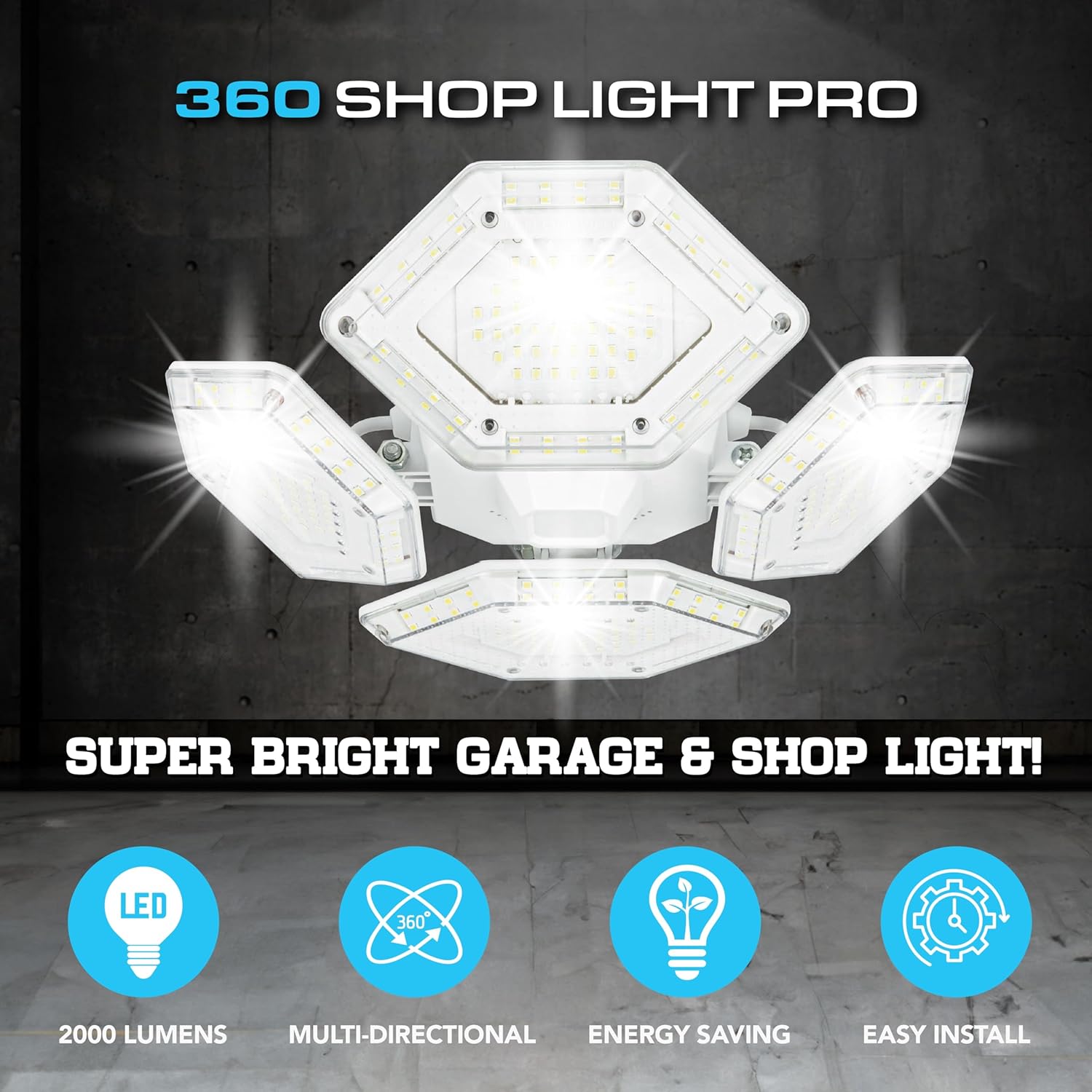
Image: Key features of the QuadBurst 360 Shop Light Pro, highlighting its lumen output, multi-directional capabilities, energy efficiency, and ease of installation.

Image: A visual comparison demonstrating the superior brightness and coverage of the QuadBurst 360 (8000 Lumens) compared to other standard lighting options (265-700 Lumens).

Image: Detailed technical specifications including light temperature (4000 Kelvin), number of LEDs (384), and coverage area (4200 sq ft).

Image: An illustration of the simple screw-in installation, the adjustable nature of the LED panels, and the three available lighting modes.

Image: A side-by-side comparison showing the dramatic difference in illumination in a garage when using the QuadBurst 360 Shop Light Pro versus an ordinary 60-watt lightbulb.
Video: Official product video demonstrating the features and benefits of the Bell+Howell QuadBurst 360 Shop Light Pro, including its brightness, adjustability, and ease of installation in various settings like garages, basements, and attics.
3. Specifications
| Brand | Bell+Howell |
| Model Name | 1244 |
| Brightness | 8000 Lumens |
| Light Source Type | LED |
| Number of Light Sources | 8 (panels contain 384 individual LEDs) |
| Light Color | White (4000 Kelvin) |
| Material | Aluminum |
| Product Dimensions | 12"L x 12"W x 4"H |
| Item Weight | 2.2 pounds |
| Bulb Base | E26 Medium |
| Power Source | Electric |
| Voltage | 120 Volts (AC) |
| Installation Type | Flush Mount (Screw-in) |
| Indoor/Outdoor Usage | Indoor |
| Special Feature | Adjustable Panels |
| Control Method | Touch / Switch (Dimmer functionality via switch) |
| Manufacturer | Emson |
| Country of Origin | China |
4. Setup and Installation
The Bell+Howell QuadBurst 360 Shop Light Pro is designed for quick and easy installation without the need for special tools or complex wiring. It is compatible with any standard E26 light socket.
Installation Steps:
- Ensure Power is Off: Before beginning installation, always turn off the power to the light fixture at the circuit breaker to prevent electrical shock.
- Remove Existing Bulb: Carefully unscrew and remove any existing light bulb from the E26 socket.
- Screw in QuadBurst 360: Gently screw the Bell+Howell QuadBurst 360 Shop Light Pro into the standard E26 light socket until it is securely fastened. Do not overtighten.
- Adjust Panels: Once installed, adjust the four hinged LED panels to your desired angle. Each panel can be rotated up to 90 degrees to direct light for optimal coverage or focused illumination.
- Restore Power: Turn the power back on at the circuit breaker. The light should illuminate.
No additional tools or complex wiring are required for installation. The light is ready to use immediately after screwing it into a compatible socket.
5. Operating Instructions
The QuadBurst 360 Shop Light Pro features three distinct brightness modes, allowing you to customize the light output to suit your needs. These modes are controlled by cycling the power switch.
Brightness Modes:
- Brilliant: The brightest setting, providing maximum illumination for large areas or detailed tasks.
- Bright: A slightly reduced brightness level, suitable for general lighting where full intensity is not required.
- Soft: The lowest brightness setting, ideal for ambient lighting or when less intense illumination is preferred.
Changing Modes:
To cycle through the brightness modes, simply turn the light switch off and then back on. Each toggle will advance to the next mode in the sequence (Brilliant → Bright → Soft → Brilliant).
6. Maintenance
The Bell+Howell QuadBurst 360 Shop Light Pro is designed for minimal maintenance. Follow these guidelines to ensure optimal performance and longevity:
- Cleaning: Ensure the light is off and cool before cleaning. Wipe the surfaces with a soft, dry cloth. Do not use abrasive cleaners, solvents, or harsh chemicals, as these may damage the finish or LED components.
- LED Longevity: The LED lights are designed for long-term use and are not user-replaceable. If the LEDs cease to function, the entire unit may need replacement.
- Inspection: Periodically inspect the light for any signs of damage or loose connections. If any issues are found, discontinue use and contact customer support.
7. Troubleshooting
If you encounter any issues with your Bell+Howell QuadBurst 360 Shop Light Pro, please refer to the following common troubleshooting steps:
| Problem | Possible Cause | Solution |
|---|---|---|
| Light does not turn on. | No power to the socket; loose connection; faulty unit. | Check circuit breaker. Ensure light is screwed in tightly. Test the socket with another working bulb. If issues persist, contact customer support. |
| Light is not as bright as expected. | Incorrect brightness mode; panels not fully extended. | Cycle through the brightness modes using the light switch. Ensure all four LED panels are fully extended and angled as desired. |
| Light flickers or dims unexpectedly. | Unstable power supply; loose connection; incompatible dimmer switch. | Ensure the light is securely screwed into the socket. If using a dimmer, ensure it is compatible with LED lighting. If the problem continues, consult a qualified electrician or contact customer support. |
8. Warranty and Support
For warranty information or technical support regarding your Bell+Howell QuadBurst 360 Shop Light Pro, please contact the manufacturer, Emson, directly. Refer to the product packaging or the official Bell+Howell website for the most current contact details and warranty terms.
For general inquiries, you may also visit the Bell+Howell Store on Amazon.


