
1. Introduction
Thank you for choosing the TechniSat DIGITRADIO 52 BT. This DAB+ FM alarm clock radio is designed to provide reliable timekeeping, radio reception, and Bluetooth audio streaming. This manual will guide you through the setup, operation, and maintenance of your device.
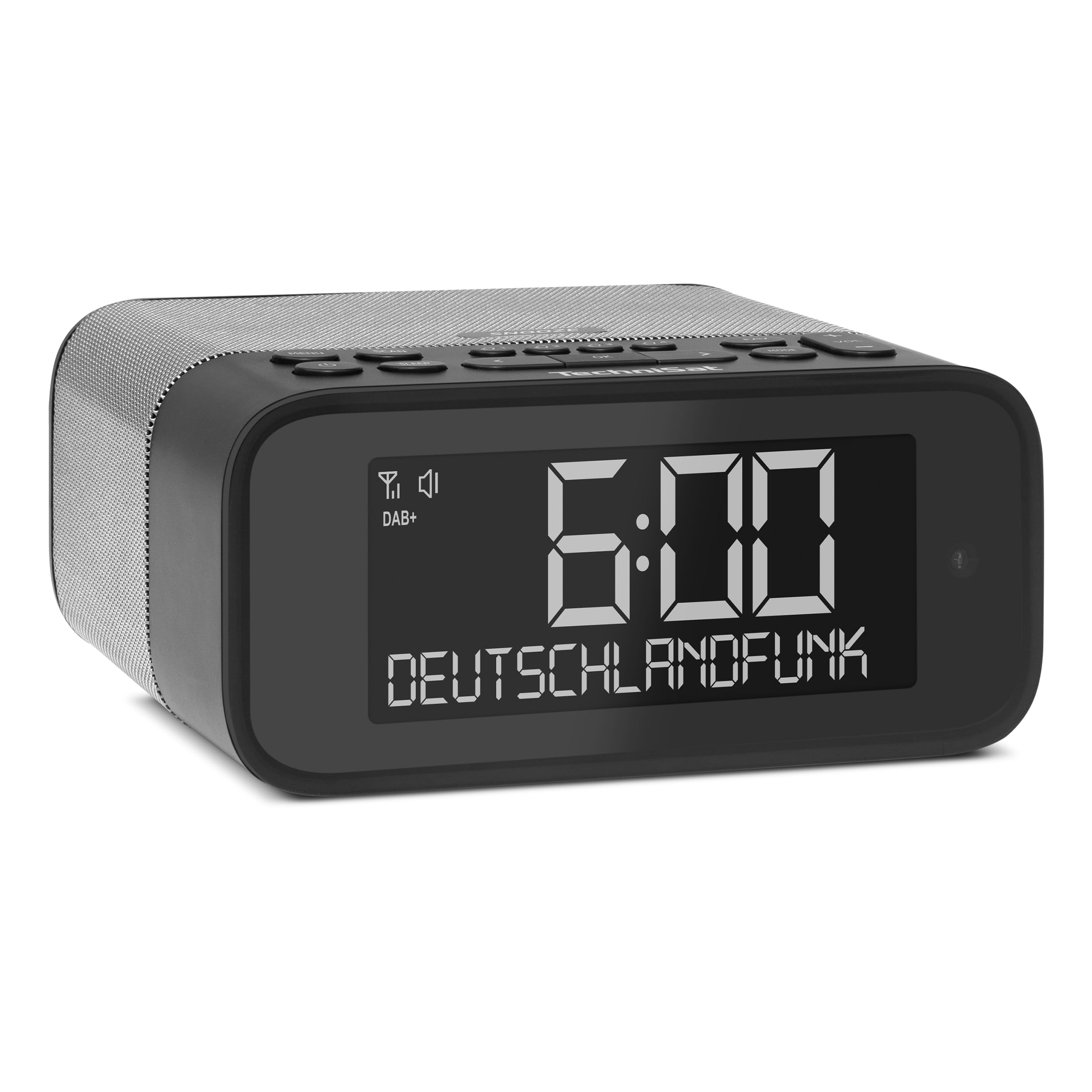
Image 1: Front view of the TechniSat DIGITRADIO 52 BT. The device is black with a large digital display showing "6:00" and "DEUTSCHLANDFUNK". Control buttons are visible on the top panel.
2. Safety Information
- Read all instructions carefully before use.
- Keep the device away from water, moisture, and direct heat sources.
- Do not attempt to disassemble or modify the device. Refer all servicing to qualified personnel.
- Use only the provided power adapter.
- Ensure proper ventilation around the device.
- Clean the device with a soft, dry cloth. Do not use liquid cleaners.
3. Package Contents
Please check the package for the following items:
- TechniSat DIGITRADIO 52 BT unit
- Power Adapter
- User Manual
4. Product Overview
4.1. Controls and Display
The DIGITRADIO 52 BT features an intuitive layout for easy access to all functions.
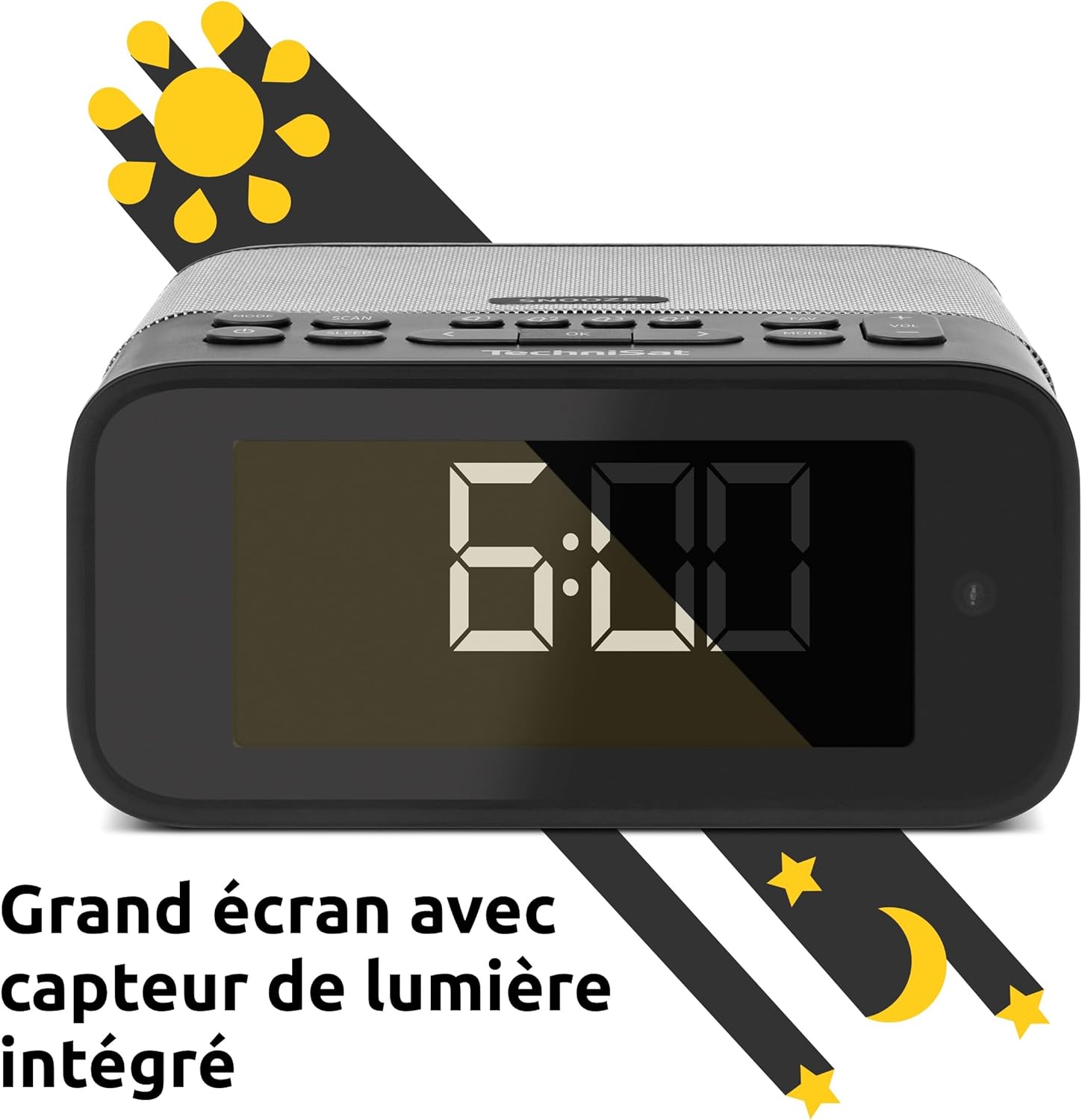
Image 2: Close-up of the large display with integrated light sensor. The display shows "6:00". The light sensor automatically adjusts screen brightness based on ambient light.
4.2. Rear Panel Connections
The rear panel provides essential connectivity options.
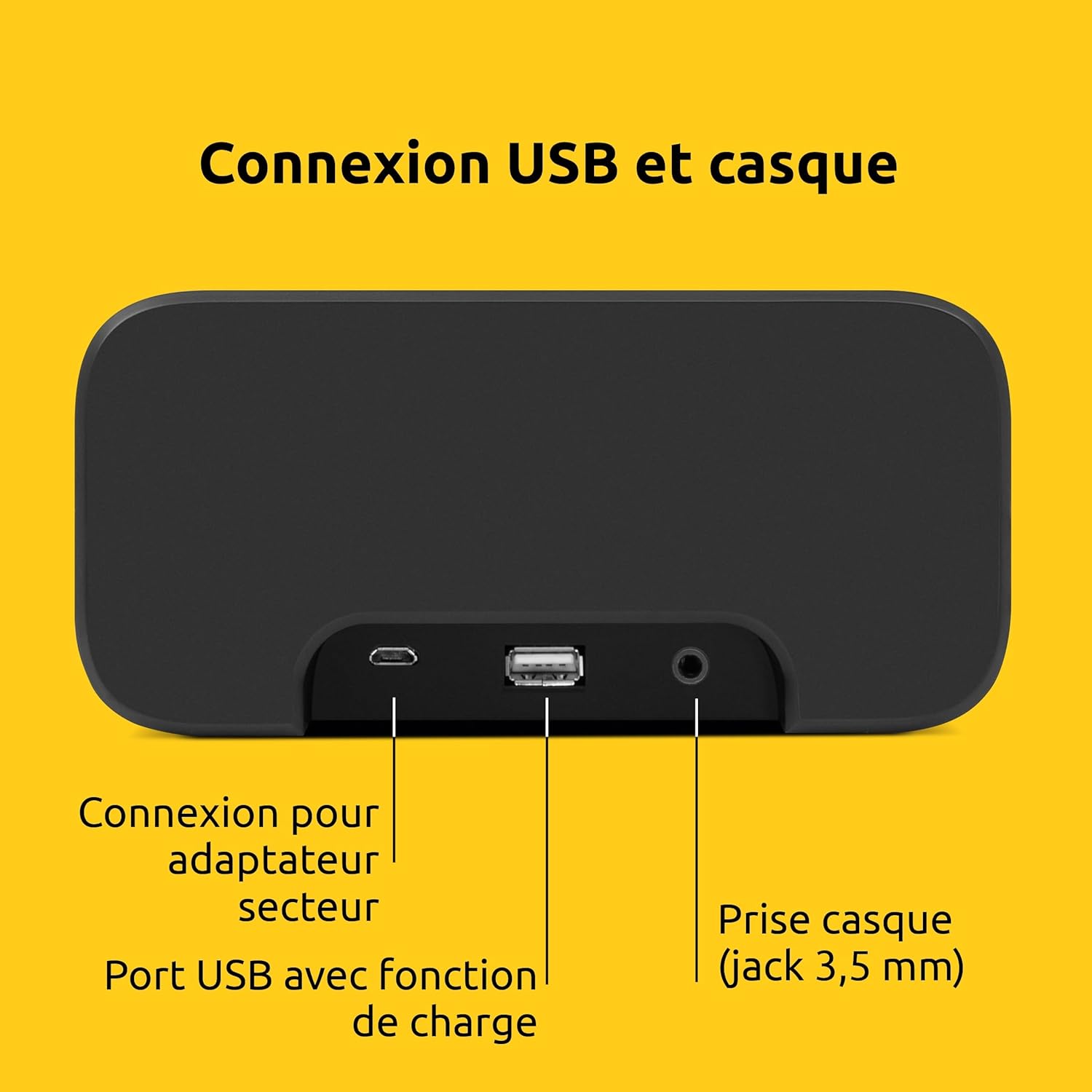
Image 3: Rear view of the device showing the power adapter connection, a USB port with charging function, and a 3.5mm headphone jack.
- Power Connection: Connect the supplied power adapter here.
- USB Port: For charging external devices (e.g., smartphones, tablets).
- Headphone Jack (3.5mm): For private listening.
5. Setup
5.1. Power Connection
- Connect the power adapter to the DC input on the rear of the DIGITRADIO 52 BT.
- Plug the power adapter into a standard wall outlet (230 Volts).
- The device will power on and enter standby mode or begin initial setup.
5.2. Initial Scan (DAB+ and FM)
Upon first power-on, the radio will automatically scan for available DAB+ and FM stations. This process may take a few minutes.

Image 4: The radio display showing "DAB+" and "6:00 DEUTSCHLANDFUNK", indicating successful reception of a DAB+ station.
5.3. Setting Time and Date
The time and date are usually synchronized automatically via DAB+ or FM signals. If manual adjustment is needed, refer to the "Operating" section for menu navigation.
6. Operation
6.1. Power On/Off and Standby
- Press the Power button to turn the device on or off.
- In standby mode, the display shows the current time.
6.2. Radio Tuning (DAB+ / FM)
- Press the Mode button to select DAB+ or FM radio.
- Use the Tune/Select knob or buttons to scan for stations.
- To save a favorite station, press and hold the Preset button, then select a preset number.
- To recall a favorite station, press the Preset button, then select the desired preset number. Up to 20 favorite stations can be stored for both DAB+ and FM.
6.3. Bluetooth Audio Streaming
- Press the Mode button to select Bluetooth mode. The display will show "Bluetooth Pairing".
- On your Bluetooth-enabled device (e.g., smartphone, tablet), search for "DIGITRADIO 52 BT" in the Bluetooth settings.
- Select the device to pair. Once paired, you can stream audio from your device to the radio.
6.4. Volume Control
- Use the Volume buttons or knob to adjust the audio output level.
7. Alarm Functions
The DIGITRADIO 52 BT supports up to four programmable alarms, a snooze function, and a sleep timer.

Image 5: Visual representation of the alarm features: 4 adjustable alarms, adjustable alarm rhythm, sleep timer, and a tactile snooze button.
7.1. Setting Alarms
- Press the Alarm button to enter alarm setup.
- Select one of the four available alarms (Alarm 1-4).
- Set the desired alarm time, alarm source (radio or beep), and alarm volume.
- Choose the alarm rhythm: daily, weekdays (Mon-Fri), or weekends (Sat-Sun).
- Confirm settings to activate the alarm.
7.2. Snooze Function
- When an alarm sounds, gently touch the Snooze area on the top of the device to temporarily silence the alarm. The alarm will sound again after a set interval.
7.3. Sleep Timer
- Press the Sleep button to activate the sleep timer.
- Select the desired duration (e.g., 15, 30, 60 minutes). The radio will play for the set duration and then automatically switch to standby.
8. Display Settings
The large display's brightness can be adjusted manually or automatically.
- Automatic Brightness: The integrated light sensor automatically adjusts the display brightness based on ambient light conditions. This ensures comfortable viewing during the day and minimal disturbance at night.
- Manual Brightness: Access the display settings through the menu to manually set the desired brightness level.
9. USB Charging
The USB port on the rear panel can be used to charge external devices.
- Connect your smartphone, tablet, or other USB-powered device to the USB port using a compatible charging cable.
- The device will begin charging automatically.
10. Troubleshooting
| Problem | Possible Cause | Solution |
|---|---|---|
| No power | Power adapter not connected or faulty outlet. | Ensure the power adapter is securely connected and the outlet is functional. |
| Poor radio reception | Weak signal, antenna position. | Adjust the antenna position. Try moving the radio to a different location. Perform a new station scan. |
| Bluetooth pairing failed | Device not in pairing mode, out of range, or already paired. | Ensure the radio is in Bluetooth pairing mode. Move your device closer. Disconnect from other Bluetooth devices. |
| Alarm not sounding | Alarm not activated, volume too low. | Check alarm settings to ensure it is enabled and the volume is adequate. |
| Display too dim/bright | Automatic brightness setting, manual override needed. | Adjust manual brightness settings or ensure the light sensor is not obstructed. |
11. Specifications
| Feature | Detail |
|---|---|
| Brand | TechniSat |
| Model | DR 52 (0000/2938) |
| Radio Tuner | DAB+, FM |
| Bluetooth | Yes (Bluetooth 5) |
| Output Power | 3W RMS (mono) |
| Display | 4.2-inch Dimmable LCD with Light Sensor |
| Alarms | 4 programmable alarms (radio/beep) |
| Snooze Function | Yes (tactile button) |
| Sleep Timer | Yes |
| Connectivity | USB (charging), 3.5mm Headphone Jack |
| Power Source | Electric Cable (230V input) |
| Dimensions (L x H x D) | 15 cm x 7 cm x 14 cm |
| Weight | 606 Grams |
| Material | Plastic |

Image 6: The compact design of the radio with its dimensions indicated as 15 cm (length), 7 cm (height), and 14 cm (depth).
12. Warranty and Support
12.1. Manufacturer's Warranty
The TechniSat DIGITRADIO 52 BT comes with a 2-year limited warranty from the date of purchase. This warranty covers defects in materials and workmanship under normal use. Please retain your proof of purchase for warranty claims.
12.2. Customer Support
For technical assistance, troubleshooting, or warranty inquiries, please contact TechniSat customer support. Refer to the official TechniSat website for contact details and further information.
Note: Software updates are not guaranteed. Information on spare parts availability is not provided.


