
Introduction
The ESXSWYDR TM611 is a 220V microcomputer time control switch designed for industrial and home automation applications. This single-channel timer switch allows precise control over electrical circuits based on programmed time schedules. It features a passive output and is suitable for 35mm guide rail installations.

Image 1: The TM611 Microcomputer Time Control Switch shown with its packaging. This provides an overview of the product and its branding.
This manual provides instructions for the safe installation, operation, and maintenance of your TM611 time control switch. Please read it thoroughly before use.
Setup and Installation
Safety Warning: Installation should only be performed by qualified personnel. Ensure the main power supply is disconnected before any wiring work to prevent electric shock.
Mounting
The TM611 is designed for 35mm DIN rail mounting. Securely attach the device to the DIN rail in your electrical enclosure.
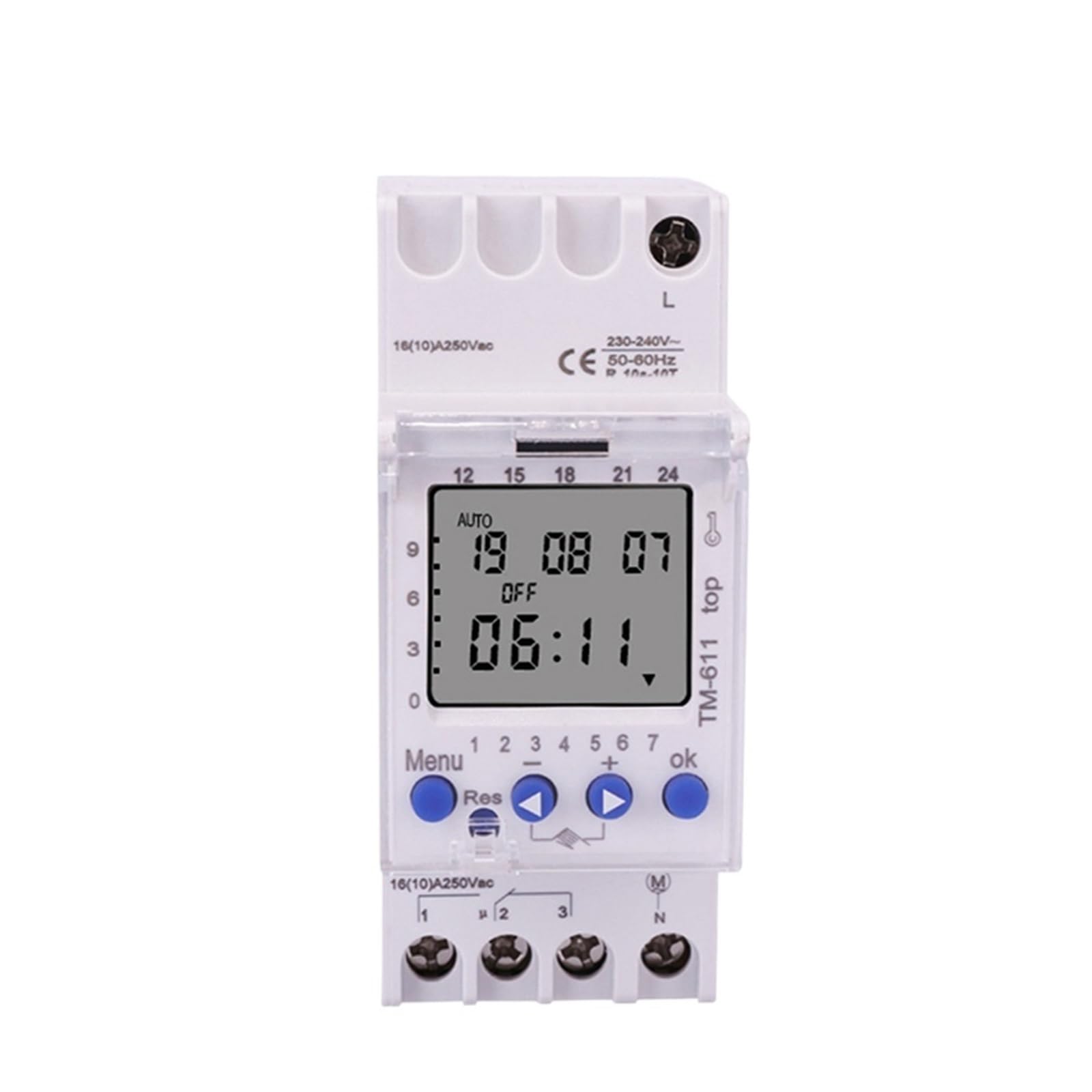
Image 2: Side view of the TM611, illustrating its compact design and the integrated clip for 35mm DIN rail mounting.
Wiring
Refer to the wiring diagram on the device or in the following description. The TM611 has a passive output, meaning it acts as a switch for an external load circuit. Connect the 220V power supply to the designated input terminals (L and N). Connect the load circuit to the output terminals (typically marked 1 and 2 or similar, acting as a normally open contact). Ensure all connections are tight and secure.
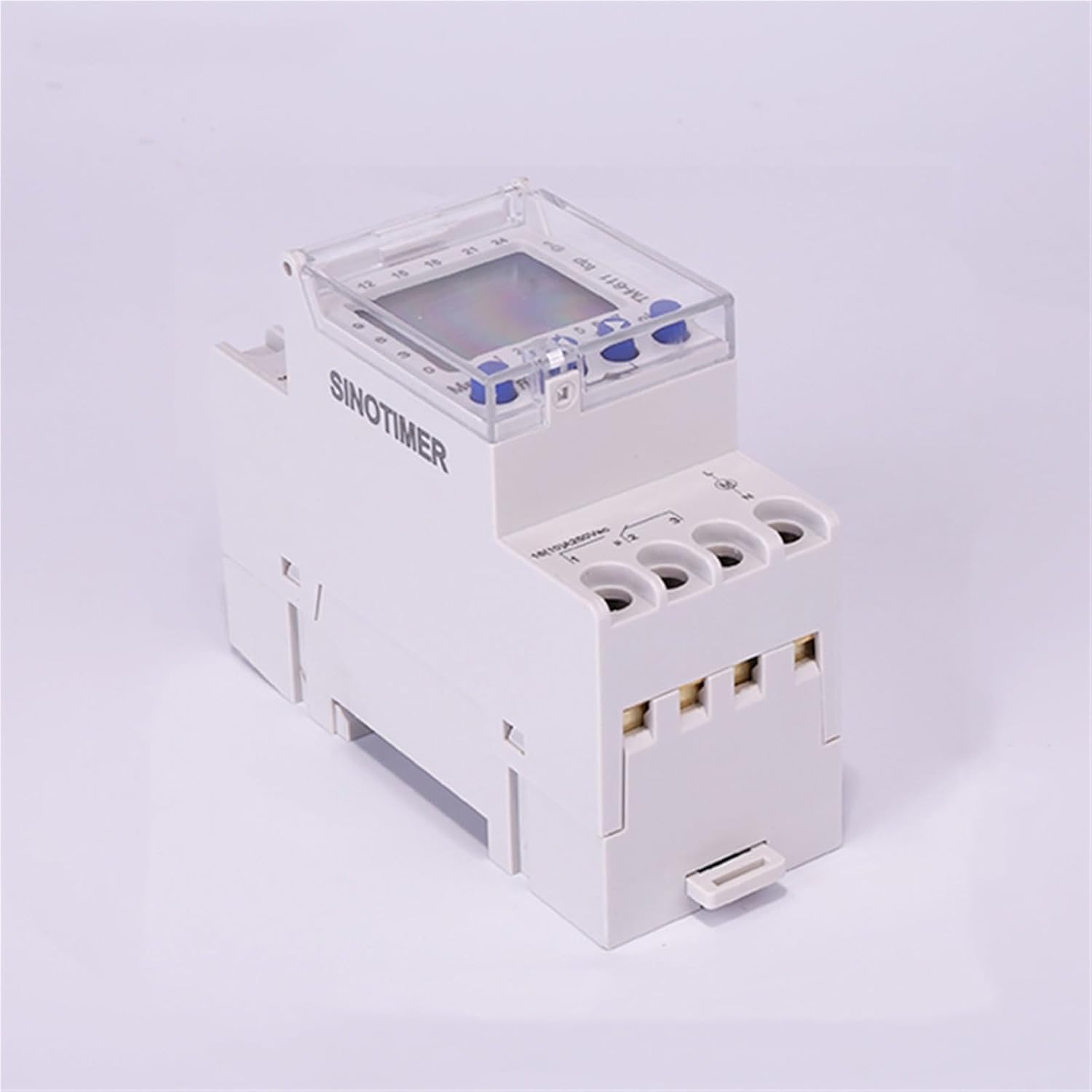
Image 3: Angled view of the TM611, highlighting the input and output wiring terminals at the bottom of the device. Proper connection to these terminals is crucial for operation.
- Input Power: Connect 220V AC to the terminals marked 'L' (Live) and 'N' (Neutral).
- Output Load: Connect your electrical load (e.g., light, fan) to the output terminals. These terminals will close or open based on your programmed schedule.
- Verify all connections before restoring power.
Operating Instructions
The TM611 features a digital display and control buttons for programming. The buttons are typically labeled 'Menu', 'OK', 'Up', 'Down', and 'Reset'.

Image 4: Front view of the TM611, clearly showing the digital display and the control buttons used for setting time and programming schedules.
Setting Current Time and Day
- Press the 'Menu' button to enter the main menu.
- Navigate to the 'Time Setting' or 'Clock' option using the 'Up'/'Down' buttons.
- Press 'OK' to confirm.
- Adjust the hour, minute, and day of the week using the 'Up'/'Down' buttons, confirming each setting with 'OK'.
- Exit the menu to save changes.
Programming On/Off Schedules
The device supports up to 44 switching times and 15 program combinations over a 168-hour (weekly) cycle.
- Press 'Menu' to enter the main menu.
- Select 'Program Setting' or 'Timer' option.
- Press 'OK'. You will typically see program number '1 ON'.
- Set the desired 'ON' time (hour and minute) using 'Up'/'Down' and 'OK'.
- Set the desired days for this 'ON' event (e.g., Mon-Fri, daily, specific days).
- Proceed to '1 OFF' and set the desired 'OFF' time and days.
- Repeat for additional programs (2 ON, 2 OFF, etc.) as needed, up to 44 switching times.
- Exit the menu to save all programmed schedules.
Manual Override
A manual override function allows you to temporarily switch the output ON or OFF independently of the programmed schedule. This is usually done by pressing a specific button (e.g., a dedicated 'Manual' button or a combination of 'Up'/'Down' buttons) until the desired state (ON/OFF/AUTO) is displayed.
Maintenance
The ESXSWYDR TM611 is designed for reliable operation with minimal maintenance.
- Cleaning: Periodically wipe the exterior of the device with a soft, dry cloth. Do not use abrasive cleaners or solvents.
- Inspection: Regularly check wiring connections for tightness and signs of wear or damage.
- Environment: Ensure the device is operated within its specified environmental conditions (temperature, humidity) to prolong its lifespan.
Troubleshooting
| Problem | Possible Cause | Solution |
|---|---|---|
| Device not powering on / Display is blank. | No power supply; incorrect wiring; internal fault. | Check 220V power connection. Verify wiring. If power is present and wiring is correct, the device may be faulty. |
| Load not switching ON/OFF as programmed. | Incorrect program settings; manual override active; faulty load connection. | Review program settings. Check if manual override is engaged. Inspect load wiring. |
| Time/Date is incorrect after power loss. | Internal battery (if present) depleted or not holding charge. | The device may have a backup battery. If time resets frequently, the battery may need replacement (consult manufacturer). Reprogram time. |
Specifications
| Model: | TM611-2 (Single Output) |
| Power Supply Voltage: | 220V AC |
| Power Consumption: | 16A 3600W (Max Load) |
| Output Type: | Passive Output |
| Installation: | 35mm Guide Rail |
| Time Range: | 1 minute to 168 hours |
| Number of Switches: | 44 times |
| Program Combinations: | 15 groups |
| Item Weight: | 50 Grams |
Warranty and Support
For warranty information or technical support, please contact the manufacturer, ESXSWYDR, or your point of purchase. Keep your purchase receipt as proof of purchase.