
1. Introduction
This manual provides detailed instructions for the installation, operation, and maintenance of your Osprey Smart Curtain Track. Please read this manual thoroughly before installation and use to ensure proper function and safety. Keep this manual for future reference.
2. Product Overview
The Osprey Smart Curtain Track is a motorized system designed for automated curtain control. It features an adjustable length, multiple control options, and compatibility with smart home ecosystems.
Key Features:
- All-in-One Design: Ready-to-install unit with no cutting or measuring required.
- Premium Materials: Constructed from thickened aluminum alloy with a double-sided electrophoresis finish for durability and smooth operation.
- Extendable Length: Adjustable up to 10ft 9in (3.3m) to fit various window sizes.
- Flexible Mounting: Supports both wall-mounted and ceiling-mounted installations.
- High Load Capacity: Capable of supporting curtains up to 110lbs (50kg) with built-in overload protection.
- Smart Control: Compatible with Osprey Smart Home App, Alexa, Google Assistant, and Siri for voice control. No additional hub required.
- Multiple Control Options: App, voice control, remote, Touch & Go, temperature sensor integration, timer & scheduling, and manual override for power outages.

Image: Osprey Smart Curtain Track installed in a living room, showing remote and app control options.
Components:

Image: Diagram illustrating the main components: Aluminum Track, Carrier, Gearbox, and Runners.
- Aluminum Track: The main rail system for curtain movement.
- Carrier: Components that slide within the track, holding the curtain runners.
- Gearbox: Contains the motor mechanism for automated movement.
- Runners: Hooks that attach to the curtain fabric and slide along the track.
- Motor: Powers the curtain movement.
- Remote Control: For direct control of curtain movement.
3. Safety Information
- Ensure the power supply is disconnected before installation or maintenance.
- Do not attempt to modify or repair the device yourself. Contact customer support for assistance.
- Keep children and pets away from the curtain track during operation.
- Ensure curtains do not exceed the maximum weight capacity of 110lbs (50kg).
- Avoid obstructing the curtain path during operation.
4. Package Contents
Verify that all components are present before beginning installation:
- Osprey Smart Curtain Track Assembly (pre-assembled)
- Motor Unit
- Remote Control
- Wall-mounted Brackets
- Ceiling-mounted Brackets
- Power Adapter
- User Manual

Image: Overview of the Osprey Smart Curtain Track system, including the track, motor, remote, and compatible smart speakers.
5. Setup and Installation
The Osprey Smart Curtain Track is designed for quick and effortless installation without the need for cutting or complex assembly.
5.1 Mounting Options
The track supports both wall and ceiling mounting. Choose the appropriate brackets for your desired installation.
5.2 Installation Steps
- Locate Mounting Position: Determine the precise location for your curtain track. Ensure it is level and provides adequate clearance for your curtains.
- Install Mounting Brackets: Securely attach the chosen wall or ceiling brackets to the desired location using appropriate fasteners (not included).
- Mount the Motor: Carefully align the motor unit with the track and slide it into place.
- Secure the Motor: Slide the catch mechanism to the left, then push it down all the way to lock the motor securely onto the track.
- Attach Curtains: Hang your curtains onto the runners provided on the track.
- Connect Power: Plug the power adapter into the motor unit and then into a power outlet.

Image: Close-up view of installing the mounting bracket onto the curtain track.

Image: Detailed view of the mounting bracket and track connection point.

Image: Hands attaching a curtain to the runners on the smart curtain track.
6. Operating Instructions
The Osprey Smart Curtain Track offers multiple ways to control your curtains.
6.1 Remote Control
Use the included remote control to open, close, or pause your curtains. Refer to the remote's specific buttons for their functions (e.g., Open, Close, Stop).
6.2 Osprey Smart Home App
Download the Osprey Smart Home App from your device's app store. Follow the in-app instructions to pair your curtain track. The app allows for precise control, scheduling, and customization.

Image: A hand holding a smartphone showing the Osprey Smart Home App, used for controlling the curtain track.
6.3 Voice Control
The track is compatible with Amazon Alexa, Google Assistant, and Apple Siri. Link your Osprey Smart Home App account with your preferred voice assistant. Use commands such as:
- "Alexa, open the living room curtains."
- "Hey Google, close the bedroom blinds."
- "Siri, set the curtains to 50% open."
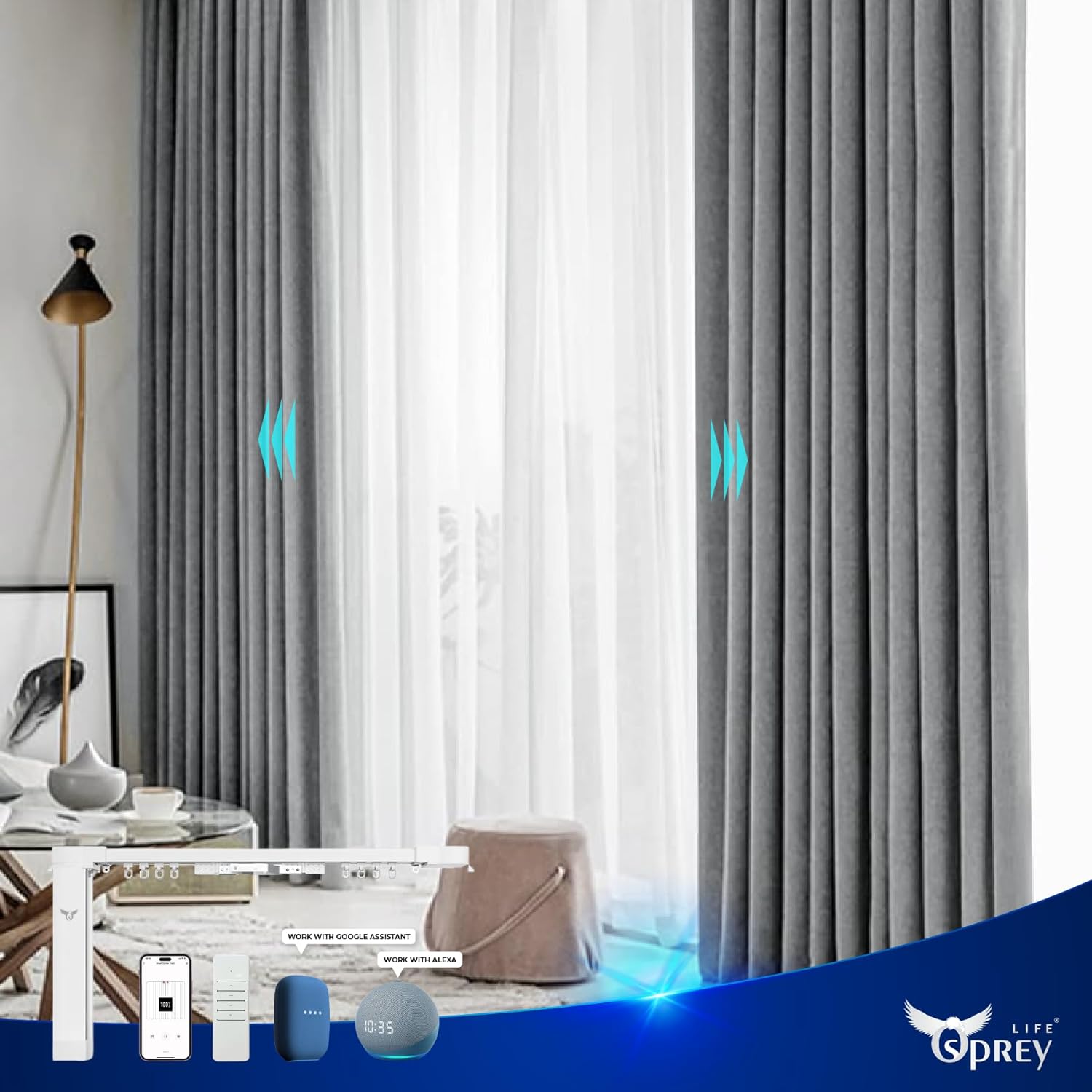
Image: Curtains in a living room being controlled by smart home voice assistants like Alexa and Google Assistant.
6.4 Scheduling Function
Utilize the Osprey Smart Home App to set automated open and close times for your curtains. This allows for daily routines, such as opening with the sunrise or closing at sunset.

Image: Visual representation of curtains opening for daytime and closing for nighttime, demonstrating the scheduling function.
6.5 Touch & Go
Gently pull the curtain in the desired direction (open or close) to activate the motor and initiate full movement. This feature provides convenient manual initiation.
6.6 Manual Override
In case of a power outage, the curtains can be manually opened or closed by gently pulling them along the track.
7. Maintenance
- Cleaning: Wipe the track and motor unit with a soft, dry cloth. Do not use abrasive cleaners or solvents.
- Track Inspection: Periodically check the track for any obstructions or debris that might hinder smooth operation.
- Curtain Attachment: Ensure curtains are securely attached to the runners and are not excessively heavy.
8. Troubleshooting
- Curtains Not Moving:
- Check if the power adapter is securely plugged in.
- Ensure the motor is correctly mounted and locked.
- Verify that the remote control batteries are functional.
- Check the Osprey Smart Home App for any error messages or connectivity issues.
- Partial Movement / Only One Side Works:
- Inspect the track for any obstructions or damage.
- Ensure the curtain fabric is not snagged or unevenly distributed.
- Recalibrate the track limits via the Osprey Smart Home App if available.
- Scheduling Not Working:
- Ensure the Osprey Smart Home App is running in the background on your device and has necessary permissions.
- Verify the schedule settings within the app are correct.
- Check your device's internet connection.
- Remote Control Unresponsive:
- Replace the remote control batteries.
- Ensure there are no obstacles between the remote and the track's receiver.
9. Specifications
| Brand | osprey.life |
| Model Number | OE-OS-CM01 |
| Product Dimensions | 75"L x 6"W (Adjustable up to 10ft 9in / 3.3m) |
| Material | Aluminum |
| Mounting Type | Wall Mounted or Ceiling |
| Item Weight | 4.4 pounds |
| Load Capacity | Up to 110lbs (50kg) |
| Motor Noise Level | Less than 30dB |
| Compatibility | Osprey Smart Home App, Amazon Alexa, Google Assistant, Apple Siri |
| UPC | 703818814325 |
10. Warranty and Support
For warranty information and customer support, please refer to the official osprey.life website or contact their customer service directly. Keep your purchase receipt as proof of purchase.
For further assistance, visit: Osprey Electronics Store on Amazon


