
WESLNN GAX-LA408
WESLNN GAX-LA408 Digital Audio Processor User Manual
Model: GAX-LA408
1. Product Overview
The WESLNN GAX-LA408 is a professional multi-channel digital audio processor designed for precise signal routing and advanced audio manipulation. It supports analog signal input and output, offering comprehensive control via computer through USB or intranet IP connections. This device is engineered to provide high-fidelity audio processing for a wide range of applications.
Key Features:
- Supports multi-channel analog signal routing.
- Computer control via USB or intranet IP connection.
- Intuitive and user-friendly PC software interface.
- Integrated audio processing functions: compression, gain, signal distribution, high/medium/low frequency filters, and speaker delay.
- Flexible combination with various audio systems (available in 2-in-4-out, 3-in-6-out, and 4-in-8-out models).

Figure 1.1: Front and rear panels of the GAX-LA408 Digital Audio Processor.
2. Panel Introduction
This section details the various controls, indicators, and connection ports on the front and rear panels of the GAX-LA408 processor.

Figure 2.1: Front and Rear Panel Layout with Key Components.
Front Panel Components:
- Channel Level Lights: Indicate the signal level for each input and output channel.
- Display: LCD screen showing current settings, menus, and operational status.
- Enter Control Knob: Rotary encoder for navigating menus and adjusting parameters.
- Input Channel Buttons: Select specific input channels for configuration.
- Output Channel Buttons: Select specific output channels for configuration.
- Function Buttons: Dedicated buttons for BACK, DELAY, GATE/COMP, MATRIX, DEQ/GEQ, PEQ, REVERB, PRESET, SETTING.
- USB Interface: For connecting to a computer for software control.
Rear Panel Components:
- AC Power Input: Standard IEC power connector (AC 110V-230V).
- Power Switch: Toggles the unit's power on/off.
- RS232 Port: Serial communication port for control.
- Ethernet Port (RJ45): For network control via IP.
- Input Channels (XLR): Balanced XLR inputs for audio signals.
- Output Channels (XLR): Balanced XLR outputs for audio signals.
3. Setup
3.1 Unpacking and Inspection
Carefully remove the GAX-LA408 processor from its packaging. Inspect the unit for any signs of physical damage that may have occurred during transit. Retain the packaging materials for future transport or storage.
3.2 Placement
Place the processor on a stable, flat surface or install it into a standard 19-inch equipment rack. Ensure adequate ventilation around the unit to prevent overheating. Avoid placing the unit near heat sources or in direct sunlight.
3.3 Connections
Before making any connections, ensure the unit is powered off.
- Power Connection: Connect the supplied AC power cable to the AC power input on the rear panel and then to a suitable power outlet (AC 110V-230V).
- Audio Input Connections: Connect your audio sources (e.g., mixers, microphones) to the XLR input channels on the rear panel using balanced XLR cables.
- Audio Output Connections: Connect the XLR output channels on the rear panel to your amplifiers or powered speakers using balanced XLR cables.
- Computer Control (USB): For direct control, connect a USB cable from the processor's front panel USB port to your computer.
- Network Control (Ethernet): For network control, connect an Ethernet cable from the processor's RJ45 port to your network router or switch.

Figure 3.1: The GAX-LA408 is designed for seamless integration into advanced audio setups.
4. Operating Instructions
4.1 Powering On/Off
To power on the unit, ensure all connections are secure, then flip the power switch on the rear panel to the 'ON' position. The display will illuminate. To power off, flip the switch to 'OFF'.
4.2 Basic Navigation
Use the Enter Control Knob to scroll through menu options and adjust parameter values. Press the knob to confirm selections. The BACK button navigates to the previous menu.
4.3 Software Control
The GAX-LA408 can be controlled via dedicated PC software. Install the software on your computer and connect the processor via USB or Ethernet. The software provides a graphical interface for comprehensive control over all parameters, including signal routing, EQ, dynamics, and delays. Refer to the software's help documentation for detailed instructions.
4.4 Signal Routing
The processor allows flexible routing of input signals to various output channels. Use the MATRIX function button on the front panel or the software interface to configure signal paths. This enables creation of custom audio distribution setups.
4.5 DSP Functions
The GAX-LA408 features a range of Digital Signal Processing (DSP) functions:
- Compression/Gate: Adjust dynamics to control signal levels and reduce noise. Access via GATE/COMP button.
- Equalization (DEQ/GEQ/PEQ): Shape the frequency response using Digital Equalizer, Graphic Equalizer, or Parametric Equalizer. Access via DEQ/GEQ and PEQ buttons.
- Delay: Apply time delays to output channels for speaker alignment. Access via DELAY button.
- Reverb: Add reverberation effects. Access via REVERB button.
- Presets: Save and recall custom configurations. Use the PRESET button to manage presets.
5. Maintenance
Proper maintenance ensures the longevity and optimal performance of your GAX-LA408 processor.
- Cleaning: Regularly wipe the exterior of the unit with a soft, dry cloth. Do not use abrasive cleaners, solvents, or waxes. Ensure no liquids enter the unit.
- Ventilation: Keep ventilation openings clear of dust and debris. Ensure proper airflow around the unit to prevent overheating.
- Storage: If storing the unit for an extended period, disconnect all cables, power off the unit, and store it in a cool, dry place away from direct sunlight and extreme temperatures. Use original packaging if available.
- Firmware Updates: Periodically check the manufacturer's website for firmware updates. Updates can improve performance, add features, or resolve issues.
6. Troubleshooting
This section provides solutions to common issues you might encounter with the GAX-LA408 processor. If the problem persists, contact customer support.
| Problem | Possible Cause | Solution |
|---|---|---|
| No power | Power cable disconnected; Power switch off; Faulty power outlet | Check power cable connection; Ensure power switch is ON; Test power outlet with another device. |
| No audio output | Incorrect signal routing; Muted channels; Volume too low; Faulty cables | Verify signal routing in software/front panel; Unmute channels; Increase volume; Check/replace audio cables. |
| No computer connection | USB/Ethernet cable disconnected; Driver not installed; Incorrect IP settings | Ensure cable is connected; Install necessary drivers; Verify IP settings for network connection. |
| Distorted audio | Input/output levels too high (clipping); Incorrect impedance matching; Faulty component | Reduce input/output gain; Ensure proper impedance; Contact support if distortion persists. |
7. Specifications
Detailed technical specifications for the GAX-LA408 Digital Audio Processor.
| Parameter | Value |
|---|---|
| Model Number | GAX-LA408 |
| THD+N | <0.003% |
| SNR | 110dB A-weighted |
| Power Consumption | 20W |
| Frequency Range | +0/-0.3dB |
| Dynamic Range | >116 dB |
| Package Dimensions | 2.54 x 2.54 x 2.54 cm |
| Item Weight | 50 g |
| Item Model Number | 1005006535793648 |
| Country of Origin | China |

Figure 7.1: Internal components, highlighting the ADSP-21571 digital audio processing chip.
8. Applications
The GAX-LA408 Digital Audio Processor is versatile and suitable for a wide range of sound reinforcement applications due to its multi-channel processing capabilities and flexible routing options.
- Stage Performances: Ideal for managing complex audio signals in live concert settings, ensuring optimal sound distribution and quality.
- Bars and KTVs: Enhances audio experiences in entertainment venues by providing precise control over sound dynamics and effects.
- School Auditoriums: Suitable for educational institutions requiring robust audio processing for presentations, performances, and events.
- Conference Broadcasts: Facilitates clear and controlled audio for large-scale conferences and public address systems.
- Street Performances: Portable and powerful enough to be integrated into mobile sound systems for outdoor events.
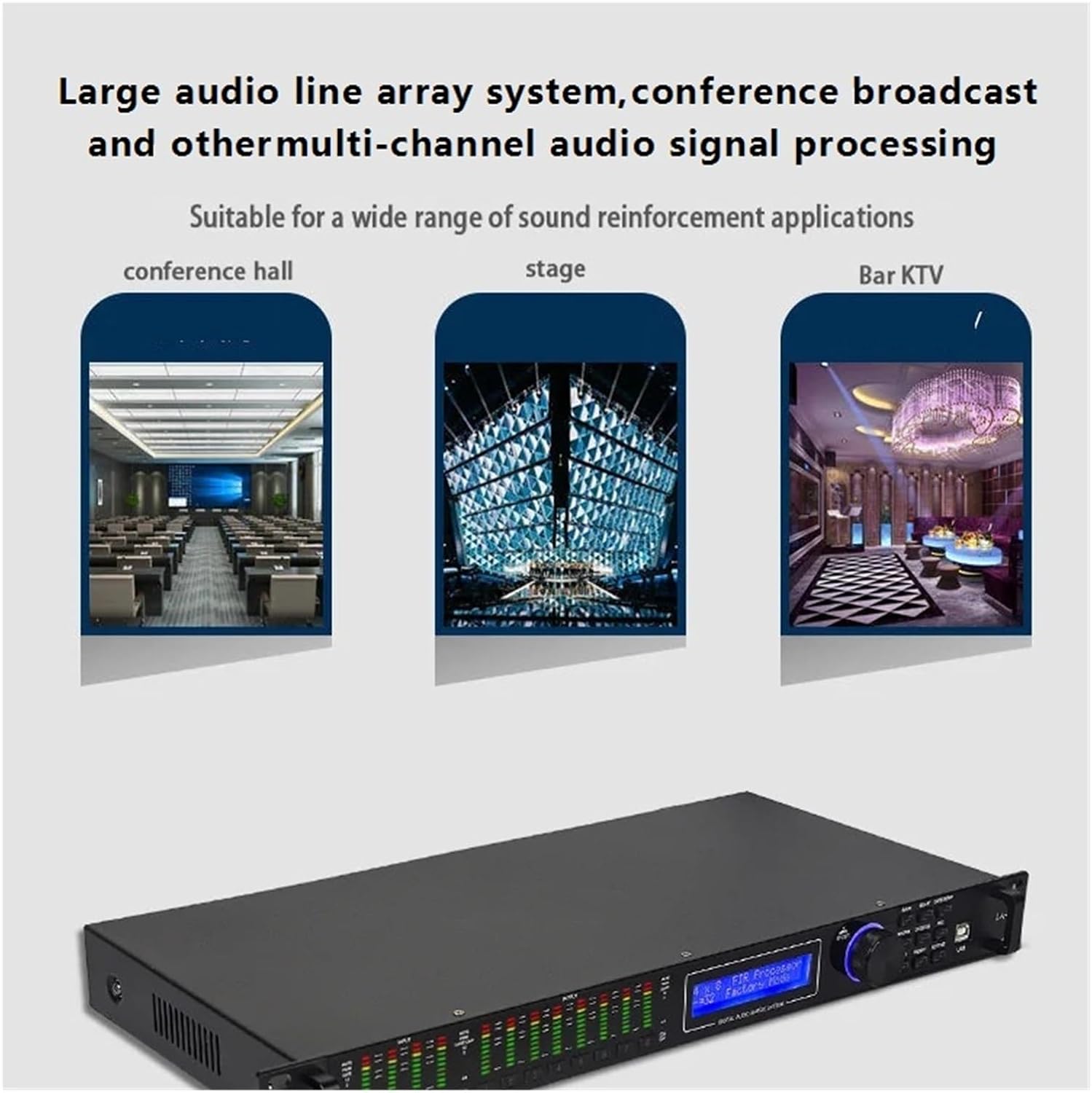
Figure 8.1: Examples of environments where the GAX-LA408 can be effectively utilized.
9. Warranty and Support
For warranty information, technical support, or service inquiries, please refer to the contact details provided on the product packaging or the official WESLNN website. Keep your purchase receipt as proof of purchase for warranty claims.

Figure 9.1: Product label containing manufacturer and importer details.
Manufacturer: nmbhus
Importer: yunchengsihuanqunanmubaihuoshanghanggerenduzl
EC REP: XDH Tech
Address: 2 Rue Coysevox, Bureau 3, LYON, RHONE, 69001, France
Email: xdh.tech@outlook.com
Ask a question about this manual
Ask about setup, troubleshooting, compatibility, parts, safety, or missing instructions. Manuals+ will review the question and use this page’s manual context to help answer it.