
1. Introduction
Welcome to the user manual for your Sanag S9S AI Fully Wireless Earphones. These open-ear headphones are designed to provide an enhanced listening experience with advanced features such as spatial audio, deep bass, stereo sound, and AI translation support. With Bluetooth 5.3 connectivity and an IPX4 waterproof rating, the S9S earphones offer a comfortable and secure fit for various activities. This manual will guide you through the setup, operation, and maintenance of your new earphones.

Figure 1: Sanag S9S AI Earphones and Charging Case
2. What's in the Box
Upon opening your Sanag S9S package, you should find the following items:
- Sanag S9S AI Earphones (Left and Right)
- Wireless Charging Case
- Ear Cushions (pre-installed or in various sizes)
- User Manual (this document)
3. Setup Guide
3.1 Initial Charging
Before first use, fully charge your Sanag S9S earphones and their charging case. Place the earphones into the charging case. Connect the charging case to a power source using a compatible USB cable (not always included, check packaging). A full charge typically takes approximately 2 hours. The charging case provides up to 40 hours of extended battery life, with the earphones offering up to 7 hours of continuous playback on a single charge.
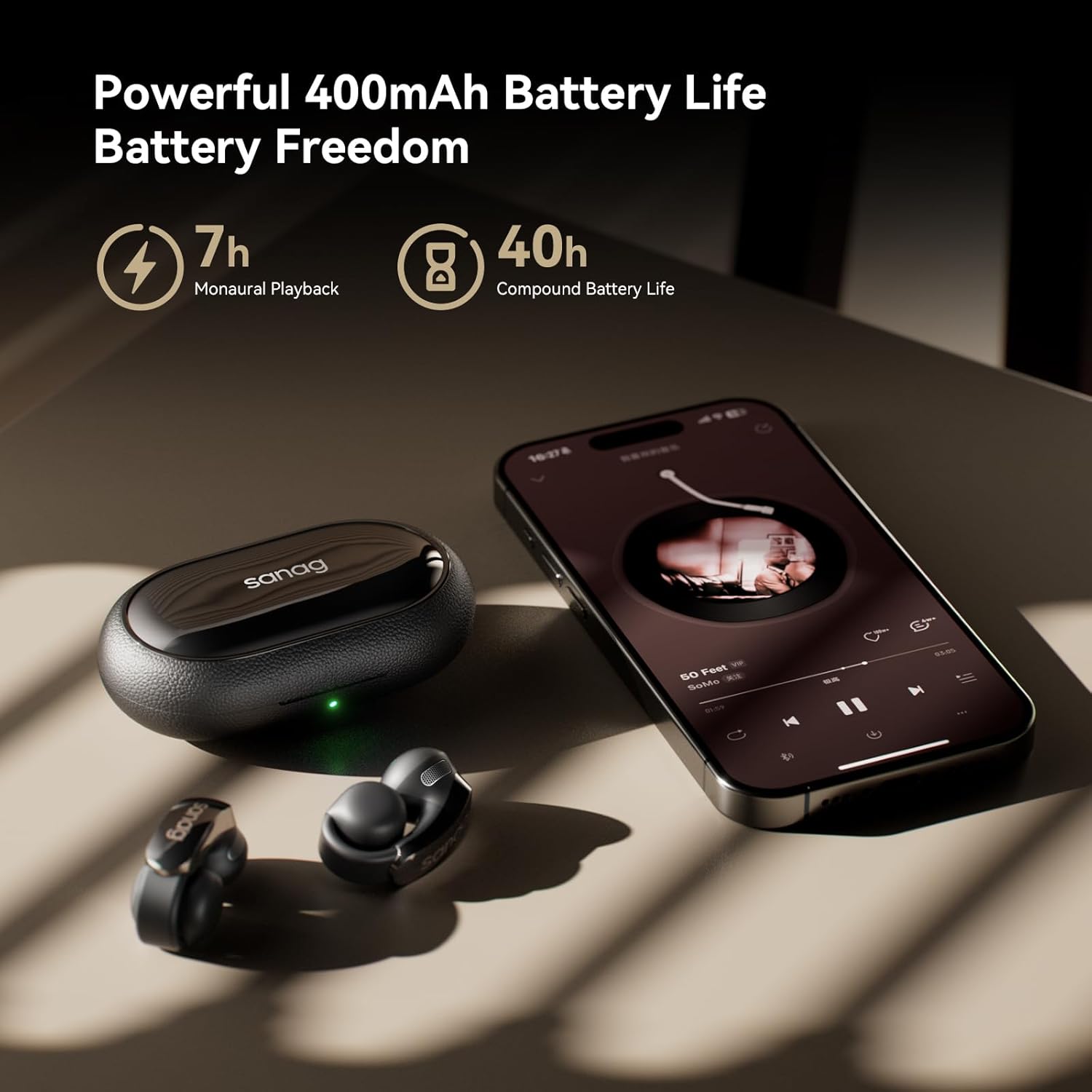
Figure 2: Charging the Sanag S9S Earphones
3.2 Bluetooth Pairing
To pair your Sanag S9S earphones with your device:
- Ensure the earphones are in the charging case and the case has sufficient charge.
- Open the charging case. The earphones will automatically enter pairing mode.
- On your smartphone or other Bluetooth-enabled device, go to the Bluetooth settings.
- Search for available devices and select "Sanag S9S" from the list.
- Once connected, a confirmation sound will play, and the earphones will be ready for use.
The earphones utilize Bluetooth 5.4 technology, offering a stable and fast connection.
4. Operating Instructions
4.1 Wearing the Earphones
The Sanag S9S features an open-ear, clip-on design for comfortable and secure fit. Gently clip the earphones onto your ears, ensuring the audio output is positioned correctly for optimal sound delivery. The soft rubber and ergonomic design, along with adjustable ear clips, enhance overall comfort for extended wear.

Figure 3: Proper Wearing and Design of Sanag S9S Earphones
4.2 Touch Controls
The Sanag S9S earphones are equipped with intuitive touch controls for easy management of audio playback and calls:
- Play/Pause: Single tap on either earphone.
- Next Track: Double tap on the right earphone.
- Previous Track: Double tap on the left earphone.
- Answer/End Call: Single tap on either earphone.
- Reject Call: Press and hold on either earphone.
- Switch Modes (Stereo/Immersive): Triple tap on either earphone.
4.3 Spatial Audio Experience
The S9S earphones feature a 12-Layer Dynamic Spatial Algorithm and head-tracking technology to deliver an immersive 3D spatial audio experience. Sound moves with your head, creating a realistic and dynamic sound field.

Figure 4: Dynamic Spatial Audio Technology
4.4 Sound Leakage Prevention
Equipped with new sound wave focusing technology, the S9S earphones minimize sound leakage, ensuring your audio is directed precisely to your ears for a private listening experience, even in quiet environments.
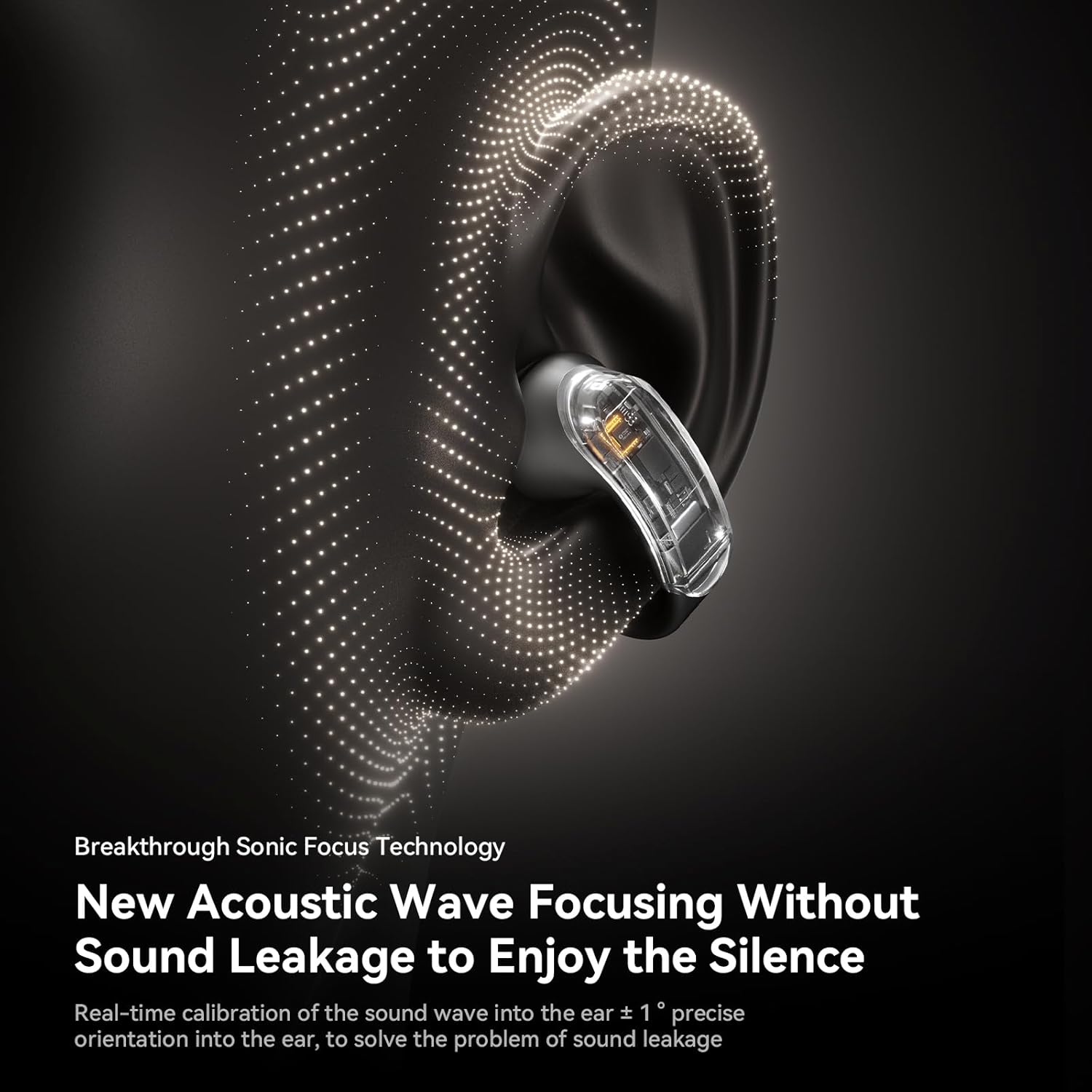
Figure 5: Sound Focusing Technology
4.5 AI Translation and Smart Features
The Sanag S9S integrates SANAG's in-house developed APPAI High-Efficiency Assistant. This feature offers:
- AI Chat: Quick responses to your questions.
- Smart Translation: Supports instant translation and voice pack translation for cross-language communication.
- AI Art Function: Convert text to images and vice versa for creative applications.

Figure 6: AI Translation in Action
Video: About S9S AI - Demonstrates key features including spatial audio, comfort, sound focusing, Bluetooth connectivity, battery life, and AI functions.
5. Maintenance
5.1 Cleaning
Regularly clean your earphones with a soft, dry, lint-free cloth. Avoid using abrasive materials or harsh chemicals. Ensure no moisture enters the charging ports or speaker grilles.
5.2 Water Resistance
The Sanag S9S earphones have an IPX4 waterproof rating, meaning they are resistant to splashes, sweat, and rain. They are not designed for submersion in water. Avoid exposing them to high-pressure water jets or prolonged periods in wet environments.
5.3 Storage
When not in use, store the earphones in their charging case to protect them from dust, dirt, and physical damage. Store in a cool, dry place away from extreme temperatures.
6. Troubleshooting
If you encounter issues with your Sanag S9S earphones, please refer to the following common solutions:
| Problem | Possible Cause | Solution |
|---|---|---|
| Earphones not pairing | Low battery; not in pairing mode; device Bluetooth off | Charge earphones; open case to enter pairing mode; enable Bluetooth on device. |
| No sound | Volume too low; not connected; incorrect audio output selected | Increase volume; re-pair earphones; check device audio settings. |
| Sound quality poor | Interference; earphone position; dirty speaker grilles | Move closer to device; adjust earphone position; clean grilles. |
| AI features not working | App not installed/updated; internet connection issues | Ensure Sanag APP is installed and updated; check internet connection. |
7. Specifications
| Feature | Detail |
|---|---|
| Model Name | S9S |
| Connectivity Technology | Wireless (Bluetooth) |
| Bluetooth Version | 5.4 |
| Ear Placement | Open Ear |
| Form Factor | Open-ear, Clip-on |
| Water Resistance Level | IPX4 (Waterproof) |
| Battery Life (Earphones) | Up to 7 hours (Monaural Playback) |
| Battery Life (with Case) | Up to 40 hours (Compound Battery Life) |
| Charging Time | 2 Hours |
| Audio Driver Type | Dynamic Driver (13.4mm Titanium-plated Acoustic Unit) |
| Frequency Range | 20 Hz - 20,000 Hz |
| Impedance | 32 Ohm |
| Control Type | Touch Control, App Control |
| Noise Control | Active Noise Cancellation |
| Product Dimensions | 3 x 1.7 x 1 inches |
| Item Weight | 10.4 ounces |
| Material | Plastic |
| Color | Beige |
8. Warranty and Support
For warranty information and customer support, please refer to the documentation provided with your purchase or contact Sanag customer service directly. Keep your proof of purchase for warranty claims.
Manufacturer: Dongguan Chiyuan Jizhi Electronic Technology Co., Ltd