Introduction
This manual provides instructions for the installation, operation, and maintenance of your TECKNET Wireless Doorbell Kit. This kit includes a wireless doorbell transmitter and two plug-in receivers, designed for ease of use and reliable performance. Key features include a wide wireless range, multiple chime options, adjustable volume, and a unique RGB light indicator for visual alerts.
What's in the Box
- 1 × Wireless Doorbell Transmitter
- 2 × Plug-in Receivers
- 1 × Installation Toolkit (screws, anchors, adhesive tape)
- 1 × User Manual
Setup
1. Transmitter Installation
The doorbell transmitter can be installed using either adhesive tape or screws. Ensure the installation location is clean and dry for optimal adhesion or secure mounting.
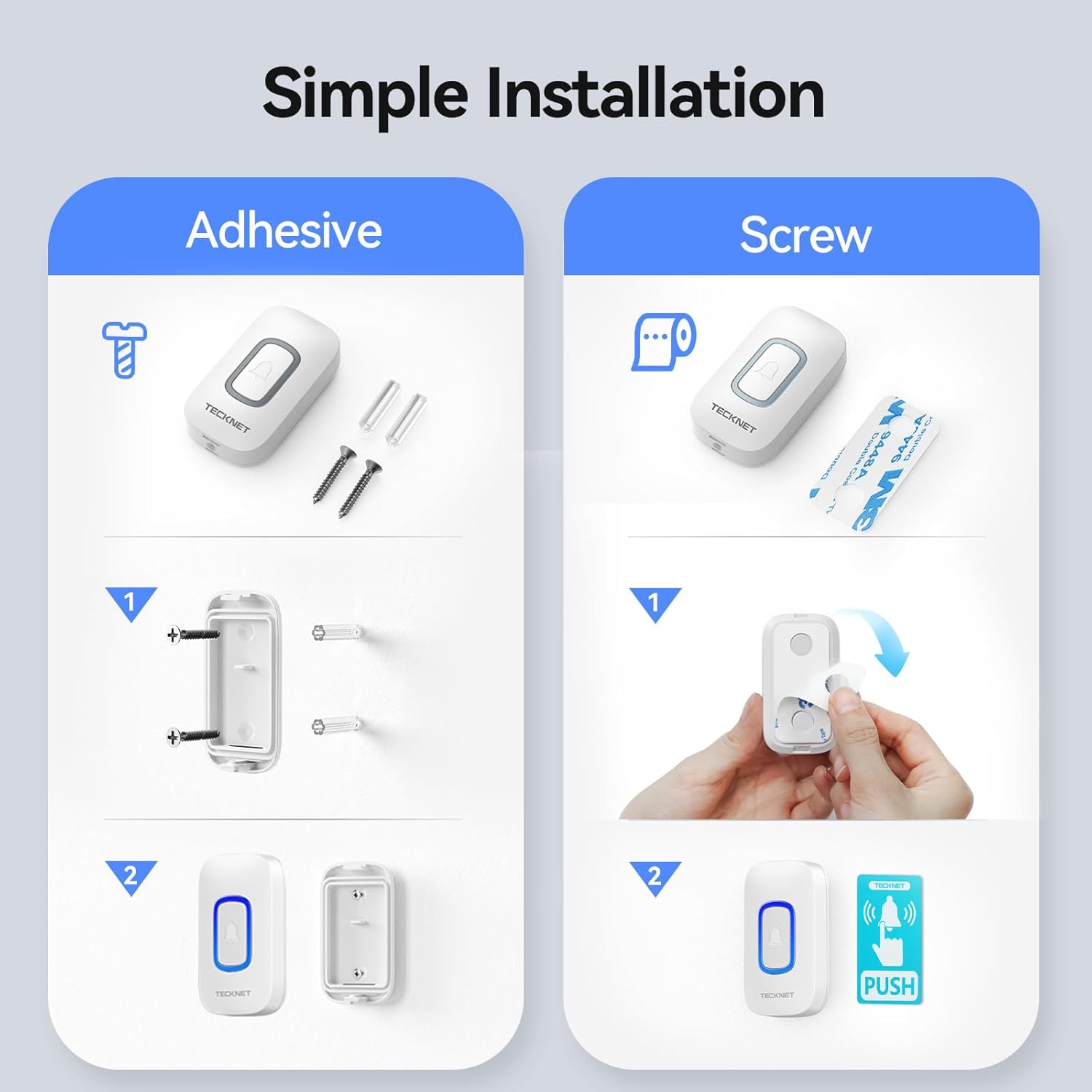
Image: Simple Installation. This image illustrates two methods for installing the doorbell transmitter. Method 1, "Screw Mounting," shows drilling holes, inserting anchors, and securing the mounting bracket with screws before attaching the transmitter. Method 2, "Adhesive Mounting," shows cleaning the surface, applying adhesive tape to the back of the transmitter, and pressing it firmly onto the desired location. Both methods are designed for easy setup.
- Adhesive Mounting: Clean the desired surface thoroughly. Peel off the protective film from the adhesive tape on the back of the transmitter. Press the transmitter firmly onto the wall for at least 30 seconds.
- Screw Mounting: Mark the desired drilling points. Drill two holes and insert the provided wall anchors. Secure the mounting bracket with the screws, then attach the transmitter to the bracket.
The transmitter is IP66 waterproof and dustproof, designed to function reliably in various weather conditions, from -20°C to 60°C (-4°F to 140°F).

Image: IP66 Waterproof. This image highlights the IP66 waterproof rating of the doorbell transmitter. It shows the transmitter with water droplets on its surface, alongside scenes depicting its functionality in cold (-20°C) and hot (60°C) environments, emphasizing its durability against extreme weather.
2. Receiver Setup
Plug the receivers into standard electrical outlets in locations where you wish to hear the doorbell chime. The receivers are plug-and-play and do not require batteries.

Image: 400M/1300Ft Wireless Range. This image visually represents the extensive 400-meter (1300-foot) wireless range of the doorbell system. It shows a multi-story house with the doorbell transmitter placed outside and two receivers strategically located inside, demonstrating how the signal can reach different areas of a large property.
3. Pairing (if needed)
The transmitter and receivers are pre-paired at the factory. If re-pairing is necessary or if you add additional components:
- Plug in the receiver.
- Press and hold the volume button on the receiver for 3 seconds until the RGB light flashes.
- Immediately press the doorbell transmitter button. The receiver will chime, indicating successful pairing.
Operating Instructions
1. Chime Selection
The doorbell offers 60 selectable melodies. To change the chime:
- Press the "Chime Selection" button on the side of the receiver to cycle through the available melodies.
- Once you hear your desired chime, stop pressing the button. The receiver will remember this selection.
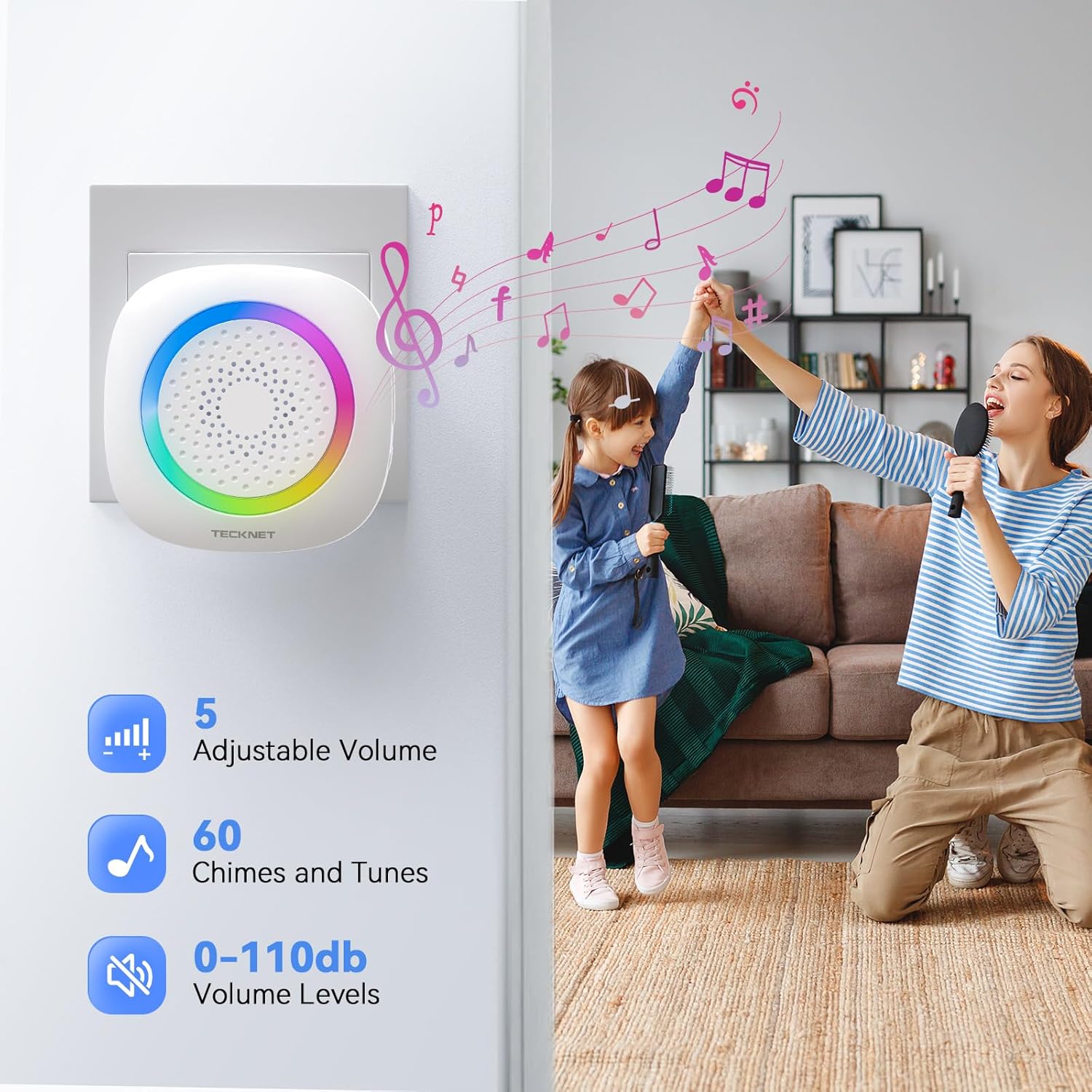
Image: 60 Chimes, 5 Volume Levels. This image displays the doorbell receiver plugged into a wall outlet, surrounded by musical notes. Text overlays highlight its features: "5 Adjustable Volume" and "60 Chimes and Tunes," indicating the variety of customization options available for the user.
2. Volume Adjustment
There are 5 adjustable volume levels, ranging from 0dB to 100dB. To adjust the volume:
- Press the "Volume" button on the side of the receiver to cycle through the volume levels.
- The volume will decrease with each press until it reaches silent mode (0dB), then cycle back to maximum.
The system features a memory function that retains your last chosen melody and volume setting, even after a power outage.

Image: Memory Function. This image shows a doorbell receiver plugged into a wall outlet beside a bed. An overlay graphic illustrates the "Memory Function," indicating that the device automatically restores previously set volume and ringtone settings, even after being unplugged or during a power interruption.
3. Silent Mode and RGB Light
The receiver features a unique RGB light design and a silent mode. When silent mode is activated (volume set to 0dB), the RGB light will flash to notify you of a visitor without producing sound.

Image: Silent Mode. This image depicts a baby sleeping peacefully in a crib, with the doorbell receiver plugged into a nearby wall outlet. The text "Silent Mode" highlights the feature designed to prevent disturbance, suggesting that the RGB light provides a visual alert without sound.

Image: Eye-Catching RGB Notification. This image shows the doorbell receiver plugged into a wall outlet in a bedroom setting. The receiver is emitting a colorful RGB light, illustrating its visual notification feature, which is useful for silent alerts or for those with hearing impairments.
Maintenance
- Cleaning: Wipe the doorbell transmitter and receivers with a soft, dry cloth. Do not use abrasive cleaners or solvents.
- Transmitter Battery: The transmitter uses a CR2032 lithium battery. Replace the battery when the doorbell button's LED indicator no longer lights up or the range decreases significantly. To replace, carefully open the transmitter casing, remove the old battery, and insert a new CR2032 battery with the positive (+) side facing up.
- Waterproof Rating: The transmitter is IP66 rated, meaning it is protected against powerful water jets and dust. Ensure the casing is properly sealed after any maintenance to maintain its waterproof integrity.
Troubleshooting
| Problem | Solution |
|---|---|
| Receiver does not chime. |
|
| Short wireless range. |
|
| Transmitter LED does not light up. | Replace the transmitter battery. |
Specifications
- Model: B0DMVCPF5J
- Brand: TECKNET
- Wireless Range: Up to 400 meters (1300 feet) in open areas
- Chimes: 60 selectable melodies
- Volume Levels: 5 (0dB to 100dB)
- Waterproof Rating (Transmitter): IP66
- Operating Temperature: -20°C to 60°C (-4°F to 140°F)
- Transmitter Battery: 1 x CR2032 Lithium-Ion (not included)
- Receiver Power: AC 110-240V (Plug-in)
- Product Dimensions (Kit): 3.3 x 2.4 x 6.6 inches
- Item Weight (Kit): 8.4 ounces
Warranty
TECKNET products are designed for reliability and performance. This product comes with a standard manufacturer's warranty. For specific warranty details and registration, please refer to the warranty card included in your package or visit the official TECKNET website. Retain your proof of purchase for warranty claims.
Support
For technical assistance, troubleshooting, or product inquiries, please contact TECKNET customer support. Contact information can typically be found on the product packaging, the official TECKNET website, or within the included user manual. Please have your product model number (B0DMVCPF5J) ready when contacting support.
Official Product Video
Video: Plug-in, Easy Installation, Waterproof Wireless Doorbell. This official product video demonstrates the key features of the TECKNET Wireless Doorbell, including its plug-in design, simple installation process, and IP66 waterproof rating. It showcases the product's compact size, 1300ft working range, 5 volume levels, RGB lighting, 60 ringtones, and its ability to withstand various weather conditions. The video also highlights the different operating modes (mute, ringing only, ringing & flashing light) and its suitability for various environments like homes, hospitals, and offices.


