
1. Product Overview
The Magic Sing ATK1000 is an advanced all-in-one karaoke system designed for an immersive and enjoyable singing experience. It features a large touchscreen interface, high-quality wireless microphones, and a vast library of songs with free updates. This system is portable and offers various connectivity options for home and outdoor use.
Key Features:
- Different Language Versions Available: Each language version includes songs in one chosen language along with all English songs.
- Two High-Quality Wireless Microphones: Enjoy clear and crisp sound with two high-quality wireless microphones, designed for optimal performance.
- 11.5-Inch Touchscreen Interface: Navigate effortlessly through a user-friendly touchscreen interface, making song selection and settings adjustments simple and intuitive.
- Built-In Hi-Fi Stereo: Enjoy superior sound quality with built-in Hi-Fi stereo audio, eliminating the need for external speakers.
- Customizable Settings: Adjust volume, pitch, key, echo, and tempo to personalize your karaoke sessions.
- HDTV Connectivity: Connect to any HDTV for a high-definition karaoke experience.
- Real-Time Scoring: Challenge yourself and your friends with a fun scoring system.
2. What's in the Box
Upon opening your Magic Sing ATK1000 package, please ensure all the following items are present:
- Karaoke System Unit (with 11.5-inch Touchscreen)
- Two Wireless Microphones
- Carry Case
- HDMI Cable
- RCA Cable
- User Manual

The Magic Sing ATK1000 All-in-One Karaoke System features a large touchscreen display and comes with a wireless microphone, ready for immediate use.
3. Setup Guide
3.1 Unpacking
Carefully remove all components from the packaging. Retain the packaging for future storage or transport.
3.2 Power Connection
Connect the power adapter to the karaoke system's power input and then plug it into a standard 110V electrical outlet. The system is battery-powered for portability but can also operate while charging.
3.3 Microphone Setup
The wireless microphones are designed for ease of use. Ensure they are charged before first use. The system's built-in charging slots will automatically charge the microphones when placed inside.
3.4 Connecting to TV (HDTV Connectivity)
For a larger display, connect the Magic Sing ATK1000 to your HDTV using the provided HDMI or RCA cables. Plug one end of the cable into the corresponding port on the karaoke system and the other end into your TV. Select the correct input source on your TV.

Connect the karaoke system to any HDTV using the HDMI port for a larger display of lyrics and a more immersive experience. The rear panel also includes various input/output options.
3.5 Initial Power On
Press and hold the power button on the karaoke system until the screen illuminates. The system will boot up, and you will be presented with the main interface.
4. Operating Instructions
4.1 Touchscreen Interface
The 11.5-inch touchscreen allows for intuitive navigation. Tap on icons to select functions, swipe to browse, and use the on-screen keyboard for searching.
4.2 Song Selection and Updates
Browse the extensive song library, which includes various language versions (e.g., Vietnamese + English). The system automatically updates with new songs when available, ensuring your library is always current.
4.3 Wireless Microphones
Simply pick up the wireless microphones from their charging slots. They are pre-paired with the system. Use the controls on the microphone to adjust volume, pitch, and other effects directly.

The central 11.5-inch touchscreen allows for easy navigation and song selection. Two wireless microphones are included for duet performances.
4.4 Customizable Settings
Access the settings menu on the touchscreen to fine-tune your audio. You can adjust:
- Volume: Master volume and individual microphone volumes.
- Pitch & Key: Adjust the song's pitch and key to match your vocal range.
- Echo & Tempo: Add echo effects and modify the song's tempo.
- Adjustable Instrument Volume: Control each instrument’s volume individually for custom backing tracks.
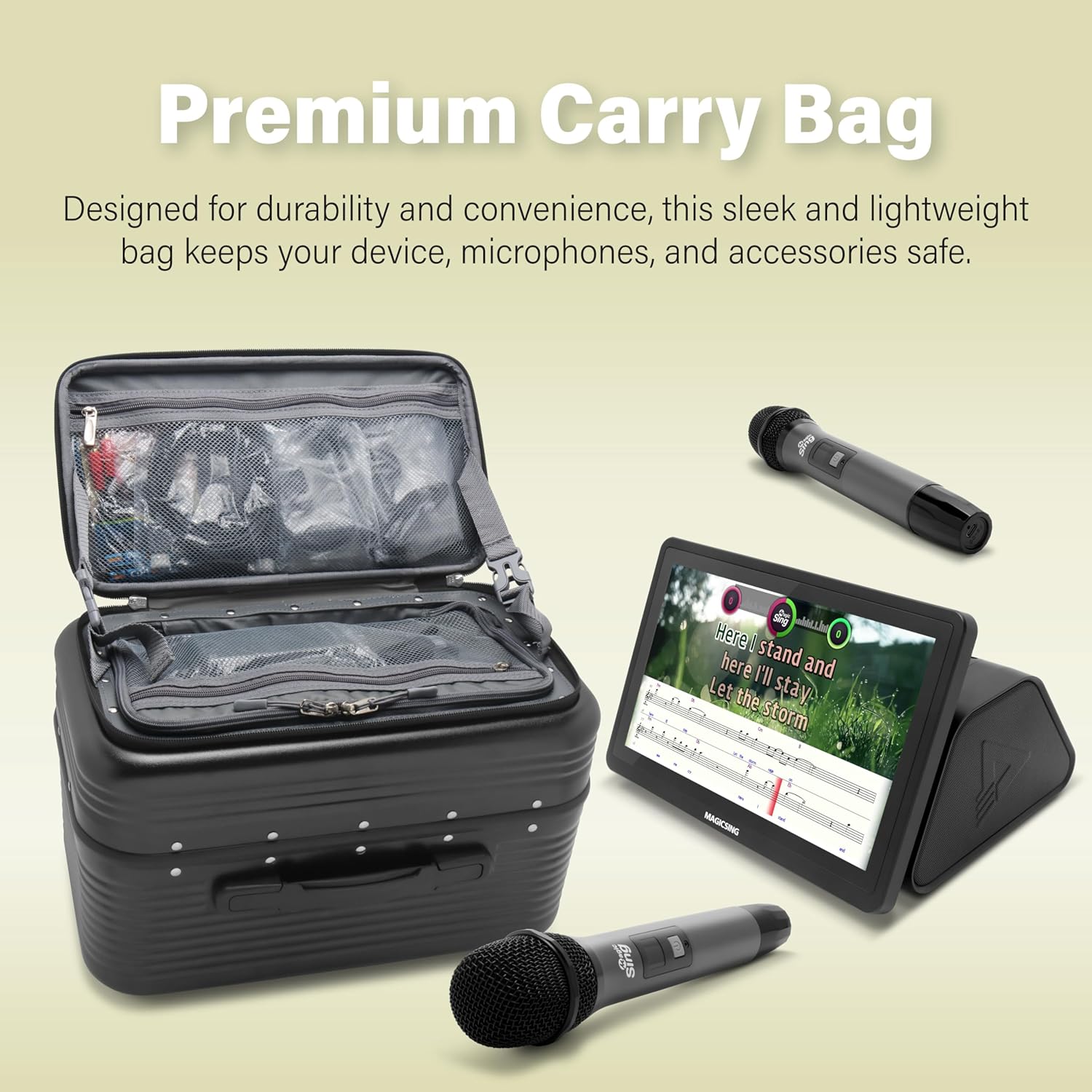
The system allows for extensive customization of sound settings, including individual volume control for various instruments, pitch, key, echo, and tempo.
4.5 Real-Time Scoring
Activate the real-time scoring feature to add a competitive element to your singing. The system will rate your performance and provide a score at the end of each song.
4.6 Custom Backgrounds
Personalize your karaoke experience by using your own videos or photos as background visuals while singing. Refer to the on-screen instructions for uploading and selecting custom backgrounds.
4.7 Sheet Music Display
Toggle the sheet music display on or off via the touchscreen. You can choose to display the melody and instruments together for a comprehensive guide.
5. Maintenance
5.1 Cleaning
Wipe the touchscreen and exterior surfaces with a soft, dry cloth. Do not use abrasive cleaners or solvents. For microphones, gently clean the mesh with a soft, dry brush if needed.
5.2 Storage
When not in use, store the Magic Sing ATK1000 in its dedicated carry case to protect it from dust and damage. Ensure microphones are securely placed in their charging slots within the system.
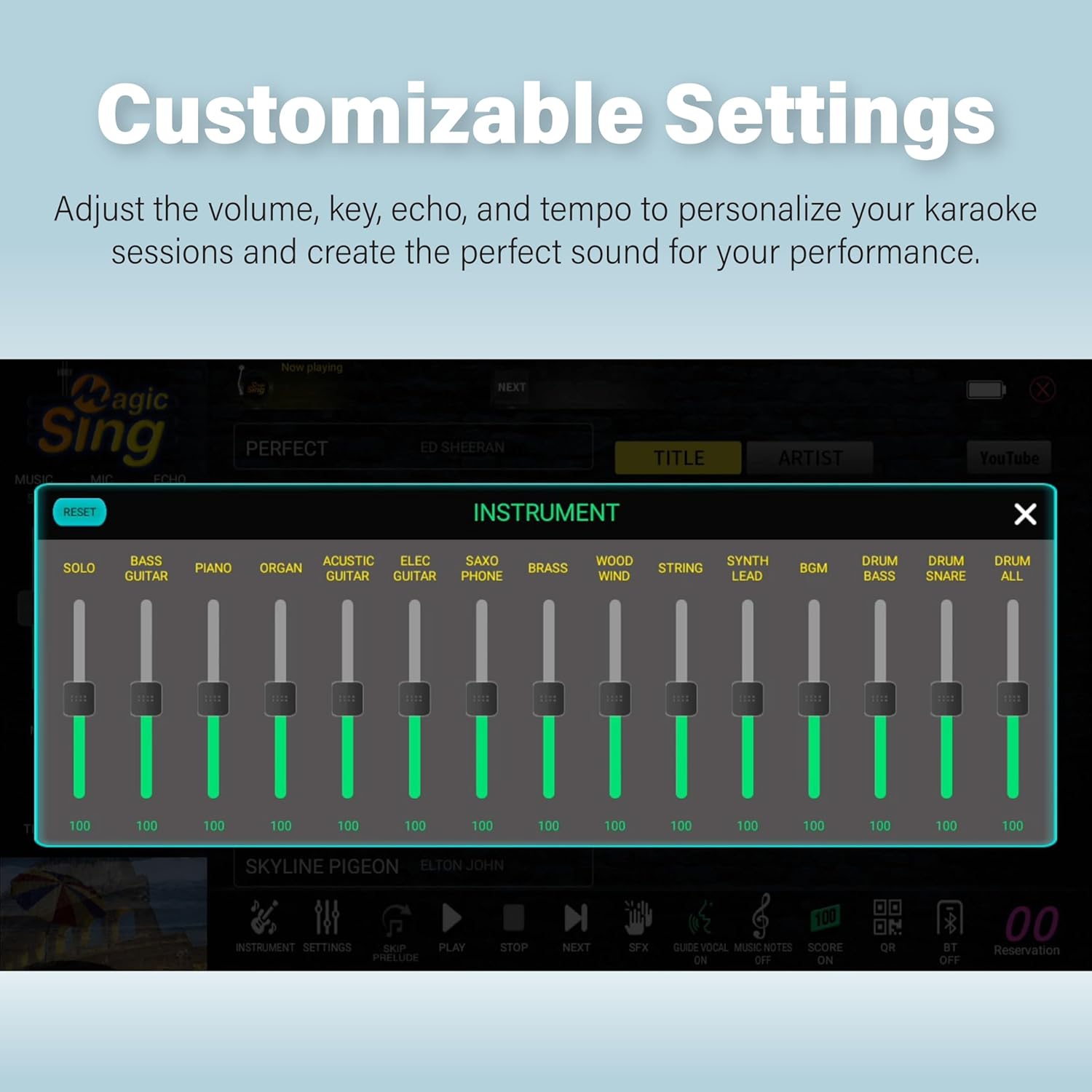
A durable and lightweight premium carry bag is included to safely transport the karaoke system, microphones, and accessories.
6. Troubleshooting
If you encounter any issues with your Magic Sing ATK1000, please refer to the following common solutions:
- No Power: Ensure the power adapter is securely connected to both the system and a working electrical outlet. Check the battery level if operating wirelessly.
- No Sound: Verify that the master volume is not muted and is set to an audible level. Check all audio cable connections (HDMI/RCA) to your TV or external audio system.
- Microphone Not Connecting/Working: Ensure the microphones are charged and powered on. Re-seat them in their charging slots to re-establish connection if necessary. Check microphone volume settings.
- Screen Unresponsive: Try restarting the system. If the issue persists, perform a factory reset (refer to the on-screen settings for this option).
For further assistance, please contact Magic Sing customer support.
7. Specifications
| Feature | Detail |
|---|---|
| Item Weight | 14.1 pounds |
| Product Dimensions | 8.26 x 11.66 x 6.79 inches |
| Item Model Number | ATK1000 (Vietnamese + English version) |
| Color | Black |
| Compatible Devices | Smartphone, Television |
| Connector Type | HDMI, RCA |
| Speaker Count | 2 |
| Power Source | Battery Powered |
| Voltage | 110 Volts |
| Special Feature | Built-In Amplifier, Built-In Microphone, Portable, Rechargeable, Touch Screen |
8. Warranty and Support
For detailed warranty information, please refer to the warranty card included in your product packaging. For technical support, troubleshooting assistance, or any other inquiries, please visit the official Magic Sing website or contact their customer service department. Contact information can typically be found in the included user manual or on the manufacturer's website.


