
Paihao C900
Paihao C900 Mini Projector User Manual
Model: C900 | Brand: Paihao
Product Overview
The Paihao C900 is a versatile and portable mini projector designed for various entertainment and professional needs. Featuring DLP Link 3D support, 1080P native resolution with 4K compatibility, and an Android 9 operating system, it offers a comprehensive viewing experience. Its compact size and built-in battery make it ideal for both home and on-the-go use.
Key Features:
- DLP Link 3D & 4K Compatibility: Experience immersive 3D content and enjoy crisp visuals with native 1080P resolution, supporting up to 4K input.
- Portable Design with Built-in Battery: Small and lightweight, similar in size to a cola can, with an 8000mAh battery for mobile power and extended use.
- High Brightness: Equipped with a 210 ANSI Lumens LED bulb, allowing for normal viewing even in daylight conditions.
- Android 9 OS & Robust Performance: Runs on Android 9 with 2GB RAM and 32GB ROM, ensuring smooth operation and ample storage. Features dual-band WiFi and Bluetooth 5.0.
- Wireless Projection: Supports seamless wireless screen mirroring from compatible devices without freezing.
- Multiple Control Options: Offers control via IR remote, 2.4G wireless control, Bluetooth, and an intuitive touch panel on the device.
Package Contents
Please verify that all items are present in your package:
- Paihao C900 Mini Projector
- User Manual
- Remote Control
- Power Adapter
Product Tour and Components
Familiarize yourself with the various parts of your C900 Mini Projector.

The Paihao C900 Mini Projector, demonstrating its compact and portable design when held in a hand.
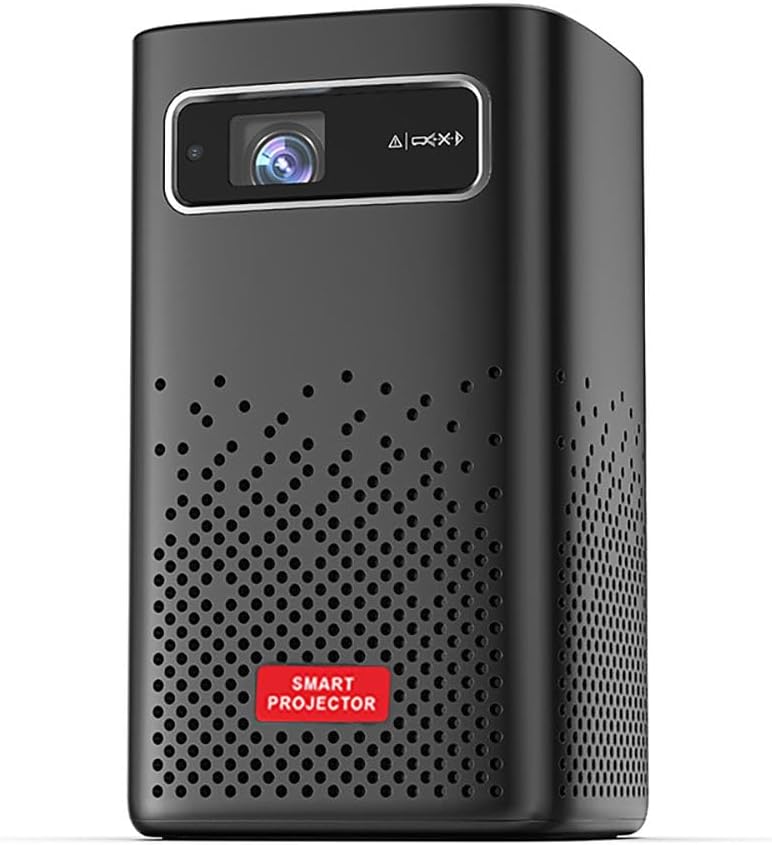
Front view of the projector, highlighting the HD projection lens and the speaker grilles.

The intuitive fingertip touch control panel located on the top of the projector for easy navigation.
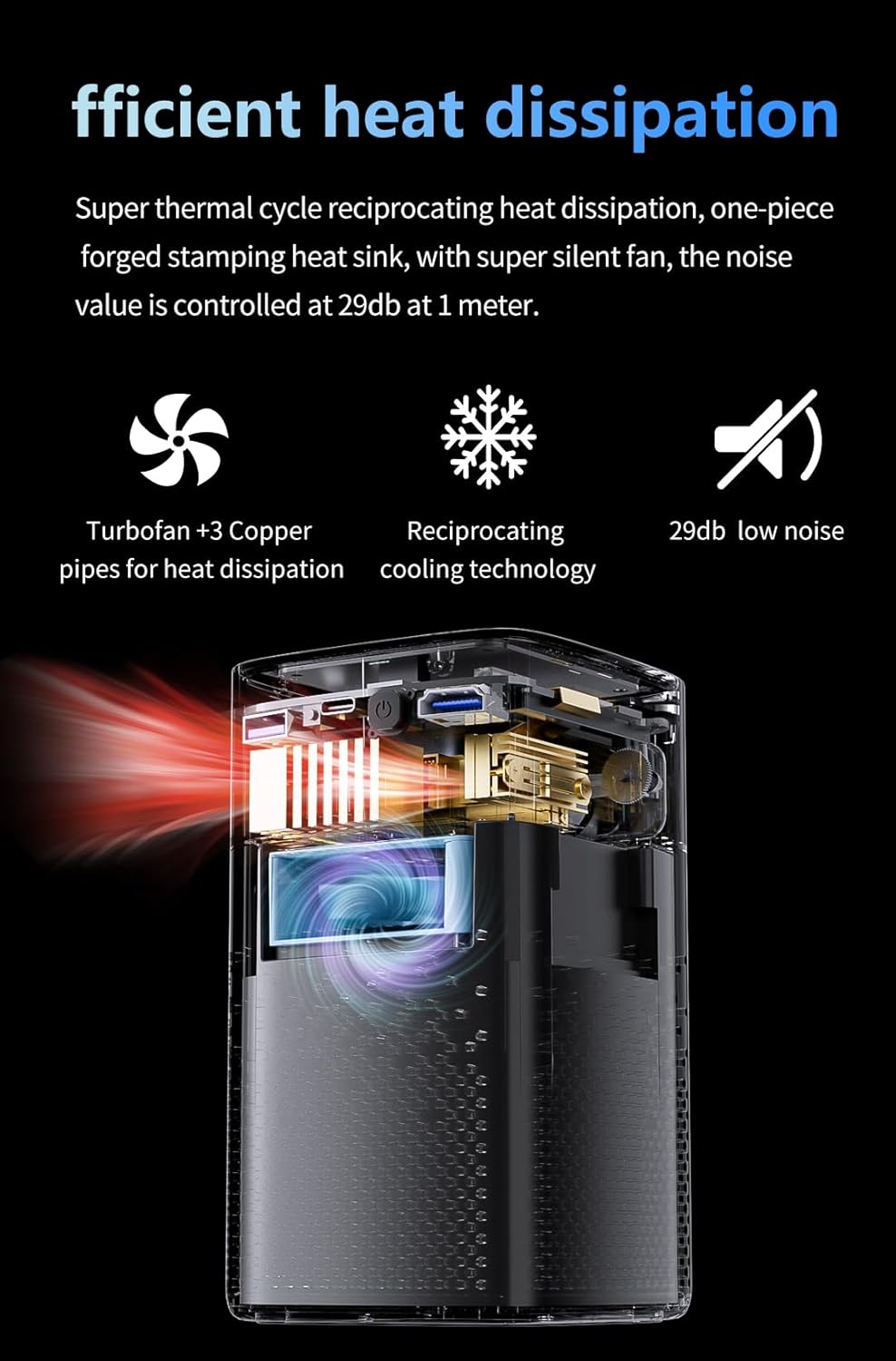
Internal view illustrating the efficient heat dissipation system with turbofan and copper pipes.
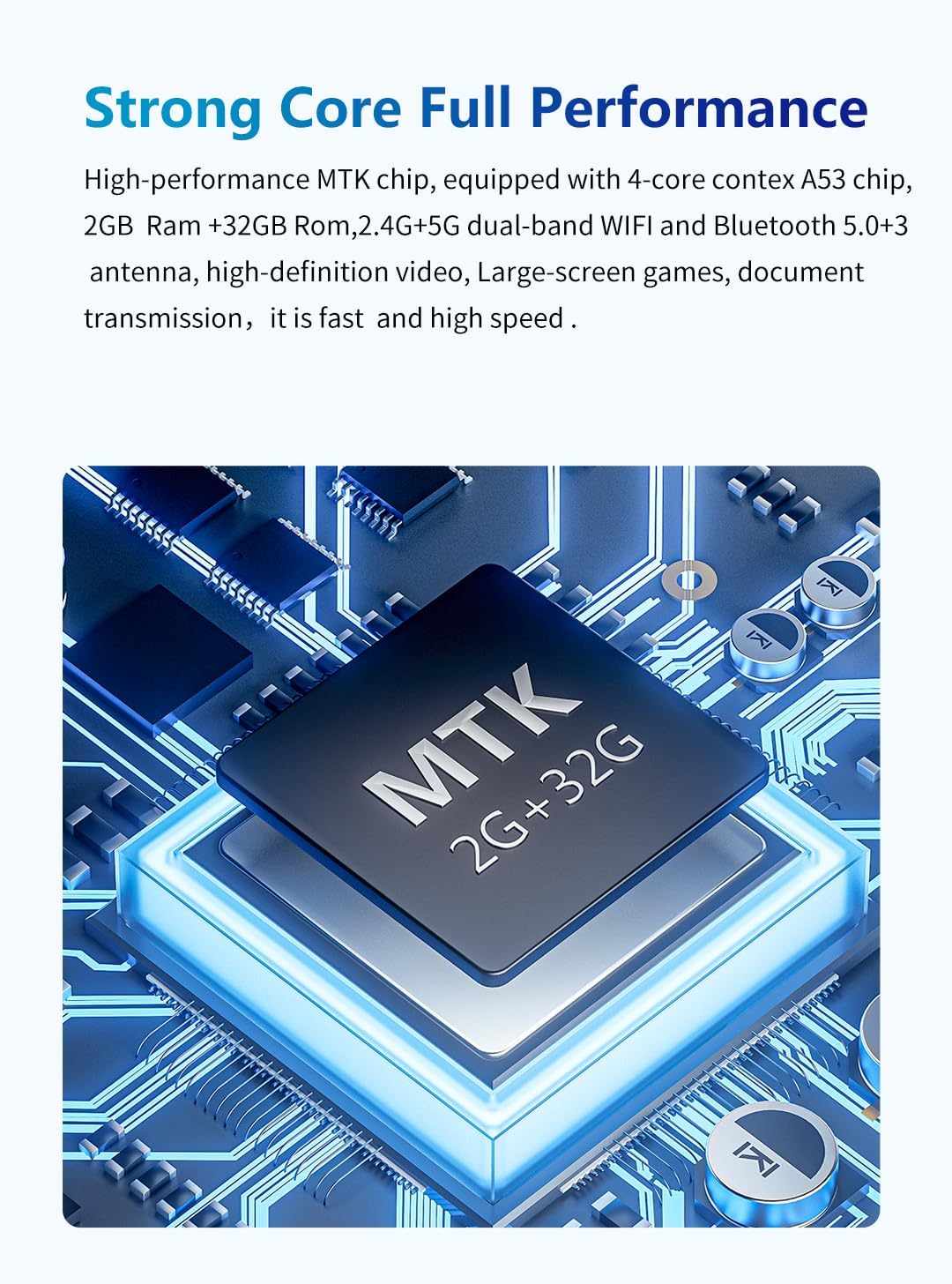
Detailed view of the high-performance MTK 4-core A53 chip, the core of the projector's smart functions.

The German Osram RGB light source, providing 210 ANSI brightness for clear daytime projection.
Setup Guide
1. Initial Power On
- Connect the power adapter to the projector's DC input port and then to a power outlet.
- Press and hold the power button on the projector or the remote control to turn on the device.
- The projector will boot up and display the Android home screen.
2. Focus Adjustment
To achieve a clear image, adjust the focus:
- Locate the manual focus ring on the side of the projector.
- Rotate the focus ring left or right until the projected image appears sharp and clear on your screen or wall.
3. Keystone Correction
The C900 supports both manual and auto keystone correction:
- Auto Keystone: The projector can automatically correct vertical keystone distortion up to ±45 degrees. Ensure the projector is placed on a stable surface.
- Manual Keystone: For horizontal correction (±40 degrees) or fine-tuning, navigate to the settings menu using the remote or touch panel and adjust the keystone manually.
Operating Instructions
1. Connecting Devices
The C900 offers multiple connectivity options:
- HDMI: Connect a laptop, game console, or other HDMI-enabled device to the HDMI port. Select the HDMI input source from the projector's menu.
- USB: Insert a USB drive into the USB port to play media files directly.
- Type-C: Use the Type-C port for compatible devices.
- Earphone: Connect external headphones or speakers to the 3.5mm earphone jack for private listening or enhanced audio.
2. Wireless Projection
The projector supports wireless screen mirroring for smartphones and other devices:
- Ensure both the projector and your device are connected to the same Wi-Fi network.
- On the projector's home screen, select the wireless projection application (e.g., AirPlay for iOS, Miracast for Android).
- Follow the on-screen instructions to connect your device.
3. 3D Viewing
The C900 supports DLP Link 3D for an immersive experience:
- Ensure your 3D content is in a compatible format (e.g., SBS, TB, Blu-ray 3D).
- Wear active DLP Link 3D glasses (sold separately) for optimal viewing.
- Access the 3D conversion settings in the projector's menu to select the appropriate 3D mode.
4. Voice Control
Utilize the voice control feature for convenient operation:
- Activate voice control through the remote or on-screen interface.
- Speak commands clearly to navigate menus, search for content, or adjust settings.
Product Videos
Watch the official product video for a detailed introduction to the C900 Projector.
Official video providing a detailed introduction to the C900 Projector, including unboxing and feature highlights.
Technical Specifications
| Feature | Specification |
|---|---|
| Projection Technology | DLP |
| Display Chip | MTK, 4-core Cortex A53 chip |
| Brightness | 210 ANSI Lumens (5000 Lumens) |
| Max Resolution | 1920x1080P, MAX 4K |
| 3D Support | DLP Link 3D |
| Contrast Ratio | 2000:1 |
| LED Lifetime | 50,000 hours |
| Throw Ratio | 1.35:1 |
| Keystone Correction | Manual/Auto, Vertical: ±45°, Horizontal: ±40° |
| Focus | Manual |
| Distortion | <1.0% |
| Luminance Uniformity | >85% |
| Projection Screen Size | 30-120 inches |
| Android Version | Android 9 |
| RAM/ROM | 2GB/32GB |
| WiFi | Dual band WiFi |
| Bluetooth | BT5.0 |
| Voice Control | Yes |
| Projector Interface | HD*1, USB*1, Earphone*1, Type-C*1 |
| Speakers | 5W x2, Dual surround sound |
| Input Voltage | 100-240V 50/60Hz |
| Power Consumption | 50-60W |
| Item Weight | 3.3 pounds |
| Package Dimensions | 9.84 x 5.9 x 5.9 inches |
Maintenance
Proper maintenance ensures the longevity and optimal performance of your projector.
- Cleaning the Lens: Use a soft, lint-free cloth specifically designed for optical lenses. Do not use abrasive cleaners or cloths that could scratch the lens.
- Cleaning the Exterior: Wipe the projector's exterior with a soft, dry cloth. For stubborn marks, slightly dampen the cloth with water. Avoid using strong detergents or solvents.
- Ventilation: Ensure the projector's ventilation openings are clear and not obstructed during operation. This prevents overheating.
- Storage: When not in use for extended periods, store the projector in a cool, dry place, away from direct sunlight and extreme temperatures.
Troubleshooting
If you encounter issues with your projector, refer to the following common solutions:
- No Power: Ensure the power adapter is securely connected to both the projector and a working power outlet. Check if the power button is pressed.
- No Image: Verify that the correct input source (HDMI, USB, Wireless) is selected in the projector's menu. Check all cable connections.
- Blurry Image: Adjust the manual focus ring on the side of the projector until the image is clear. Ensure the projection distance is within the recommended range.
- Image Distorted (Trapezoid Shape): Use the keystone correction feature (auto or manual) to adjust the image shape.
- No Sound: Check the volume settings on both the projector and the connected source device. If using external speakers, ensure they are properly connected and powered on.
- Wireless Connection Issues: Ensure both devices are on the same Wi-Fi network and that the signal is strong. Restart both the projector and the casting device.
If the problem persists after trying these solutions, please contact customer support.
Warranty and Support
The Paihao C900 Mini Projector comes with a standard manufacturer's warranty. For detailed warranty terms and conditions, please refer to the warranty card included in your package or visit the official Paihao website.
For technical support, troubleshooting assistance, or warranty claims, please contact Paihao customer service through the contact information provided on the product packaging or the official website. Please have your product model number (C900) and purchase details ready when contacting support.